
Table of Contents
I do realize this website has gone a bit astray in the last few months, focusing more on hardware reviews than on FOSS news; however, as I slowly turn back to what my job should be, I would like to dedicate a few articles on some personal projects that I've developed in the past few months and that I'm particularly proud of.
Therefore, meet Mirtillo.
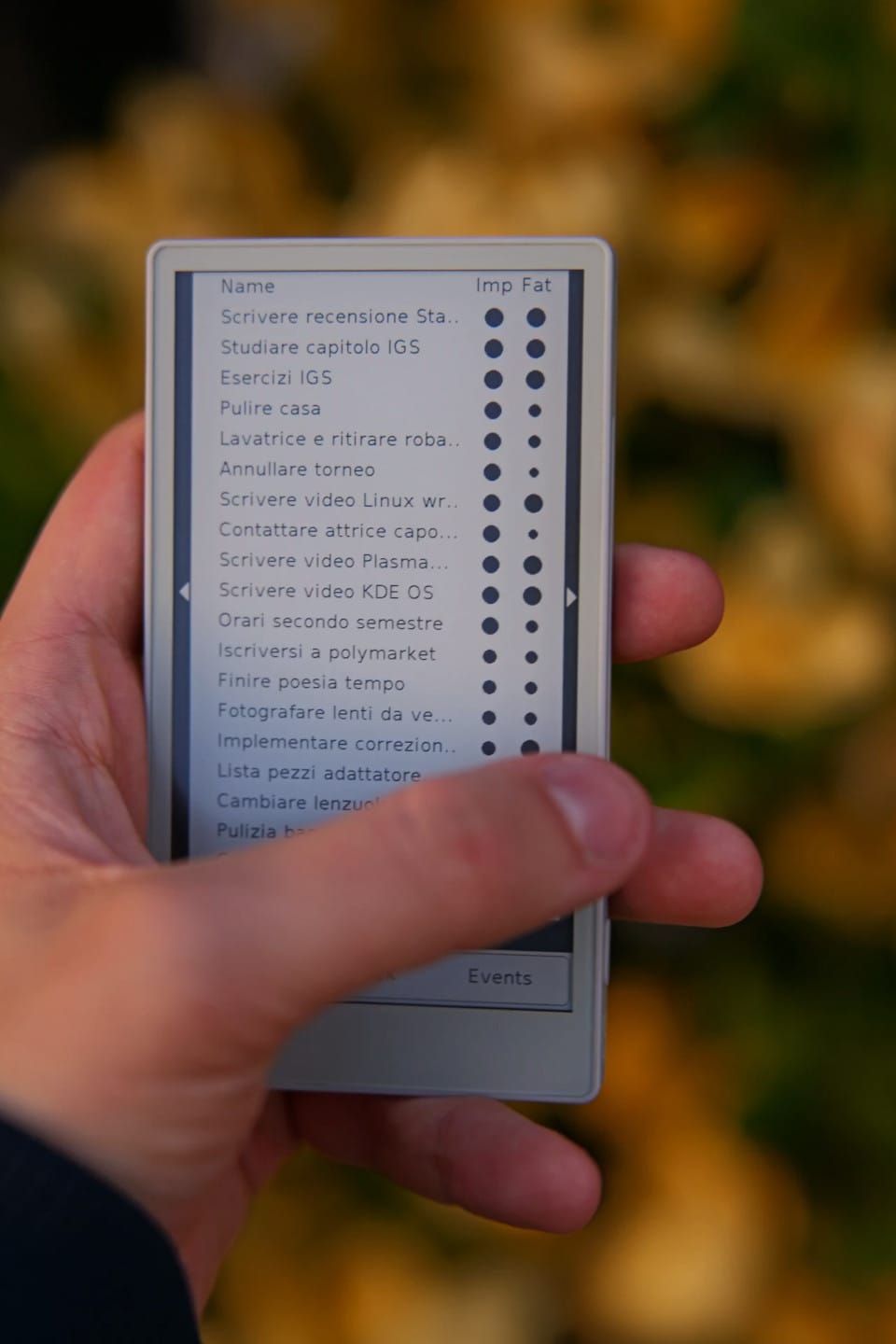
Simply put, Mirtillo is a digital agenda. It keeps track of what you're doing, your open tasks, events, it suggests you a schedule to follow, and it keeps track of your budgets. Its code is open-source and, well, I wrote it.
Let's take a step back. This story begun in January, when I realized I was still mostly unhappy with my events and tasks handling. My workflow was the following: I added everything I was meant to do and my events into TickTick, and at the end of each day I would take a few minutes to schedule all of my tasks on my calendar, and I checked whether I was able to do all the tasks that I had assigned to that given day.
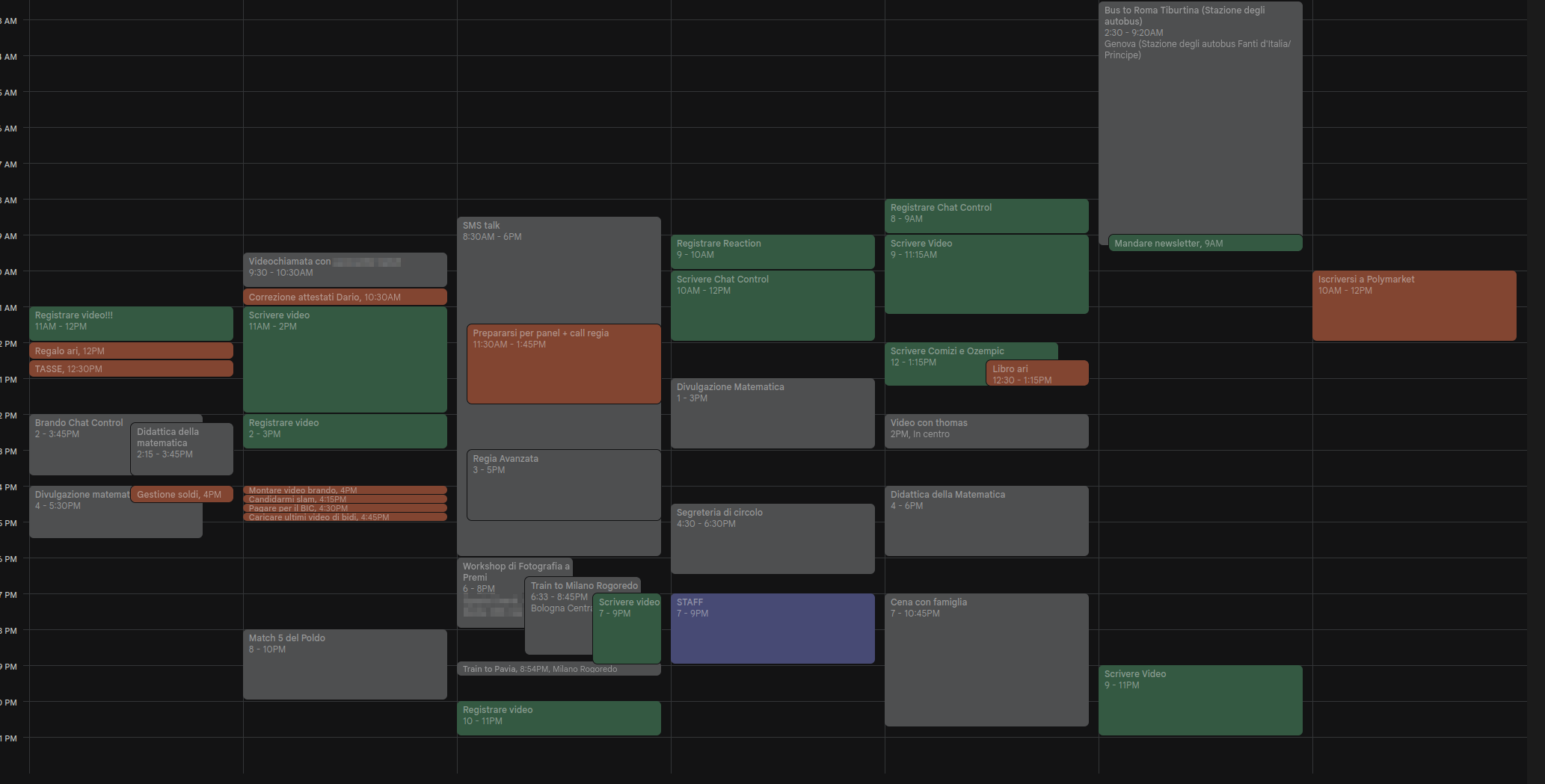
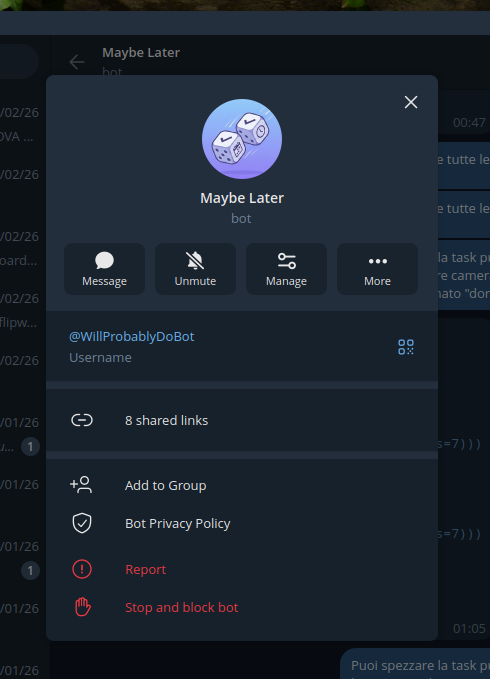
However, this made it quite easy to continuously postpone daunting tasks, and it was not particularly flexible: any unexpected event or delay in the day would make me much less willing to follow the schedule I had established. I'm the kind of person that heavily relies on these "productivity" systems to live my days, and I change them often; this year, I simply realized I had to go ahead and just build my own system instead of relying on apps that didn't truly understand me.
Initially, my goal was to build my own app. However, I don't know how to do that. It didn't make sense to me to learn the Android development kit from scratch to build a tool that was meant to better organize the plenty of tasks I already had to do. It had to be something that I could develop in a few days.
My backup plan was to build a Telegram bot. I spend much of my day on Telegram anyway, and there are an incredible amount of features available to bots there. I even made a solid mockup of how it would work, but I was mildly annoyed by the fact that there was no way to have some sort of "dashboard" on my home screen to see my current and future tasks.
This is when I started thinking of how cool it would be to have a dedicated, e-ink device that was entirely made for productivity. I don't know about you, but back in January my Twitter timeline was full of images of the X4 e-ink device, a little sexy thing that magnetically attaches to the back of your phone and has buttons to interact with it.
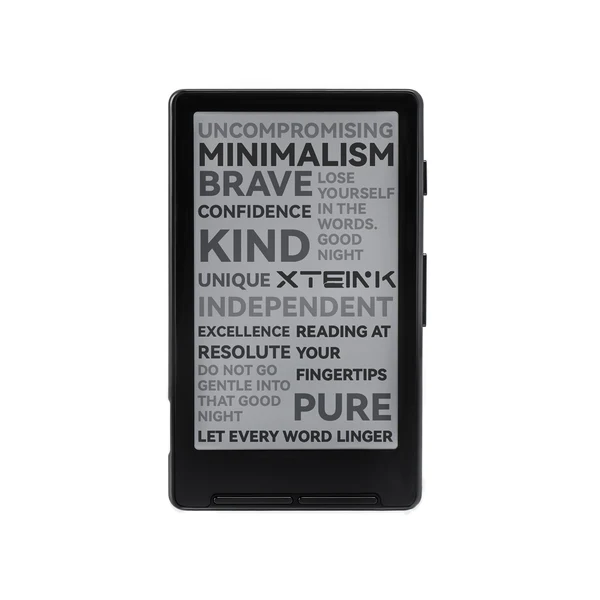
However, a few buttons would not fit my usecase. I needed more, and I needed to be able to write my own code. After some research, I found out just the perfect device to use.
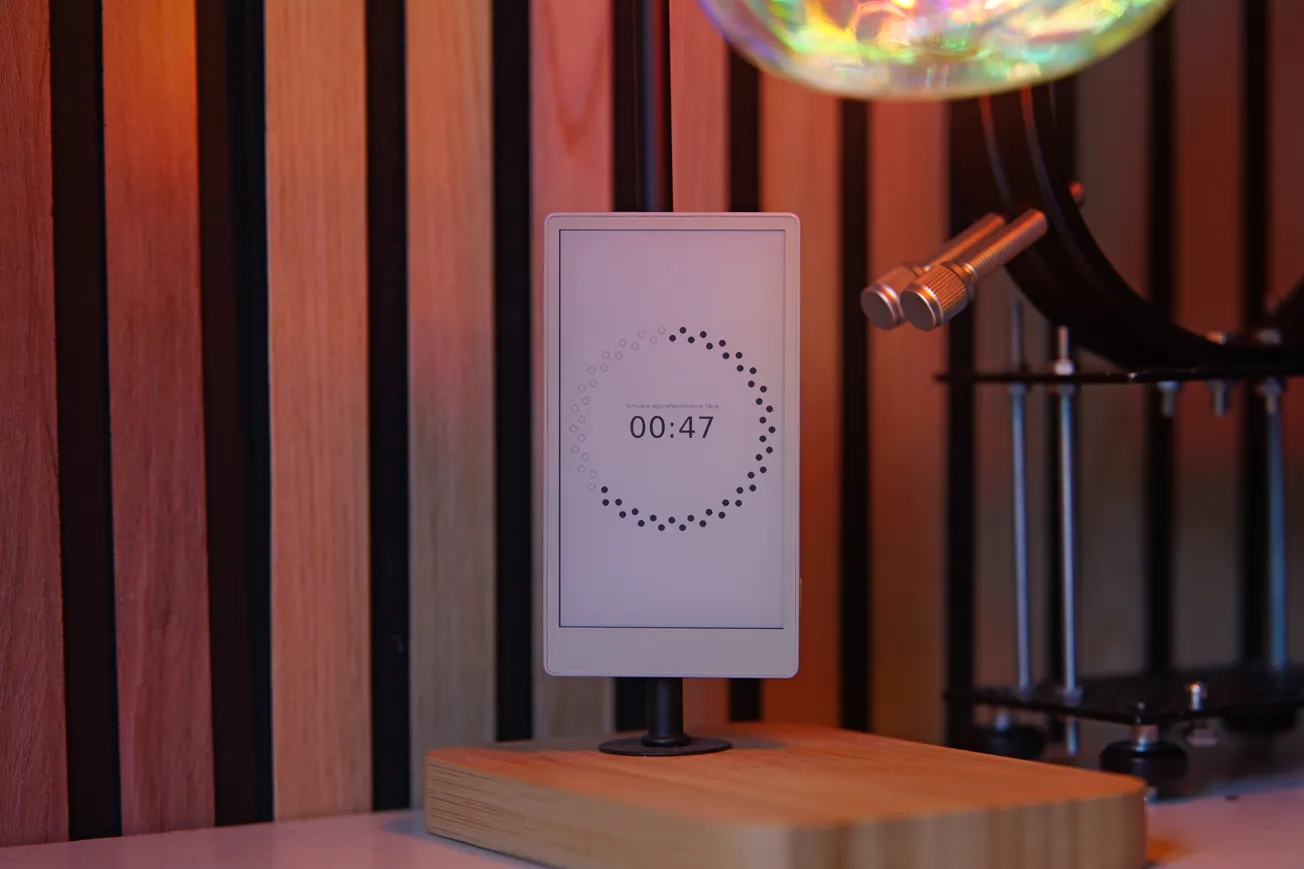
This is a M5Stack Paper S3, a development unit that features a 4.7" e-ink touchscreen, a good 1800mAh battery, Wi-Fi and Bluetooth capabilities, a microSD card slot, a buzzer, and nothing else. It runs on a ESP-32 chip and costs less than 50€, shipping included. It's a steal! I immediately bought one.
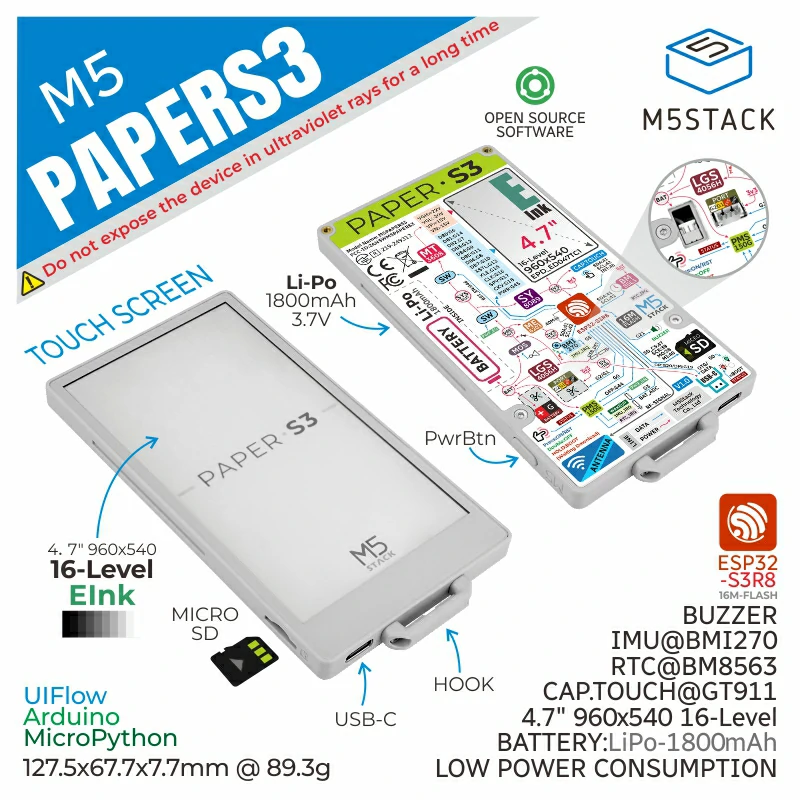
Oh, and the back is magnetic, so I can attach it to a great variety of metallic surfaces around me! This is a particularly great party trick, and the device as a whole is a good conversation starter (which, for an introvert like me, is a drawback!).
Developing applications for the PaperS3 is wonderfully easy. You can use MicroPython, which I was familiar with, and there's a half-decent documentation of the provided draw functions. The only drawback is that no high-level UI element was included out of the box, so I very much had to build the whole thing from scratch!
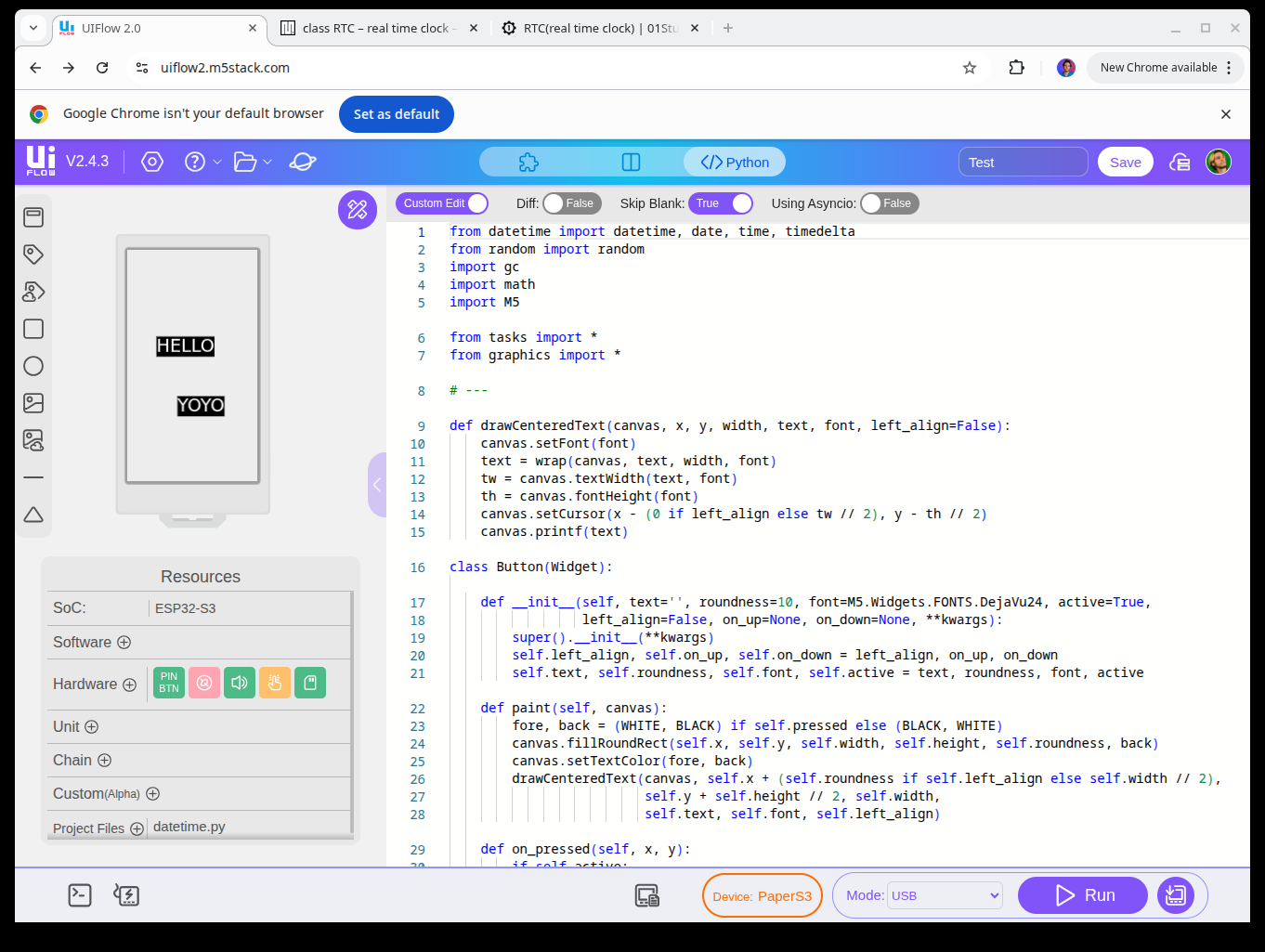
Luckily for me, the device was shipped right before my week-long vacation with my girlfriend. I brought my laptop with me and spent the whole vacation coding away, from each morning to each night. Surprisingly enough, my girlfriend never complained. I guess that after seven years of relationship she has sort-of given up on fixing this side of me.
That said: what exactly was I developing? It had to be something that implemented a specific workflow that was built on my specific needs and habits, as otherwise I could've just used any Android application. After much thought, I decided to go for what I'd like to call a "non-deterministic task manager". (The project was initially called Stochastic Tasks but my girlfriend didn't quite like the name so I changed it to Mirtillo, which means blueberry in Italian).
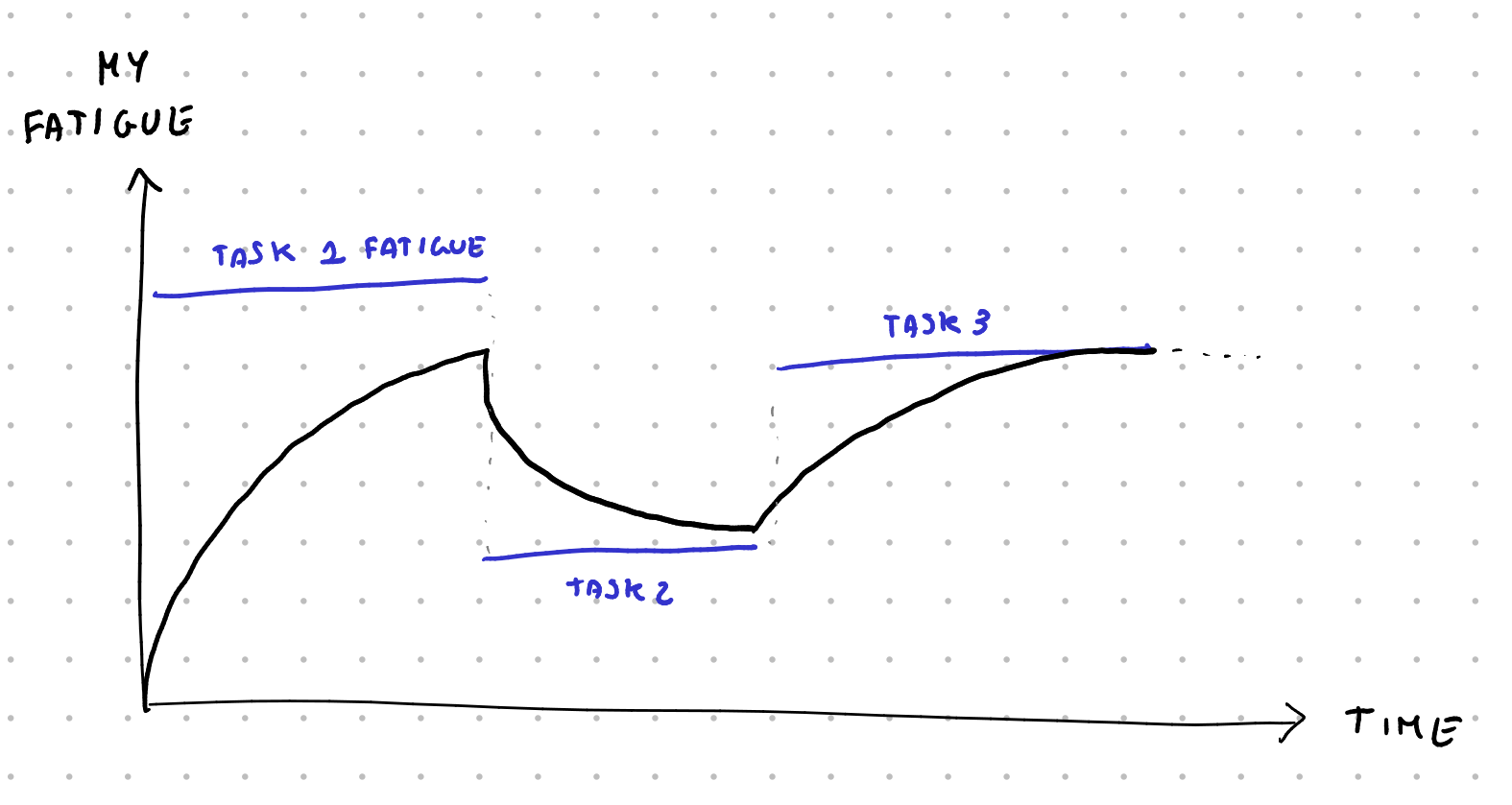
My model of myself was: I'm someone with a certain amount of events and tasks, both of which have a "fatigue" level (relaxing, low, medium, high). I also have a personal fatigue level, and doing tasks of a given fatigue will make my fatigue slowly match the one of the assigned task, depending on how long it is.
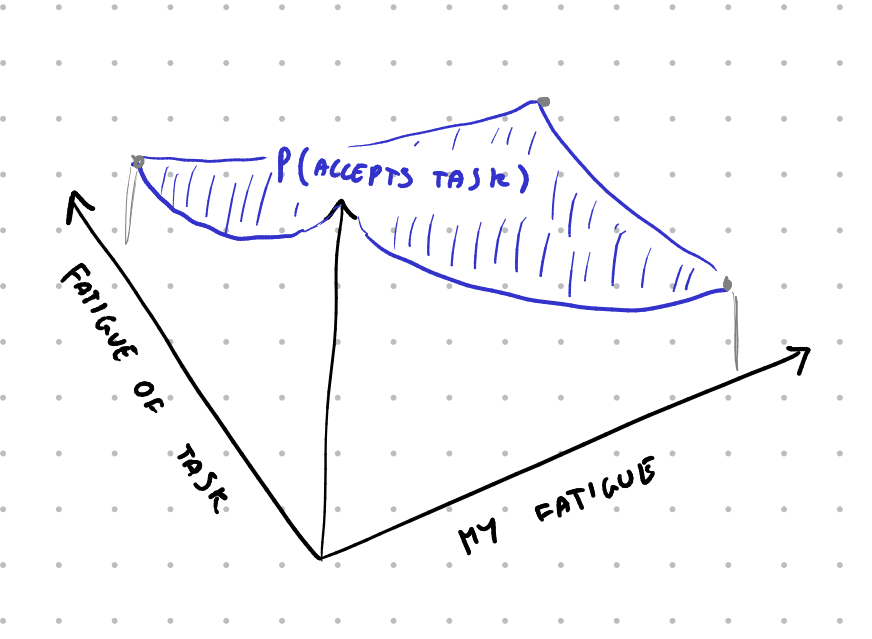
Now, Mirtillo can try to propose me tasks to do, but it knows that the less fatigued I am, the more likely I am to accept them. I initially wrote an hardcoded probability function here that depends on my fatigue and the fatigue of the proposed task, but the idea in the future is to track how often I actually decide to go for certain tasks and use actual probabilities.
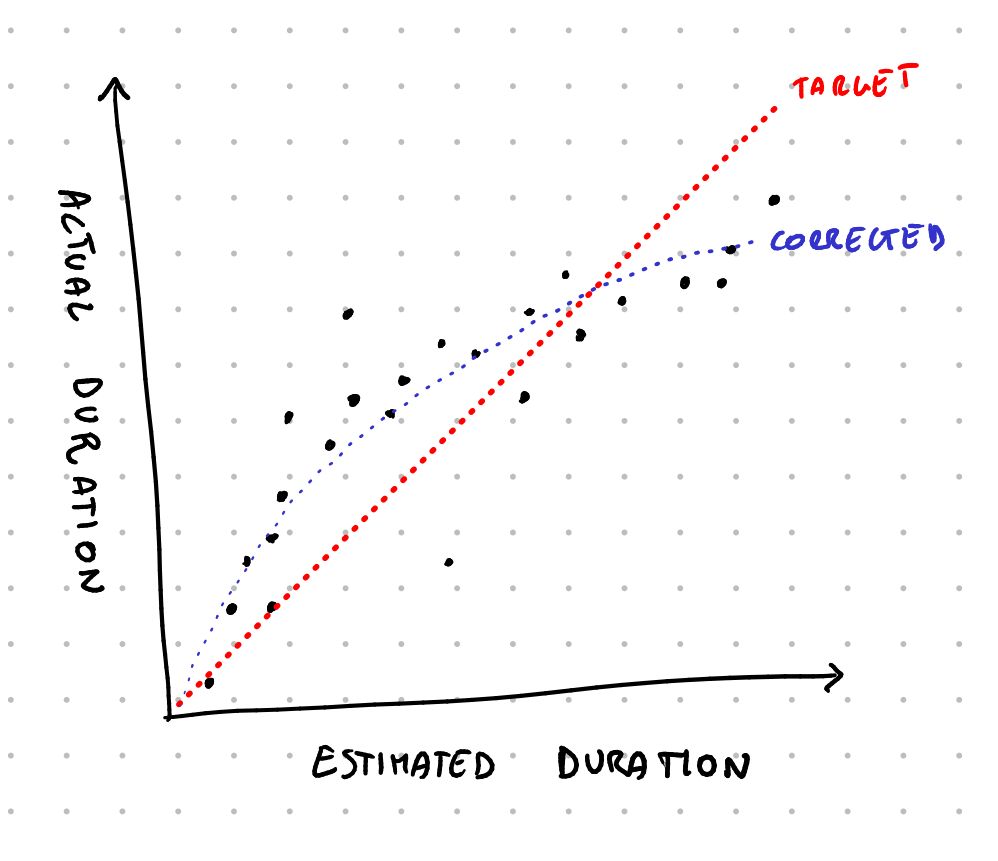
Furthermore, each task is assigned an estimated duration. Again, I'm initially blinding trusting my time estimation skills now, but the idea is to, over time, collect data on whether I over or underestimate the duration of tasks (and of specific recurring tasks) to have a probability curve of the actual duration of the task.
Finally, each task also has a value, which is based on how important it is (recreational, nice to have, normal, important, vital) and based on whether it has a deadline, a "best-by" date, and how long ago I created it. The goal then becomes: how can Mirtillo build my schedule around the given events by placing my tasks so that it maximized the expected value of the score of the next few days?

This is an extremely difficult task to solve in a deterministic way; instead, I decided to handle this as a one-player game with a very large branching factor (at each given moment I can do more than 20/30 different choices of tasks to do). And, as one naturally does in such a scenario, I went with montecarlo simulations.
The idea is: whenever Mirtillo has to pick a task to try to make me do, it simulates a random possible future by picking random tasks, collapsing the probability functions of tasks duration into a single value, and using the probability function of how likely I am to do the proposed tasks. It does this until the end of day, and then again, and then again, hundred of times. Then, it looks at the average score I got, and picks the top-level task that has the highest average score and suggests it to me.
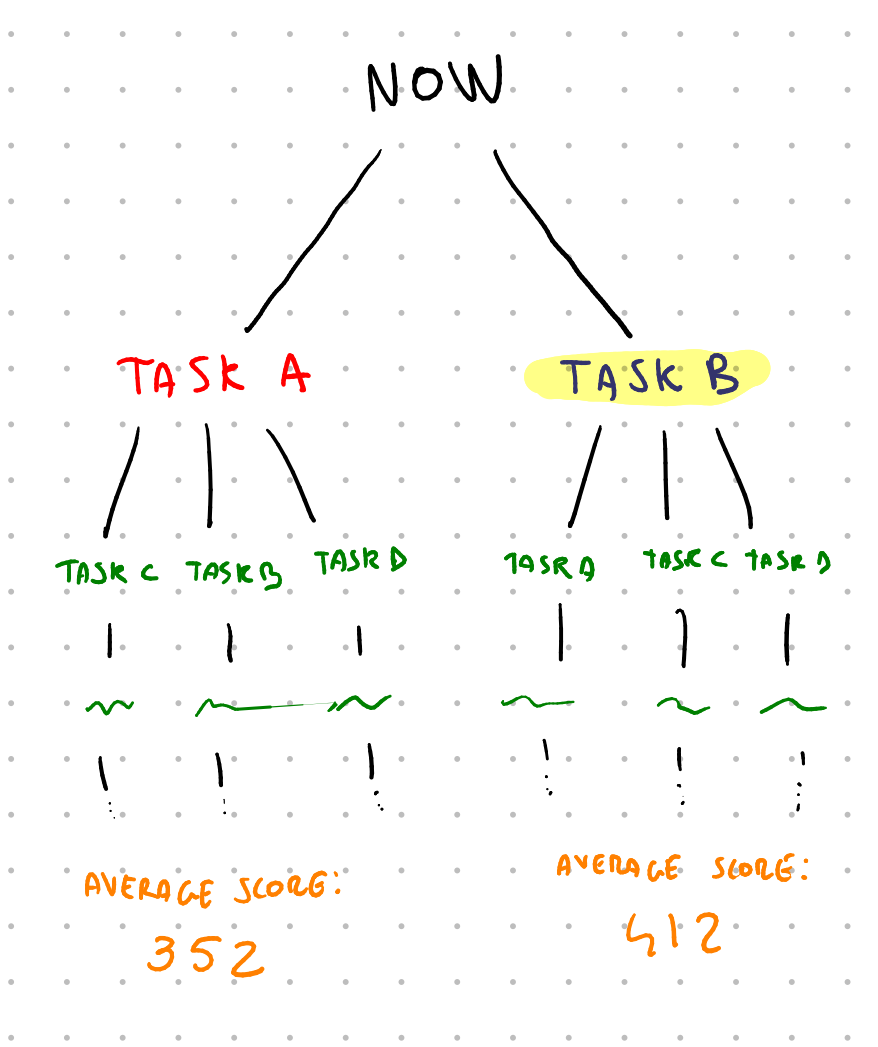
This has one big drawback: it's slow, especially on ESP32, so I can't run that many simulations. It also has may benefits, though: it means that I can collect data over time on how I actually perform and decide to do tasks, and that data will actually be usable to improve the simulations. It also means that, as an example, Mirtillo automatically suggests relaxing tasks in-between higher fatigue ones so that I'm more likely to actually stick to the suggested schedule.
So that's the idea behind the scenes. The user-facing implementation is much more simple, though. The application has four sections: Tasks, Clock, Budget and Events.
In the tasks section there's the list of all open tasks, with the importance and fatigue level of each, sorted by score. You add a new task or click on any existing one to see all of its information: effort, importance, duration, valid from, best by, deadline, repeats N times, and how often it repeats. As long as I maintain this list to be accurate, Mirtillo is going to do its best to propose me the best course of action at any given time.
The events section is almost identical: there's a list of tasks to do, with each having its start and duration. It looks horrible, I know, and I even know how to fix the UI using headers for the different days, but I haven't had time to actually work on it.
The clock section tells me the current task, how much time left it has, and the next event. I can tell it that I'm done, and it's going to ask me whether I want to generate a new item, start the next event early, or create a new event starting now. If I do choose to generate a new item to do, as an additional data point, I'm also asked how I'm feeling. In the future, this should also be used as a data point for the probability function of how likely I am to accept a given task.
The cool thing is that, since e-ink display keep showing information even when they're turned off, Mirtillo always shows the clock, even when I'm not using it. I made it so that it turns on every few minutes to update the number and then it turns off again. This way the battery lasts a few days, which is still not as good as I'd like it to be (it should be weeks... ) but it's a great start. Further power management optimizations are planned in the future.
Finally, there's the budget section. This is a somewhat recent addition: it's simply a list of values that I'm tracking and that increase at a given rate. As an example, I have a "small expenses" section value which increases at a rate of 17€/day, and I just subtract here all of my small daily expenses. This makes sure that I roughly spend around 500€/month of this category. There's a kcal tracker that works the same way: it slowly increases over time, and I subtract the estimate of the energy of each food I eat to check how much I'm eating.
This approach is extremely simple but powerful, I think. In the future I'd like to experiment with budgeting time in a similar manner: I could have a "minutes" counter that slowly increases over time, and each time I commit to some responsibility, I take off the amount of estimated minutes that it's going to take, to make sure I'm not over-committing my time.
And that's it. Mirtillo is a dedicated device that's the ultimate productivity tool for me, simply because it's built by me with myself in mind and it works exactly how I want it to work. Anytime I want to change some code I can just go ahead and change the code, and it only took a few days to develop. It certainly will require even more time to fully develop (the data collection part is still missing, and so is any kind of backup mechanism) but it has already helped my schedule the past three months.
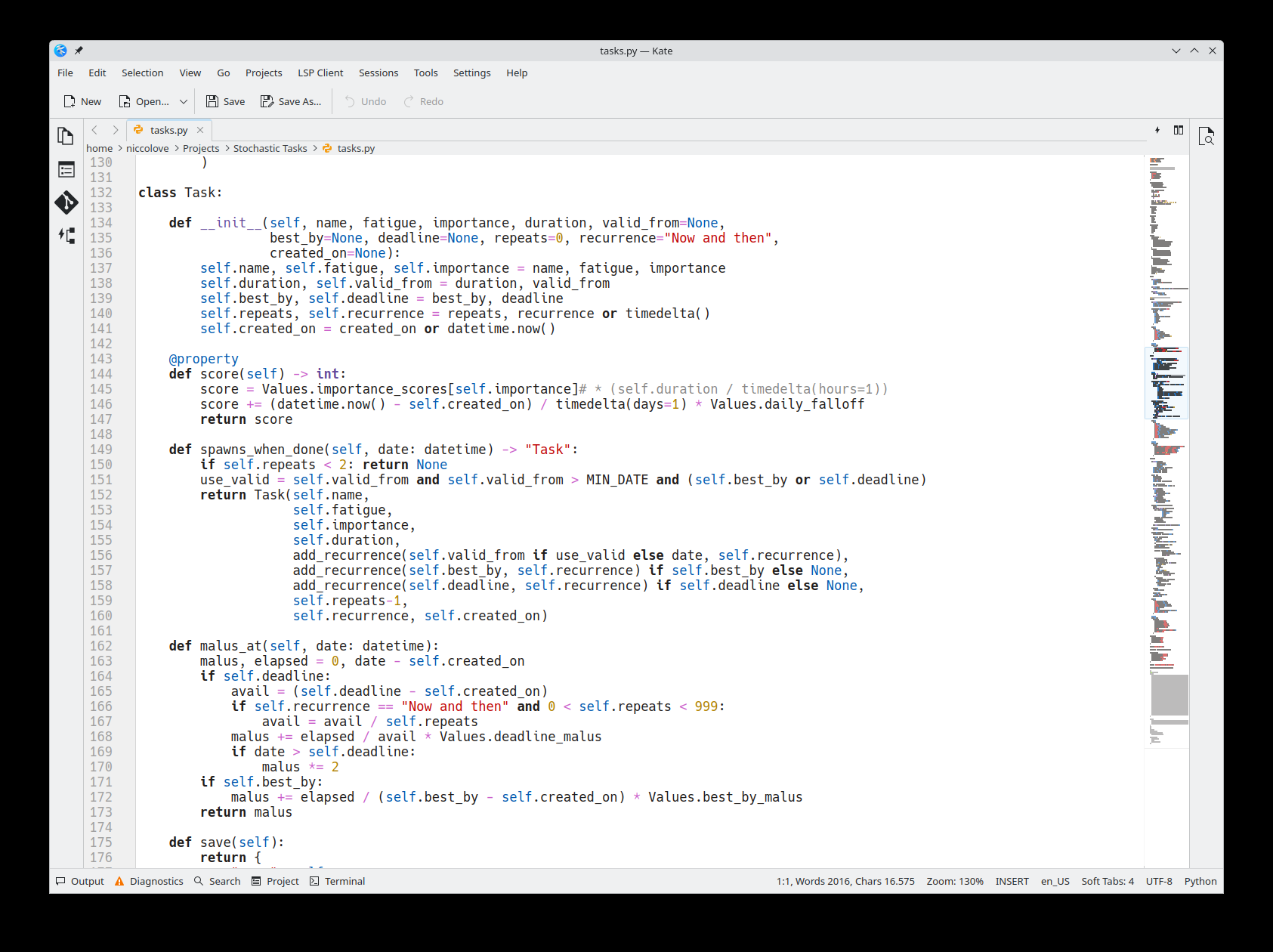
So, to recap: if you want to build your own productivity tool that works around your exact needs and wants, you can just do that. Sure, you do need to know a bit of Python, but honestly it doesn't get easier than that.
In next week's video I'll showcase the other cool new invention of mine, called Lampone (raspberry).