Is COSMIC DE mogging KDE Plasma?
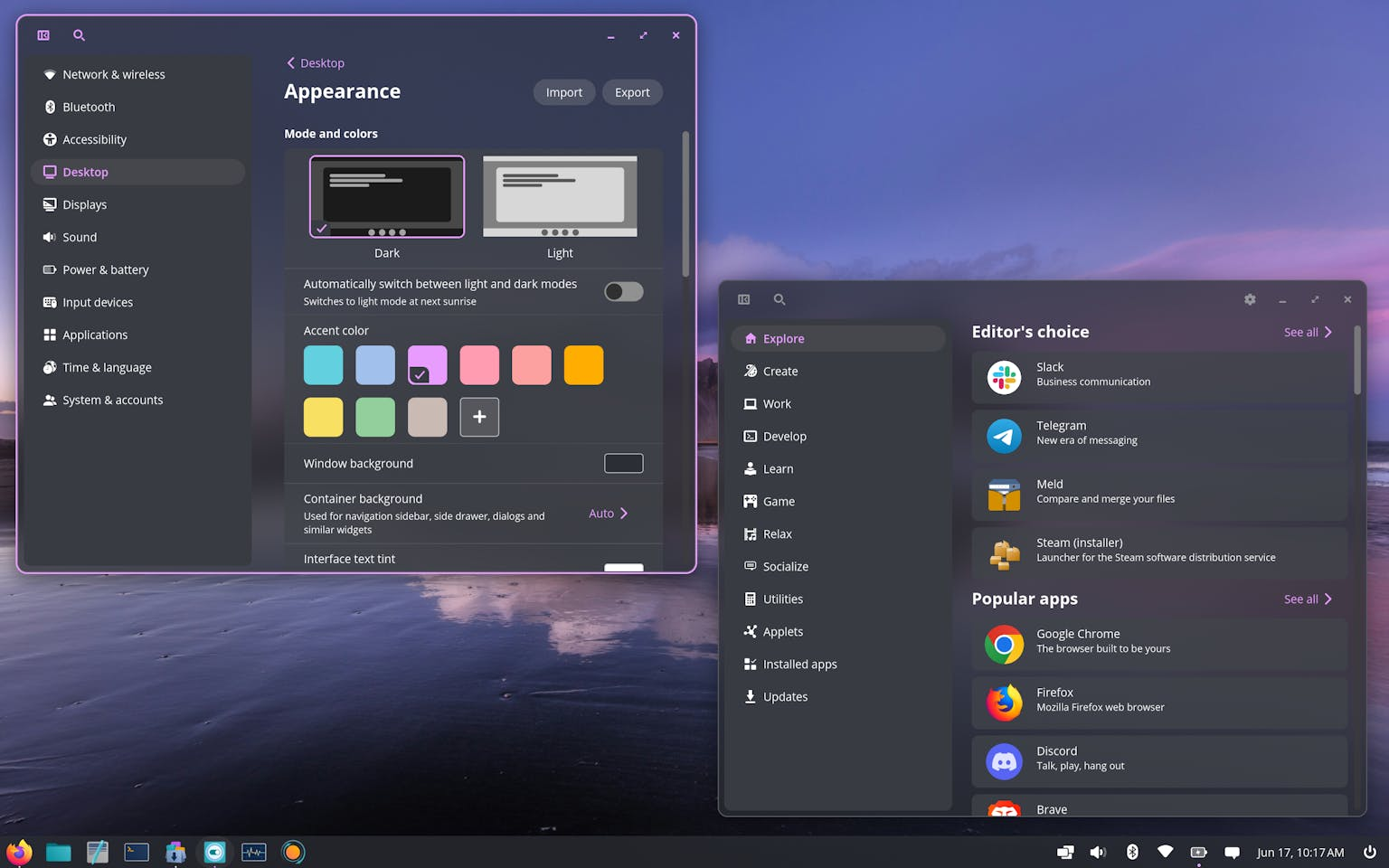
It's been almost a year since I've last tried COSMIC; though development since then has mostly been centered around stability (going from late alpha to stable releases now!) there have been a fair bit of user-facing changes too which I adore. I thus have to ask myself: should I switch to COSMIC? The answer obviously is no, but that's just because I got addicted to KDE Plasma, so let's try to be more objective here.
Do a few things but do them well
It goes without saying that there's no established desktop environment that manages to have the amount of customization that KDE Plasma has; its combination of (a) having been around for more than 25 years, (b) being commercially popular in devices like the SteamDeck, and (c) having made all components of the desktop highly modular has resulted in a unique community of theme, applets, colorschemes, and much more. There's no comparison here.
But of course, COSMIC doesn't try to compare here; instead, it does its thing, and it does it really well. There's a variety of theming options that I, a KDE developer, am deeply, deeply envious of. Let's go through them.
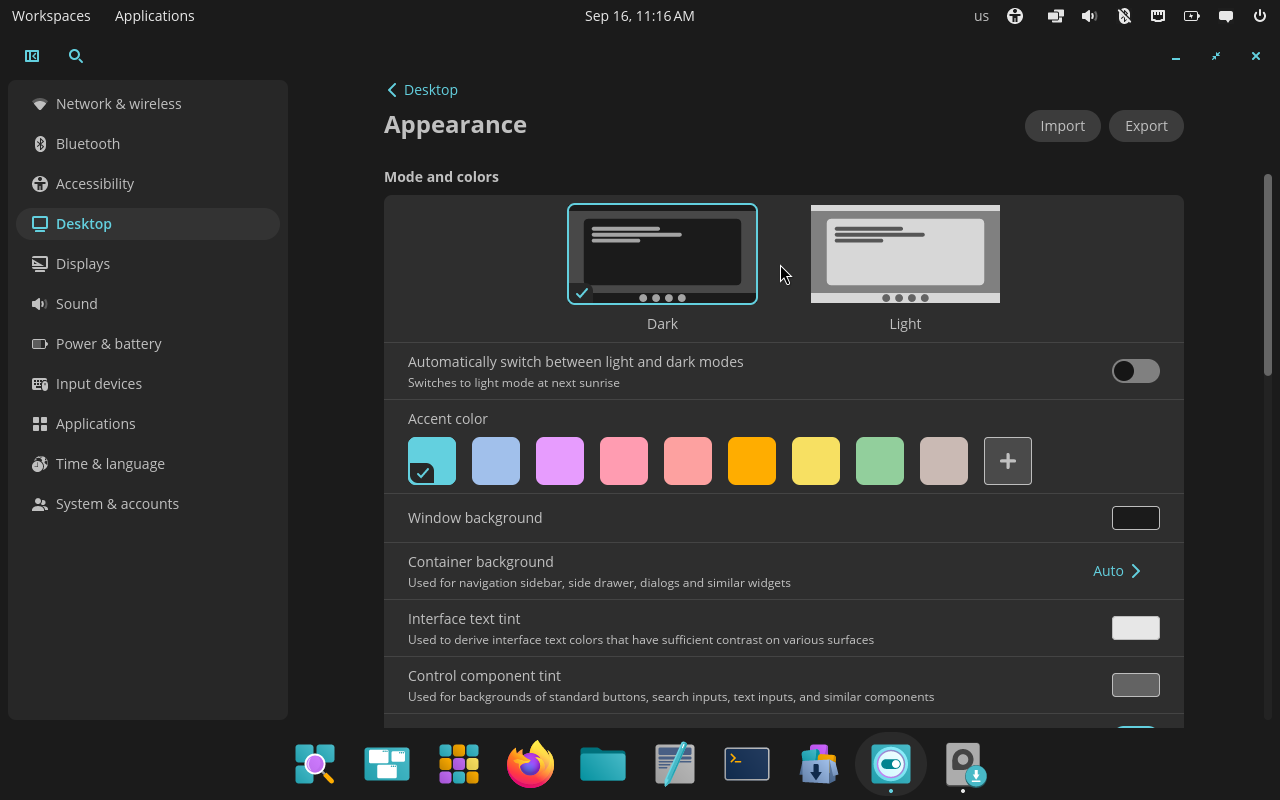
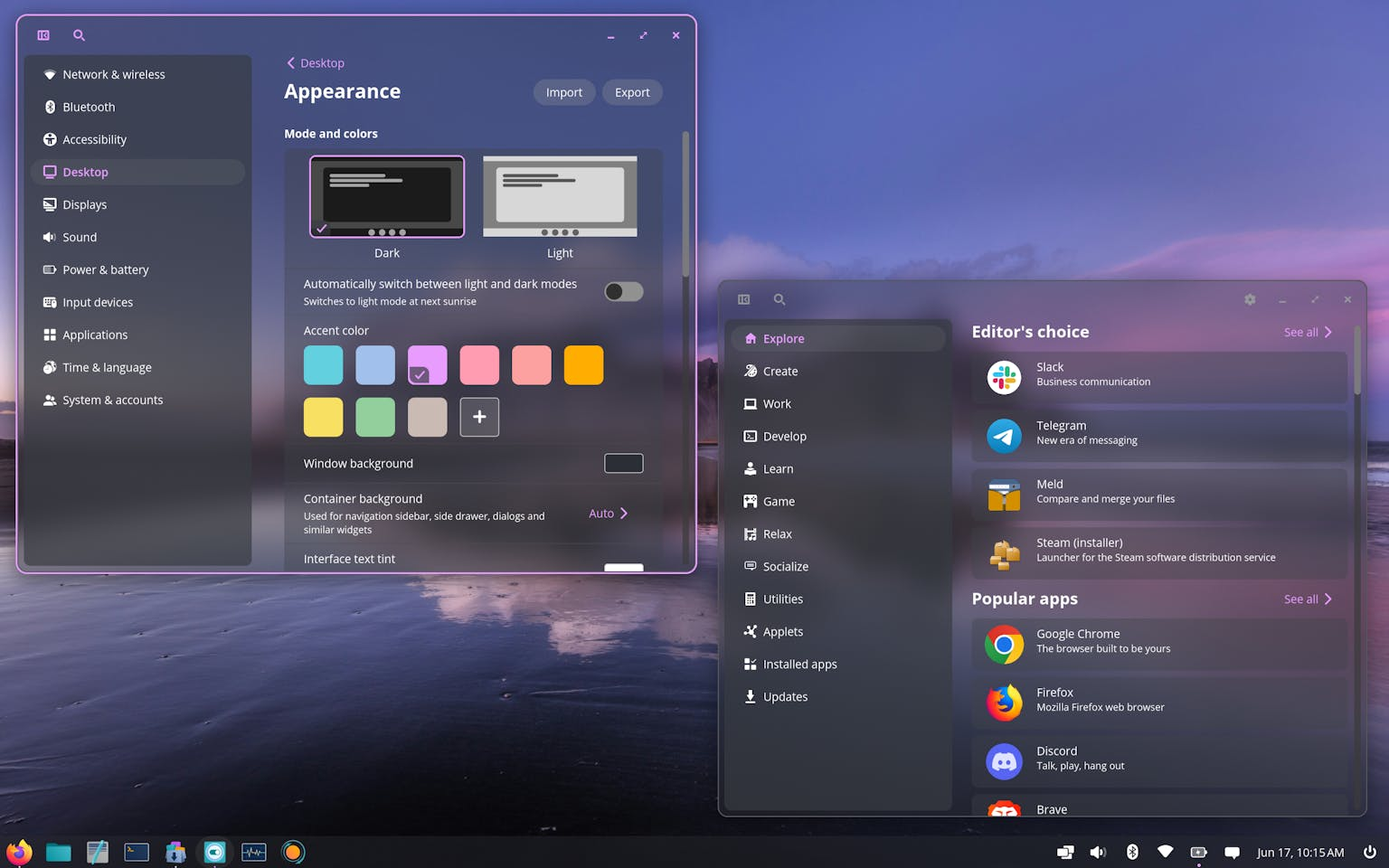
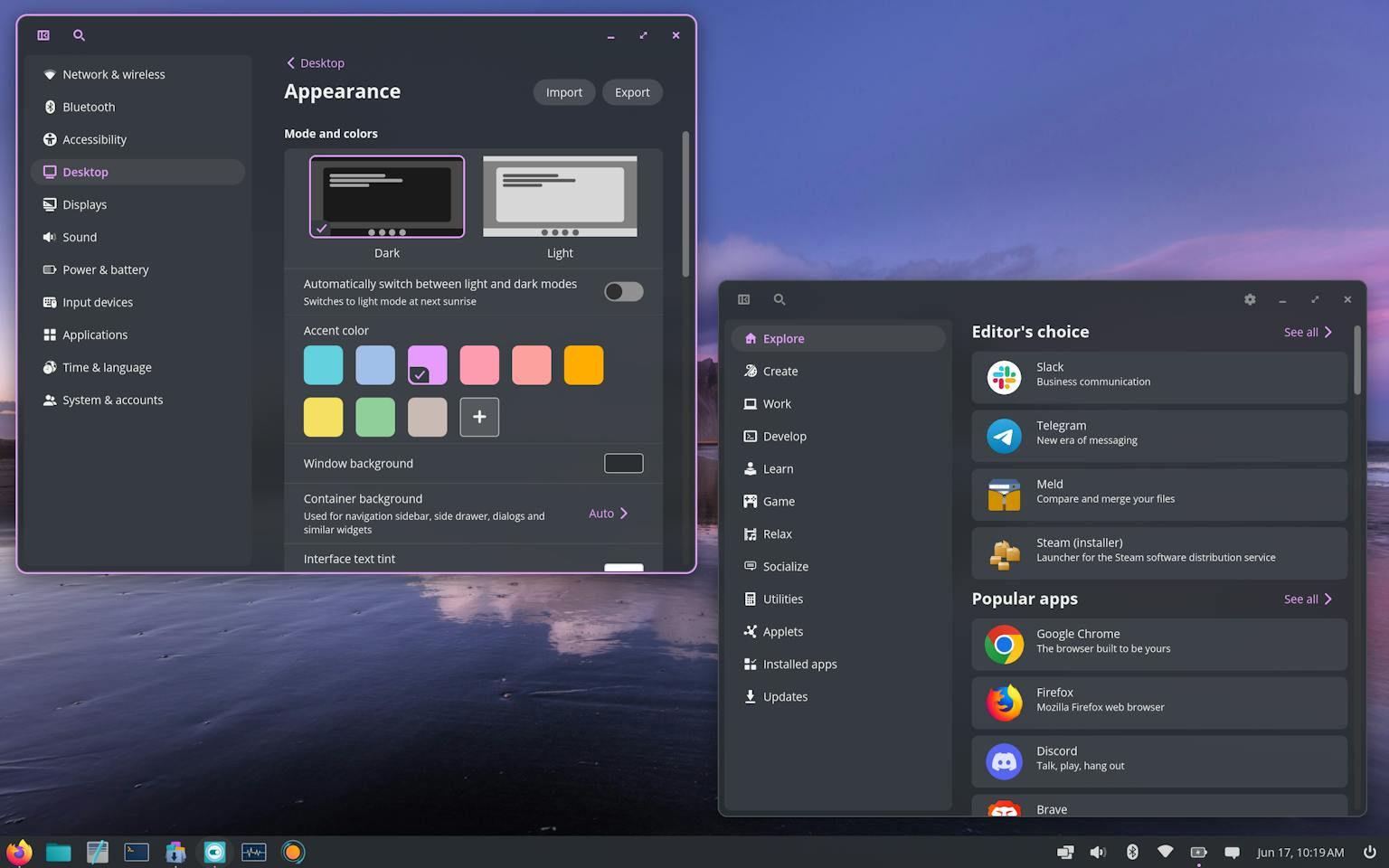
Settings applying instantly. If you start clicking around in the Appearance section, you'll be pleased to see that all settings apply instantly, as soon as you click them, and with no reload. Some components even animate the switch with animations, such as the panel when moving between colorschemes.
This is something that Plasma often struggles with; not only there's an established pattern of having an Apply button around, and therefore everything was originally thought of without instant apply, but certain aspect changes (e.g. opacity of the panel) require full theme swaps which aren't as instantaneous as changing one specific setting. Though there's been great progress here, with a KWin effect that animates the transition between arbitrary themes, being able to see live the colors changing when clicking on different COSMIC accent colors does make me quite envious.
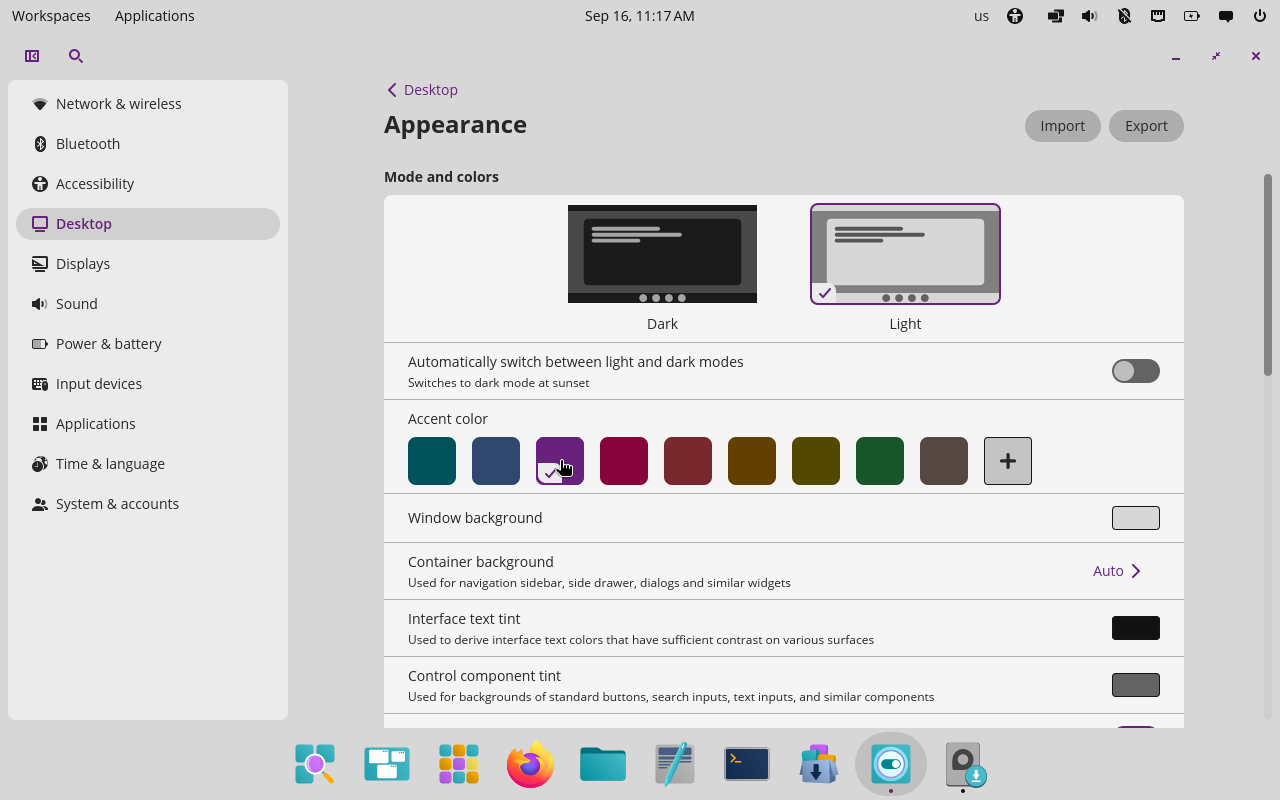
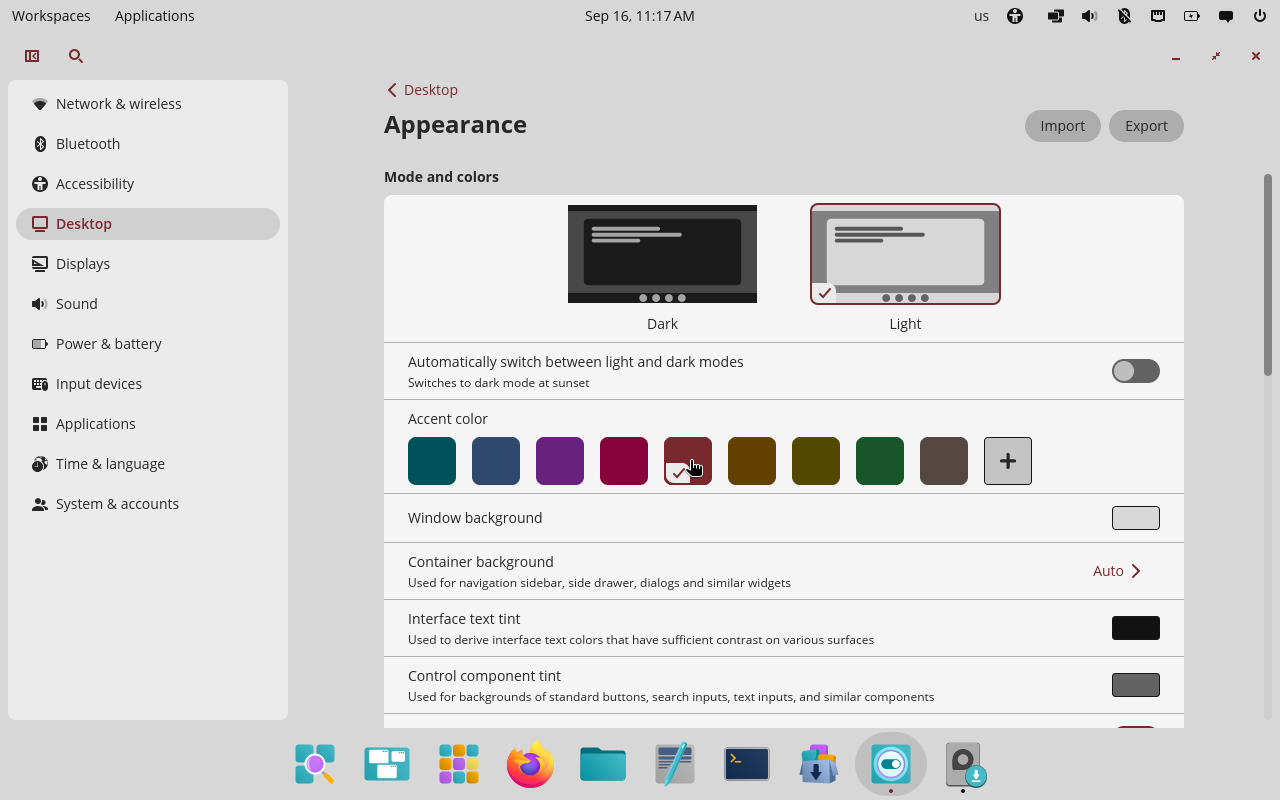
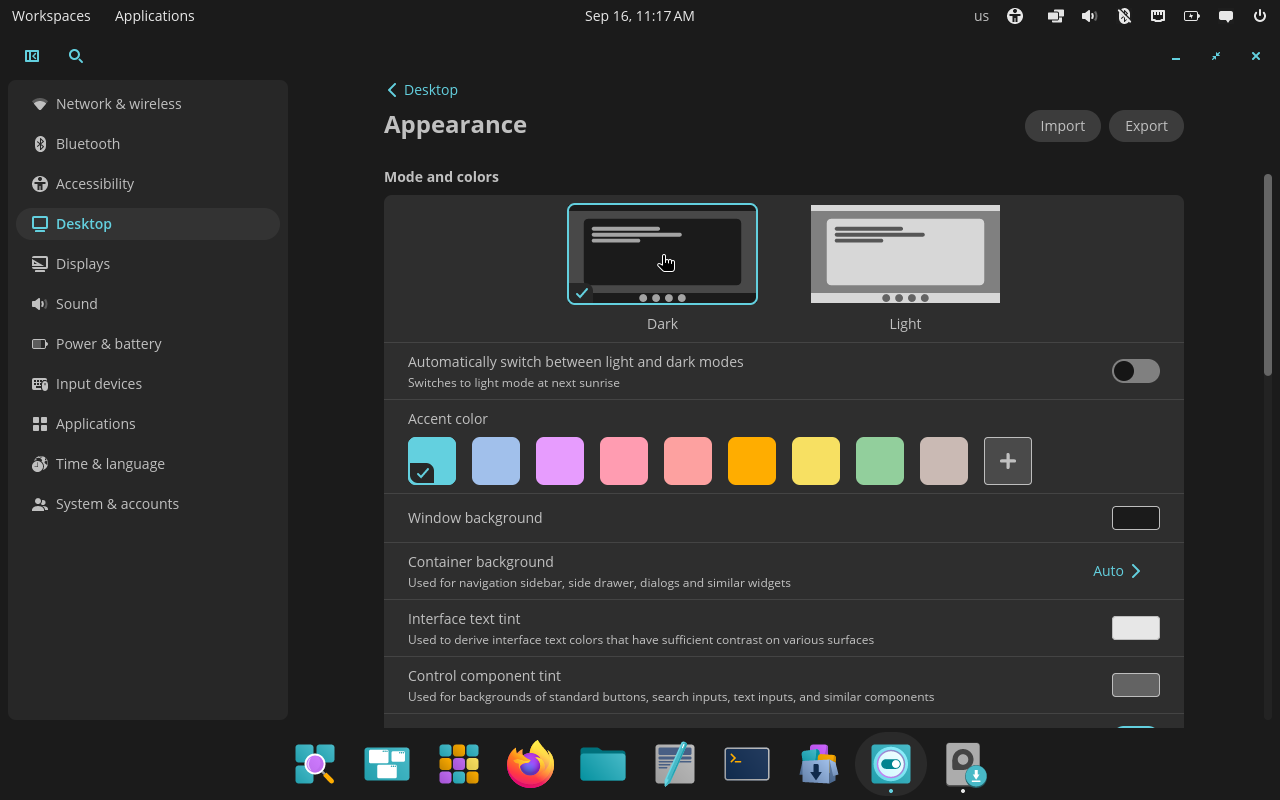
COSMIC color and mode changes applied live. Original screenshots from a live COSMIC virtual machine.
Consistent rounded corners. The appearance section contains three different options for corner radius (round, slightly round, square) which apply instantly to all elements: the panel, the applets, and the applications too. This is a somewhat unique option for desktop environments, but it's one I highly appreciate, since the corner radius is definitively something that should change depending on the user tastes.
Again, this is something that KDE Plasma can only struggle with. On one hand, yes, a unified metric for corner radius has been introduced and most of the UI has been ported to it, which makes it easy to change things dynamically (though I believe this is not an exposed setting yet?). On the other hand, many parts of the desktop are drawn by themes, including panel and applets, which cannot use those metrics (Plasma themes are SVGs). This means that changing the corner radius requires changing themes again!
Now, there's some good news here too. There's a new theming system that KDE developers are cooking, called Union, which will make it significantly easier to control specific values. However this theming system is still being tested, and even when done, this is a whole new feature that would have to be implemented still!
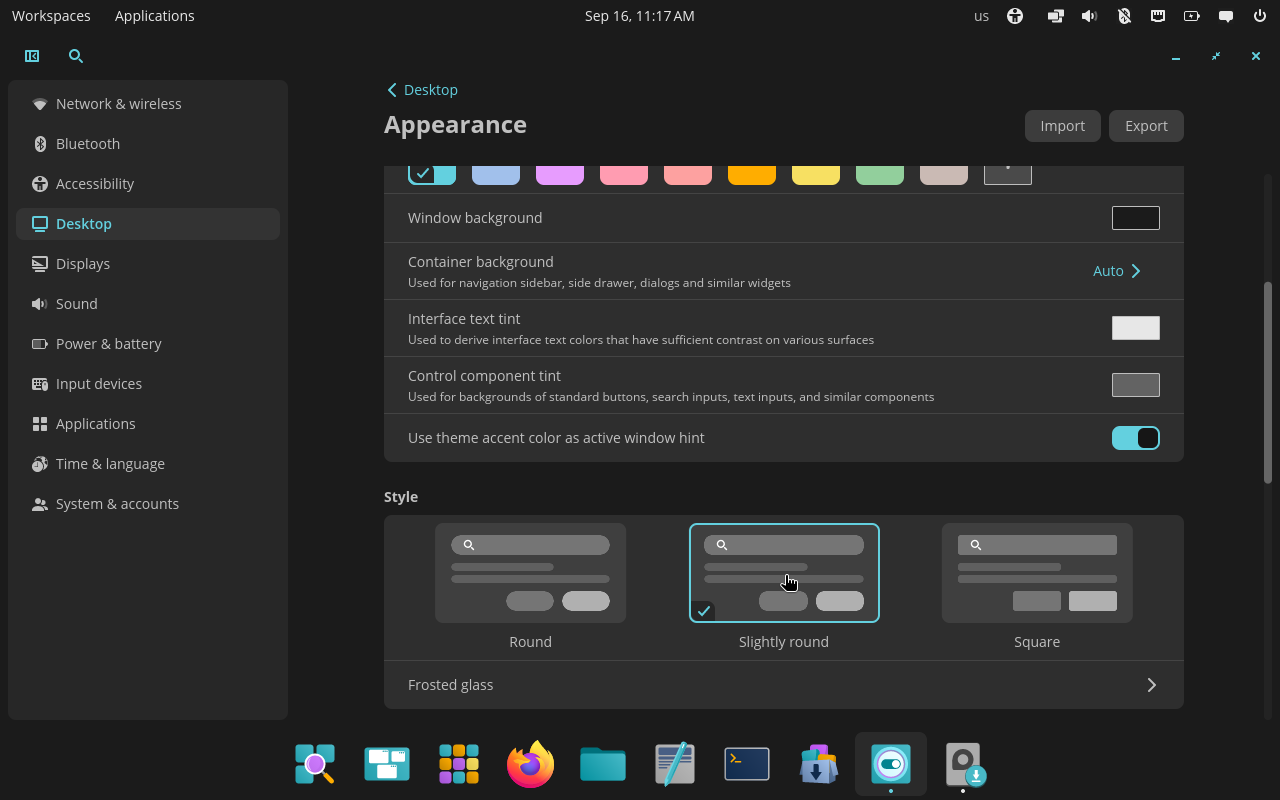
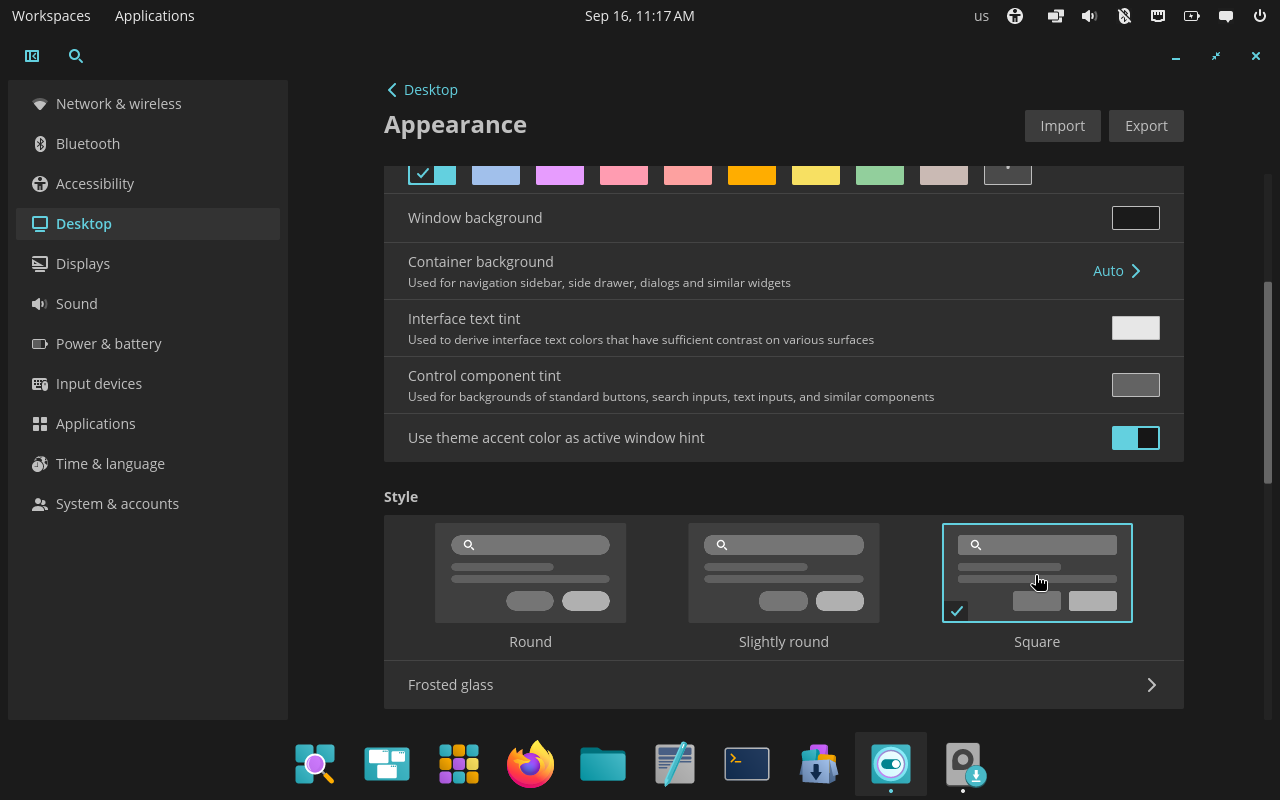
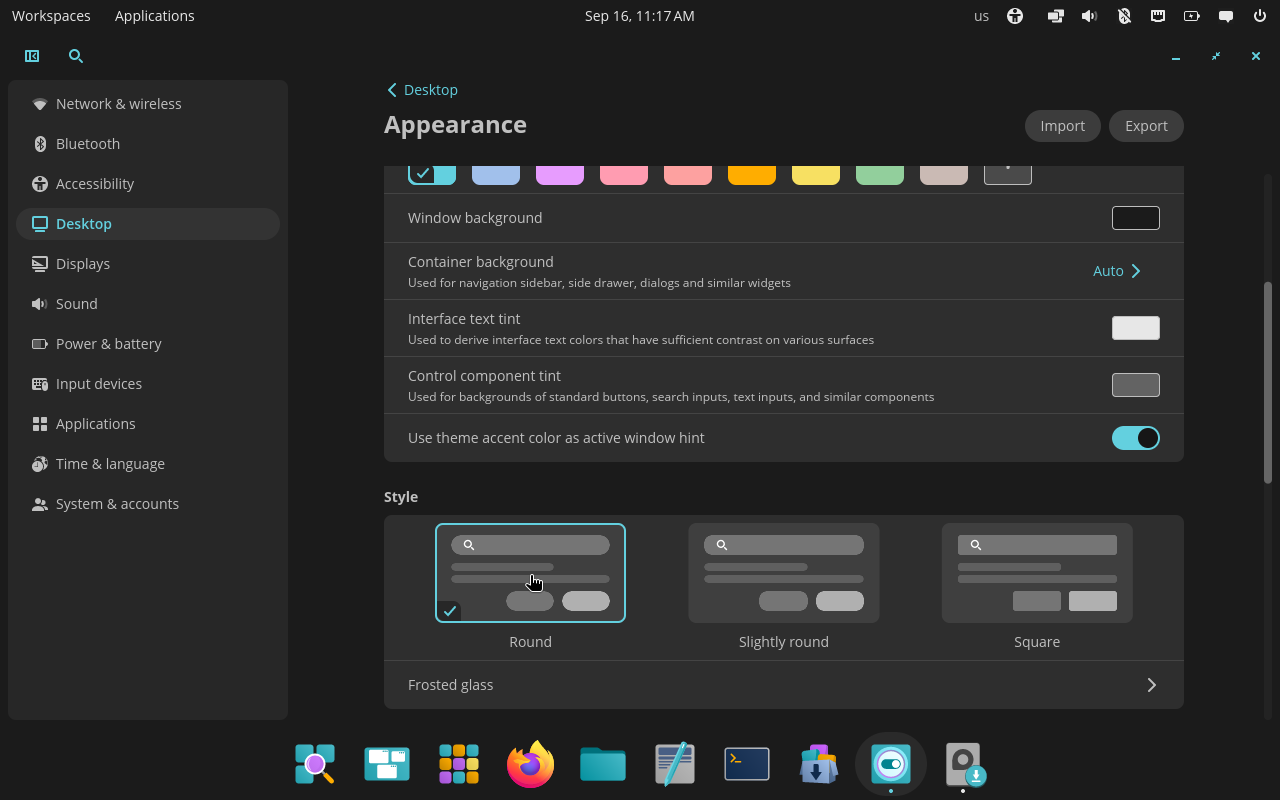
The same interface with COSMIC’s three corner-radius choices. Original screenshots from a live COSMIC virtual machine.
Interface density. This is a really big deal: GNOME has been criticized many times for its overly spacious designs that feel touch-oriented, whereas KDE Plasma has had maybe the opposite problem; again, this comes down to individual preference and device type.
I heavily rely on touchscreens, and I'm therefore more than happy of enjoying some more spacing between elements, but I understand why others might not feel the same. Plasma tries to address this by having some elements whose spacing changes depending on whether Tablet mode is enabled, but the ability to simply change the interface density throughout the system is somewhat unique and extremely appreciated.
As above, Plasma does use standard metrics for spacings that could be changed dynamically (though again I'm not aware of any user-exposed setting for this); the same issue still applies, of course: themes cannot really use those metrics. Yet.
Simple color options. Yes, it's awesome that KDE Plasma offers entire colorschemes where you can change the colors of every single element on the screen.
However, COSMIC offers five simple options: accent color, window background, container background (e.g. side panels), text tint, and control tint (e.g. background of buttons). Truth be told, I don't quite see any user needing more than this level of customization, especially since all theme colors seem to be generated as a mix of these.
As a result, the UX of customizing colors is incredibly easier. On Plasma, you have to edit an existing colorscheme, likely change multiple colors divided into eight different sections, most of which are hard (or impossible) to understand. Then, the newcolorscheme has to be saved with a new name and selected. All of this requires an entire System Settings page dedicated to colors and is rightfully overwhelming for new users; honestly, it's overwhelming for me too.
COSMIC's ability to get exactly the colors I want in less than a minute, with all options directly in the Appearance section, is something I deeply love and respect.
Import and export. The appearance section has the ability to import and export all (appearance) settings as a .ron file that can then be shared around.
Again, this is nowhere as powerful as what Plasma offers, with modular themes for colorscheme, Plasma theme, App themes, and more, individually. However, it's also everything that 95% of users probably need out of their systems.
What I particularly love here is how simple it makes it to share your setup with e.g. friends. With a few months of Plasma experience you might be able to create some simple themes and tweak colors; sharing that however requires some packaging skills that are much harder to acquire (and often badly documented).
Frosted glass. Okay, okay; my KDE friends know that I have a thing for frosted glass. My earliest contributions were trying to convince everyone to make Plasma as transparent as possible (I did increase the transparency a fair bit!) and my only Plasma theme so far is the default theme but more transparent.
Frosted glass is a mid-2026 feature that COSMIC implemented and I love it. You have the ability to apply it individually to: panels, applets, the system interface, and windows. And, of course, you get transparency and blur radius sliders. And it works.
Firstly: it applies to windows. Getting Plasma windows to be transparent is theming hell, and it mostly does not work for Kirigami applications, my favorite kind of applications! The ability to have good-looking transparent apps is something that always impresses me, plus they do this through a Wayland protocol, meaning that we could push other desktops to implement the same for incompatibility.
Do let me say that good frosted glass is not just a matter of making things transparent, blurring them, and applying some noise; you also need to retain contrast by darkening/brightening some areas selectively, and you might also want to boost saturation in order to preserve a colorful "tinted" look even at higher background opacities. I still believe that KDE's frosted glass implementation is overall better, often resulting in brighter and more vibrant colors; however, this is something that will hardly be noticed, and COSMIC's implementation seem to be a good one too. Congrats!
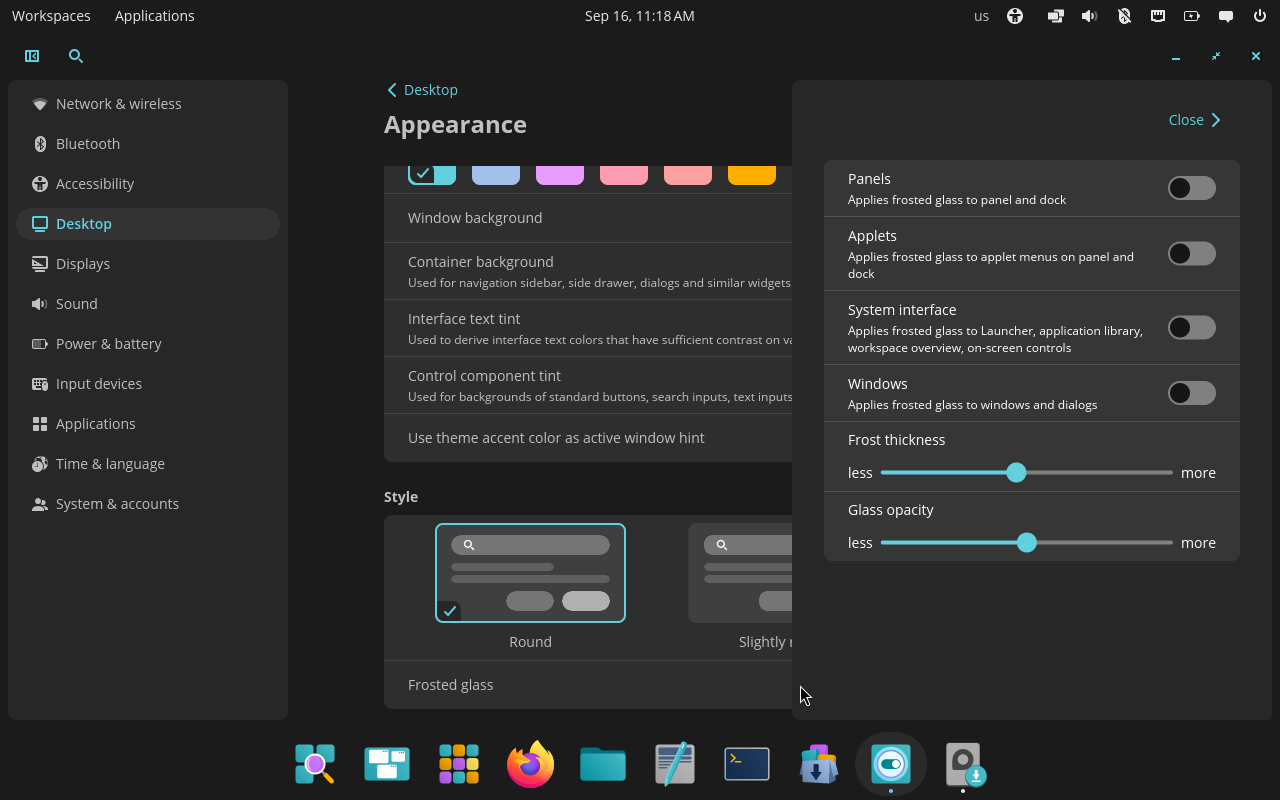
Frosted glass from transparent to nearly opaque, plus its per-surface controls. First two screenshots: System76; controls: original live-VM screenshot.
Panels and docks
This is where COSMIC most surprised me; sure, it's easy enough (it's not) to offer all of the above options and have a "simple by default" desktop sacrificing some flexibility, but users might then miss exactly that "powerful when needed" that Plasma is the best at!
However, COSMIC is also quite "powerful when needed", and the panels/dock section is the best example at that.
This desktop offers one panel and one dock. This is not as nice has having an unlimited amount of panels/docks to show; however, I don't recall any screenshot of any system using more than a panel and a dock in my experience. So, again, probably great for almost all users.
You can apply some settings that Plasma also offers, such as: dodge windows, change position on the screen, a floating mode, extend to borders vs fit content width, thickness. This is more than I usually see offered for panels out of the box (outside of Plasma), though I find the lack of a simple auto-hide slightly weird (but forgivable).
However, COSMIC also offers a good amount of options that Plasma doesn't: the ability to mirror the same panel onto multiple monitors, the ability to change the colorscheme (light/dark) of the panel and dock individually, and the ability to change the opacity of panel and docks individually (on top of the system opacity for the frosted glass mode). These are all very useful options that, yes, Plasma does offer, but only by switching to third party themes, instead of just having a slider or a button in the Panel settings.
Of course, we also offer options that COSMIC lacks: the ability to align docks left or right or in arbitrary positions, and the ability to switch between applets that float vs are attached to the panel. And, huh, that's it? If you consider which of these features user might want, COSMIC has an easy win.
The big difference, of course, is that Plasma also offers the ability to move widgets around, remove/add widgets, etc.
Just kidding: COSMIC also offers this. In each setting page you get the list of applets on each panel/dock, and you're able to simply drag and drop them, with also the ability to left/center/right align widgets. Plasma offers a what-you-see-is-what-you-get type of editing where you drag and drop applets in the panel directly, which sounds cool until it breaks, and believe me, that part is actually kind of tough to keep reliable (I've personally grown to dislike it!). You can also remove applets and add them from a selected list.
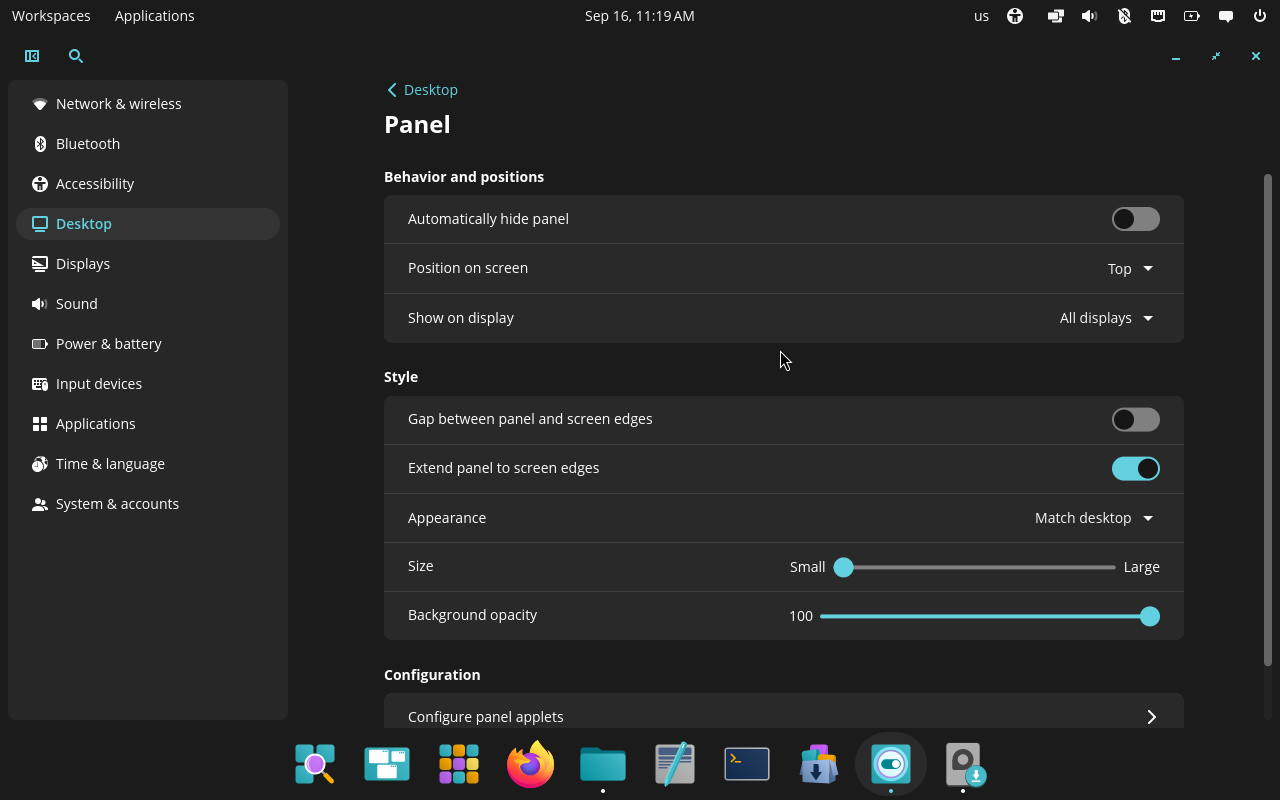
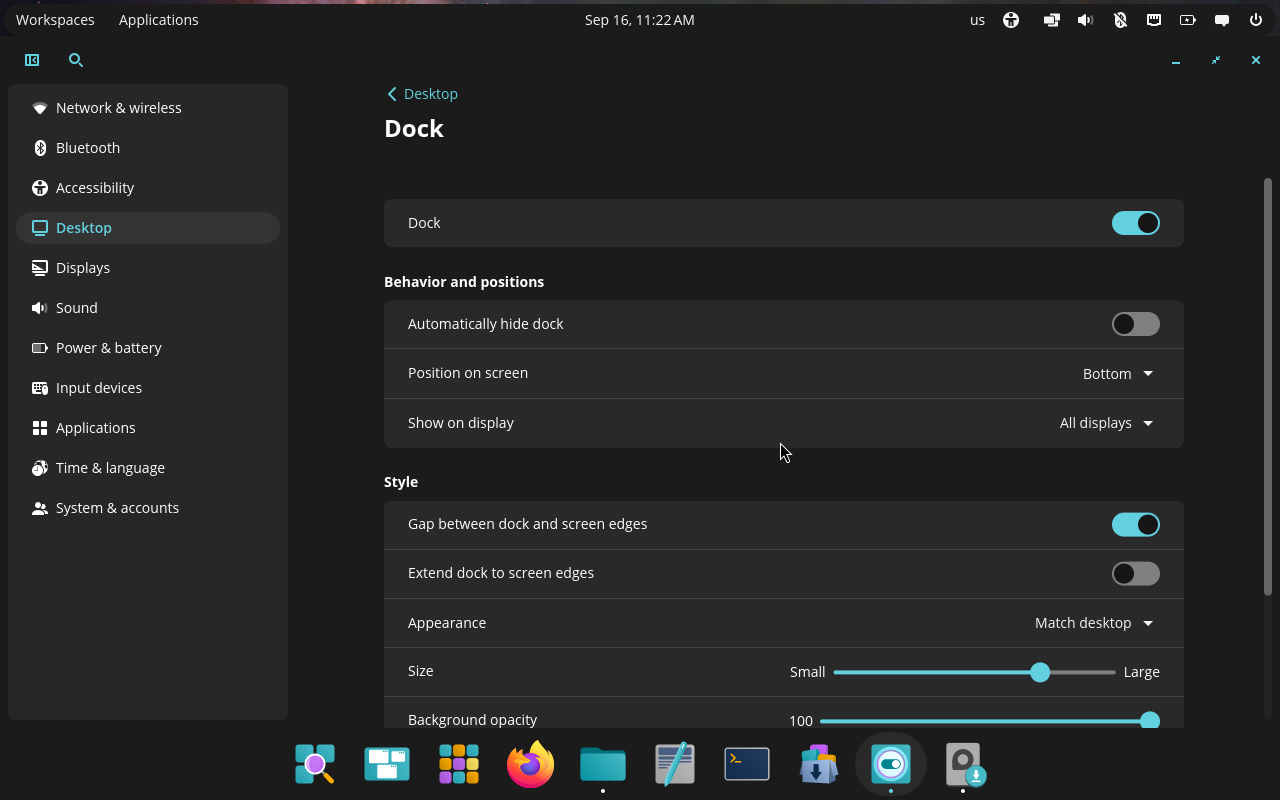
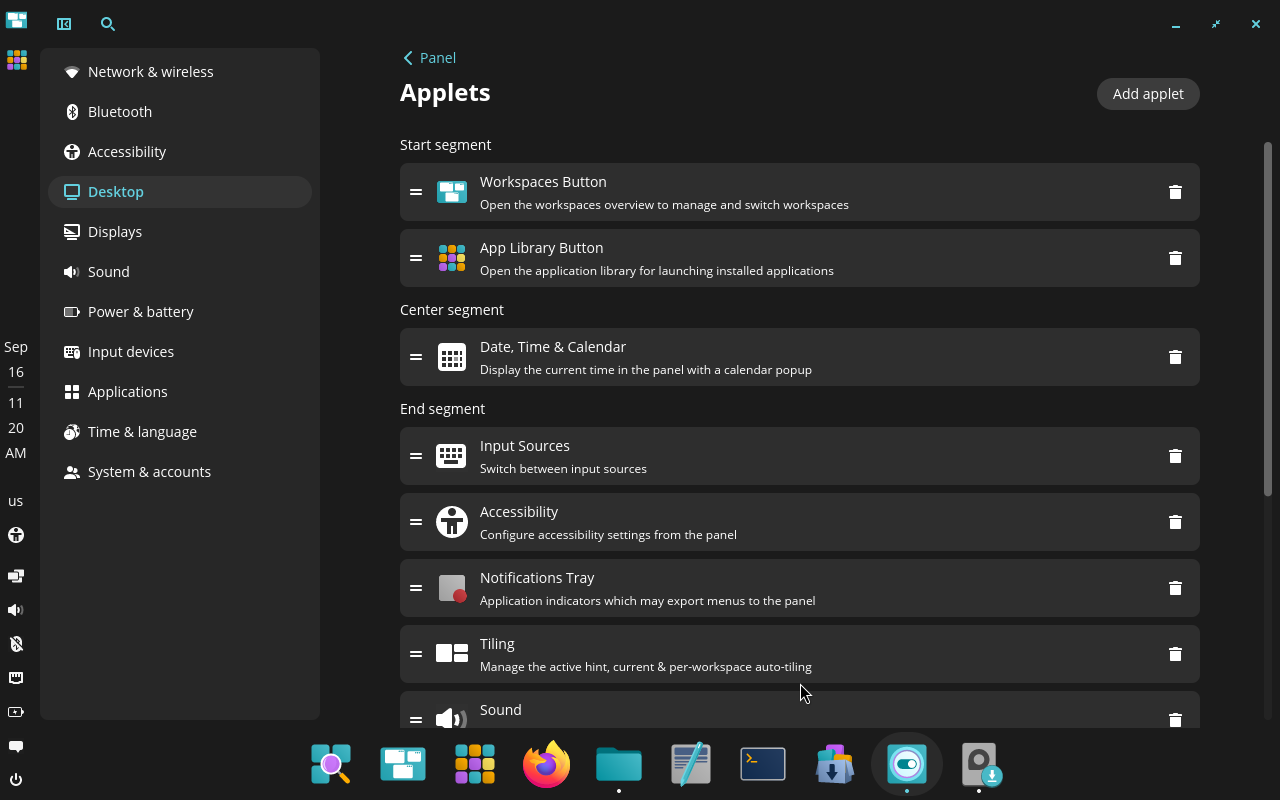
COSMIC’s panel, dock, and applet controls. Original screenshots from a live COSMIC virtual machine.
Finally, System76 offers a COSMIC Applet Template for developers to implement third party applets, though there's not a nice store like what Plasma currently offers, so we at least "win" there.
Now, to be clear: Plasma panels can still do so much more thanks to third party themes, a much wider selection of customizable applets, etc.; however, COSMIC already offers an order of magnitude more customization that I would've expected, and I feel like that's going to be enough for almost everyone. And, since many cool settings like opacity are more readily exposed, it's probably going to be a better fit for those people too.
As you might now, Plasma's motto is "simple by default, powerful when needed"; and when using COSMIC it does feel as if they are mogging us a fair bit. Of course, I'll attempt to convince that actually we're good, but let me praise COSMIC a bit more:
Tiling
The tiling is so good.
There's an applet that allows to toggle tiling for each workspace, plus change the default behavior for new workspaces. It also nicely tells you the most important keyboard shortcuts required to navigate the tiling, which is a very nice touch.
Most importantly, windows can be stacked, which is a feature that early Plasma had but was lost over time (sadly!). This means that you can collapse multiple windows into one, and you'll get a tab-like interface at the top to switch between them.
Plus, they just nailed the feeling of using tiled windows. Shortcuts are clear and easy to use, the UX makes it obvious which action you are taking, and the visual representation of groups and stacks is perfect.
Plasma and other desktops can have tiling, and sometimes even good tiling, but it's hard to beat a system that was so carefully designed and that so nicely integrates with the desktop, including visual hints and all that.
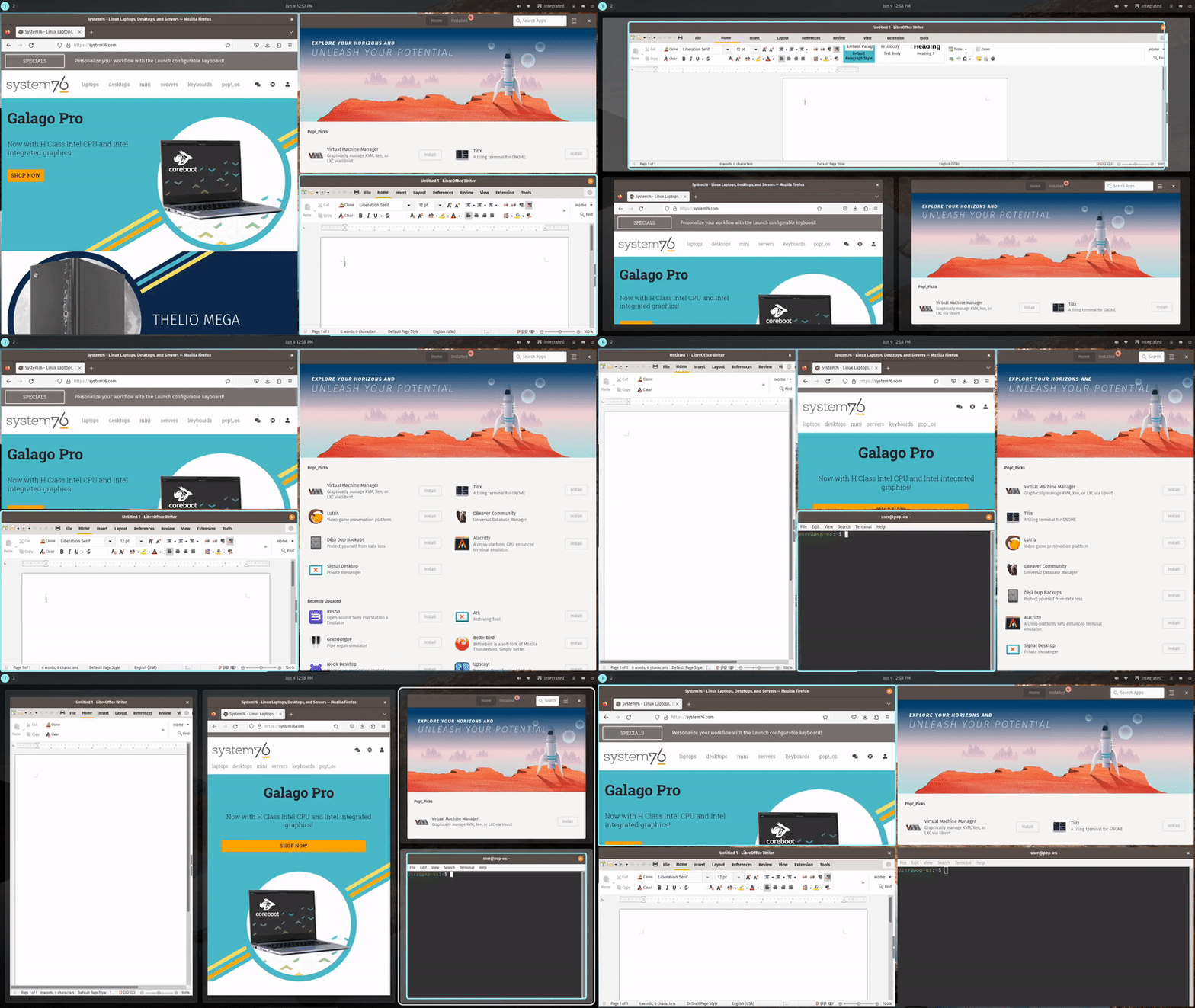
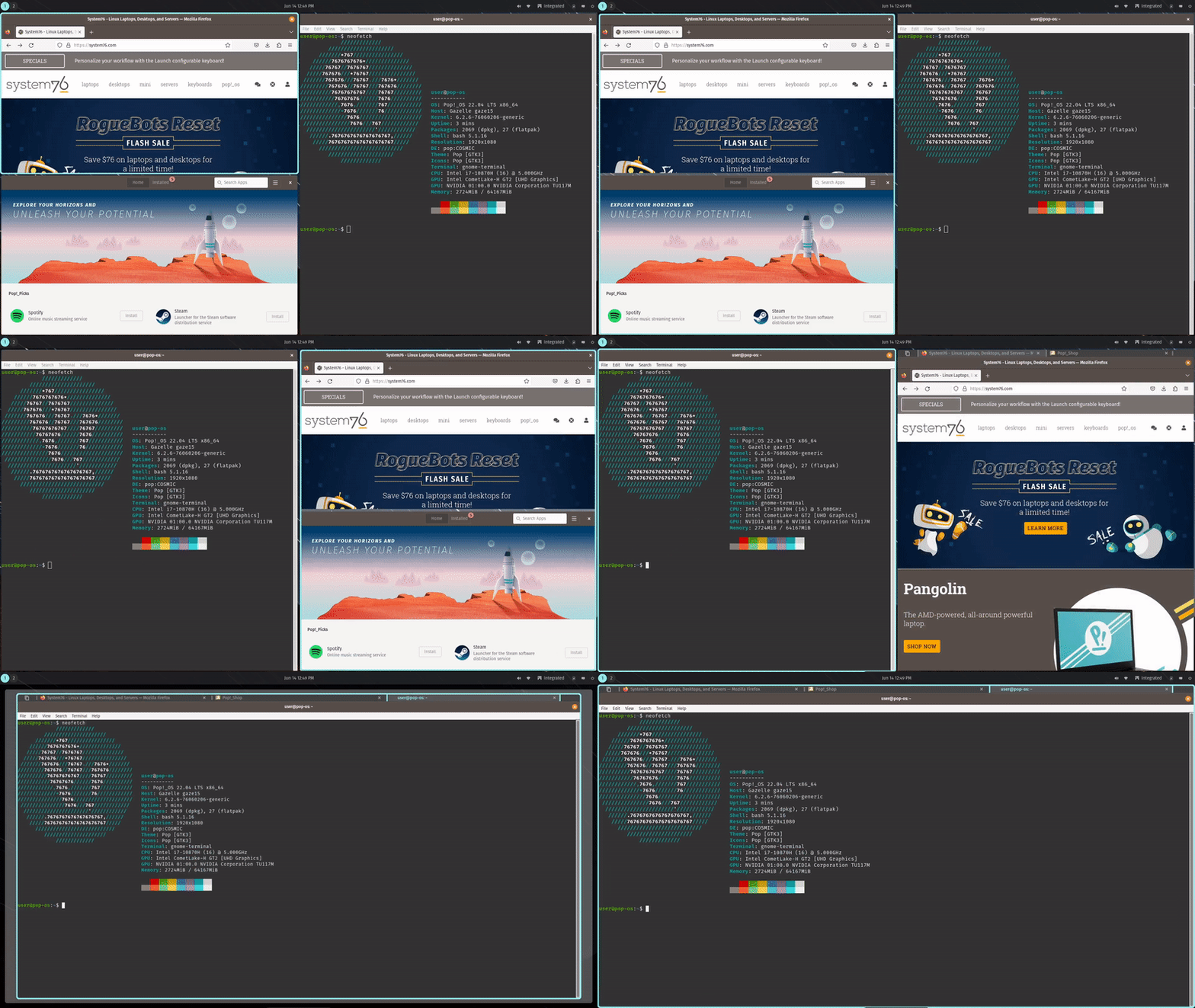
COSMIC tiling and window stacking in motion. Source: System76.
So it's perfect?
Ah, no, of course not.
Firstly, there's still plenty of bugs, which is why they spent one year doing a lot of work on stability rather than big shiny new features (though frosted glass still got through!). I'll make one very stupid example: clicking on a search icon moved it by 1px. It's really stupid, but it's the kind of things that happen when you build a desktop from scratch using a quite new toolkit. It's understandable and I expect refinements over time; I'd also already consider this stable, as I have not seen any major issue throughout my testing.
Secondly, there's still a limited amount of apps and community around it. All of the cool benefits of transparency and consistent density & rounded corners only apply to the apps that use the system toolkit for now, meaning that any third party app will break the magic a fair bit. And, COSMIC being rather new and all, there's still years of development before there's a fair amount of apps that are as flexible and powerful as common alternatives. Again, this is fine and will be solved over time.
Thirdly, I'm terribly sorry to say this, but I just don't like the app design. This idea of having sidebars as rounded rectangles within the apps, sometimes overlapping the content, is just not my style and I'm not a big fan. This is not something that renders the system unusable for me, of course, but I do appreciate KDE's design direction a bit more right now; though, of course, I'm biased.
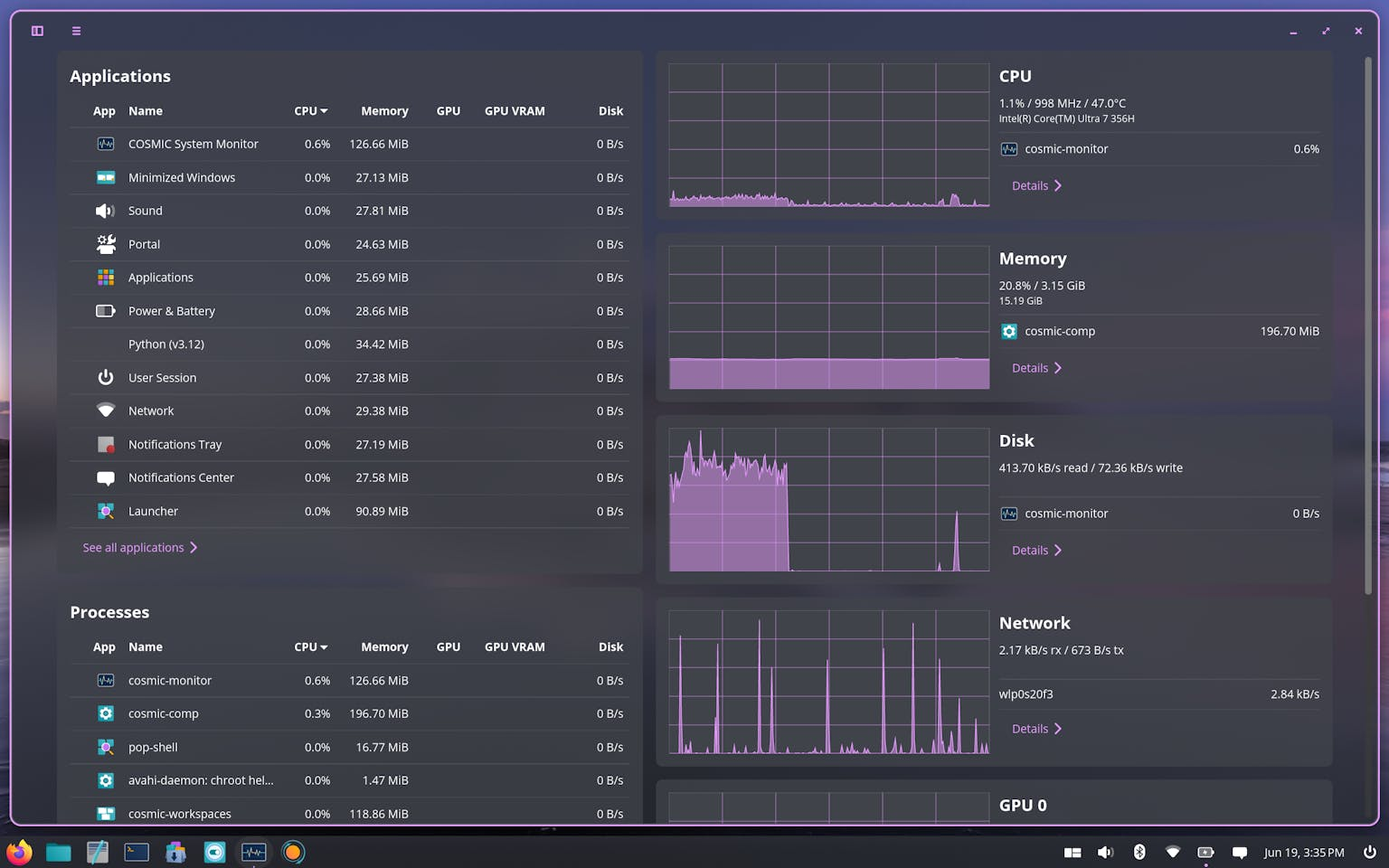
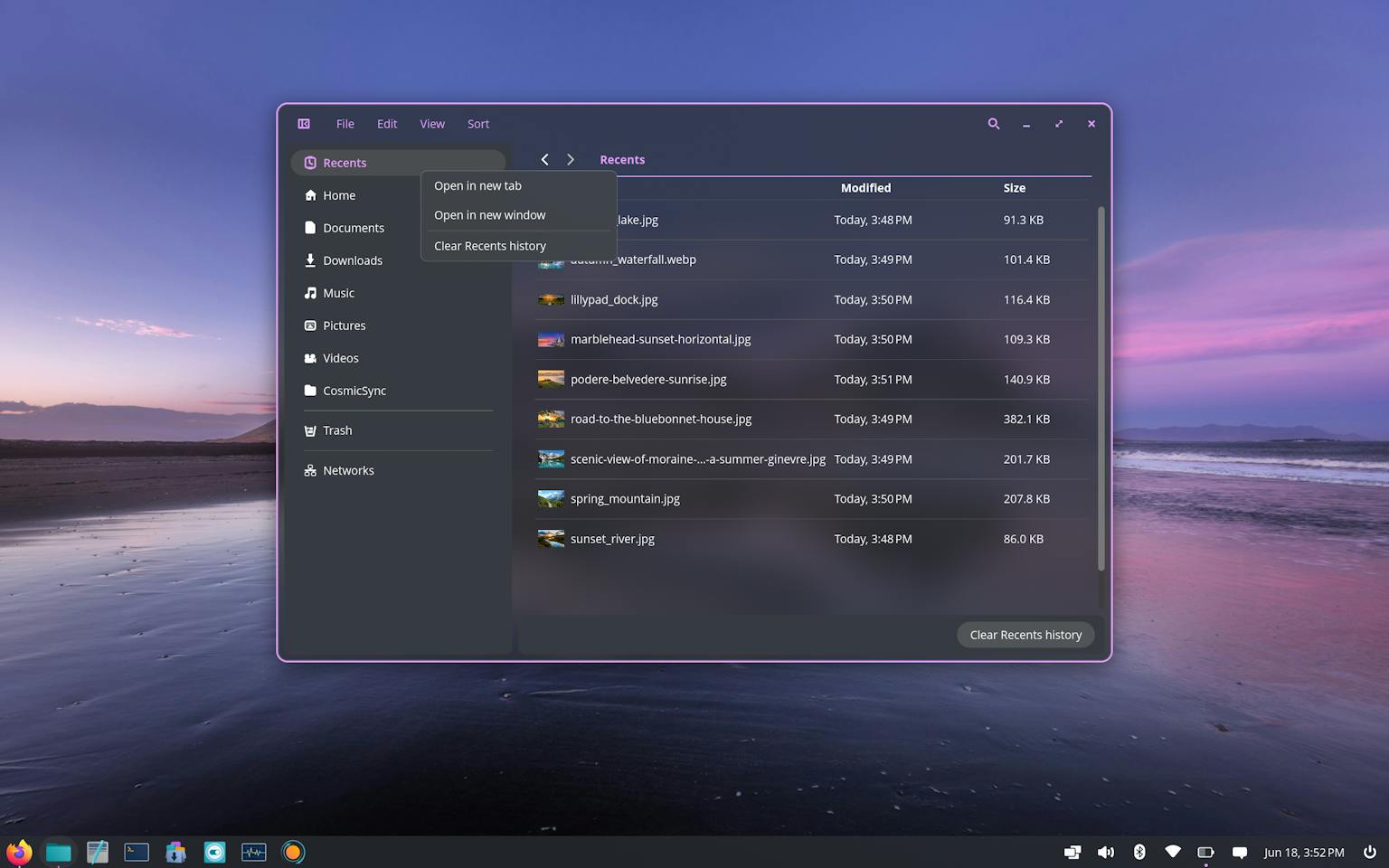
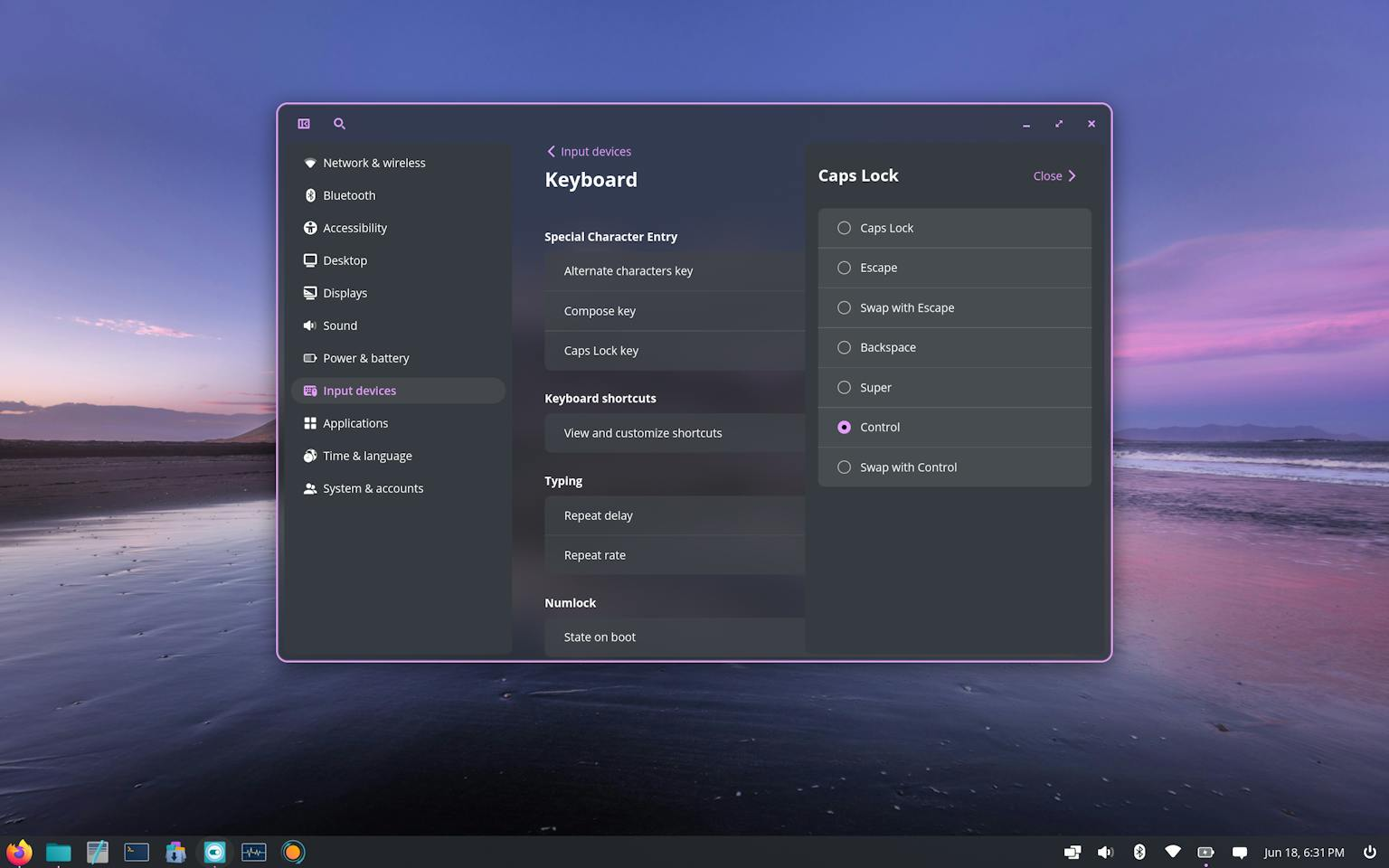
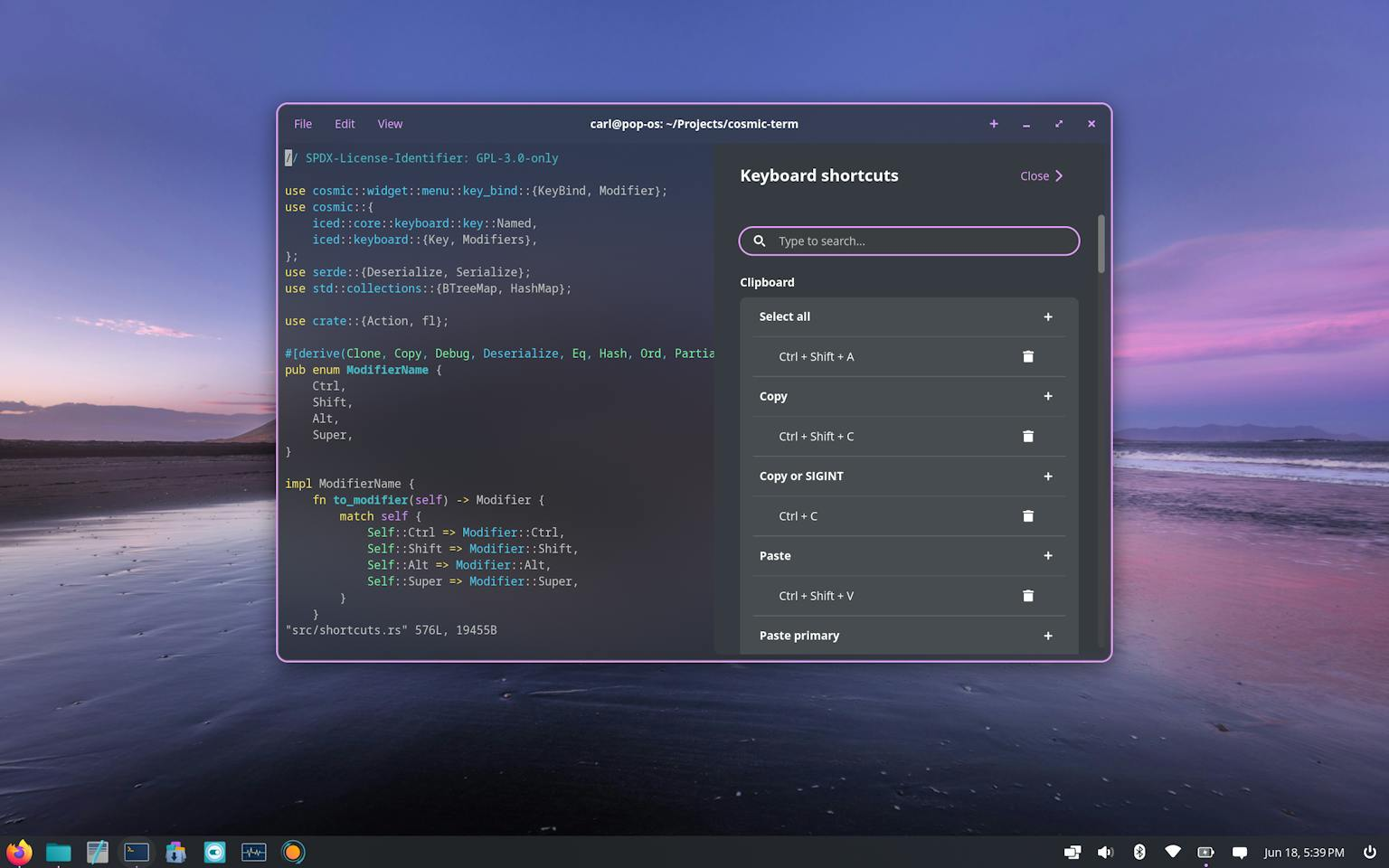
COSMIC’s native app family. Screenshots: System76.
Overall: I love the work, I think this might be a great desktop for many users, but I personally don't think it's the "best" desktop choice for most users yet, though I think it might very well become it in the future, when - slowly but surely - the "environment" part of "desktop environment" matures. The "desktop" part is already there and it's great.
That said, Plasma is fucking awesome
As happy as I am that COSMIC is developing at its fast pace, I do want to spend a few words on why I still think that Plasma is great and still deserves a prime spot in desktop environment rankings (or whatever). Sorry COSMIC, this is not to downplay the amazing work they've done, but I think it's important to say why you don't exactly just build something like Plasma in a few years!
One, I really think that Plasma has the coolest community out there right now. Sure, it's a bit annoying that you have to switch themes instead of simply moving a slider, but there's an insane amount of themes out there, and lots of them are extremely creative. There's also a very large community of developers, optional desktop features, and applications. I hope that the new Union theming system will make even more people interested in making Plasma the most creative desktop environment out there.
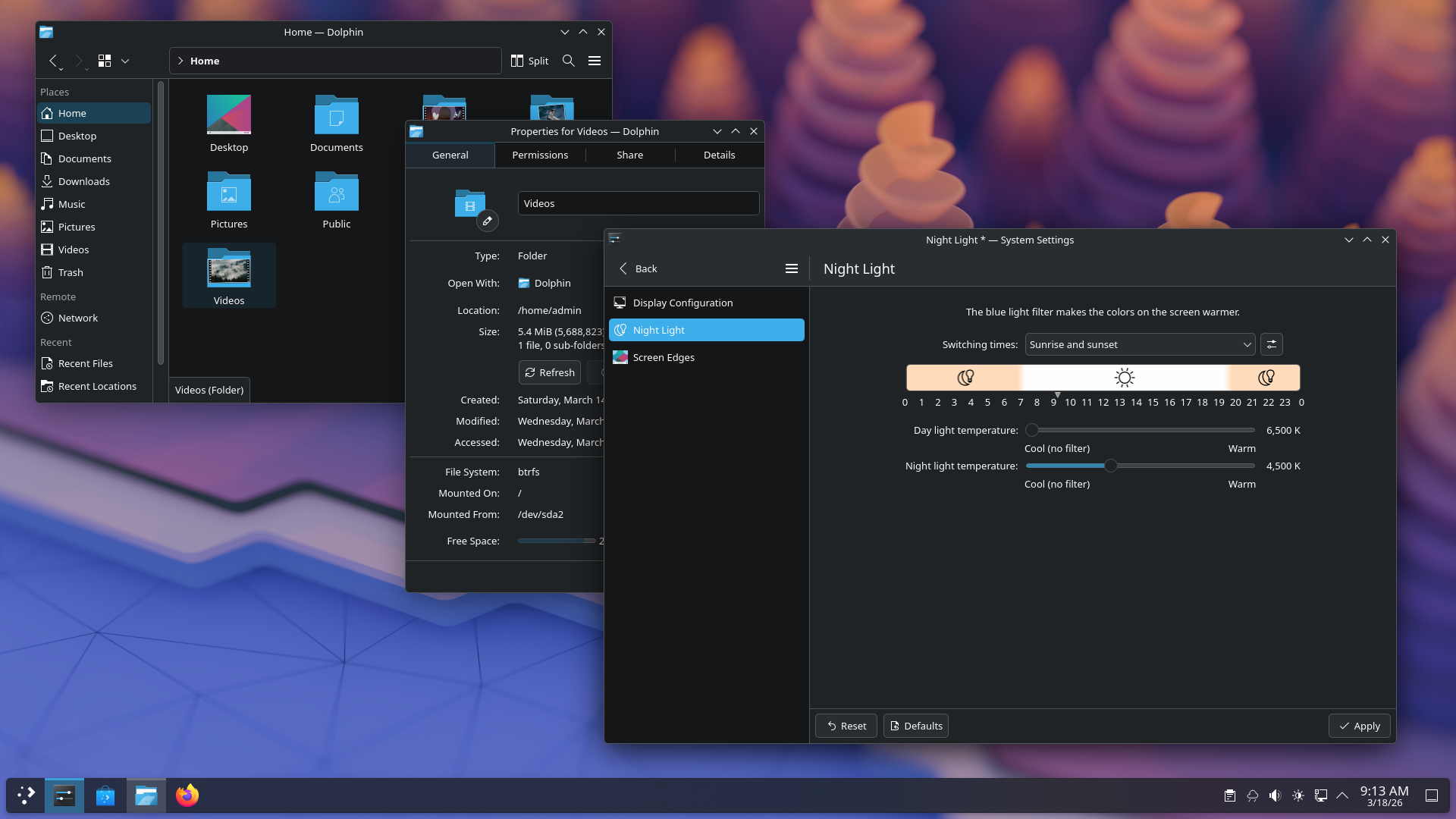
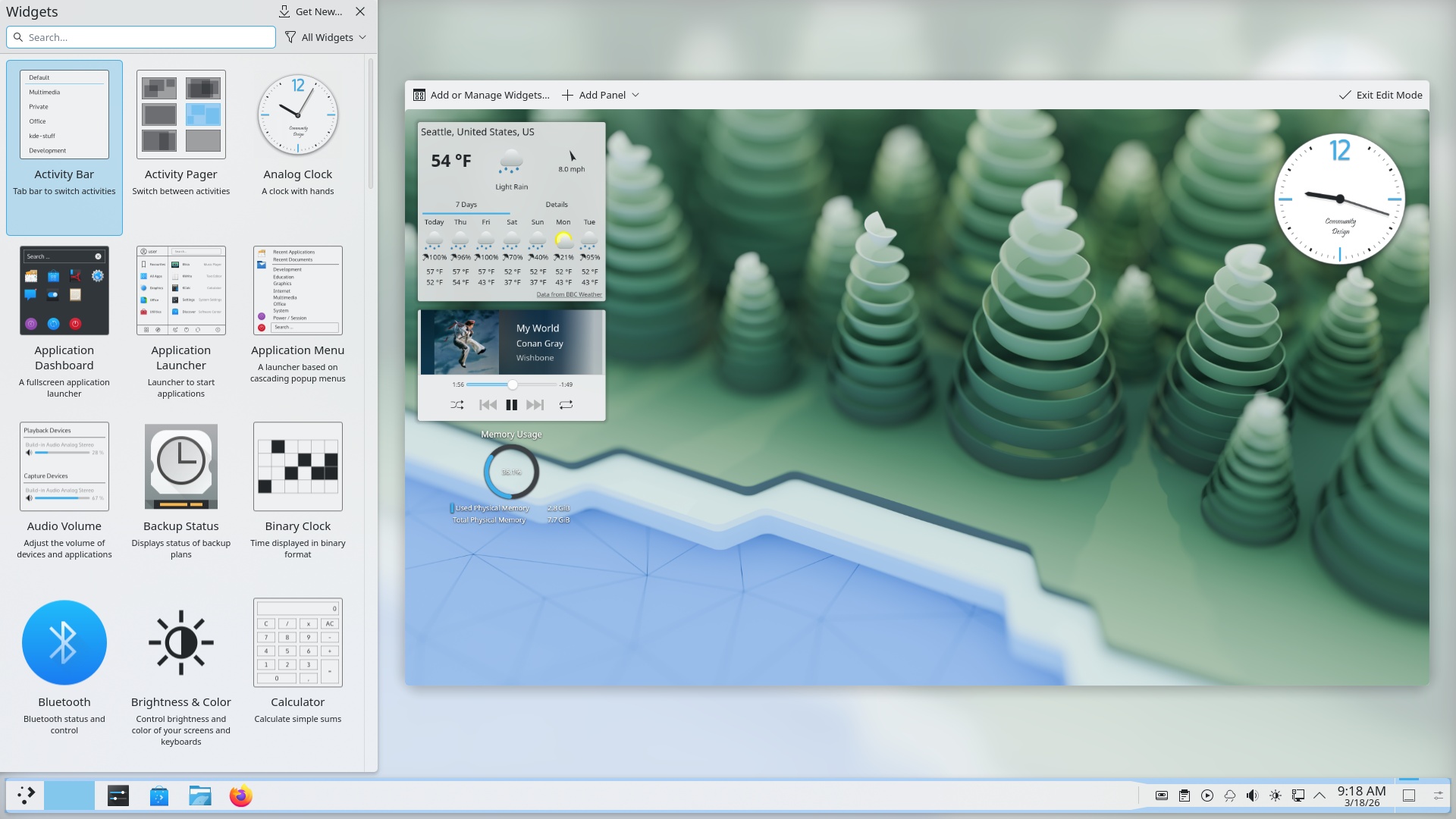
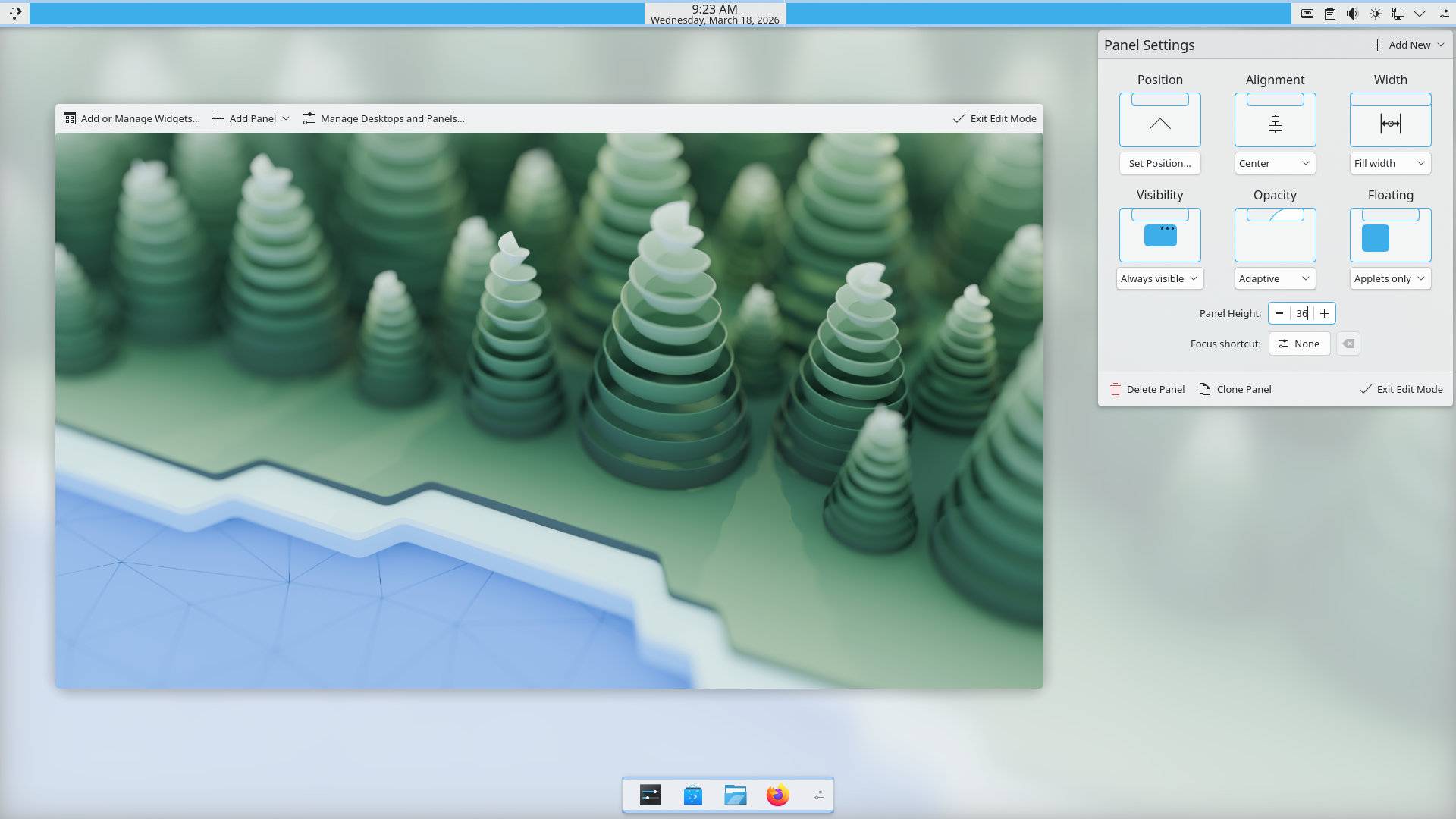
Plasma’s deep desktop customization: themes, widgets, and panels. Screenshots: KDE.
Two: Plasma is not just a desktop environment but really it manages to be a set of extremely powerful tools to build technology. Since every component is modular, including the shell, it's possible to use the same underlying base and build completely different things out of it.
Plasma BigScreen (for TVs) and Plasma Mobile are two "official" examples, but I was also once tasked to build a UI for a interactive smart mirror, and I just used Plasma with a custom Plasma theme and custom shell. The upside is that you get all of the e.g. Plasma Desktop modules for free: instead of building a custom UI for Wi-Fi, Bluetooth, ..., in my smart mirror, I could just show the default applets.
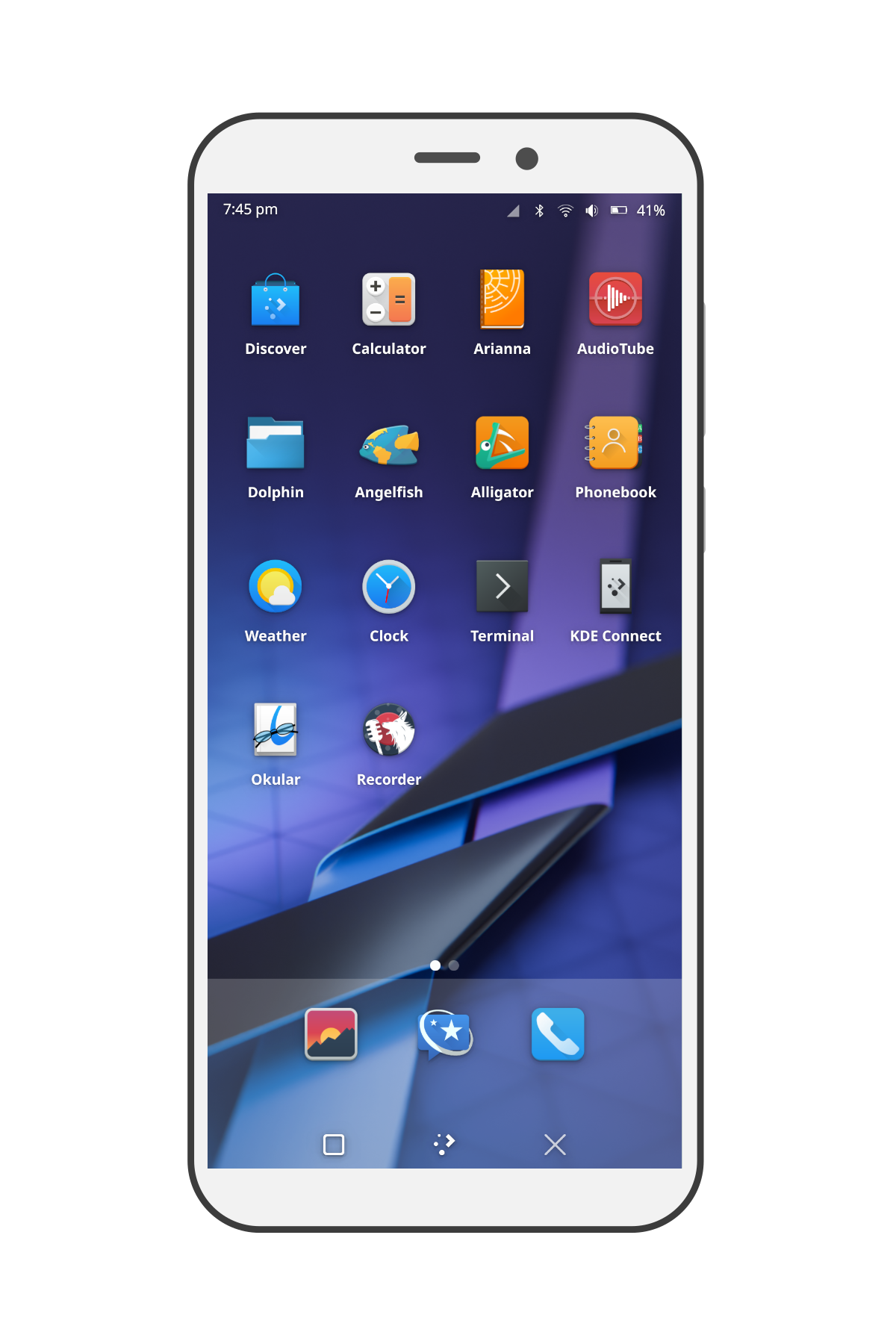
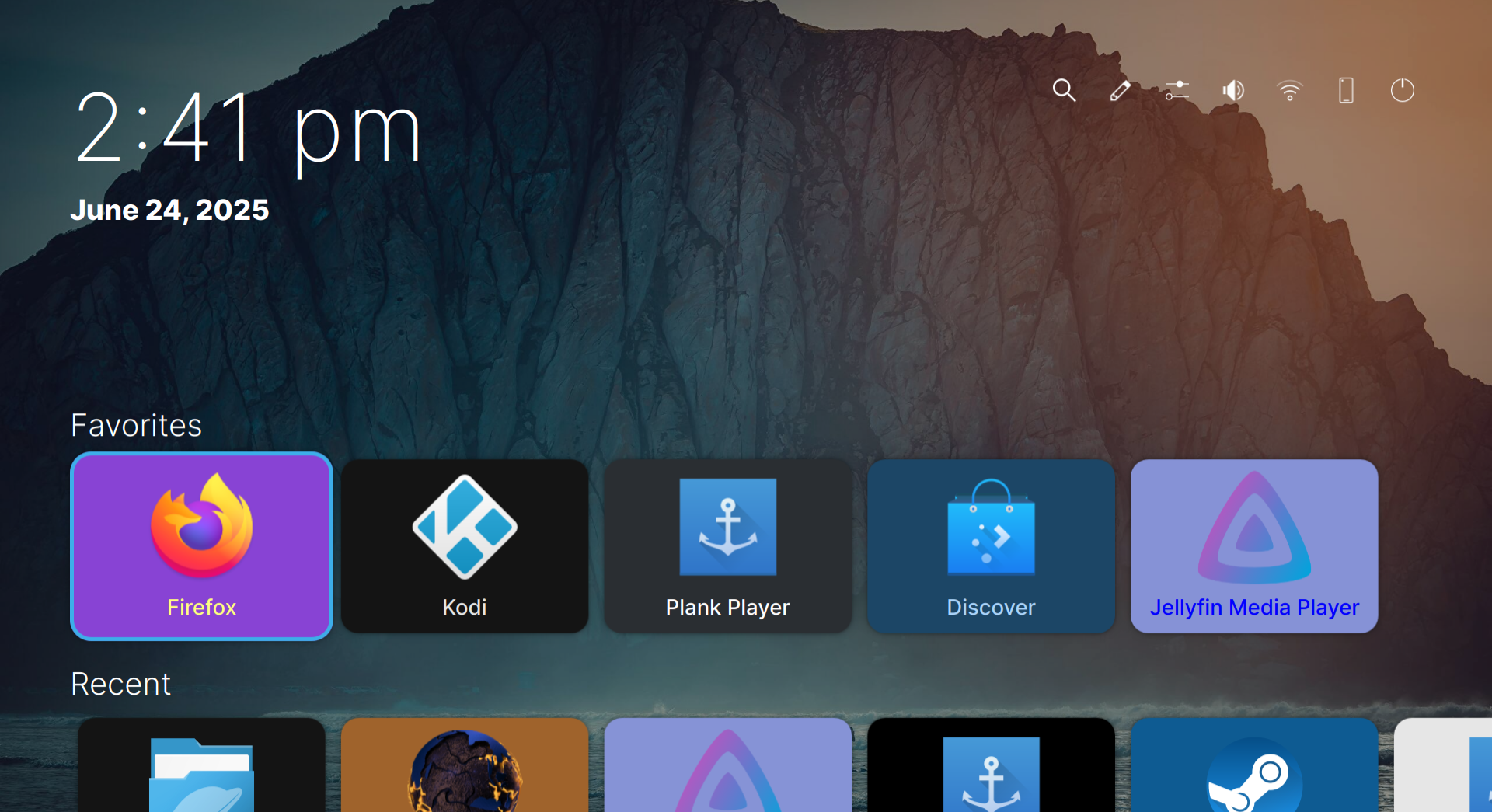
Plasma beyond the desktop: Plasma Mobile and Plasma Bigscreen.
The thing that really drives me towards Plasma, as flawed as it sometimes might be, is that it's a community and a technology that's larger than just KDE Plasma Desktop, but it's built to be something that enables new cool technologies to exist in the coolest way possible, and I love that.
We only run on donations. If you liked this piece, help us reach 300 subscriptions.
no ads · no trackers · cancel whenever