Announcing Plasma Studio
Plasma Studio is a multimedia handling application that features video editing capabilities, raw photo editing, vector graphics, animations, audio editing, recording and streaming, and 3D modeling. It is fully hardware accelerated, implements up to 16bit surfaces, and it is implemented via a QML libstudio library that can be used by any application to offer the same features. It allows to work via a node-based workflow, what-you-see-is-what-you-get editing, or through a code view.
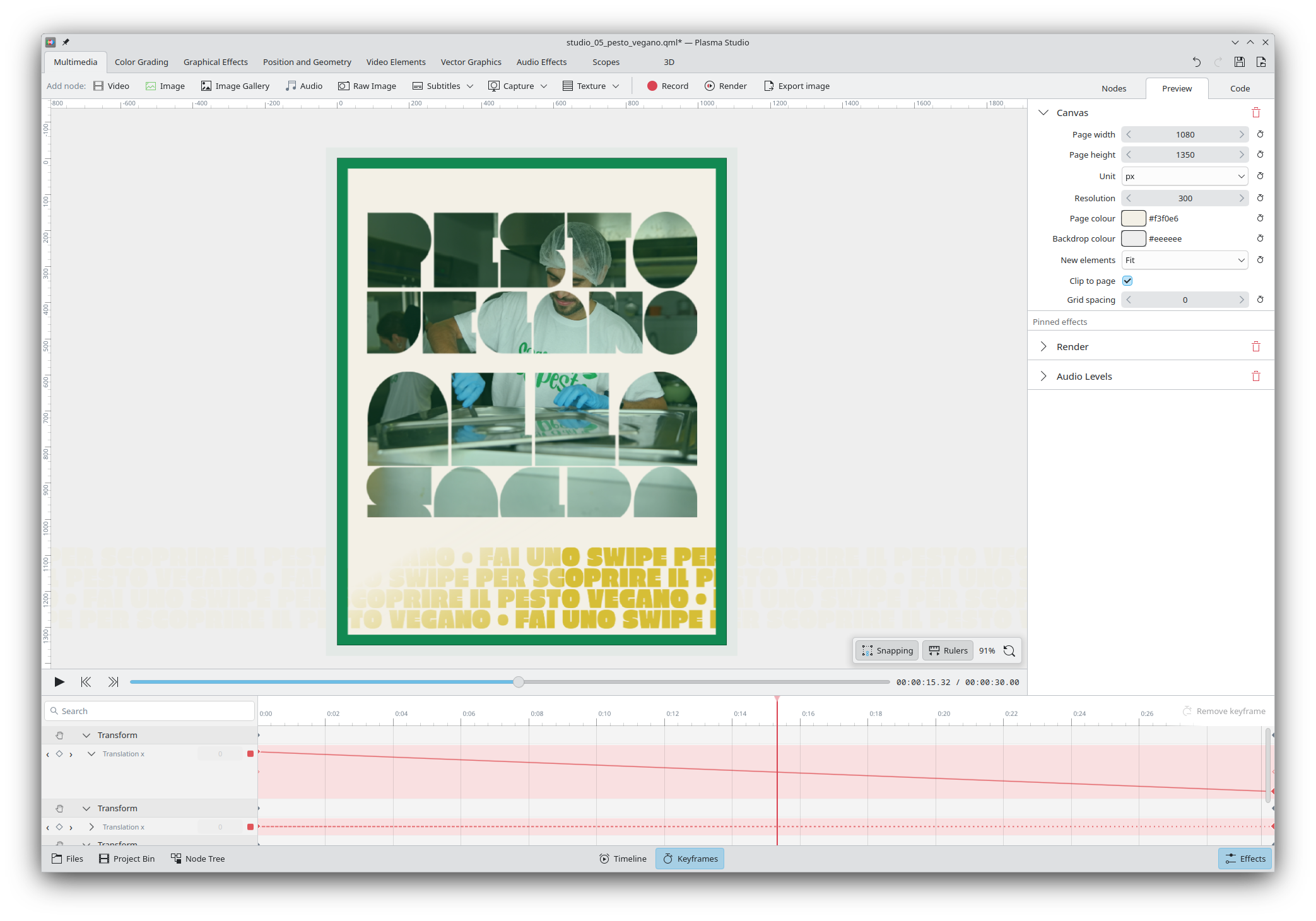
Though the open-source space features plenty of great multimedia applications, they too often lack the ability to integrate seamlessly between each other. As an example, a vector art that requires both animated elements and an embedded video might require switching between Inkscape, Glaxnimate and Kdenlive, each project having limited support for other project files. An user might also want to have the same color-grading effects in Kdenlive as when they edit raw photos on Darktable. Finally, many of these projects do not feature hardware acceleration and are unable to handle heavy multimedia files (e.g. 6k 4:4:2 HEVC) without proxy files.
Plasma Studio wishes to build upon the great, existing effort done by other projects whilst offering a single, unified interface. Our ambition is to make Linux the preferred choice for creators, by establishing a powerful yet simple free-and-open-source alternative that anybody can download and use.
Today we announce the very first early alpha release of Plasma Studio. It only features a few features for each direction, meaning that any established multimedia application will far out-feature Plasma Studio in its scope. Furthermore, the project still has plenty of limitations and bugs; this is only the first step. We'd not get anywhere without a beginning, though.
Video Editing
As mentioned above, Plasma Studio fully features hardware acceleration and high bit depth support; on my machine, I'm able to edit 6K 10bit HEVC 24fps footage in real time even on a integrated Intel graphics card from 4 years ago. Videos are encoded and decoded via FFmpeg, so Studio's compatibility list is the same as theirs.
It features a variety of (barebone) color grading and graphical effects nodes, including: RGB curves, tone equalizers, custom LUTs, colorspace transforms, radial/linear blur, chromatic aberration, vignetting, and more. It also features a few scopes: histogram, waveform, vectorscope, RGB parade, audio levels and a spectrogram. Thanks to the intersection with raw photo editing, all effects will edit the image the same as if you were working on a raw photo (based on available bit depth).
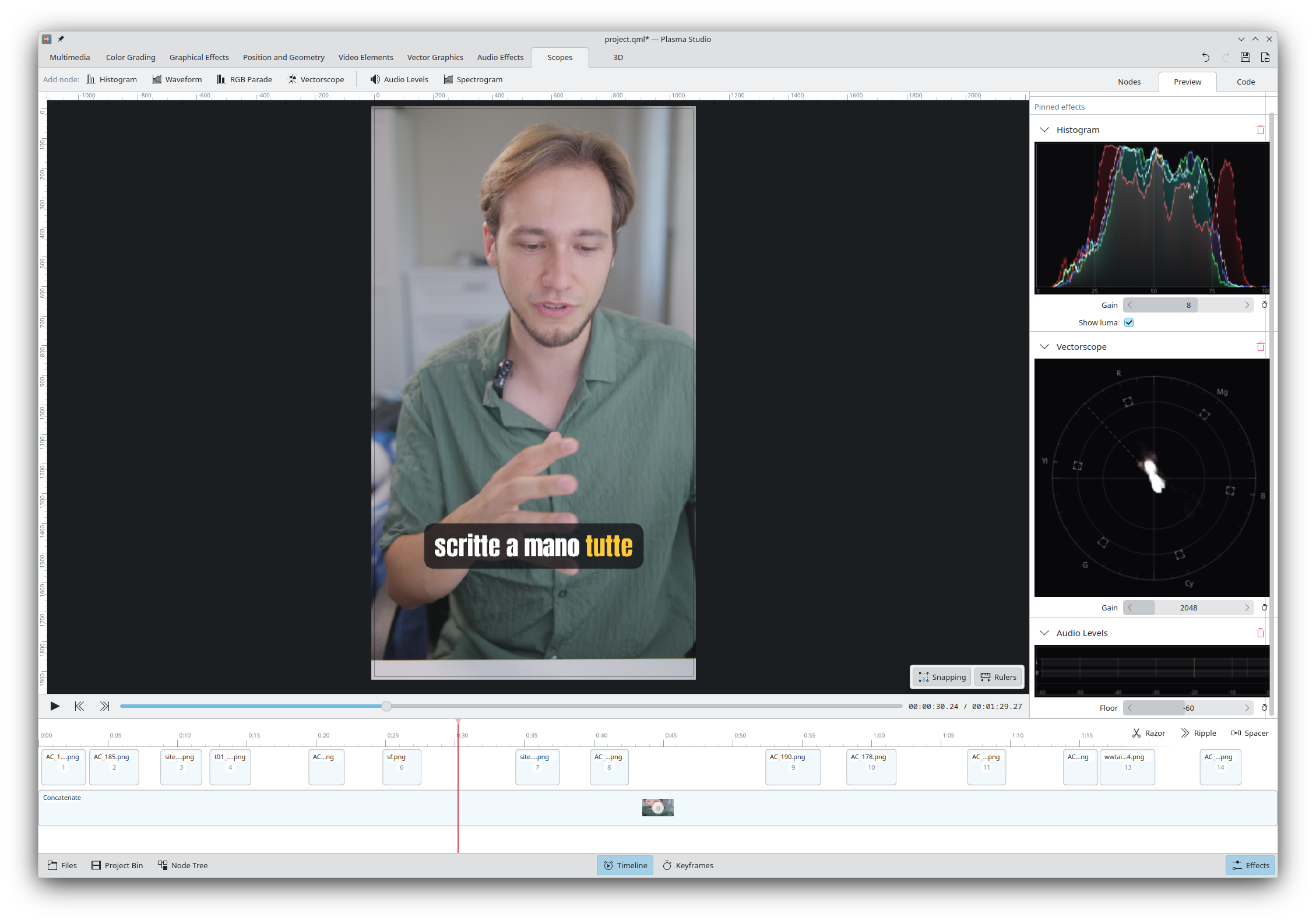
And, thanks to the intersection with vector graphics editing, the preview can be edited as if we were on Inkscape, featuring simple drag and drop, resize, rotate, and shear. It's possible to add custom rulers and activate snapping, as will be explained later.
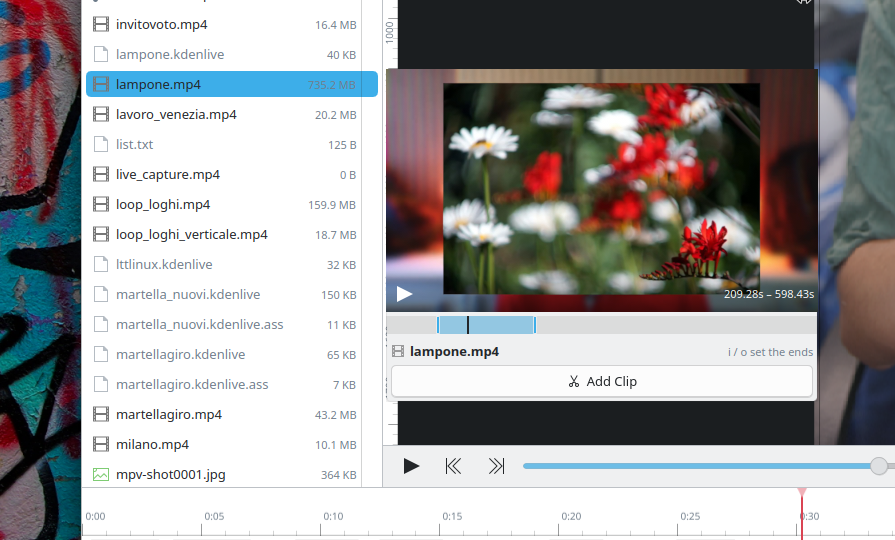
In order to easily add clips into the project, Plasma Studio offers a Files sidebar that shows all available files on the filesystem; each file can be previewed with a click, and it's possible to use i/o or drag and drop to select part of the video and add just that portion to the current project. Arrow keys will navigate through the playback (horizontally) and through the files (vertically).
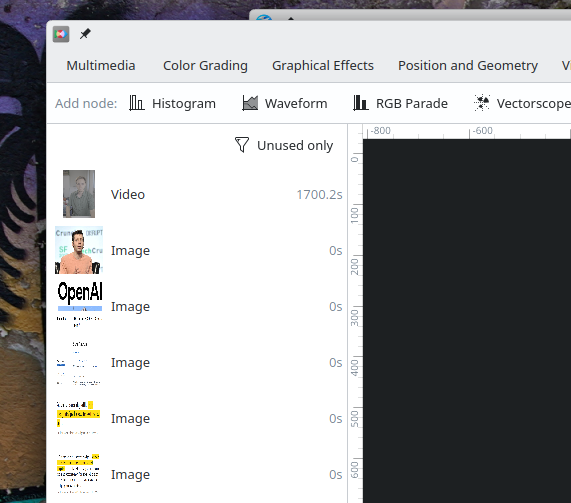
Plasma Studio also offers a "Project Bin" section, which shows all media used within the project, with the ability to filter for unused files only, similarly to what Kdenlive does.
Currently, the timeline is quite limited. You are able to select clips to see and edit their effects and properties, drag and drop them and resize them. A razor tool (or a keyboard shortcut) is available for splitting clips, a Ripple tool can resize or move clips whilst also moving following clips as well, and a Spacer tool allows to move around multiple clips at once.
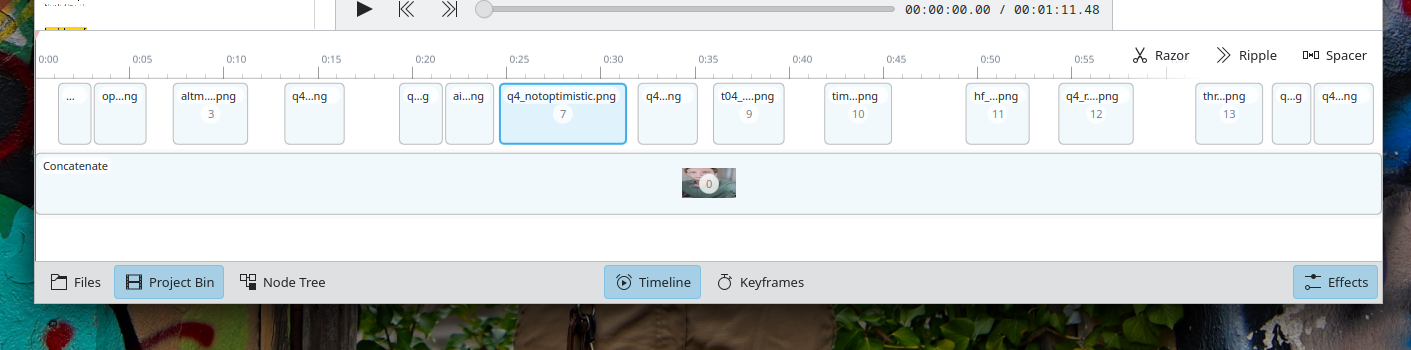
Furthermore, by using a Group (or Concatenate) node, you have the ability to group together clips as if they were a single clip, and then - by double clicking them - you can edit them directly, similarly to Sequences in Kdenlive. The same clip or Group can be inserted multiple time, though not concurrently.
As you might've noticed, however, the project currently does not feature tracks. Though easy to add, I still haven't found a UI and UX that I liked for them, and am therefore seeking opinions.
We currently offer both a Subtitle node that takes a subtitle file, and a Auto Subtitle node that will install a local Whisper model in order to perform the transcription of the given video. A simple chroma key is also offered.
Raw Photo Editing
Plasma Studio offers a Raw Photo node that will demosaic raw photo using libraw to the highest bit depth available. Though the demosaic step currently lacks options, which will soon be added, all other nodes can then work as intended.
Both the Exposure and the Tone Equalizer nodes allow for color input, and the RGB curve can interpolate based on as many points as necessary. All nodes, even the more complex, are hardware accelerated and drawn without any delay.
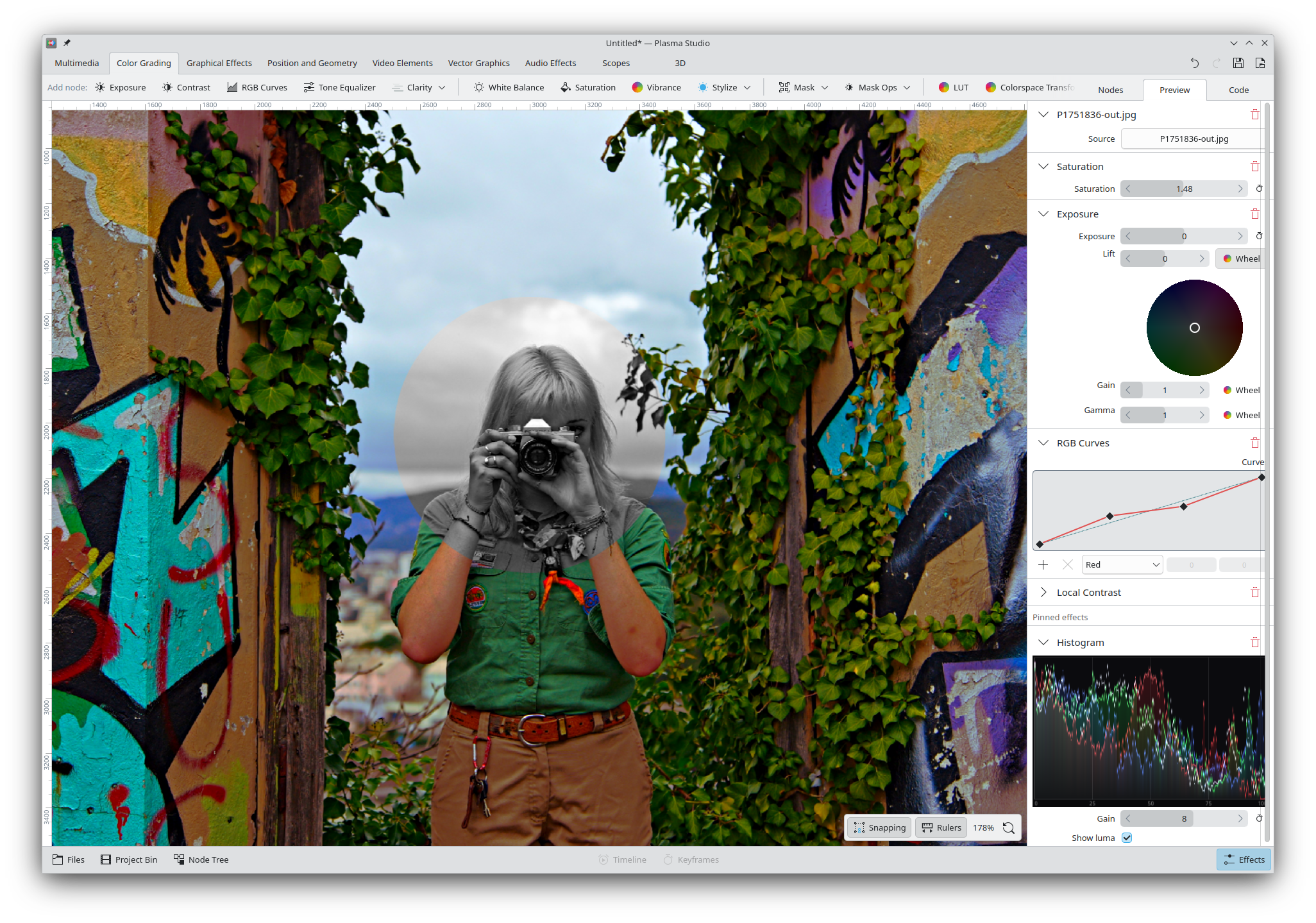
Masks are fully supported and come in many sizes: rectangles, circles, paths, and gradients. You can also perform unions, intersections, difference and exclusions between different masks to get any shape you'd need. It's also possible to create a mask based on a simple luminance or color range. Masks can also be feathered so that they don't have sharp edges.
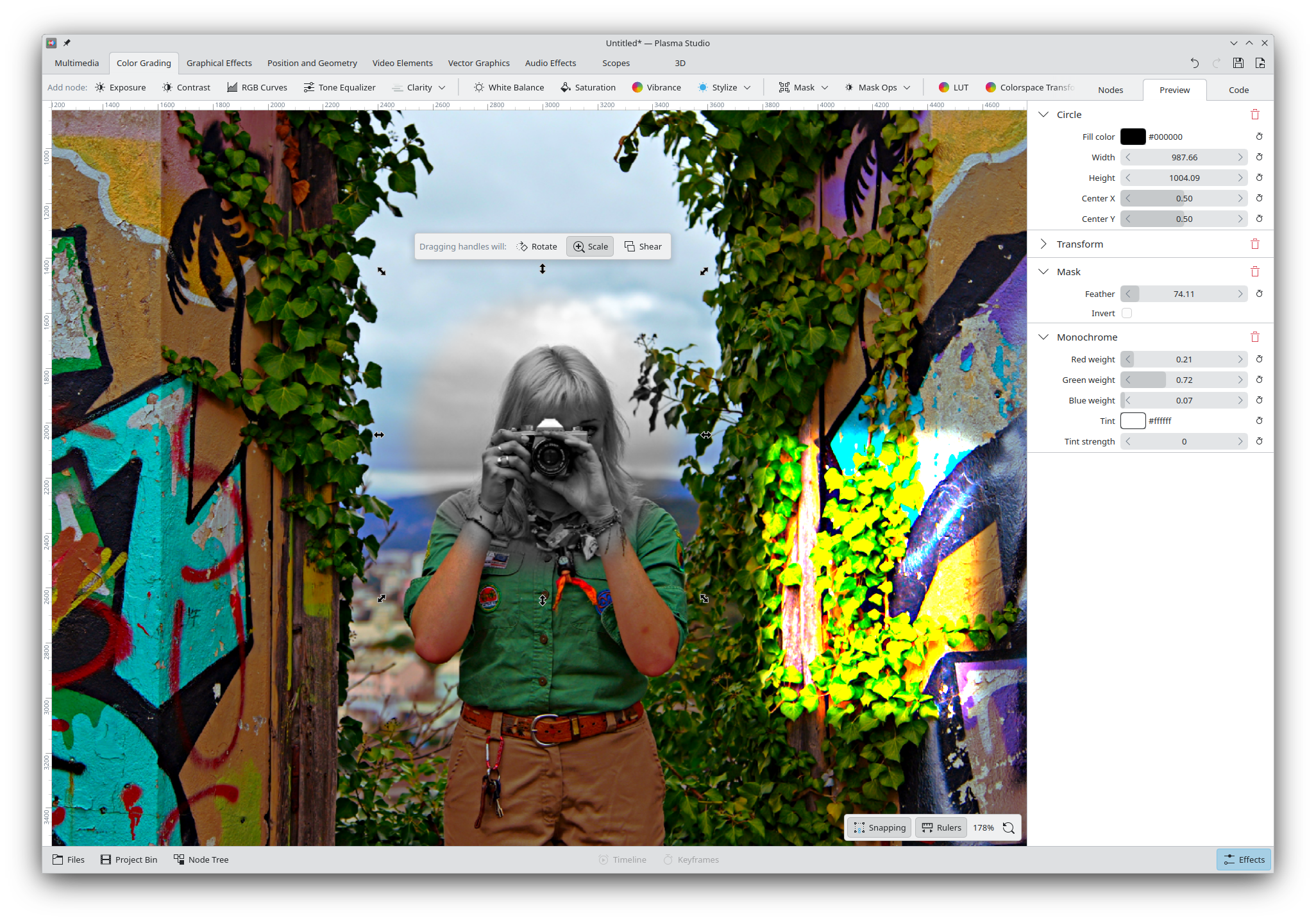
Any of the color grading or graphical effects nodes that can be applied to the picture can also be applied to any mask, so that you can do anything with them!
Vector Graphics
As far as vector graphics goes, we support: custom paths (with a full path editor), text (with custom fonts), rectangles, circles, and polygons. All paths can support path operations (union, difference, intersection, exclusion), plus custom outlines and gradients. We however currently lack gradient outlines.
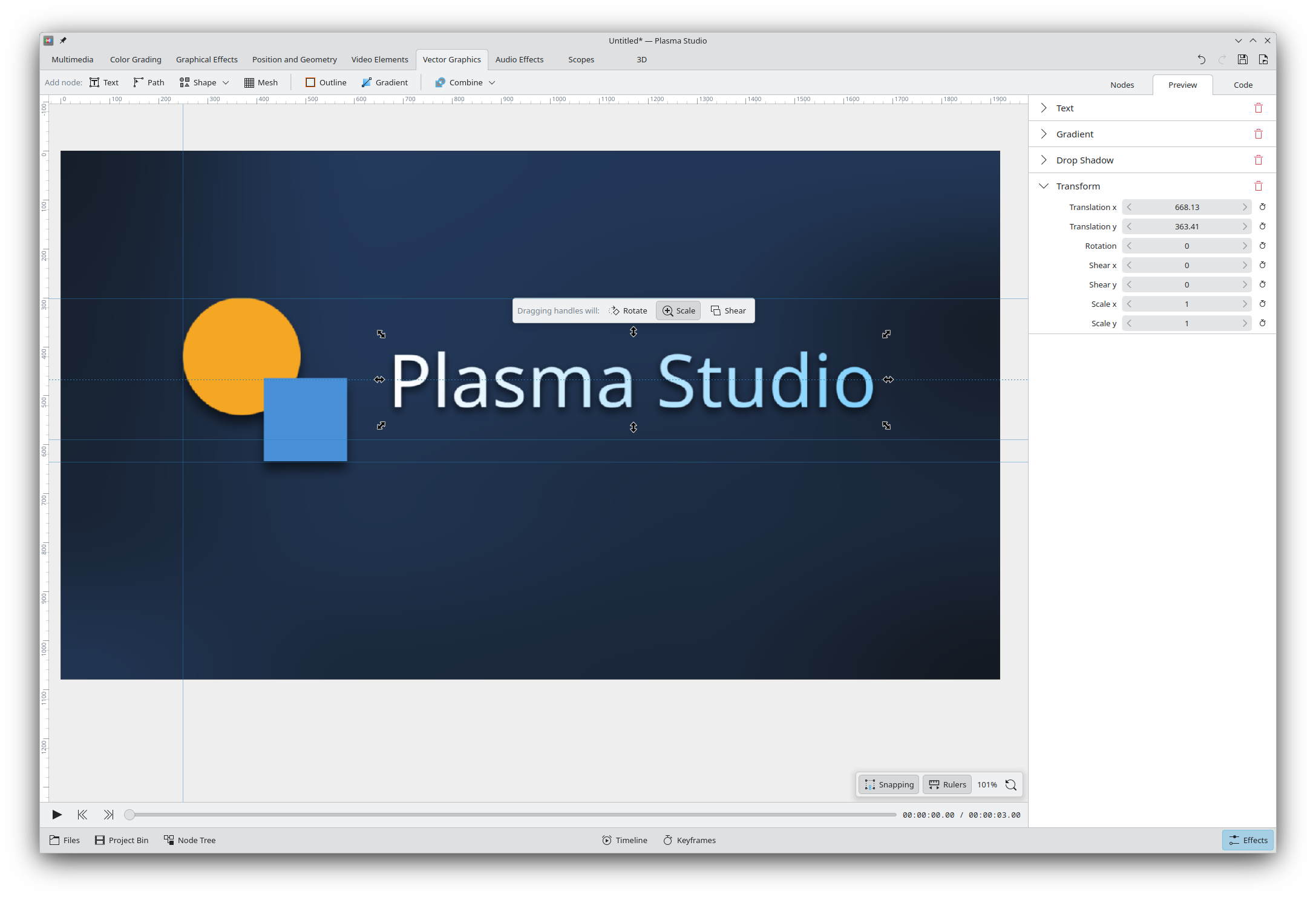
Similarly to Inkscape, drag and dropping from the (optional) rulers will allow to place guidelines; and, drag and dropping elements features full snapping support to horizontal/vertical centers, edges, path points, and more. The UI in the screenshot does not show the ability to toggle specific snap types, but the functionality is implemented behind the scenes and I'm currently deciding whether it makes sense to offer it out of the box.
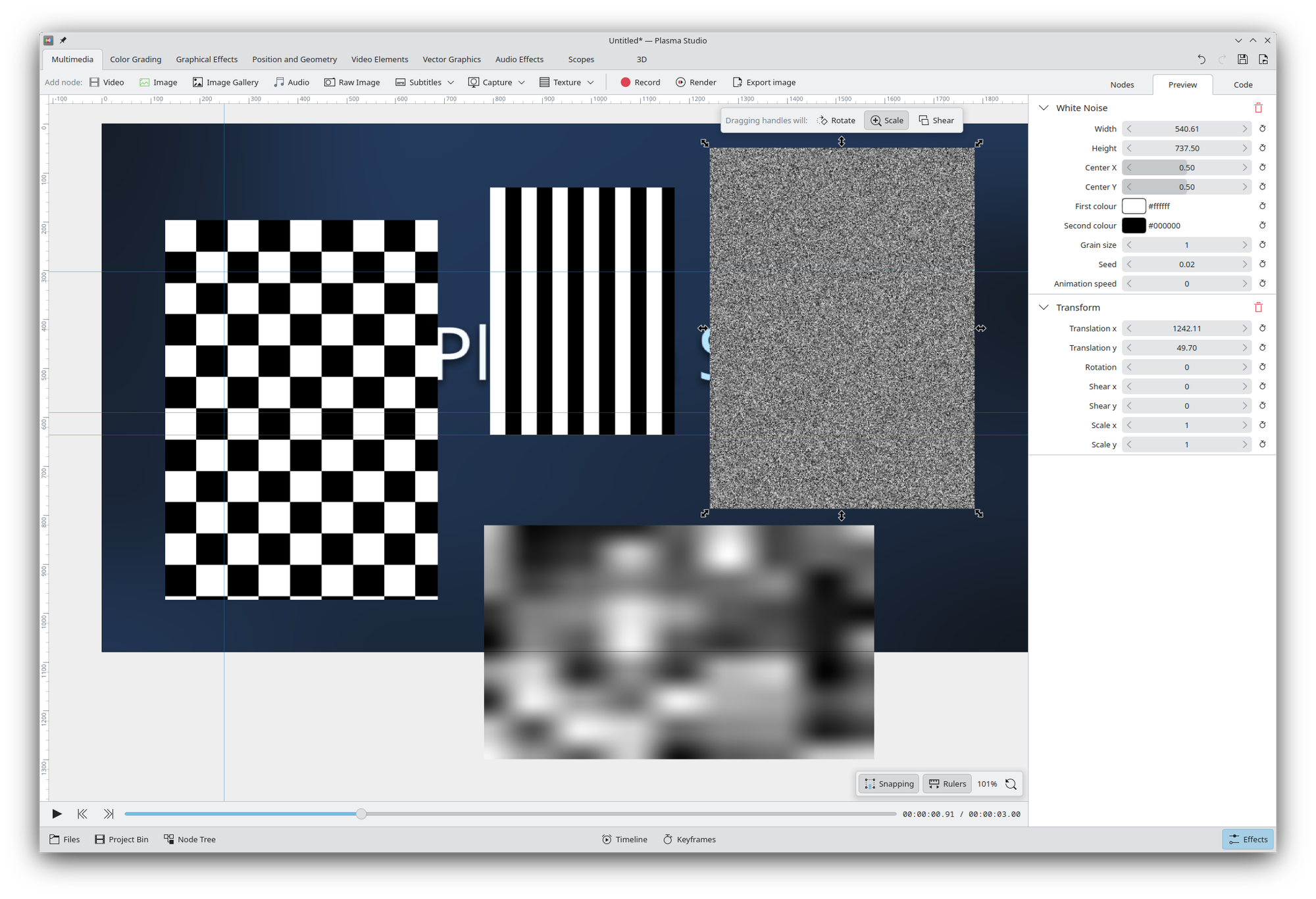
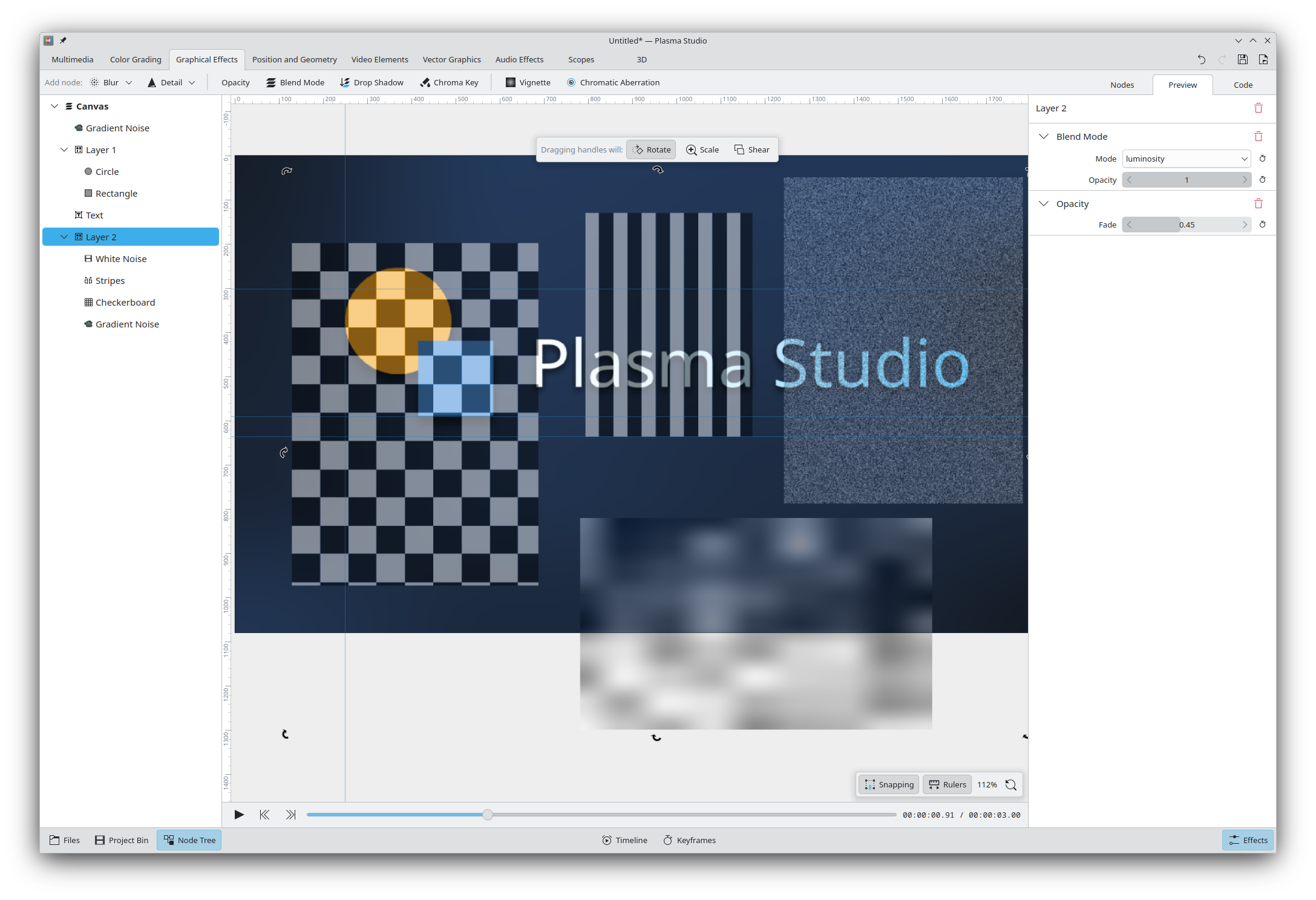
We also offer various built-it textures, such as (animated) white noise, random noise, and checkboard patterns. All multimedia elements can be used, and they all feature opacity settings and all blending modes; though there's not a dedicated layer functionality, it can be replicated through simple grouping, and a Node Tree tab will be able to show the entire project structure. (All nodes can be renamed for bookkeeping purposes).
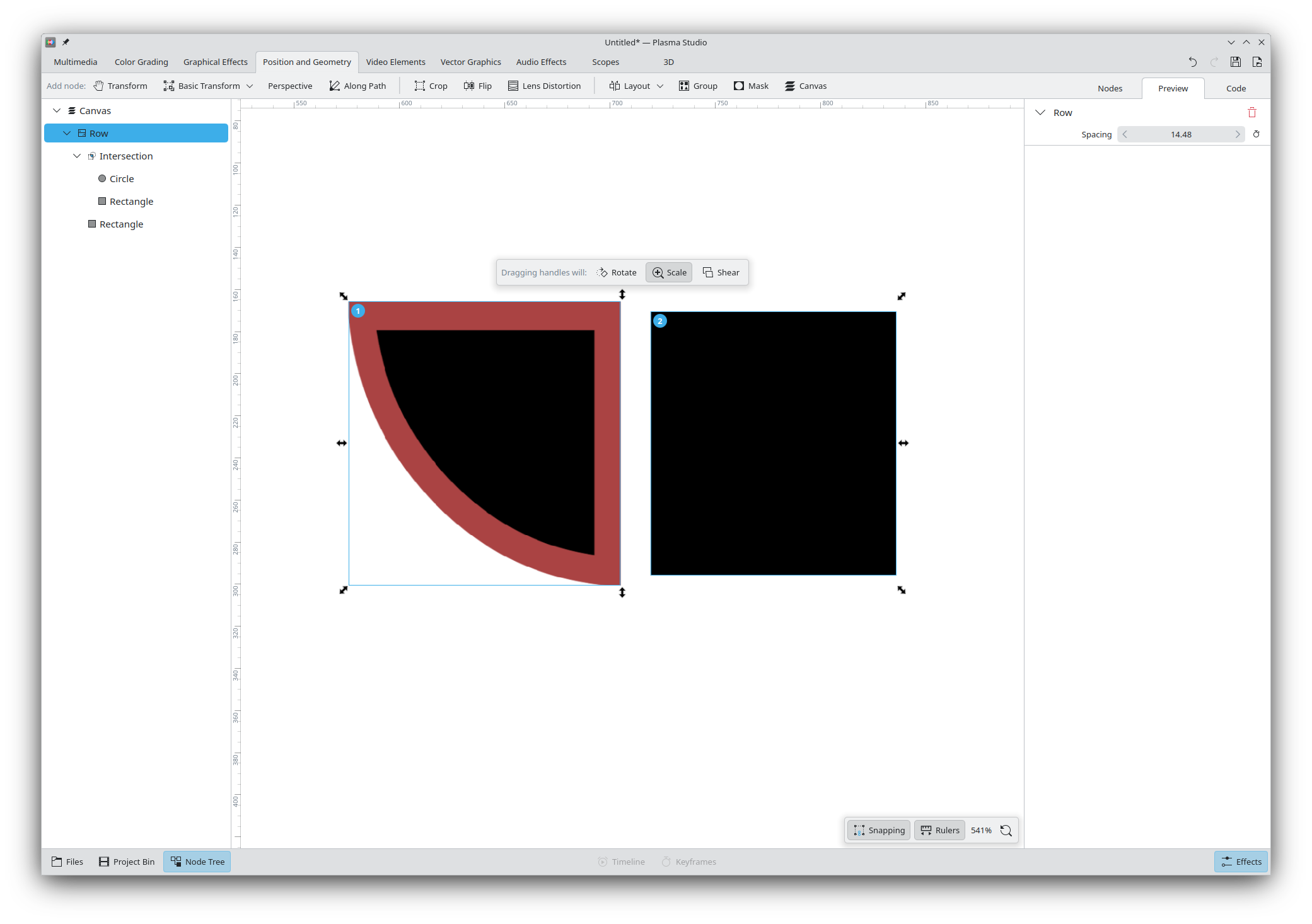
Finally, we offer a fair amount of layout options out of the box (column, row, grid, repeat, scatter).
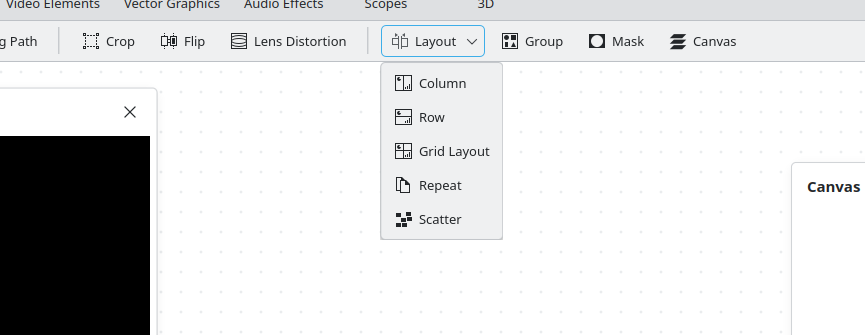
The interesting aspect is that, unlike Inkscape where this actions will immediately reposition the element and do nothing else, the Layout nodes will instead keep existing after they are applied, maintaining the layout of the elements throughout the project. You can still ungroup the elements to get rid of the layout node, if you wish to break the positioning.
Animations
All properties can be animated. As you might've noticed, each setting has a "keyframes" button next to it, and pressing it will show the current keyframes for that property.
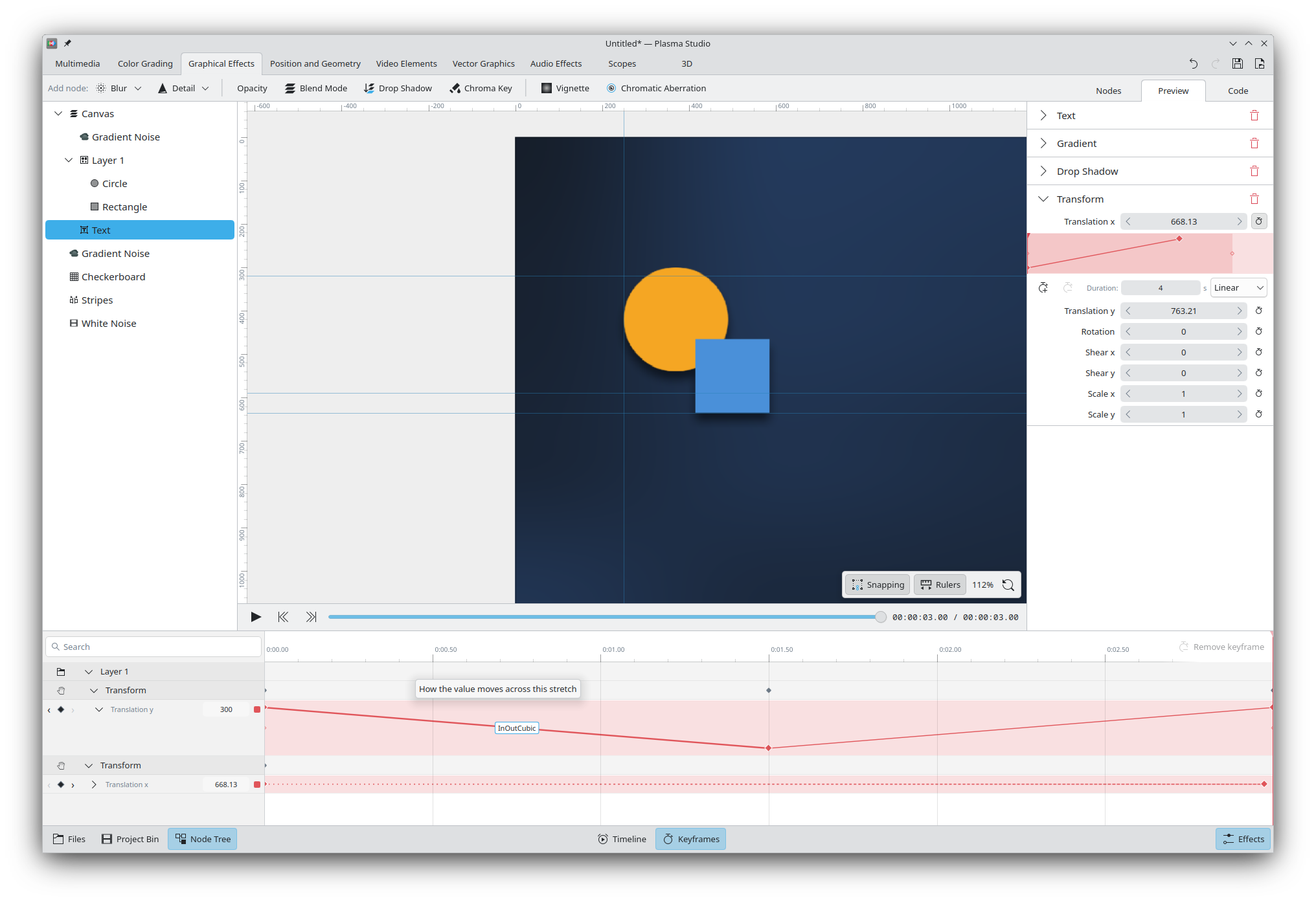
Animations are also displayed in a "Keyframes" bottom (toggleable) bar. They are displayed grouped by elements, with the ability to show/collapse both the elements and their specific animations.
Expanded animations will show graphically how the value changes over time, with the ability to change the easing curve (the screenshot does not show the curve within the graph, but that will be fixed ASAP too). Collapsed elements still show the value changing through the different lengths of the dotted line. Animations can be color-coded.
We also offer the ability to walk an element on a path, by using the Along Path node and animating its position element.
Audio Editing
Plasma Studio will offer a special view only featuring waveforms when an element has no graphics. It allows to move elements around, split them, re-join them, and apply a variety of audio effects to a selection.
The waveform is updated to reflect the audio effects that have been applied, though so far there is a small delay to re-construct the waveform. There's also a spectrogram view that displays the same interface but through the spectrogram tool.
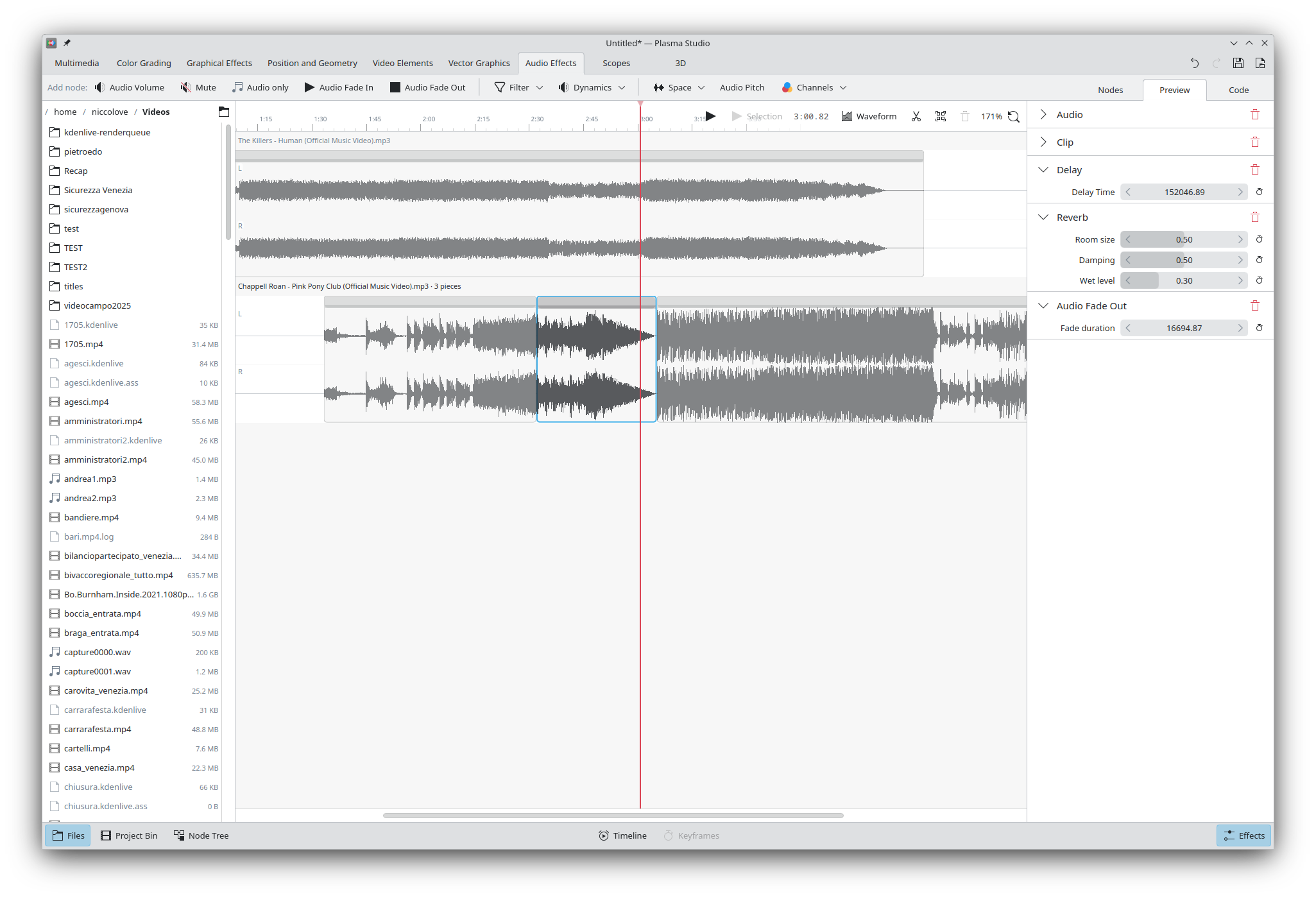
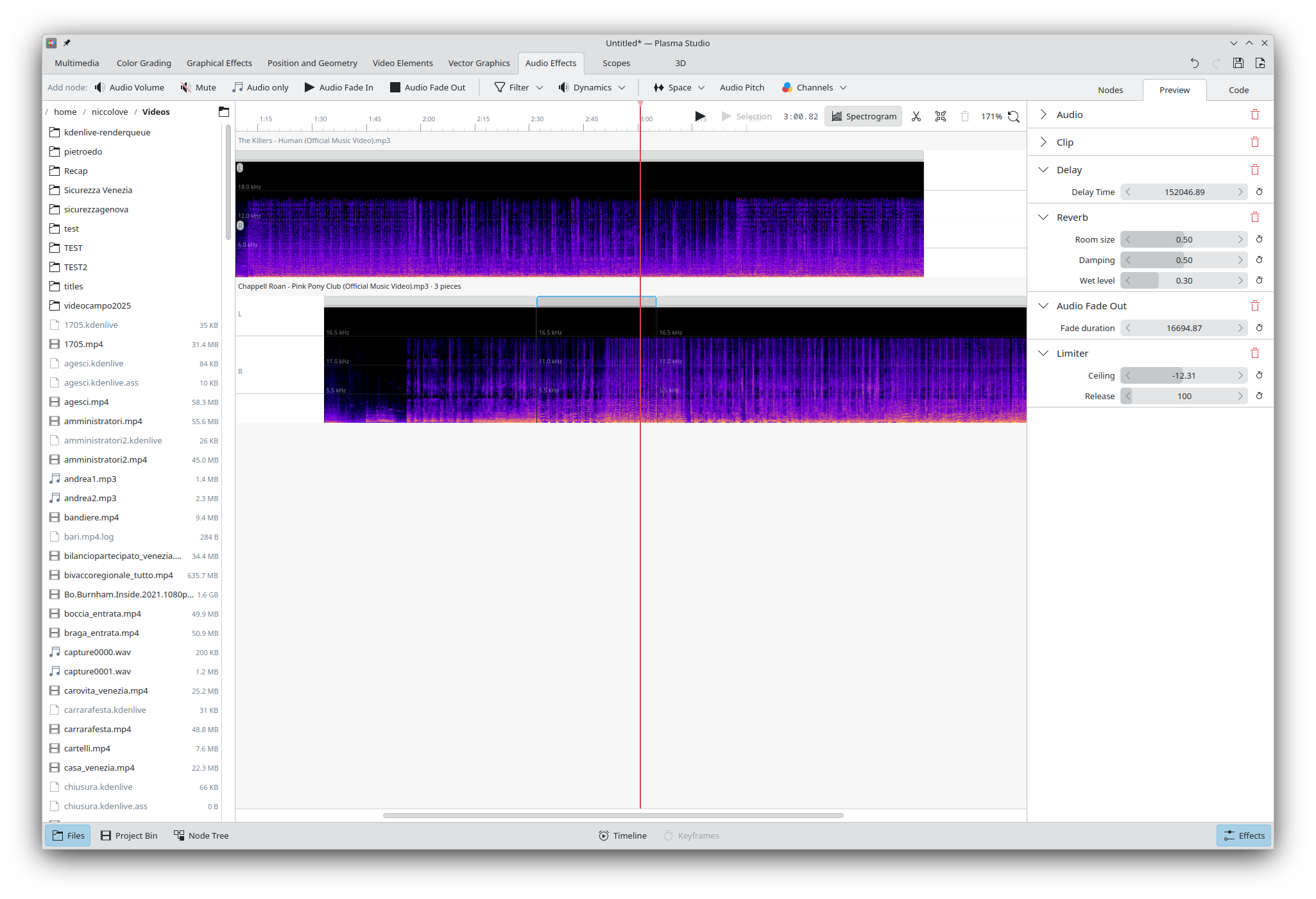
Available audio effects include: volume, fade in/out, low- and high-pass filters, bass and treble, filter curve EQ, compresson, limiter, noise gate, amplify, reverb, echo, pitch, and channel manipulation. It's worth noting that I'm personally terrible with audio, so I'm not able to fully attest of the quality of these effects, and we use the MiniAudio library for playback under the hood.
Recording and Streaming
This is an area that still requires some work. So far, it's possible to connect webcams, screen capture, and record through the microphone. It's also possible to set up multiple scenes with a quick switch between them, and - thanks to all of the above features - it's possible to build quite complex scenes too.
The user can both record and render with via CPU or software acceleration at any given quality; however, we currently lack a node for streaming specifically, and it will be implemented soon.
Other work in progress includes the ability to use that recorded video and audio directly within the project without re-importing, for both audio and video editing, and the ability to set up transitions upon switching scenes.
3D Scenes
To be clear, Plasma Studio will never be even remotely as capable as something like Blender. That said, there are some easy wins that we could gain thanks to QtQuick3D, and some 3D functionality can always end up useful.
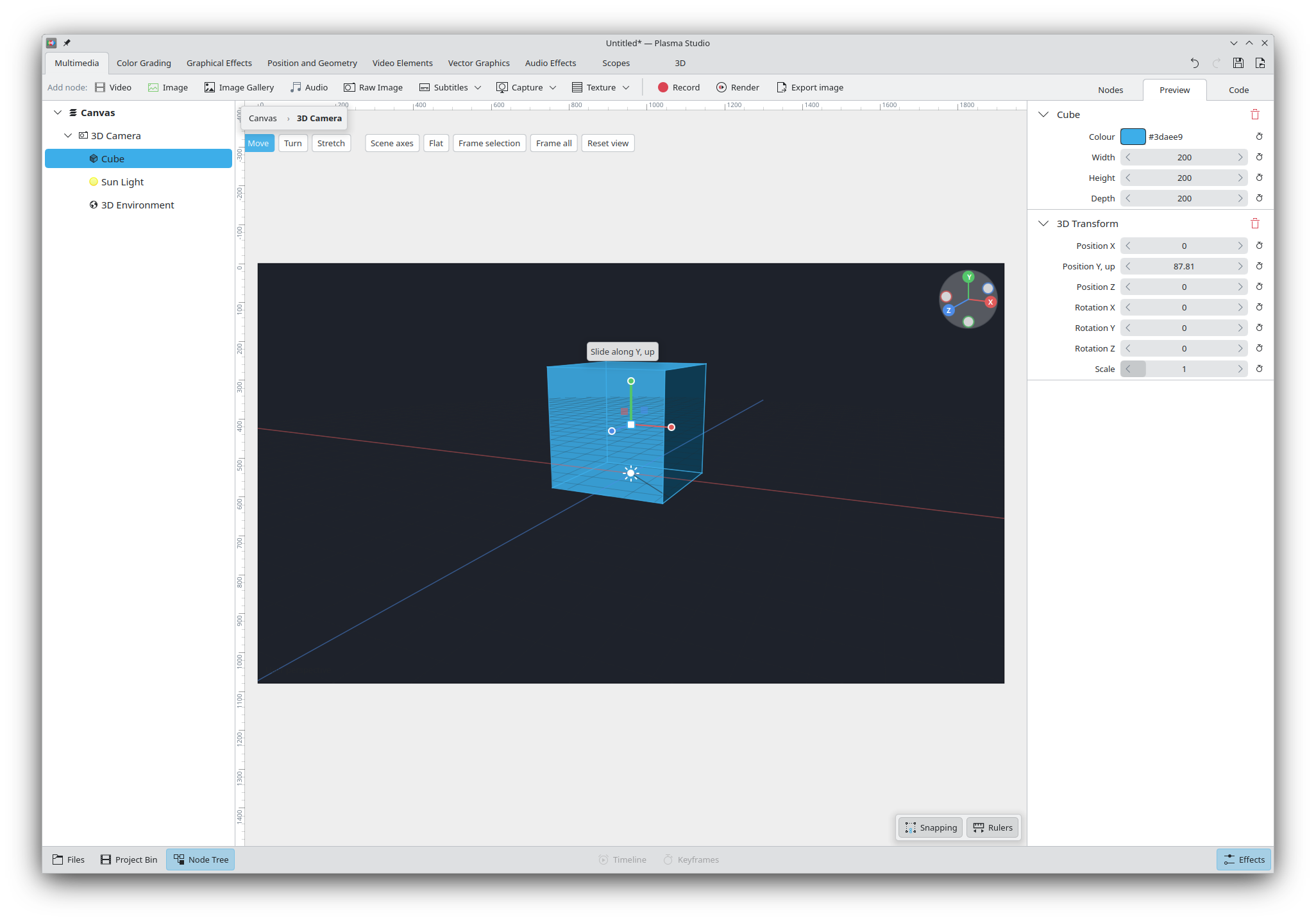
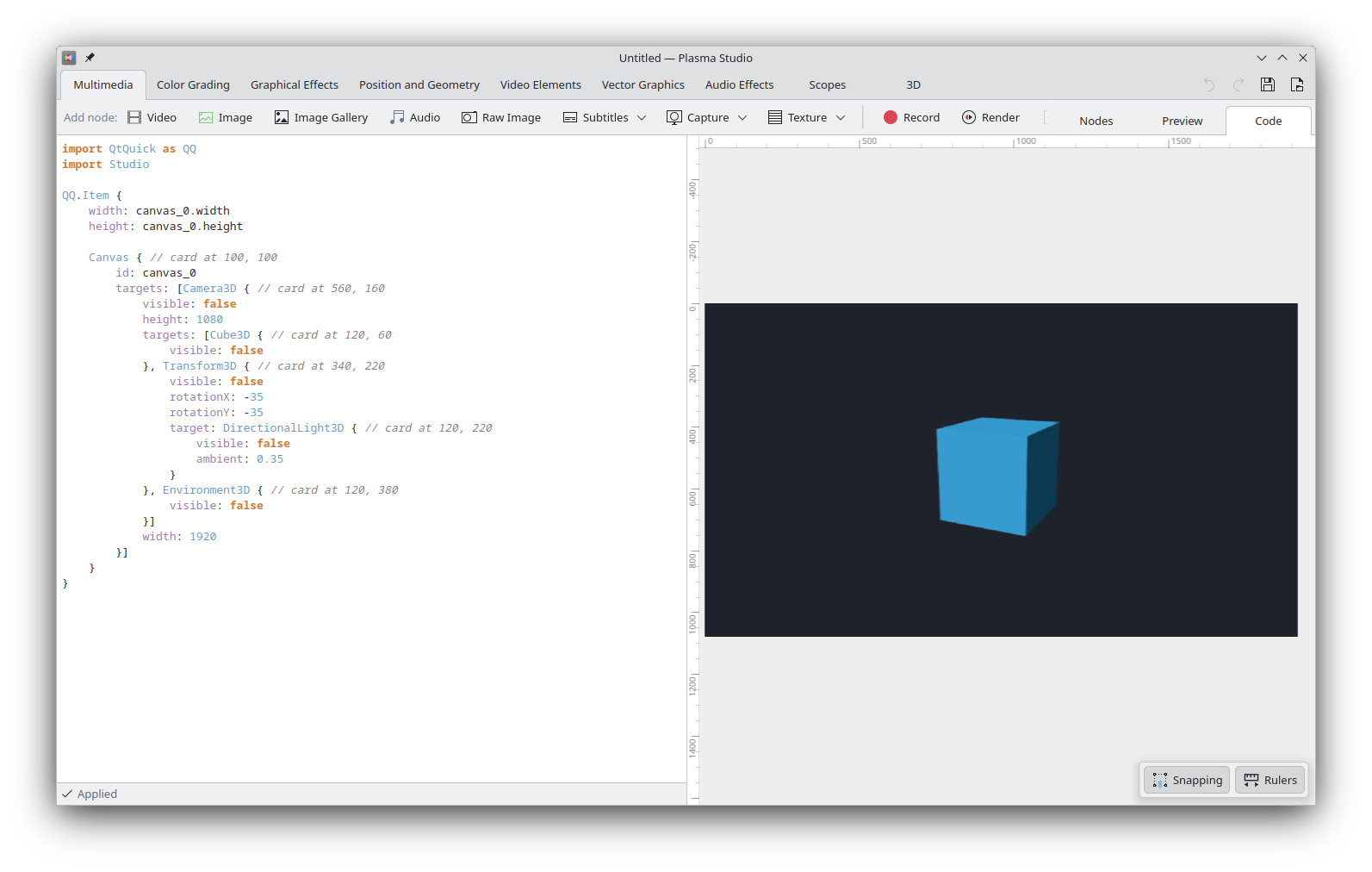
Studio currently has 3D nodes for simple shapes, extruding 2D elements into 3D, simple lighting and environments, transforms, simple materials, some camera features, grouping, and UV transform. Scenes are rendered via a 3D Camera object, which exposes some UI (as seen above) to directly edit the elements in space. The rendering part uses standard QtQuck3D.
More complex features will be implemented in the future, assuming that they indeed are offered by Qt; that said, I don't expect the 3D side of things to become a major selling point of the application, given just how commercially established Blender already is.
Libstudio
Plasma Studio relies on a simple custom library called libstudio; it is currently shipped with the application, but it will soon be its own library with proper documentations for available types.
All libstudio elements (and all nodes that I've shown you so far) are QML elements that can be imported and used in any project. Switching to the Code tab of a project will also show the required code to implement that project.
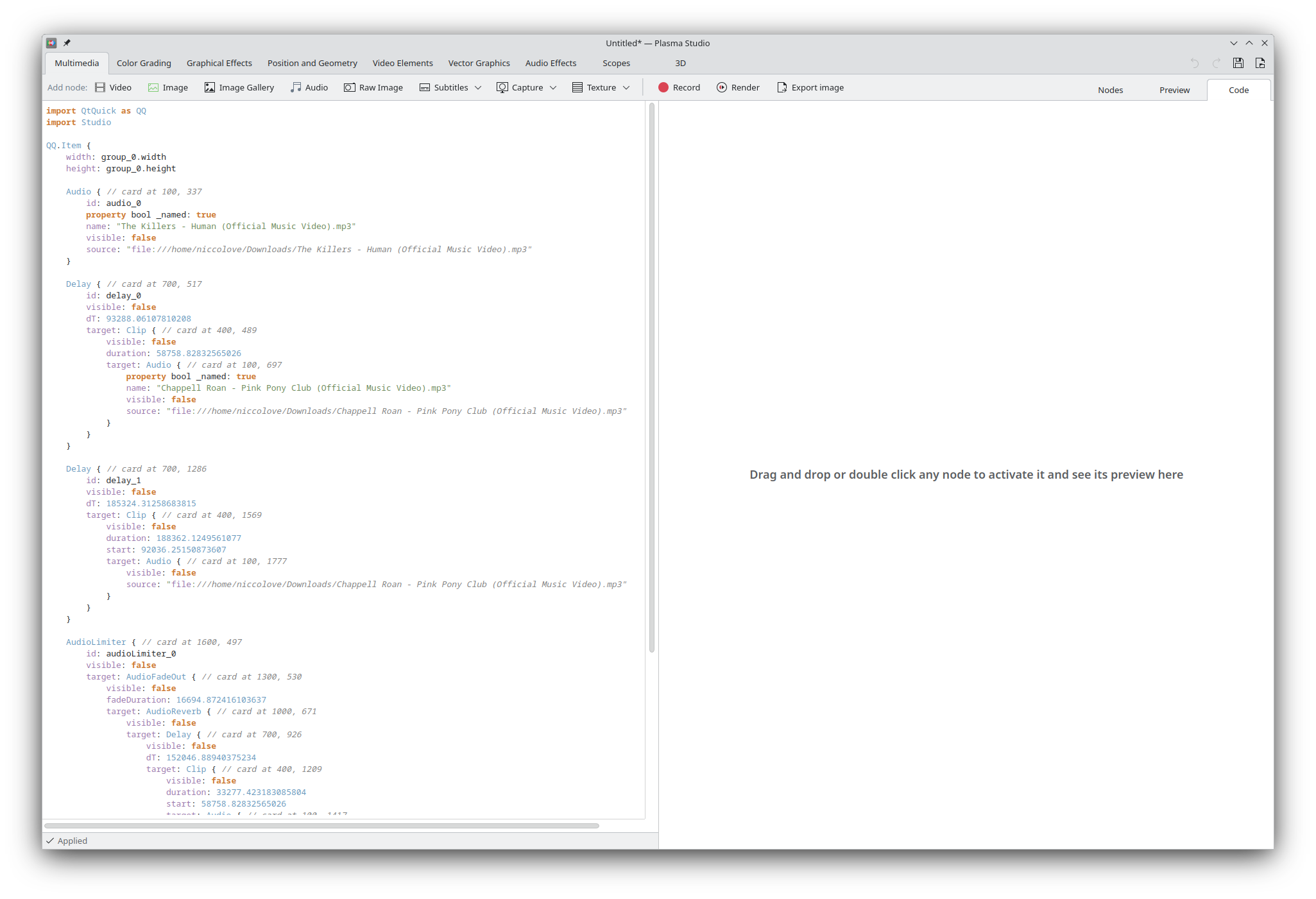
Though many elements rely on external libraries to work (e.g. FFmpeg for videos, libraw for raw images, etc.), the project is a real QML scene and Plasma Studio only works as a UI to directly edit that scene.
This means that it's extremely easy to expand the library or offer third-party plugins: any QML element can become a node, and QML is the same (markup-ish?) language that's used for the entirety of the UI of KDE Plasma and many of KDE's applications, so there's plenty of support for that already.
Another interesting aspect is that project files currently are fully valid QML files too, which can be run as applications or embedded in existing ones. This also means that project files are human readable, though not necessarily very pretty.
There's a few (intentional) downsides too. Most importantly, we decided not to use SVG for project files, as they only offer a fraction of the features we need (think of saving a video editing file to SVG), and there's not a dedicated "vector graphics" mode, but rather one unified interface for everything. This means that importing SVG will only import them as images, and there's no SVG export. In the future I'd like to implement some SVG <-> libstudio QML bridge in order to lessen this drawback, but - given that we implement a different set of features compared to SVG - the bridge will necessarily be not perfect.
Secondly, QML files allow for arbitrary code execution; this means that a malign project file can currently run code on your machine. As you can imagine this is a massive security vulnerability, and as thus:
The idea to fix this issue is to implement a subset of QML files that do not allow for any embedded Javascript code, and that are parsed manually by Studio. Again, let me remind you that this early alpha is meant to get feedback on design direction and bugs, and is not meant for real work.
The UI and UX
One explicit goal of Plasma Studio is to keep a very "minimal" and simple interface for even complex tasks, making it easy to find everything you might need.
As an example: Inkscape currently features side panels for exporting, fill and stroke, layout, and so on; however, page settings open in their own pop-up, and filters and extension expose their own UI, and their settings can't be changed after their effect is applied. Many actions, such as path operations, are accessible through the menu bar instead. Same goes for Kdenlive: there's a list of effects, but a popup for rendering options, another for project settings, and a few menu bar-only actions.
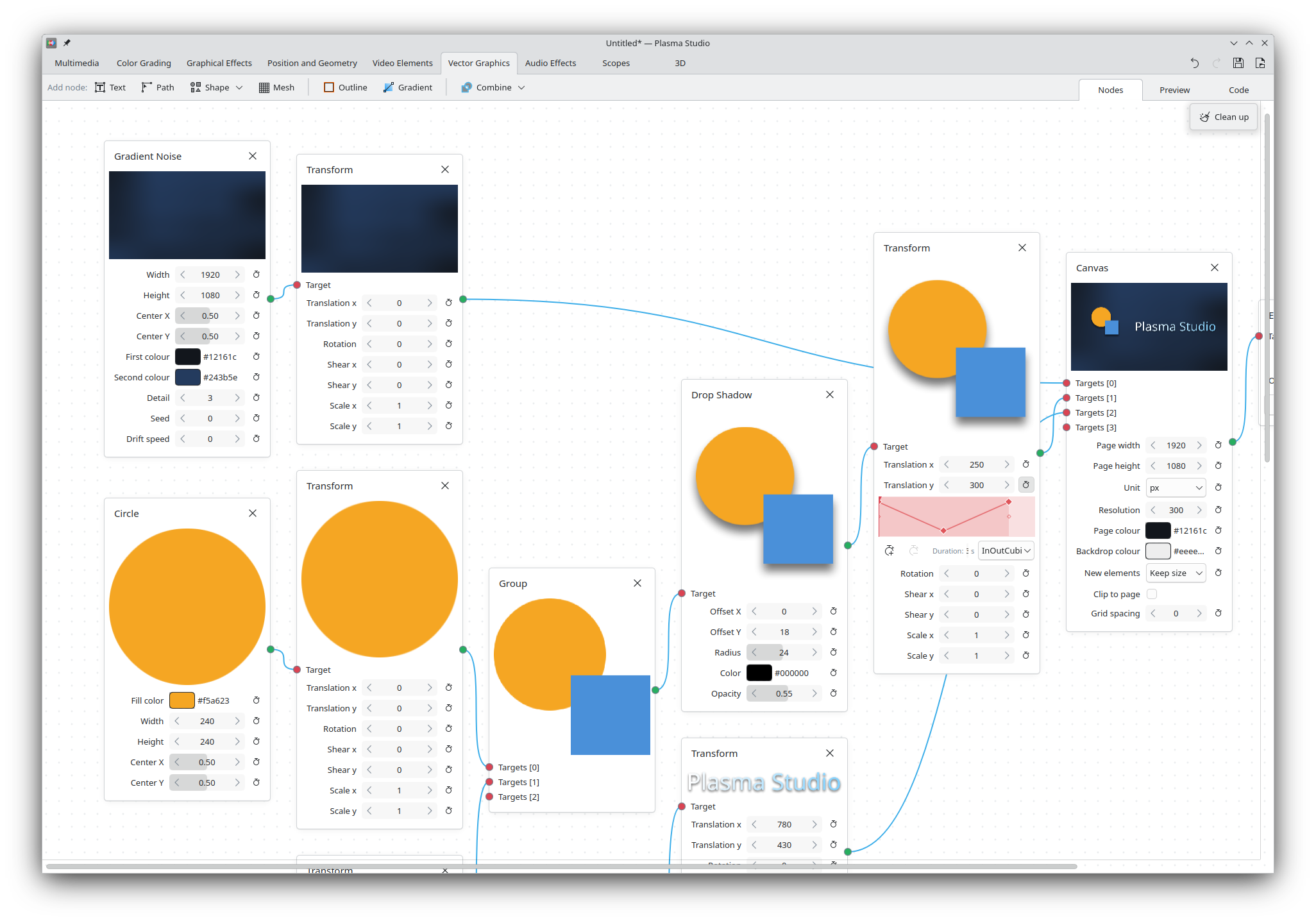
This is standard for professional application, but such a design wouldn't work for Studio, which has to cover an unusually large amount of tasks within a single interface. Therefore, we went for an entirely node-based approach: each multimedia input is a node, each effect is a node, the page (called Canvas) is a node, scopes are nodes, and rendering/recording/export actions are within nodes too, each node with its own settings.
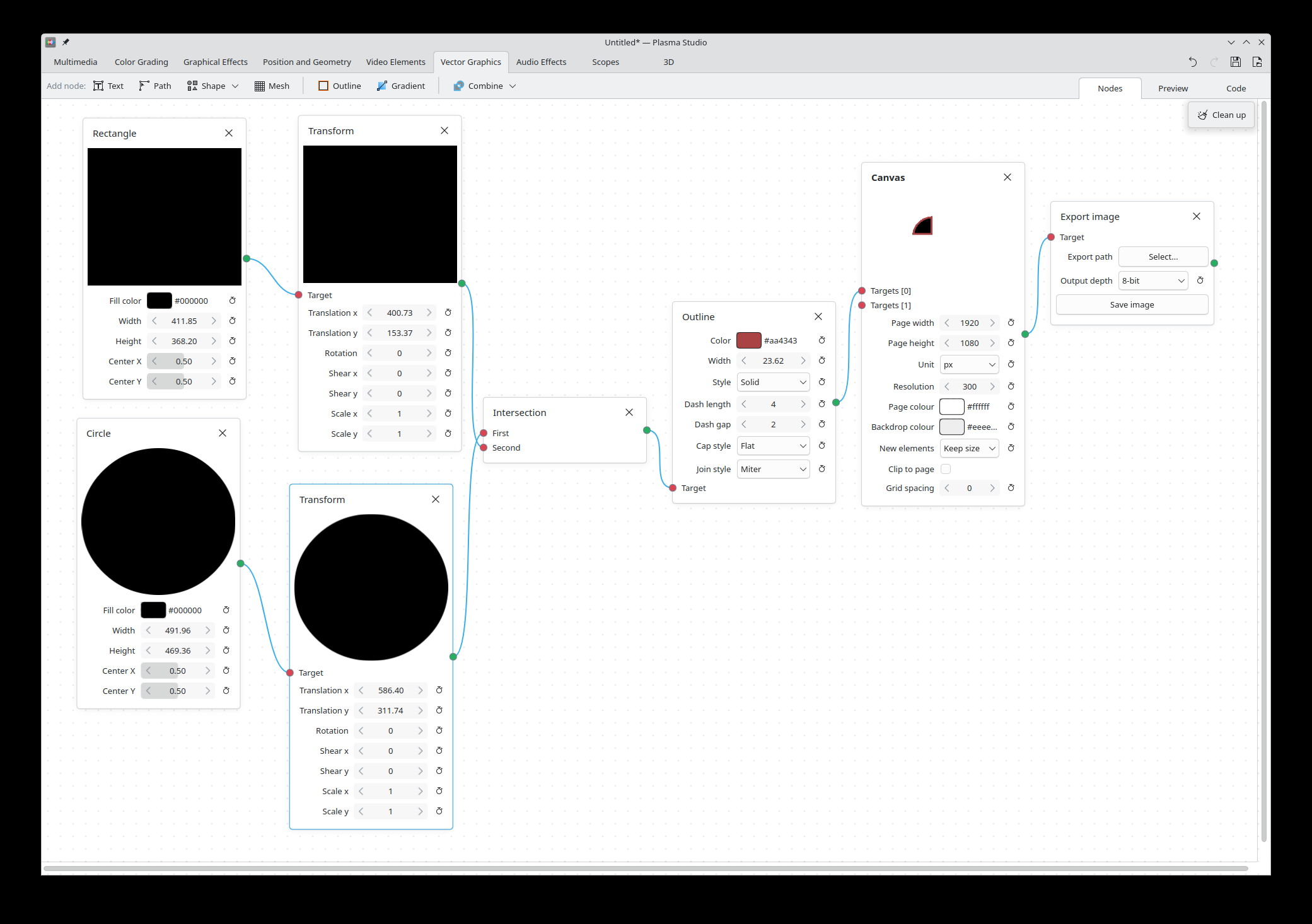
This makes it particularly easy to find and change all settings. The shape and color of a rectangle will be within the Rectangle node, its outline settings will be in the Outline node, the look of the page it's drawn in is the Canvas node, and export settings are in the Export node. All settings are displayed in the Effect List right sidebar (or in the Nodegraph view).
All available features are exposed as nodes: you need automatic subtitles? The "Auto Subtitles" node has got you covered, managing the Whisper models in its own settings rather than being a custom popup.
We hope to be able to strengthen this node system over time, introducing more and better nodes with better organized settings; this is a great moment for you to express which features you'd like to see, so that they can be turned into nodes too.
Finally, nodes currently feature a (weak) type system, where they all define its own type (with inheritance) and can specify the type of the node they require, with UI errors when the type is incorrect. We hope to be able to expand this system with even e.g. number/string/vector/texture types, so that all properties of nodes can be connected a' la Blender.
How to test and report feedback
The code is live at this repository and can be built and tried out. You can use the issue section to report issue directly in the repository, and suggestions too! Please do create some issue with everything you'd like to be added, so that I can keep track of it (though I might close it just to transfer all feature requests to a single issue, or a few issues divided by category).
If you'd prefer not to build the application, a flatpak is also available; however, I have decided to make this only available to supporting members of this website at any tier, since they allow the development to keep going. If this project looks promising to you, I'd welcome you to consider subscribing, so that I can keep working on it and, hopefully, spend even more time on it!
How to install the flatpak
We only run on donations. If you liked this piece, help us reach 300 subscriptions.
no ads · no trackers · cancel whenever