In-depth news about Linux and Free and Open Source Software.
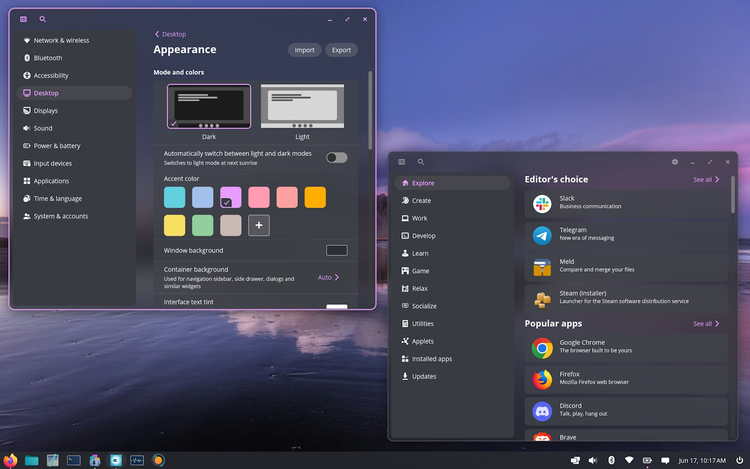
Headline: Is COSMIC DE mogging KDE Plasma?
Desktops · 12 minIt's been almost a year since I've last tried COSMIC; though development since then has mostly been centered around stability (going from late alpha to stable releases now!) there have been a fair bit of user-facing changes
continues at page
Table
of contents
In this issue
9 pieces / pages
Omarchy, the Omacom Foundation, and the Future of Linux
Linux · 8 min · p. —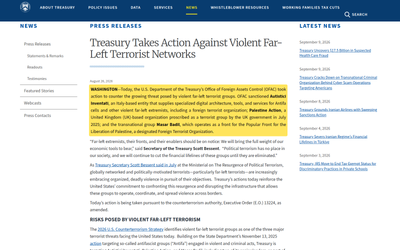
Autistici/Inventati and the Reach of U.S. Sanctions
Privacy · 5 min · p. —
Announcing Plasma Studio
Open Source World · 13 min · p. —
Android prefers vibecoders over open-source developers
Legislation · 5 min · p. —In this issue
continued
I Made the "Next-Level" Camera and I love it
Open Source World · 19 min · p. —
I made the ultimate productivity device for less than 50 bucks
Open Source World · 9 min · p. —
The political use of operating systems
Legislation · 7 min · p. —
My childhood dream laptop
Hardware · 13 min · p. —Help us break even
We only run on donations. We have a goal of reaching 300 subscriptions, which would allow us to hire staff.
If you subscribe, you'll gain access to a few members-only pieces, though we aim to keep most of our content free for all.
no ads · no trackers · cancel whenever
Is COSMIC DE mogging KDE Plasma?
It's been almost a year since I've last tried COSMIC; though development since then has mostly been centered around stability (going from late alpha to stable releases now!) there have been a fair bit of user-facing changes too which I adore. I thus have to ask myself: should I switch to COSMIC? The answer obviously is no, but that's just because I got addicted to KDE Plasma, so let's try to be more objective here.
Do a few things but do them well
It goes without saying that there's no established desktop environment that manages to have the amount of customization that KDE Plasma has; its combination of (a) having been around for more than 25 years, (b) being commercially popular in devices like the SteamDeck, and (c) having made all components of the desktop highly modular has resulted in a unique community of theme, applets, colorschemes, and much more. There's no comparison here.
But of course, COSMIC doesn't try to compare here; instead, it does its thing, and it does it really well. There's a variety of theming options that I, a KDE developer, am deeply, deeply envious of. Let's go through them.
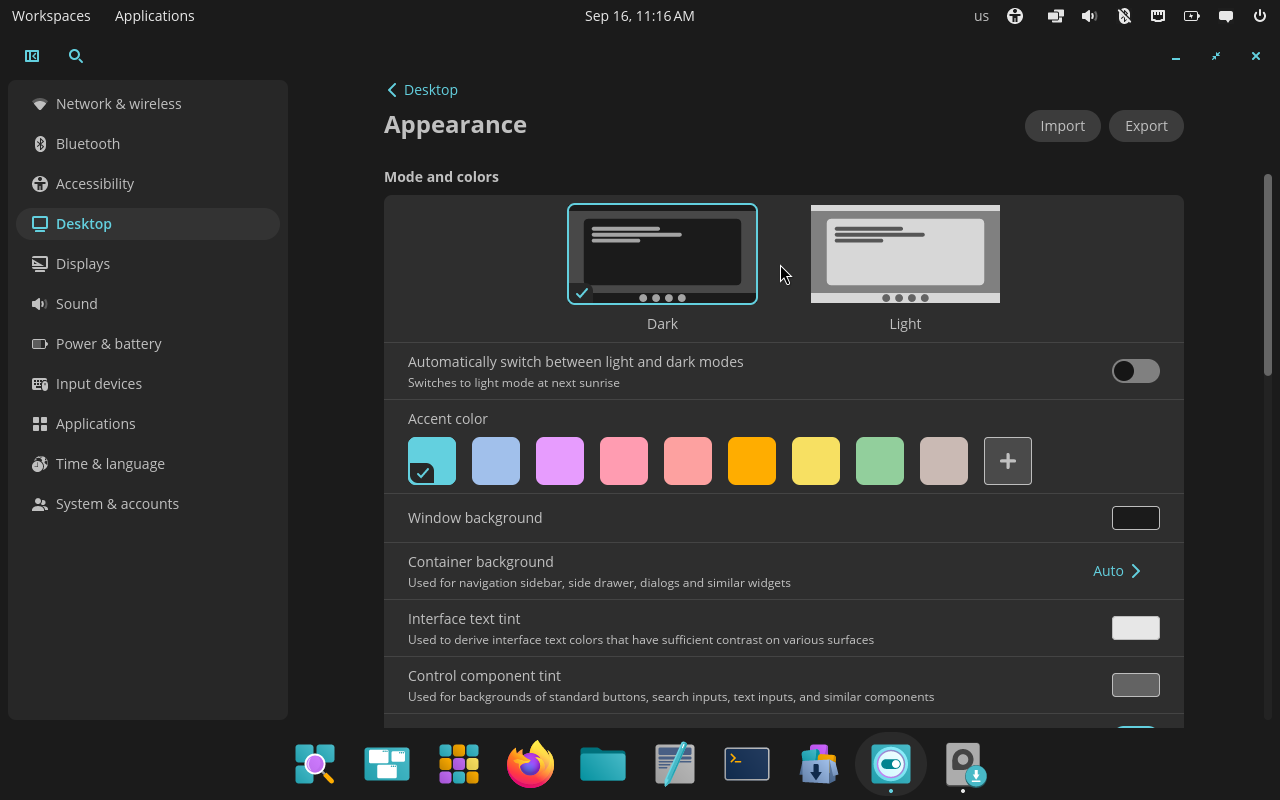
Settings applying instantly. If you start clicking around in the Appearance section, you'll be pleased to see that all settings apply instantly, as soon as you click them, and with no reload. Some components even animate the switch with animations, such as the panel when moving between colorschemes.
This is something that Plasma often struggles with; not only there's an established pattern of having an Apply button around, and therefore everything was originally thought of without instant apply, but certain aspect changes (e.g. opacity of the panel) require full theme swaps which aren't as instantaneous as changing one specific setting. Though there's been great progress here, with a KWin effect that animates the transition between arbitrary themes, being able to see live the colors changing when clicking on different COSMIC accent colors does make me quite envious.
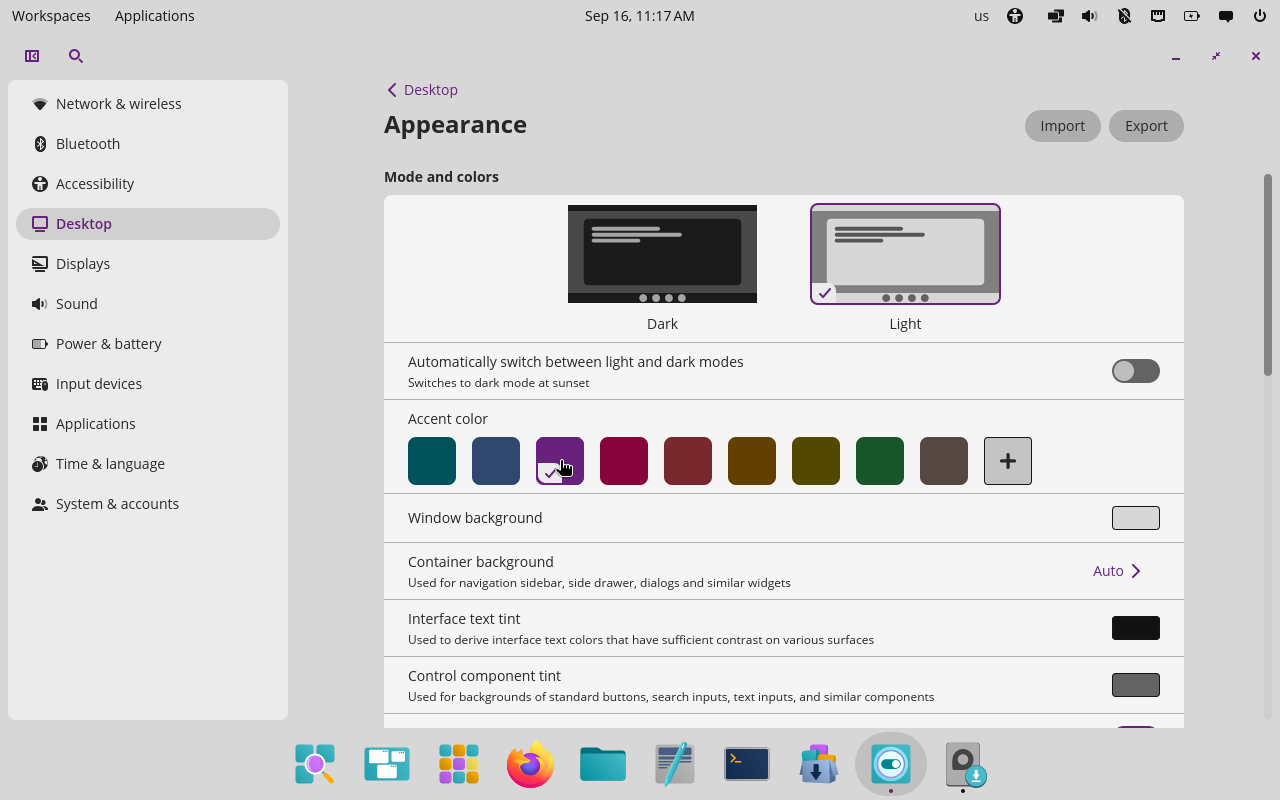
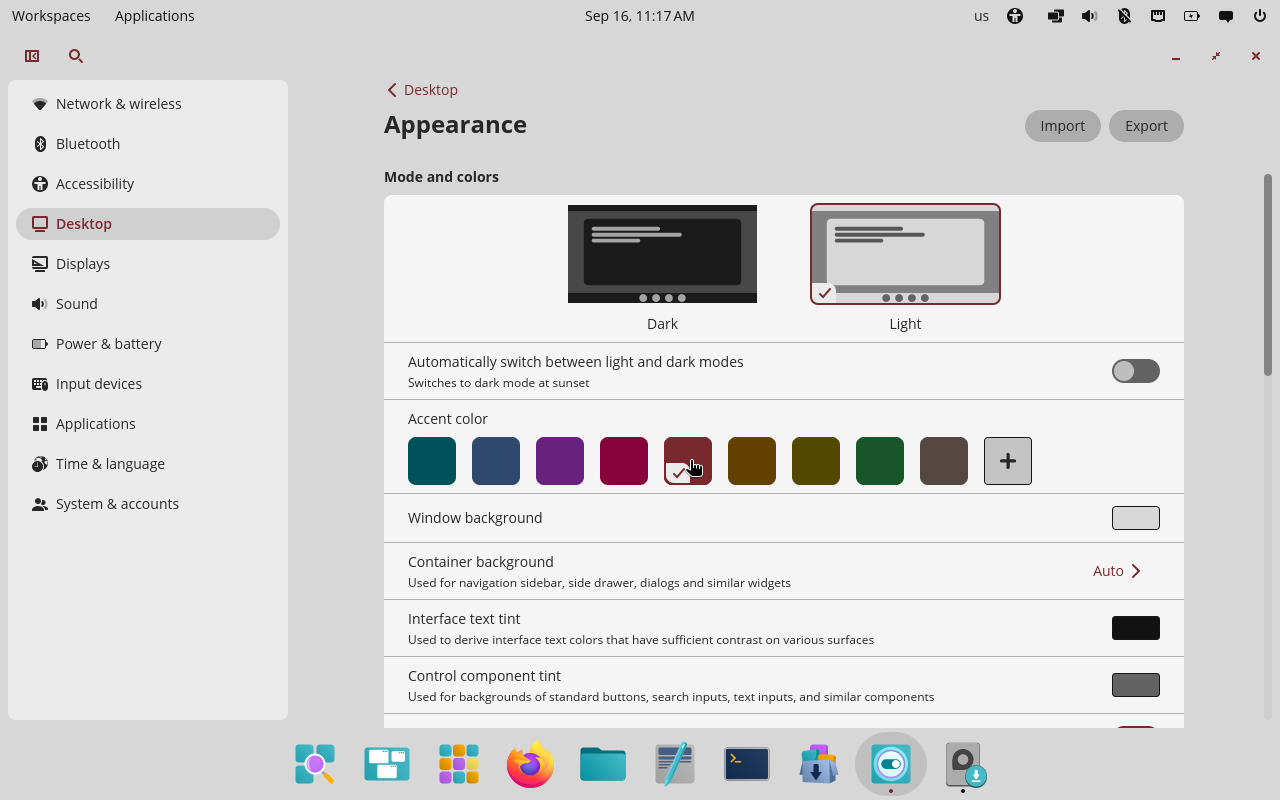
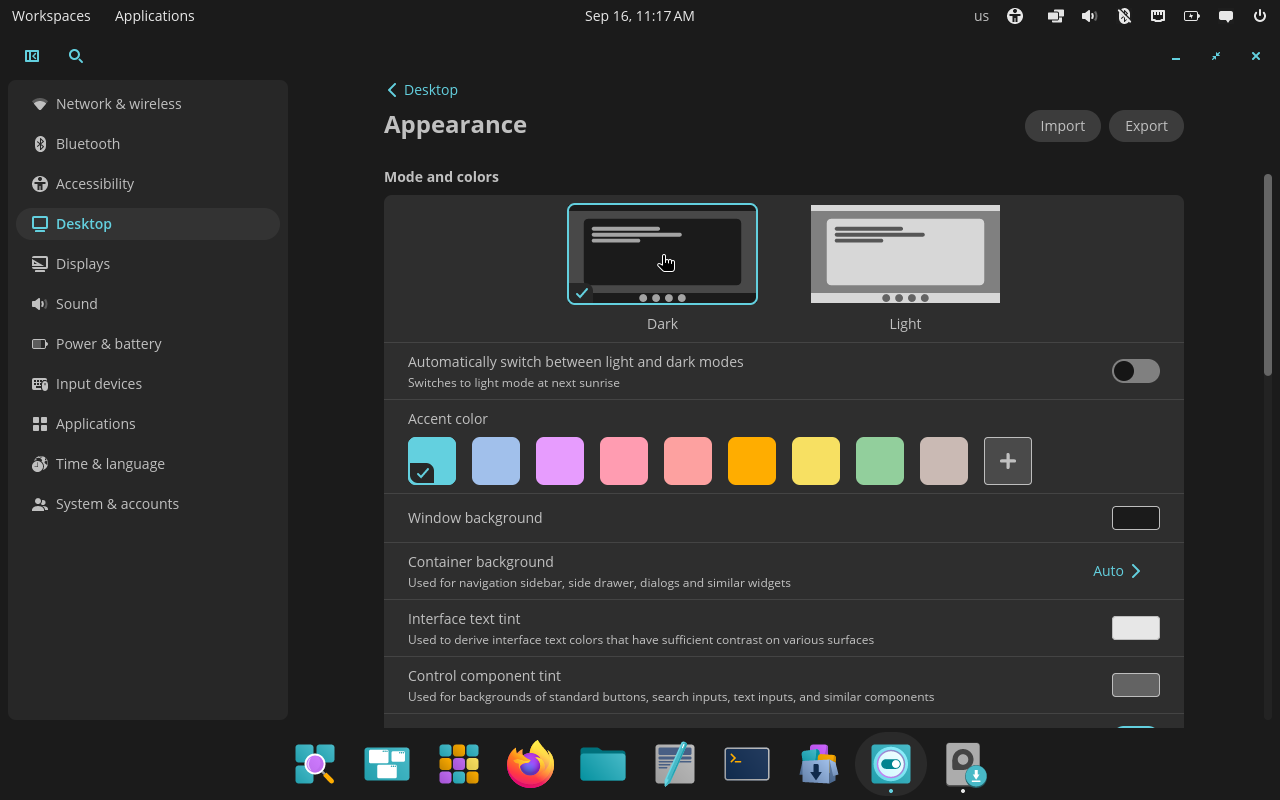
COSMIC color and mode changes applied live. Original screenshots from a live COSMIC virtual machine.
Consistent rounded corners. The appearance section contains three different options for corner radius (round, slightly round, square) which apply instantly to all elements: the panel, the applets, and the applications too. This is a somewhat unique option for desktop environments, but it's one I highly appreciate, since the corner radius is definitively something that should change depending on the user tastes.
Again, this is something that KDE Plasma can only struggle with. On one hand, yes, a unified metric for corner radius has been introduced and most of the UI has been ported to it, which makes it easy to change things dynamically (though I believe this is not an exposed setting yet?). On the other hand, many parts of the desktop are drawn by themes, including panel and applets, which cannot use those metrics (Plasma themes are SVGs). This means that changing the corner radius requires changing themes again!
Now, there's some good news here too. There's a new theming system that KDE developers are cooking, called Union, which will make it significantly easier to control specific values. However this theming system is still being tested, and even when done, this is a whole new feature that would have to be implemented still!
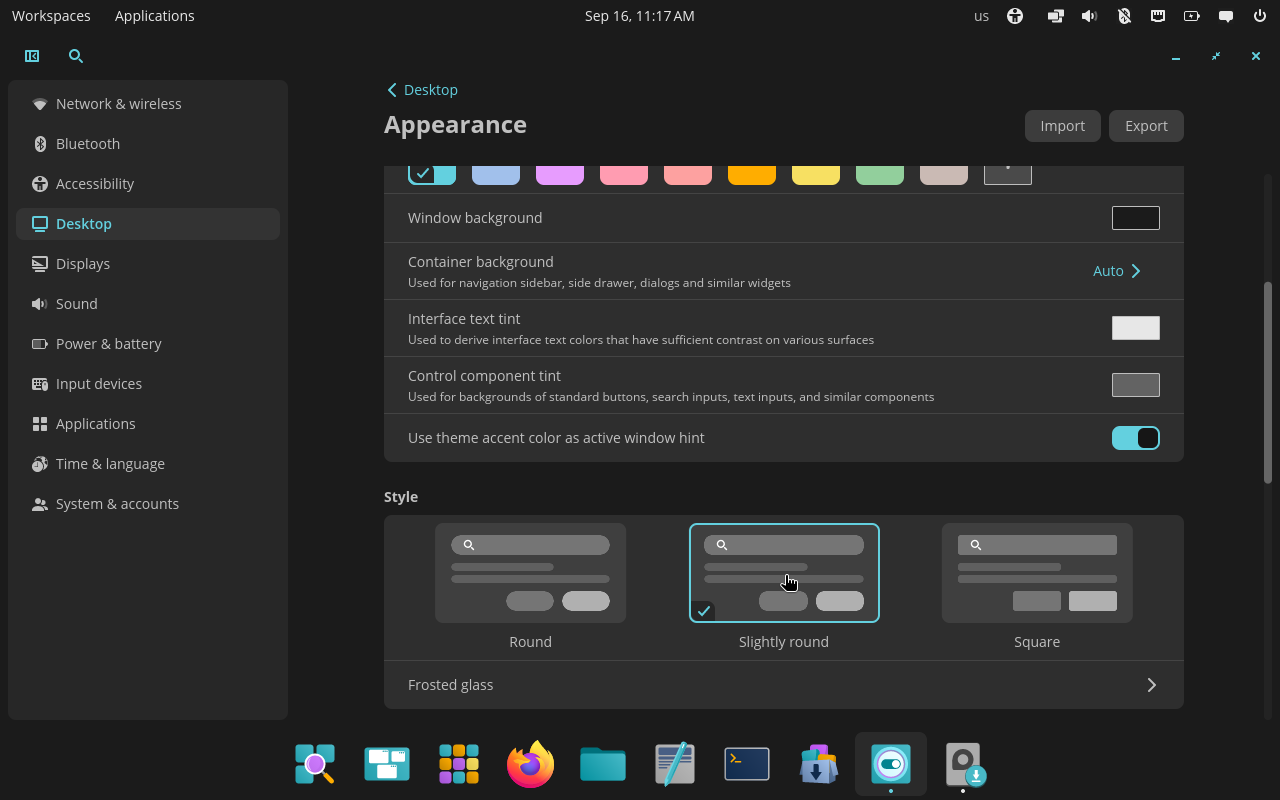
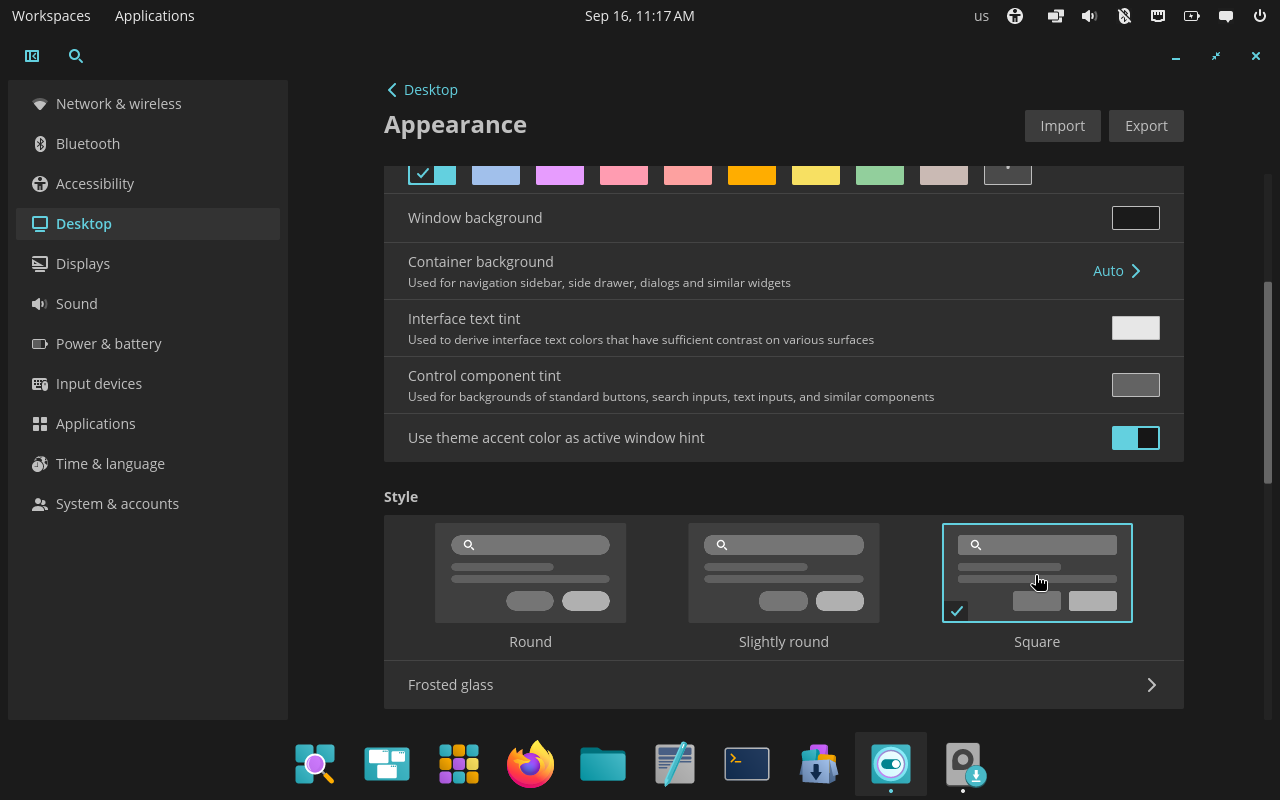
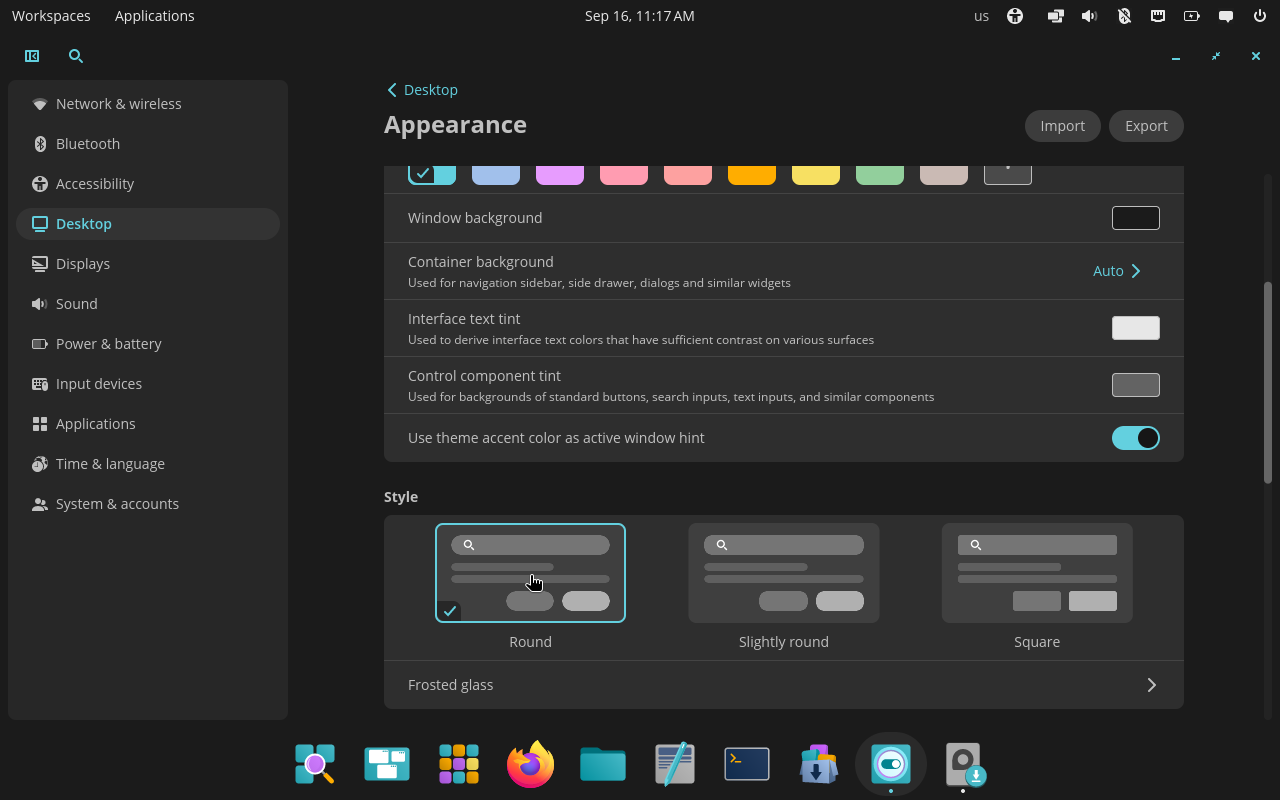
The same interface with COSMIC’s three corner-radius choices. Original screenshots from a live COSMIC virtual machine.
Interface density. This is a really big deal: GNOME has been criticized many times for its overly spacious designs that feel touch-oriented, whereas KDE Plasma has had maybe the opposite problem; again, this comes down to individual preference and device type.
I heavily rely on touchscreens, and I'm therefore more than happy of enjoying some more spacing between elements, but I understand why others might not feel the same. Plasma tries to address this by having some elements whose spacing changes depending on whether Tablet mode is enabled, but the ability to simply change the interface density throughout the system is somewhat unique and extremely appreciated.
As above, Plasma does use standard metrics for spacings that could be changed dynamically (though again I'm not aware of any user-exposed setting for this); the same issue still applies, of course: themes cannot really use those metrics. Yet.
Simple color options. Yes, it's awesome that KDE Plasma offers entire colorschemes where you can change the colors of every single element on the screen.
However, COSMIC offers five simple options: accent color, window background, container background (e.g. side panels), text tint, and control tint (e.g. background of buttons). Truth be told, I don't quite see any user needing more than this level of customization, especially since all theme colors seem to be generated as a mix of these.
As a result, the UX of customizing colors is incredibly easier. On Plasma, you have to edit an existing colorscheme, likely change multiple colors divided into eight different sections, most of which are hard (or impossible) to understand. Then, the newcolorscheme has to be saved with a new name and selected. All of this requires an entire System Settings page dedicated to colors and is rightfully overwhelming for new users; honestly, it's overwhelming for me too.
COSMIC's ability to get exactly the colors I want in less than a minute, with all options directly in the Appearance section, is something I deeply love and respect.
Import and export. The appearance section has the ability to import and export all (appearance) settings as a .ron file that can then be shared around.
Again, this is nowhere as powerful as what Plasma offers, with modular themes for colorscheme, Plasma theme, App themes, and more, individually. However, it's also everything that 95% of users probably need out of their systems.
What I particularly love here is how simple it makes it to share your setup with e.g. friends. With a few months of Plasma experience you might be able to create some simple themes and tweak colors; sharing that however requires some packaging skills that are much harder to acquire (and often badly documented).
Frosted glass. Okay, okay; my KDE friends know that I have a thing for frosted glass. My earliest contributions were trying to convince everyone to make Plasma as transparent as possible (I did increase the transparency a fair bit!) and my only Plasma theme so far is the default theme but more transparent.
Frosted glass is a mid-2026 feature that COSMIC implemented and I love it. You have the ability to apply it individually to: panels, applets, the system interface, and windows. And, of course, you get transparency and blur radius sliders. And it works.
Firstly: it applies to windows. Getting Plasma windows to be transparent is theming hell, and it mostly does not work for Kirigami applications, my favorite kind of applications! The ability to have good-looking transparent apps is something that always impresses me, plus they do this through a Wayland protocol, meaning that we could push other desktops to implement the same for incompatibility.
Do let me say that good frosted glass is not just a matter of making things transparent, blurring them, and applying some noise; you also need to retain contrast by darkening/brightening some areas selectively, and you might also want to boost saturation in order to preserve a colorful "tinted" look even at higher background opacities. I still believe that KDE's frosted glass implementation is overall better, often resulting in brighter and more vibrant colors; however, this is something that will hardly be noticed, and COSMIC's implementation seem to be a good one too. Congrats!
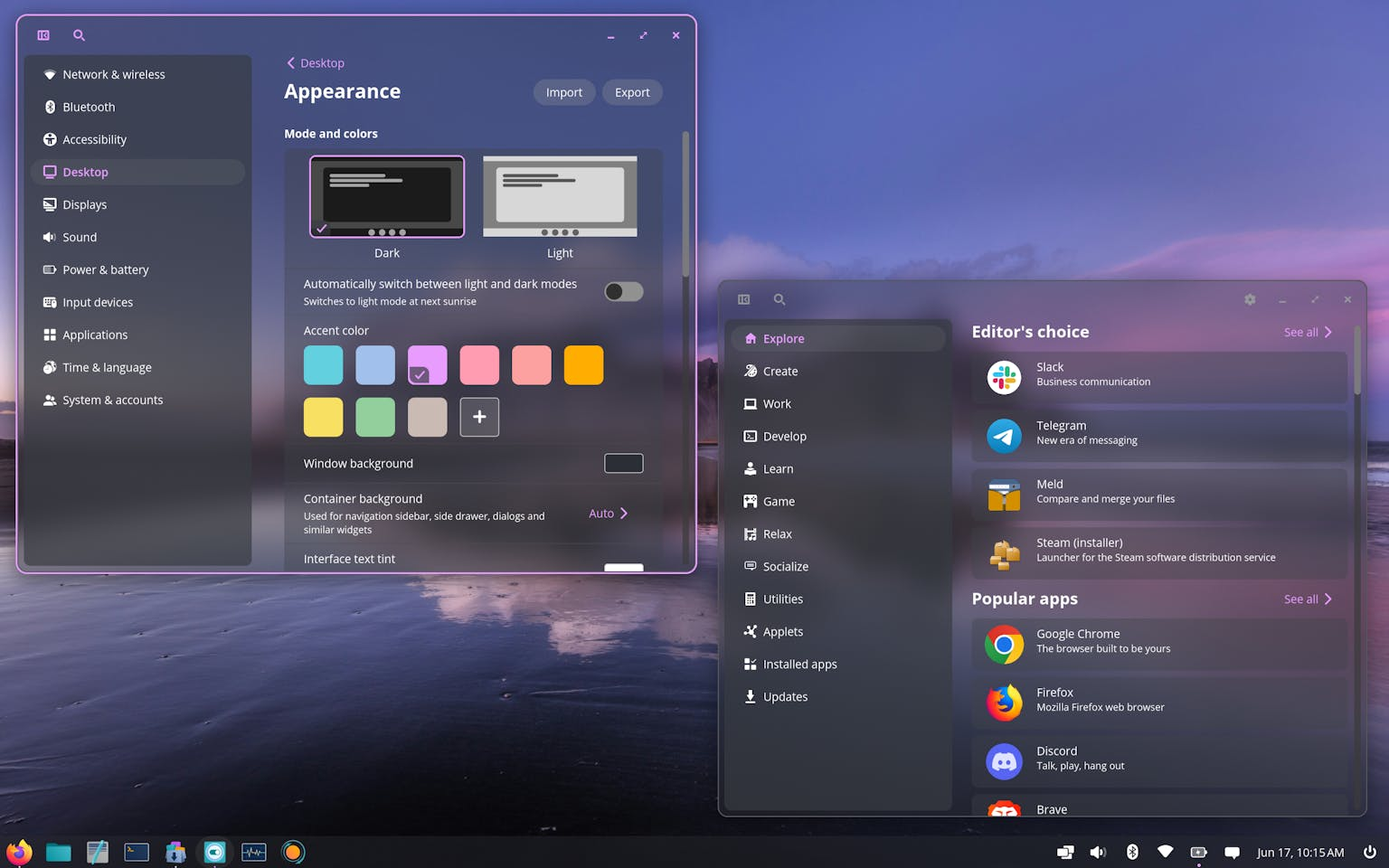
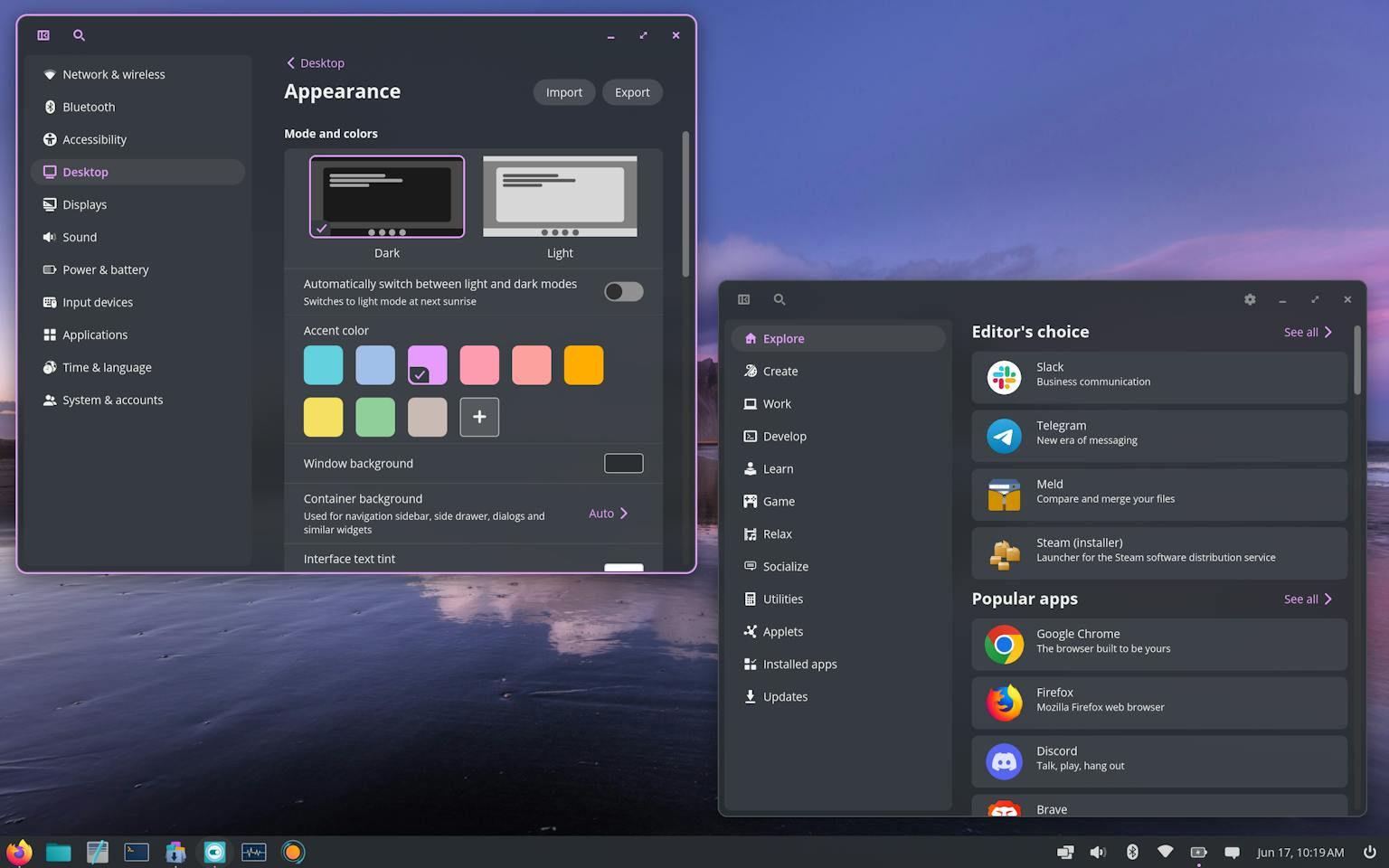
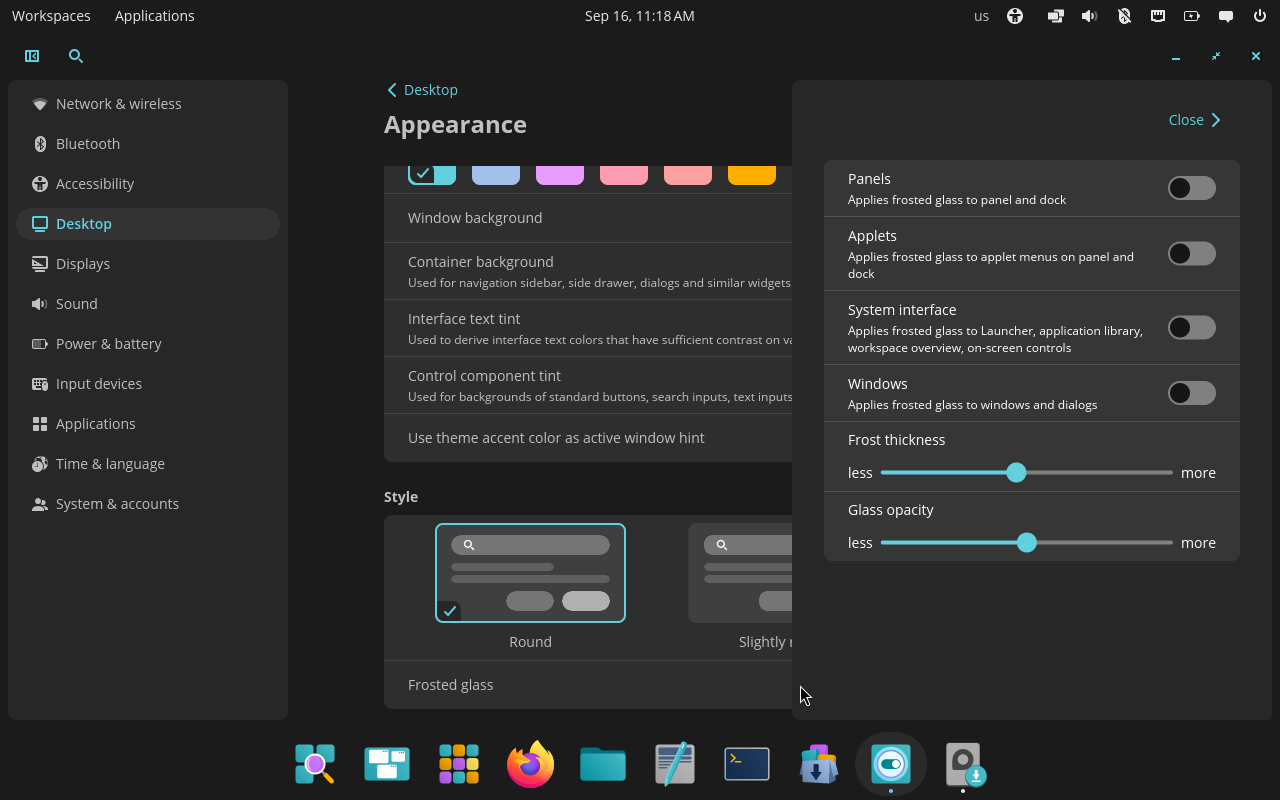
Frosted glass from transparent to nearly opaque, plus its per-surface controls. First two screenshots: System76; controls: original live-VM screenshot.
Panels and docks
This is where COSMIC most surprised me; sure, it's easy enough (it's not) to offer all of the above options and have a "simple by default" desktop sacrificing some flexibility, but users might then miss exactly that "powerful when needed" that Plasma is the best at!
However, COSMIC is also quite "powerful when needed", and the panels/dock section is the best example at that.
This desktop offers one panel and one dock. This is not as nice has having an unlimited amount of panels/docks to show; however, I don't recall any screenshot of any system using more than a panel and a dock in my experience. So, again, probably great for almost all users.
You can apply some settings that Plasma also offers, such as: dodge windows, change position on the screen, a floating mode, extend to borders vs fit content width, thickness. This is more than I usually see offered for panels out of the box (outside of Plasma), though I find the lack of a simple auto-hide slightly weird (but forgivable).
However, COSMIC also offers a good amount of options that Plasma doesn't: the ability to mirror the same panel onto multiple monitors, the ability to change the colorscheme (light/dark) of the panel and dock individually, and the ability to change the opacity of panel and docks individually (on top of the system opacity for the frosted glass mode). These are all very useful options that, yes, Plasma does offer, but only by switching to third party themes, instead of just having a slider or a button in the Panel settings.
Of course, we also offer options that COSMIC lacks: the ability to align docks left or right or in arbitrary positions, and the ability to switch between applets that float vs are attached to the panel. And, huh, that's it? If you consider which of these features user might want, COSMIC has an easy win.
The big difference, of course, is that Plasma also offers the ability to move widgets around, remove/add widgets, etc.
Just kidding: COSMIC also offers this. In each setting page you get the list of applets on each panel/dock, and you're able to simply drag and drop them, with also the ability to left/center/right align widgets. Plasma offers a what-you-see-is-what-you-get type of editing where you drag and drop applets in the panel directly, which sounds cool until it breaks, and believe me, that part is actually kind of tough to keep reliable (I've personally grown to dislike it!). You can also remove applets and add them from a selected list.
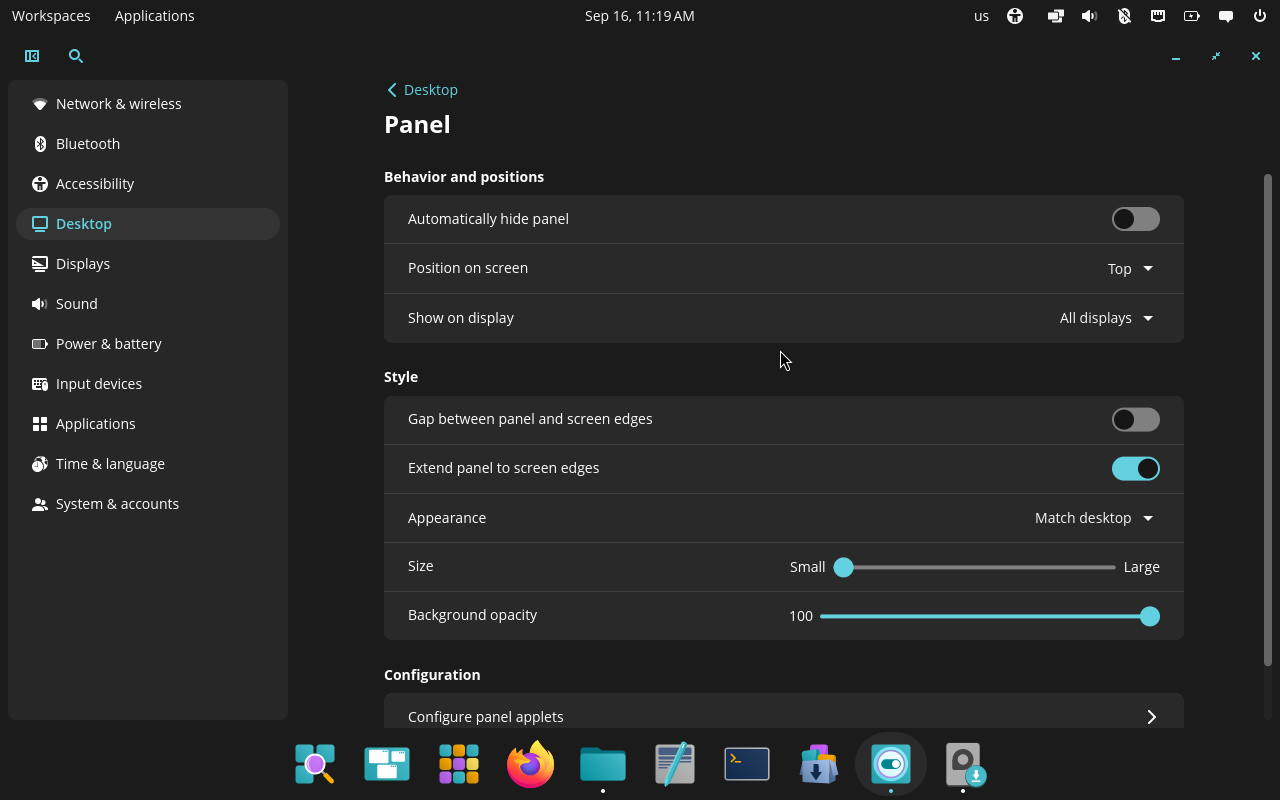
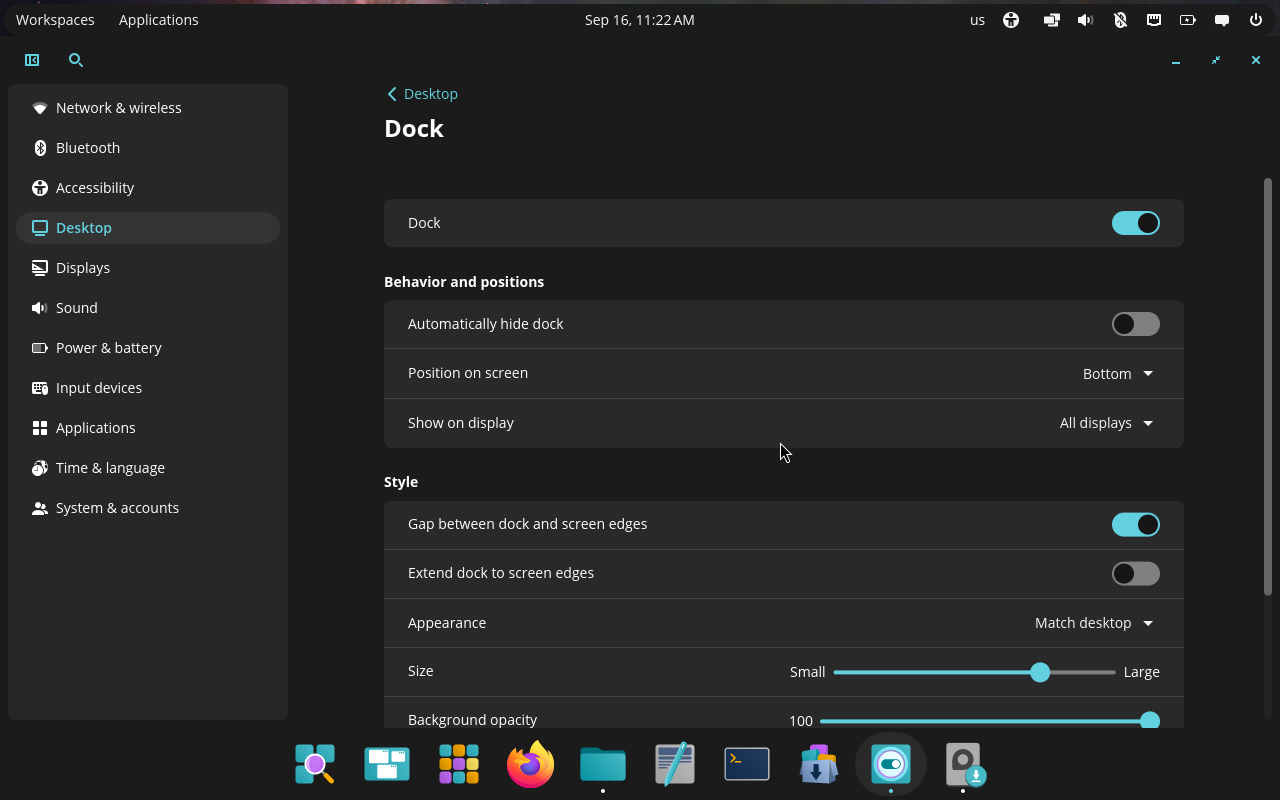
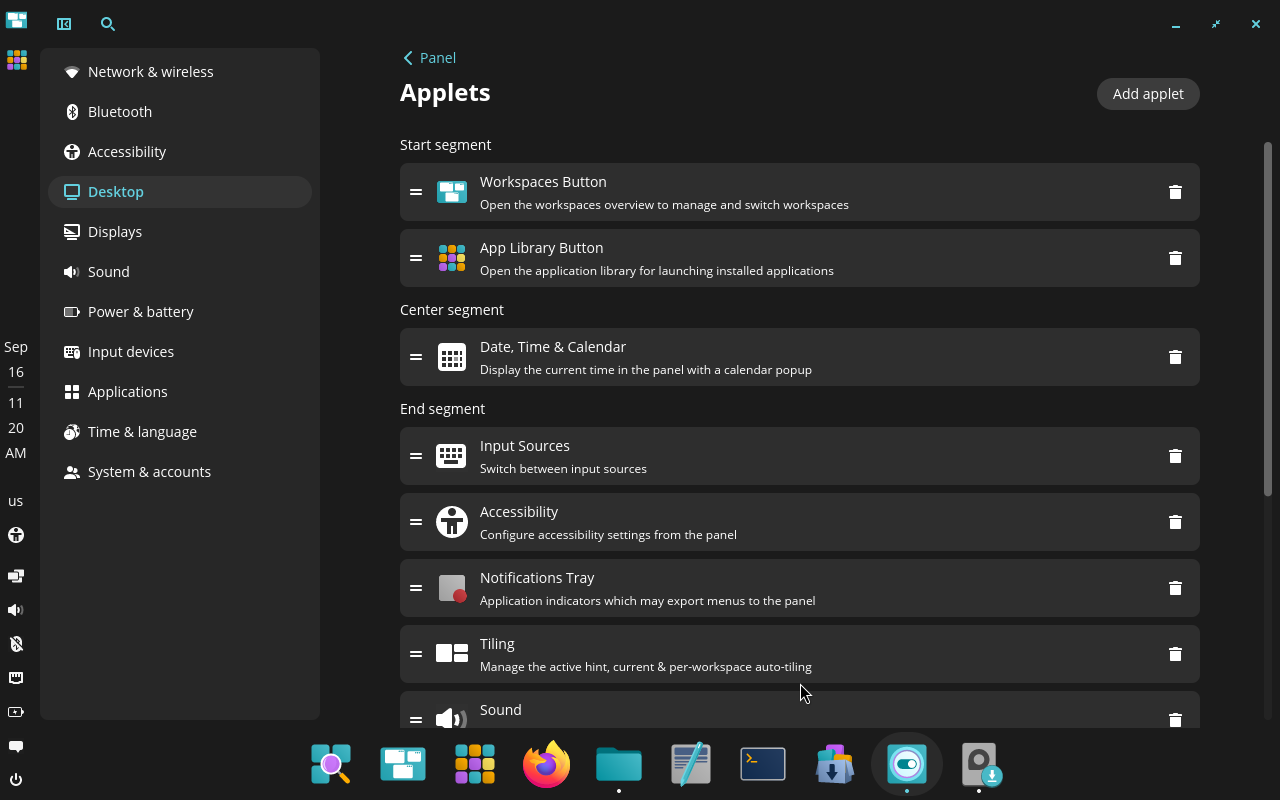
COSMIC’s panel, dock, and applet controls. Original screenshots from a live COSMIC virtual machine.
Finally, System76 offers a COSMIC Applet Template for developers to implement third party applets, though there's not a nice store like what Plasma currently offers, so we at least "win" there.
Now, to be clear: Plasma panels can still do so much more thanks to third party themes, a much wider selection of customizable applets, etc.; however, COSMIC already offers an order of magnitude more customization that I would've expected, and I feel like that's going to be enough for almost everyone. And, since many cool settings like opacity are more readily exposed, it's probably going to be a better fit for those people too.
As you might now, Plasma's motto is "simple by default, powerful when needed"; and when using COSMIC it does feel as if they are mogging us a fair bit. Of course, I'll attempt to convince that actually we're good, but let me praise COSMIC a bit more:
Tiling
The tiling is so good.
There's an applet that allows to toggle tiling for each workspace, plus change the default behavior for new workspaces. It also nicely tells you the most important keyboard shortcuts required to navigate the tiling, which is a very nice touch.
Most importantly, windows can be stacked, which is a feature that early Plasma had but was lost over time (sadly!). This means that you can collapse multiple windows into one, and you'll get a tab-like interface at the top to switch between them.
Plus, they just nailed the feeling of using tiled windows. Shortcuts are clear and easy to use, the UX makes it obvious which action you are taking, and the visual representation of groups and stacks is perfect.
Plasma and other desktops can have tiling, and sometimes even good tiling, but it's hard to beat a system that was so carefully designed and that so nicely integrates with the desktop, including visual hints and all that.
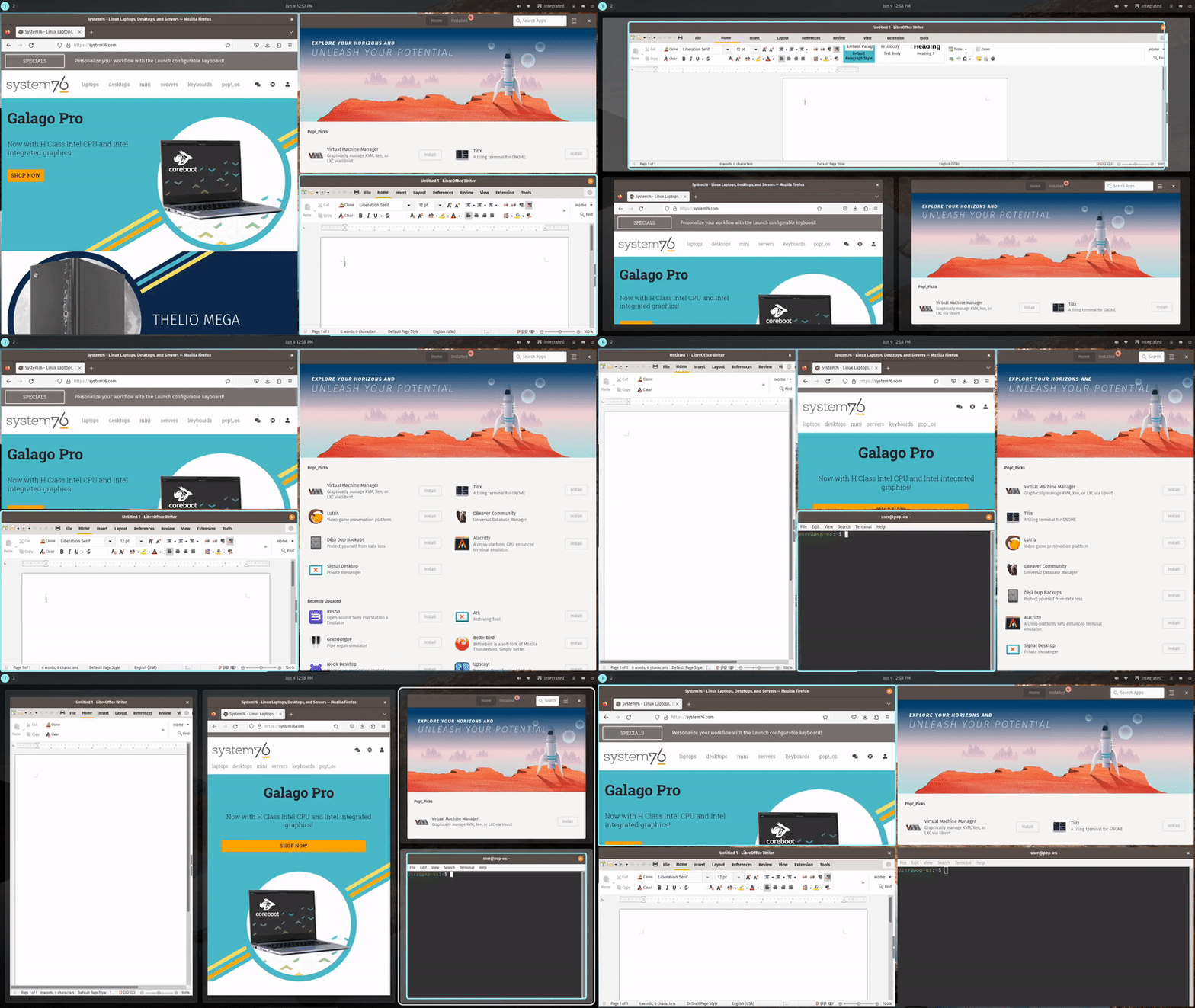
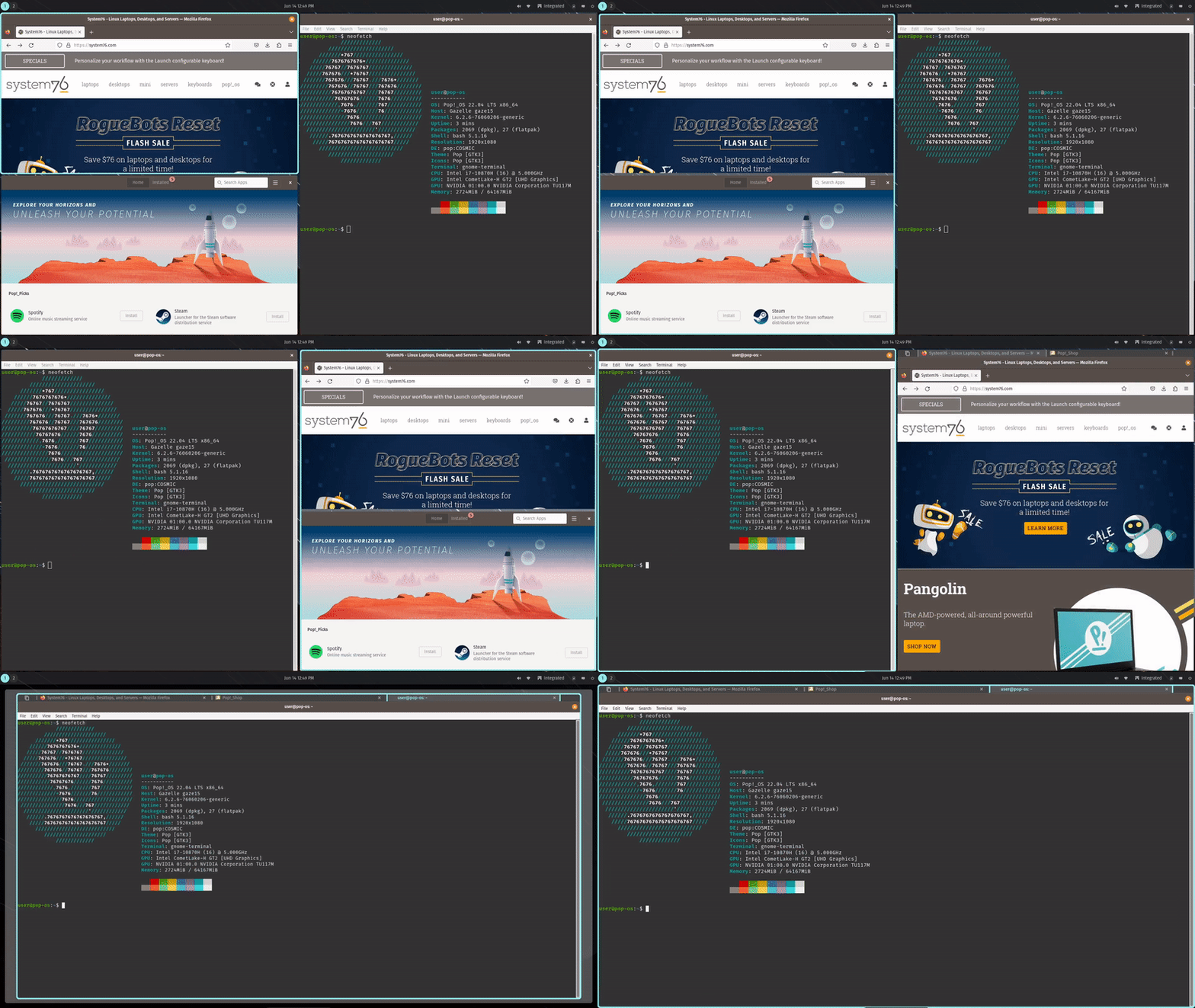
COSMIC tiling and window stacking in motion. Source: System76.
So it's perfect?
Ah, no, of course not.
Firstly, there's still plenty of bugs, which is why they spent one year doing a lot of work on stability rather than big shiny new features (though frosted glass still got through!). I'll make one very stupid example: clicking on a search icon moved it by 1px. It's really stupid, but it's the kind of things that happen when you build a desktop from scratch using a quite new toolkit. It's understandable and I expect refinements over time; I'd also already consider this stable, as I have not seen any major issue throughout my testing.
Secondly, there's still a limited amount of apps and community around it. All of the cool benefits of transparency and consistent density & rounded corners only apply to the apps that use the system toolkit for now, meaning that any third party app will break the magic a fair bit. And, COSMIC being rather new and all, there's still years of development before there's a fair amount of apps that are as flexible and powerful as common alternatives. Again, this is fine and will be solved over time.
Thirdly, I'm terribly sorry to say this, but I just don't like the app design. This idea of having sidebars as rounded rectangles within the apps, sometimes overlapping the content, is just not my style and I'm not a big fan. This is not something that renders the system unusable for me, of course, but I do appreciate KDE's design direction a bit more right now; though, of course, I'm biased.
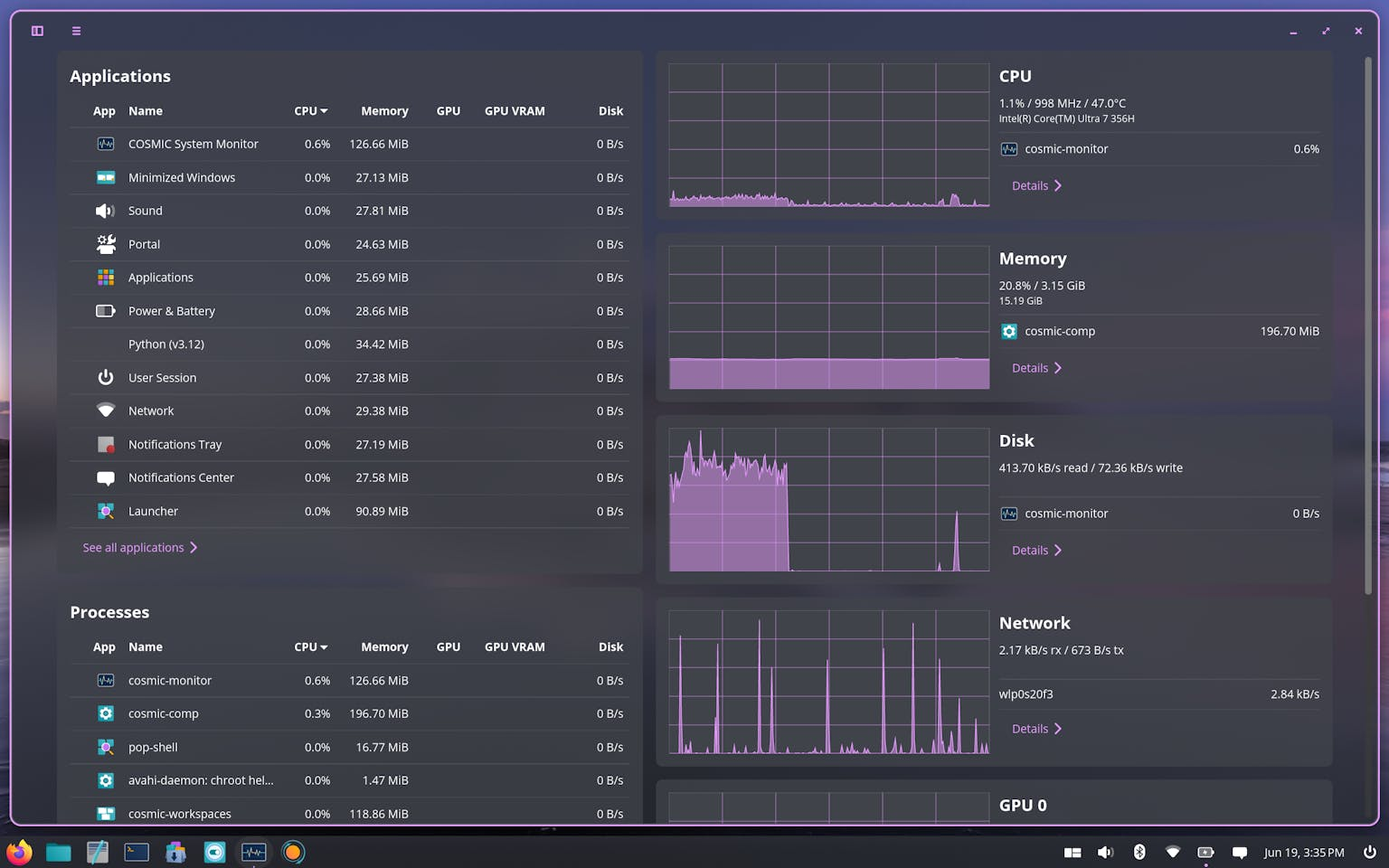
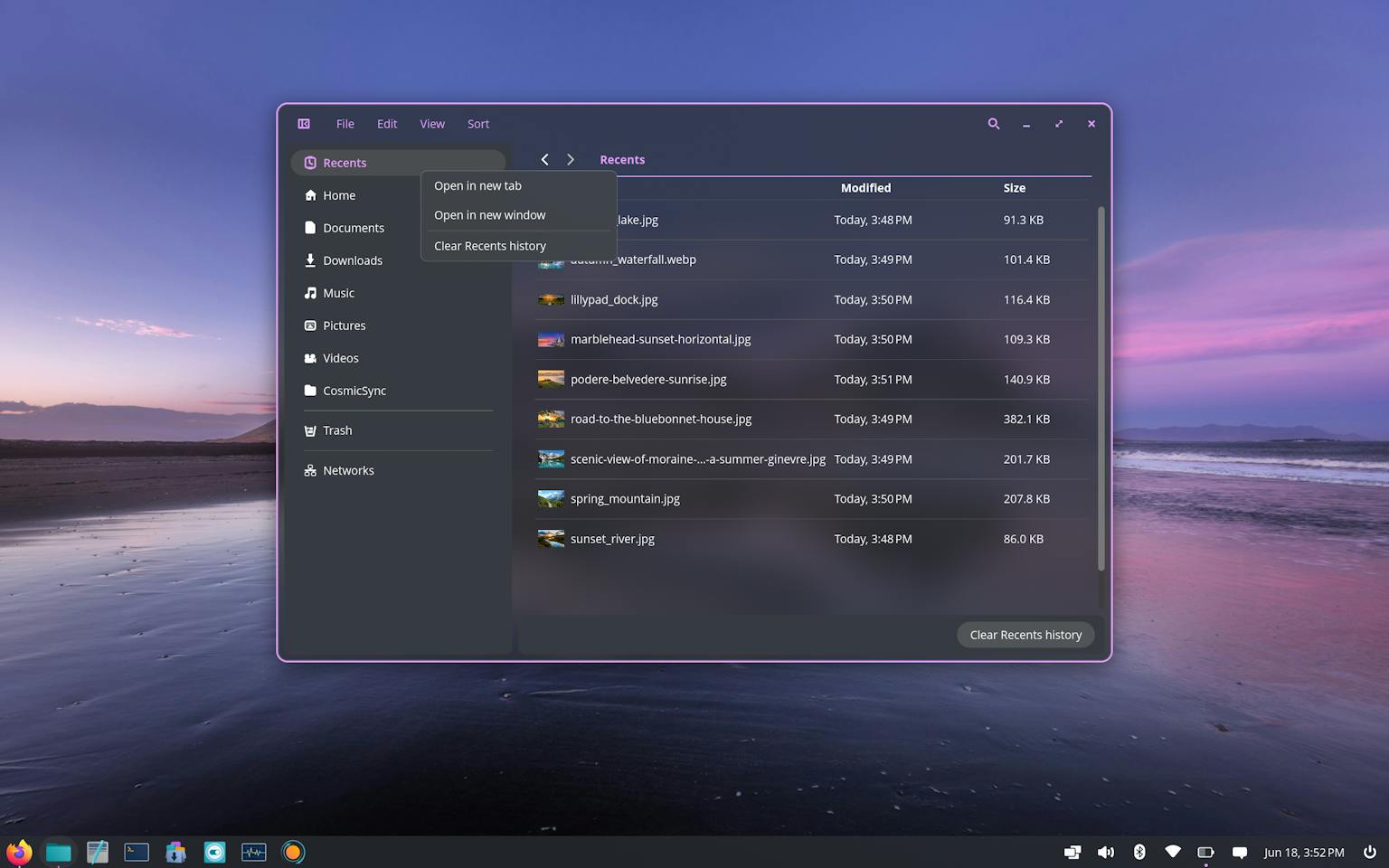
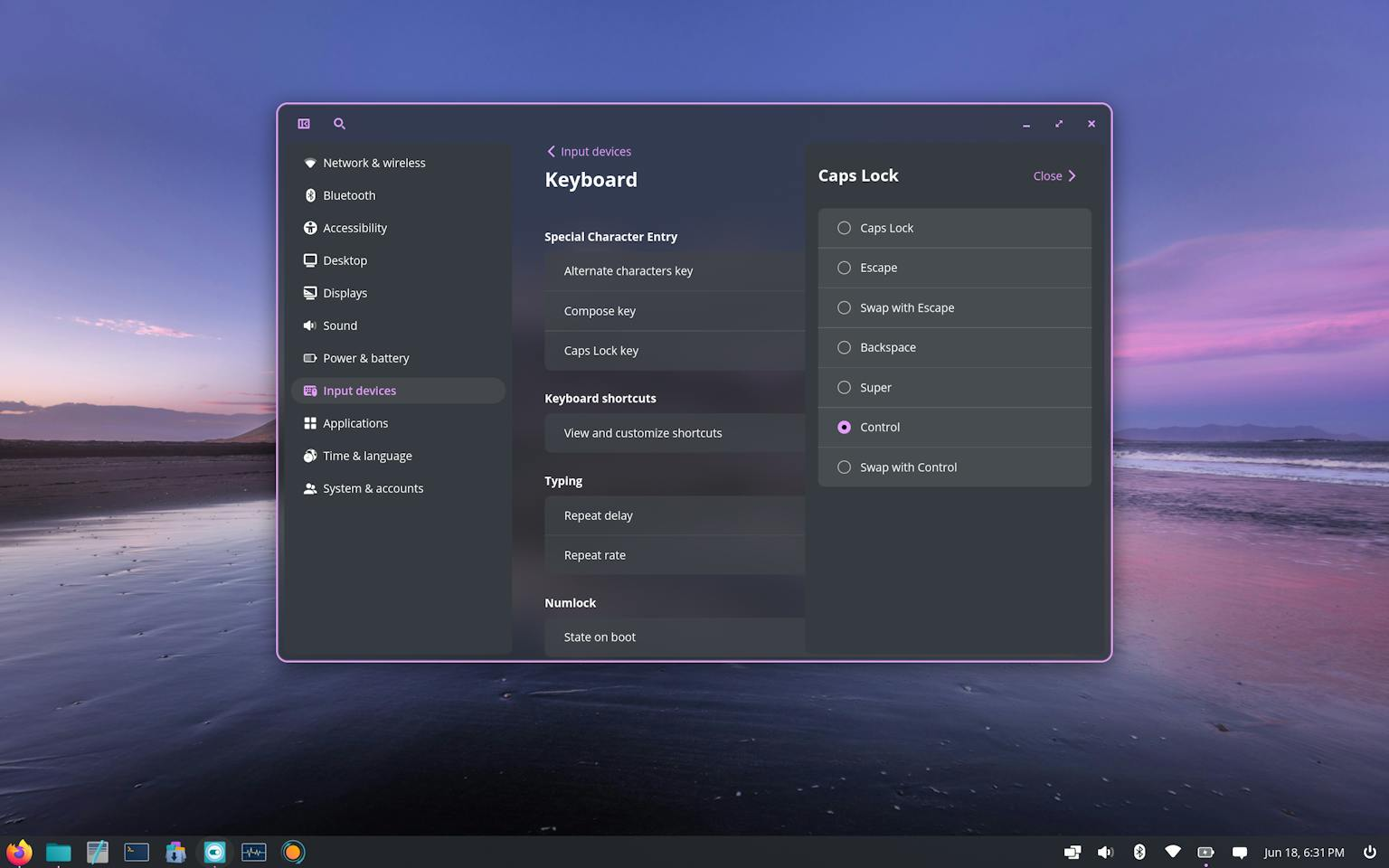
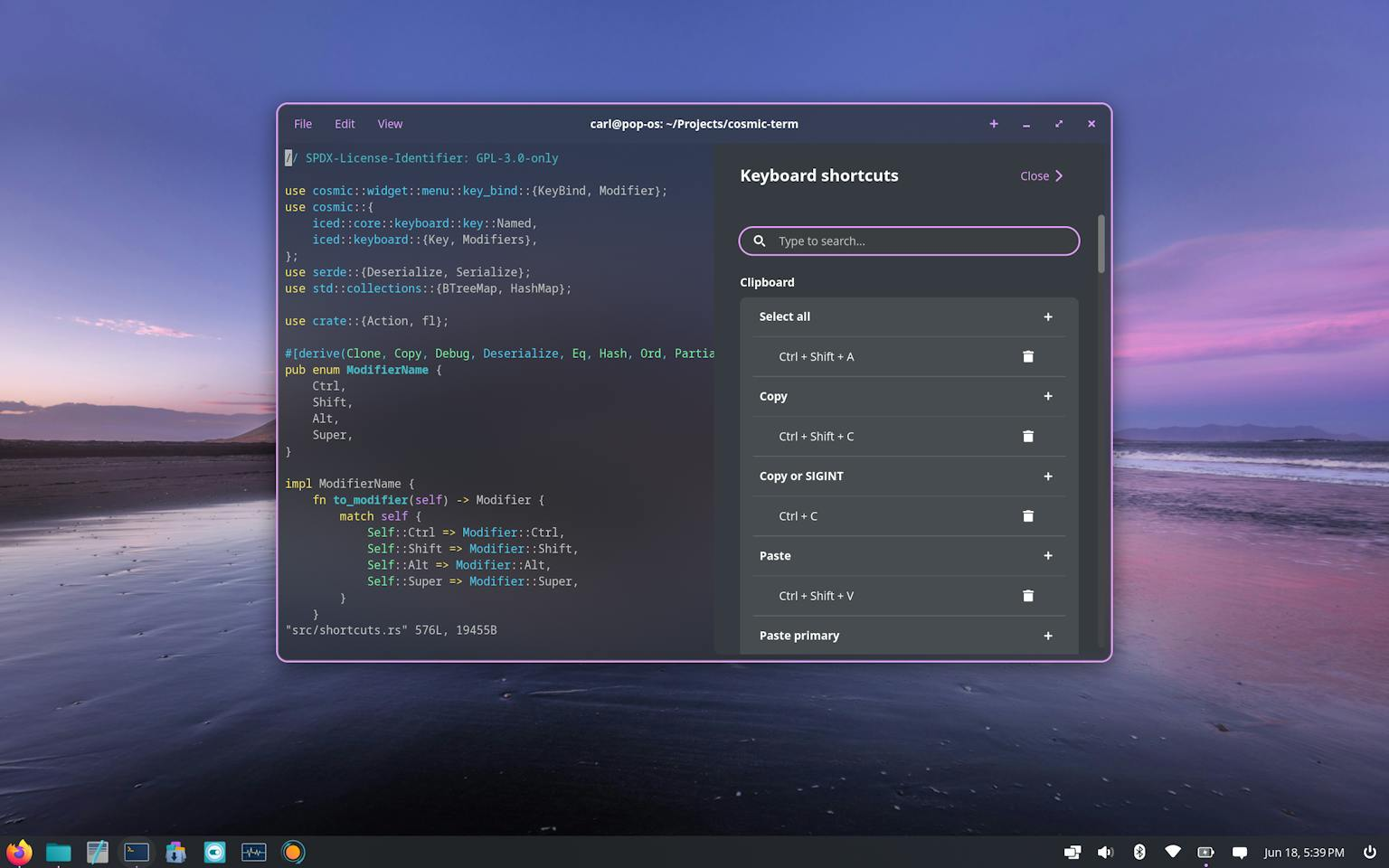
COSMIC’s native app family. Screenshots: System76.
Overall: I love the work, I think this might be a great desktop for many users, but I personally don't think it's the "best" desktop choice for most users yet, though I think it might very well become it in the future, when - slowly but surely - the "environment" part of "desktop environment" matures. The "desktop" part is already there and it's great.
That said, Plasma is fucking awesome
As happy as I am that COSMIC is developing at its fast pace, I do want to spend a few words on why I still think that Plasma is great and still deserves a prime spot in desktop environment rankings (or whatever). Sorry COSMIC, this is not to downplay the amazing work they've done, but I think it's important to say why you don't exactly just build something like Plasma in a few years!
One, I really think that Plasma has the coolest community out there right now. Sure, it's a bit annoying that you have to switch themes instead of simply moving a slider, but there's an insane amount of themes out there, and lots of them are extremely creative. There's also a very large community of developers, optional desktop features, and applications. I hope that the new Union theming system will make even more people interested in making Plasma the most creative desktop environment out there.
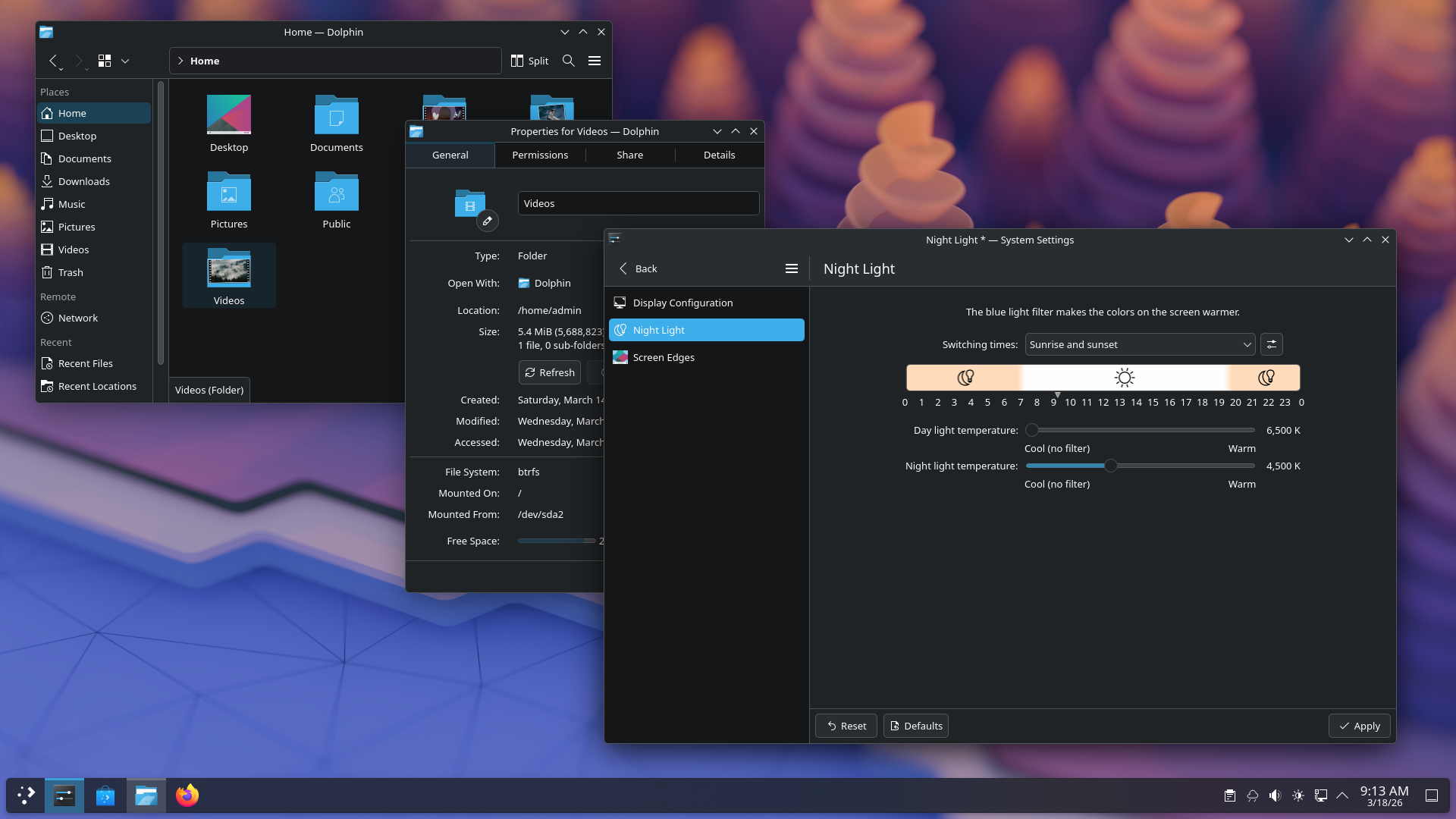
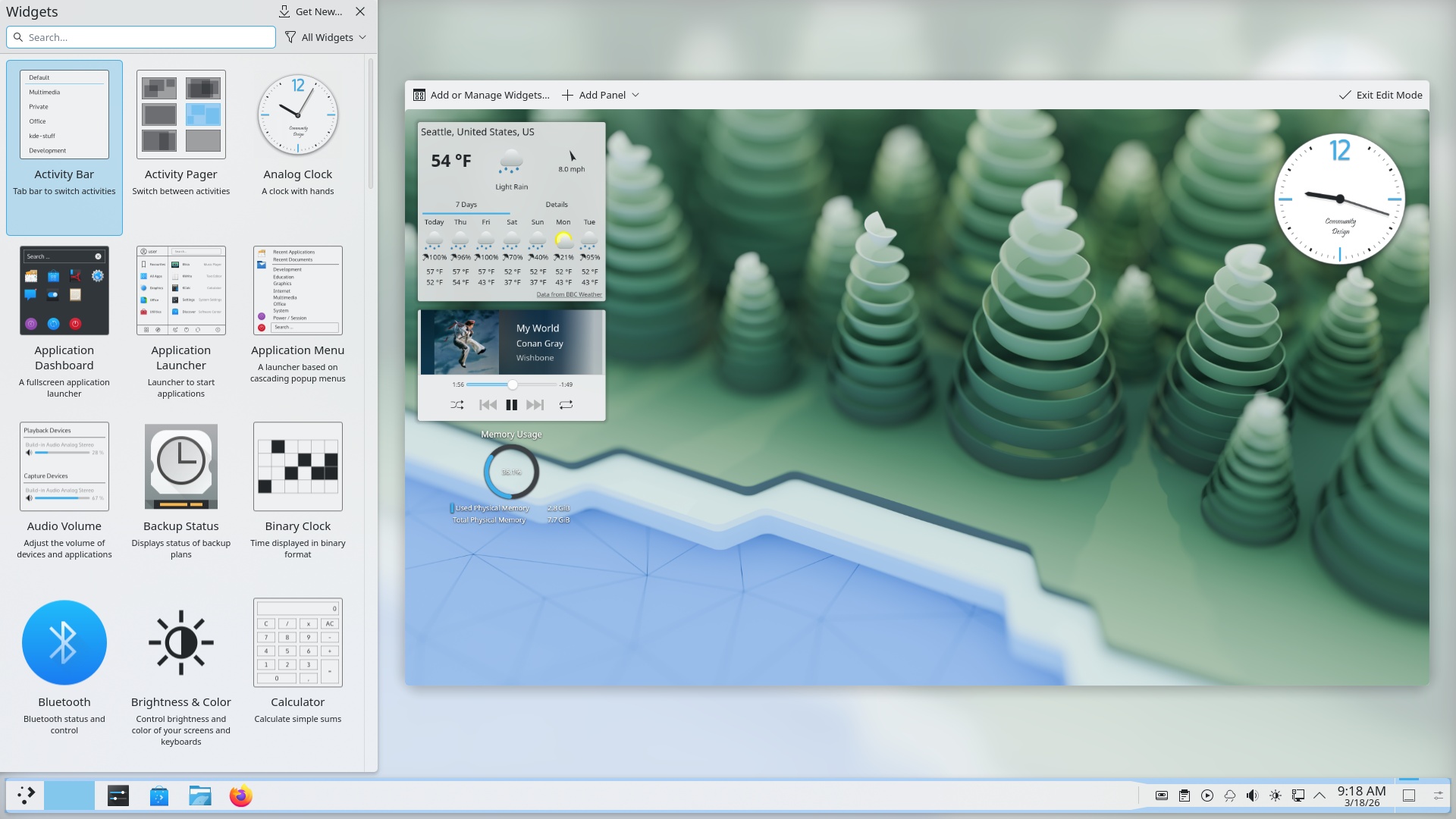
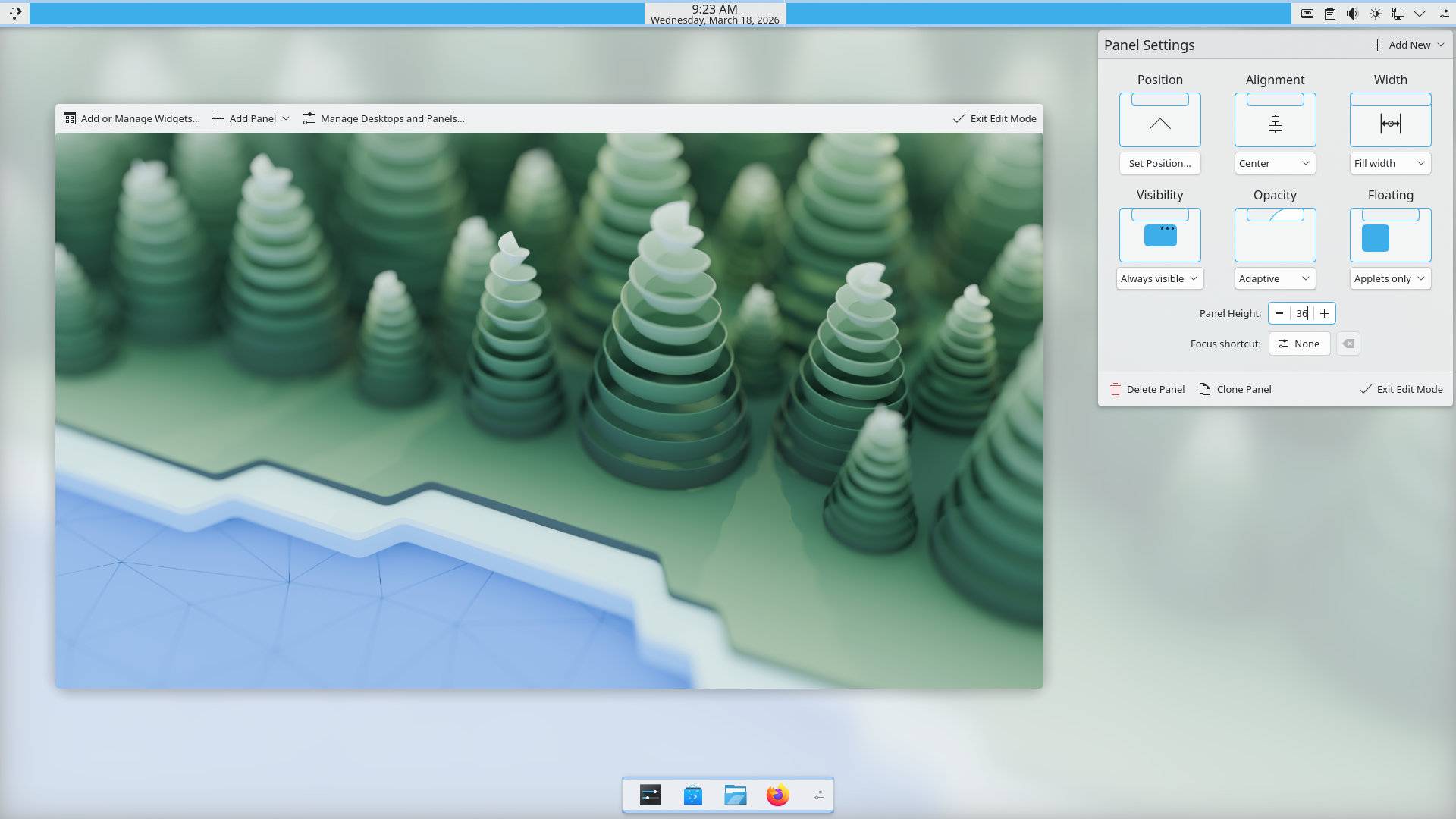
Plasma’s deep desktop customization: themes, widgets, and panels. Screenshots: KDE.
Two: Plasma is not just a desktop environment but really it manages to be a set of extremely powerful tools to build technology. Since every component is modular, including the shell, it's possible to use the same underlying base and build completely different things out of it.
Plasma BigScreen (for TVs) and Plasma Mobile are two "official" examples, but I was also once tasked to build a UI for a interactive smart mirror, and I just used Plasma with a custom Plasma theme and custom shell. The upside is that you get all of the e.g. Plasma Desktop modules for free: instead of building a custom UI for Wi-Fi, Bluetooth, ..., in my smart mirror, I could just show the default applets.
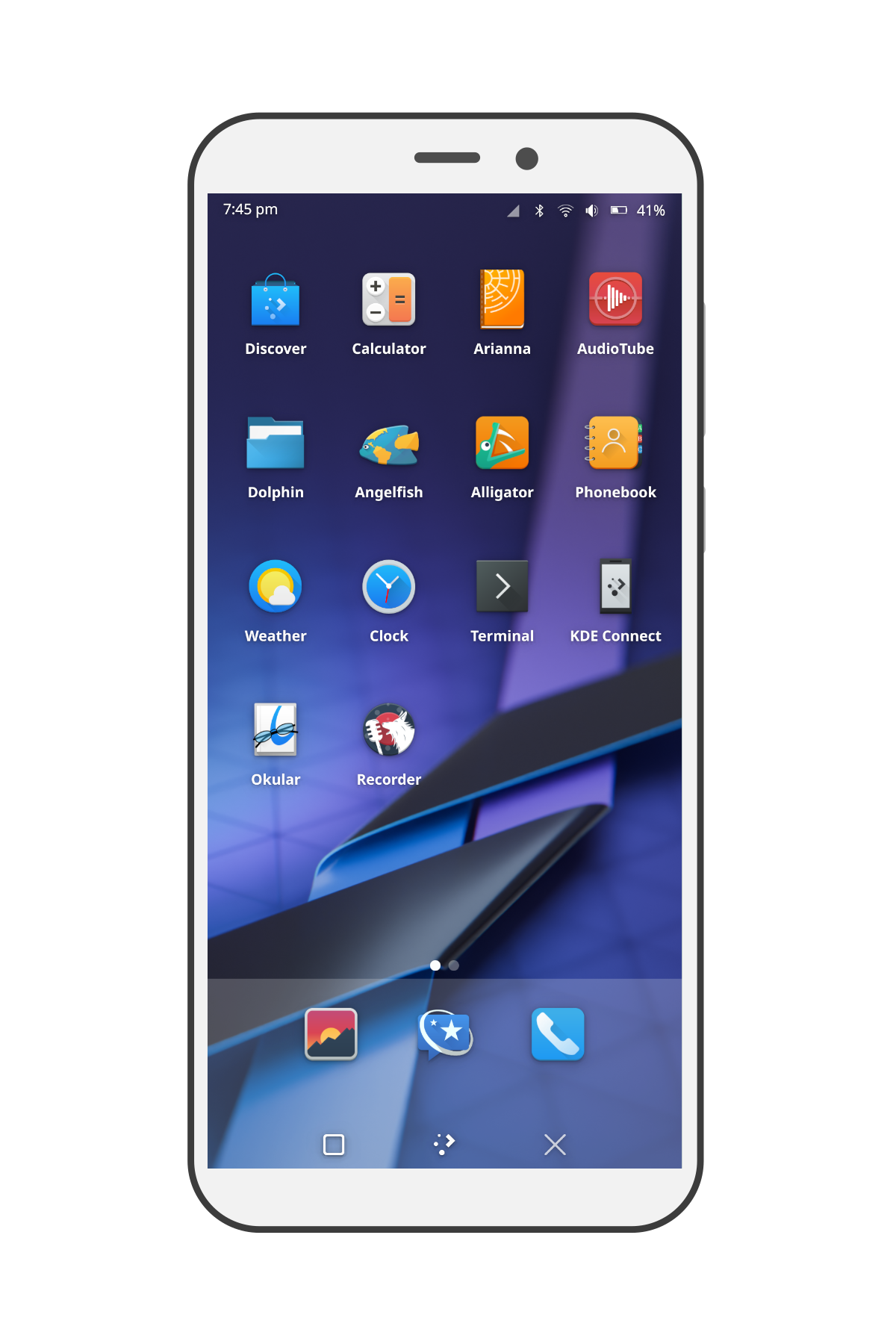
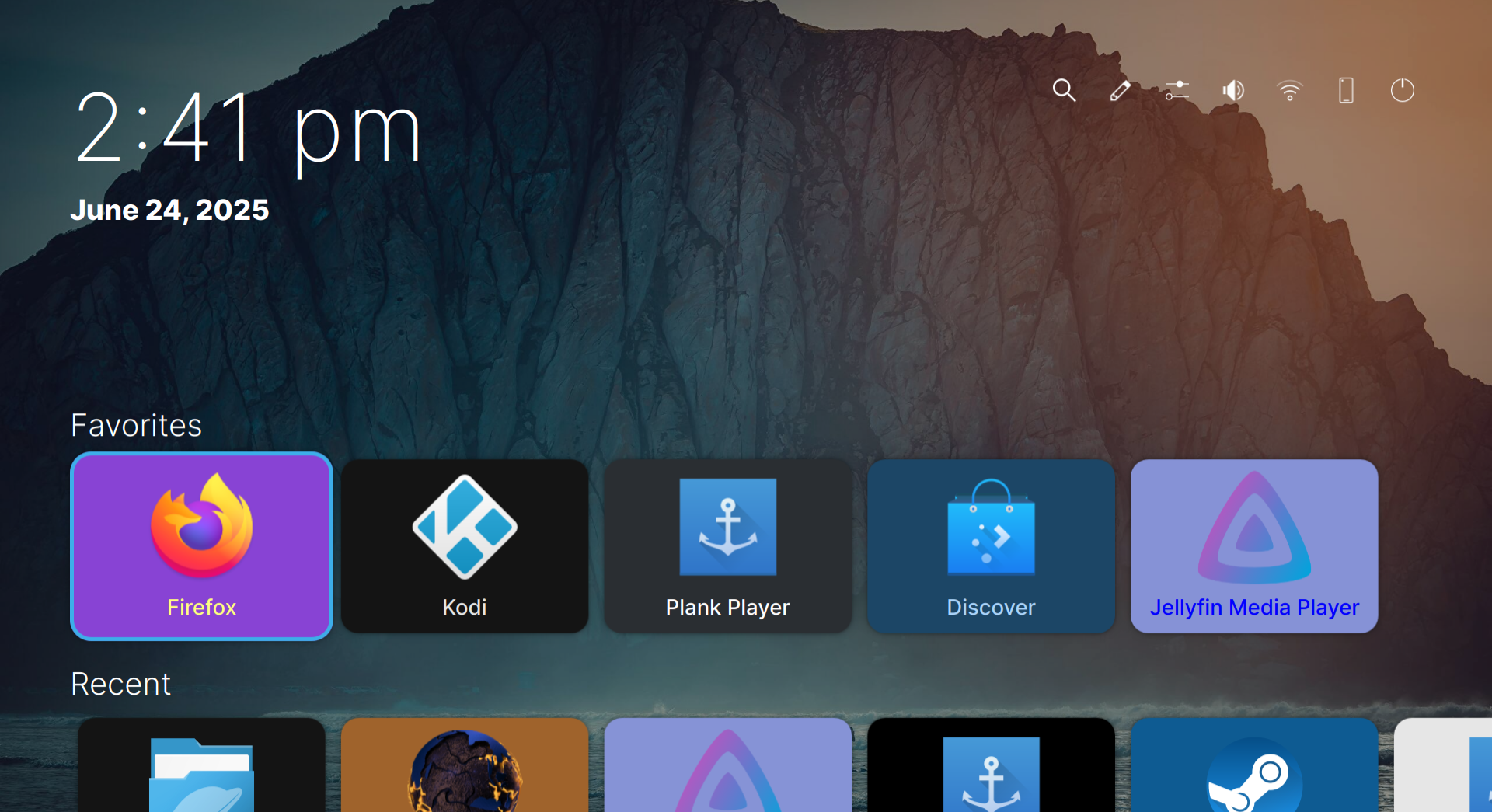
Plasma beyond the desktop: Plasma Mobile and Plasma Bigscreen.
The thing that really drives me towards Plasma, as flawed as it sometimes might be, is that it's a community and a technology that's larger than just KDE Plasma Desktop, but it's built to be something that enables new cool technologies to exist in the coolest way possible, and I love that.
Omarchy, the Omacom Foundation, and the Future of Linux
I'm very happy to see the work that Vaxry and Outfoxxed are doing being sponsored and paid for.
I think they are doing excellent work. Vaxry, the developer behind the Hyprland tiling window manager, was somewhat controversial in the past.
At the same time, I think he has significantly improved his behaviour and his handling of the project in recent times. Lately, I find him somewhat awkward, but not particularly objectionable.
The worst thing that's going to happen is that I'm going to get into discussions with him because he thinks that, nowadays, asking a woman out carries the risk of being accused of sexual assault. I disagree; if that happens, you don't know how to ask a woman out. It's an ill-judged take, but one day he's going to get a girlfriend and understand why.
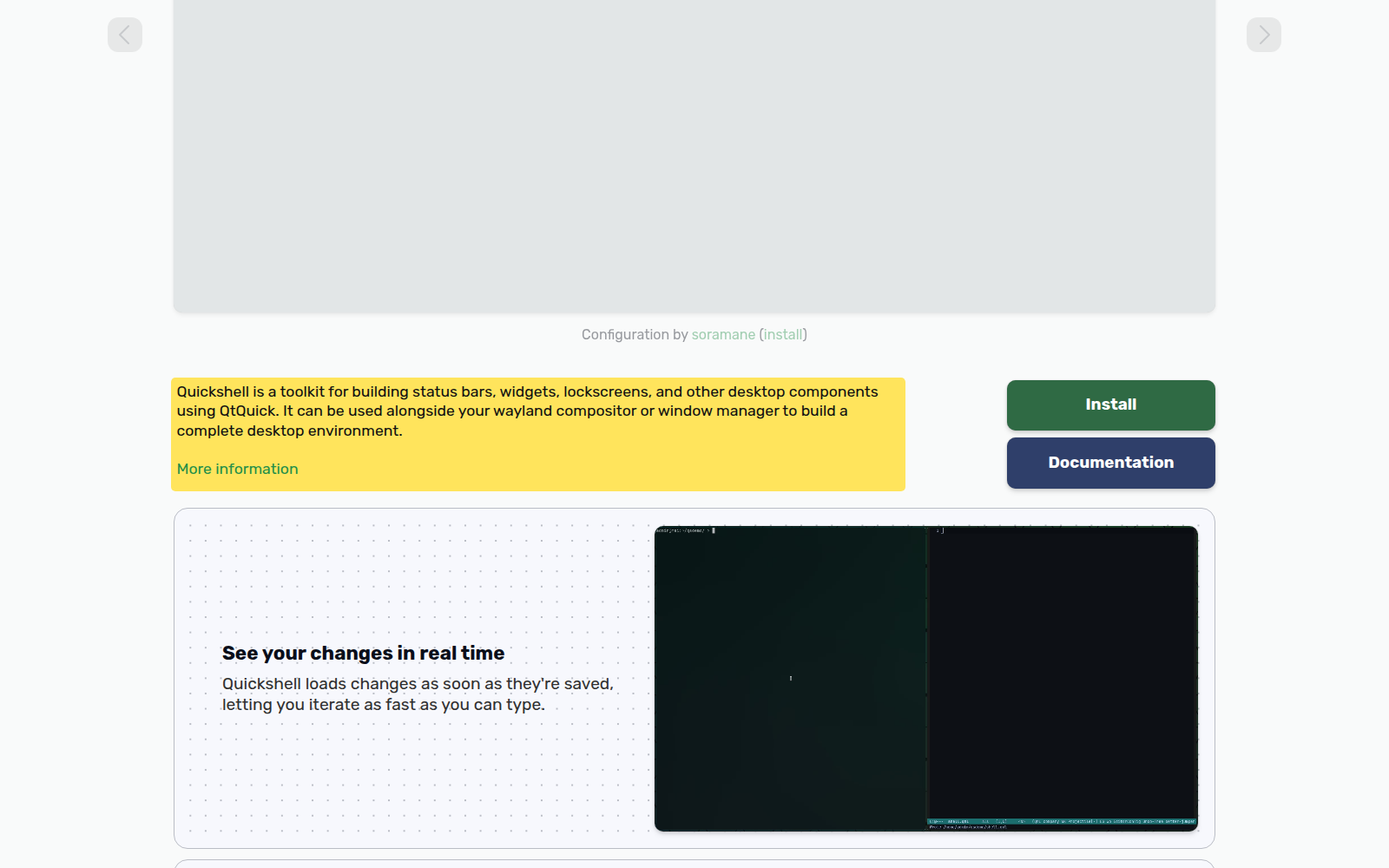
Outfoxxed is developing Quickshell, a QML library for building desktops: panels, widgets and other desktop components—which I find impressive. I heard about it last year, have been following the project, and am pleased to see both him and the project thrive. He's now been hired to head Omarchy Shell.
Firstly, everything is led by DHH
I'm happy that 15 million dollars are now being spent on making the Linux desktop more popular and appealing, and I support that effort. However, everything is led by DHH.
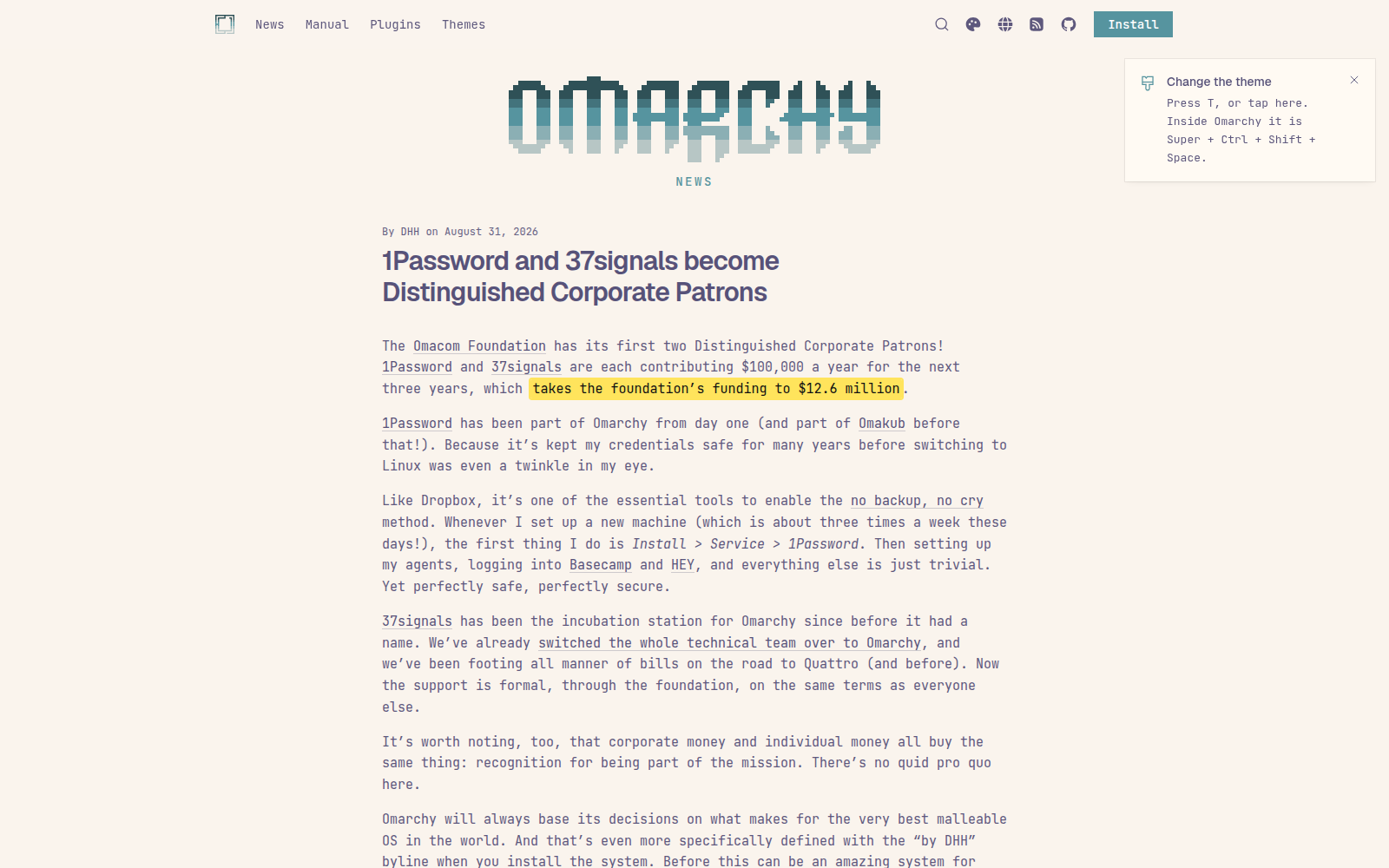
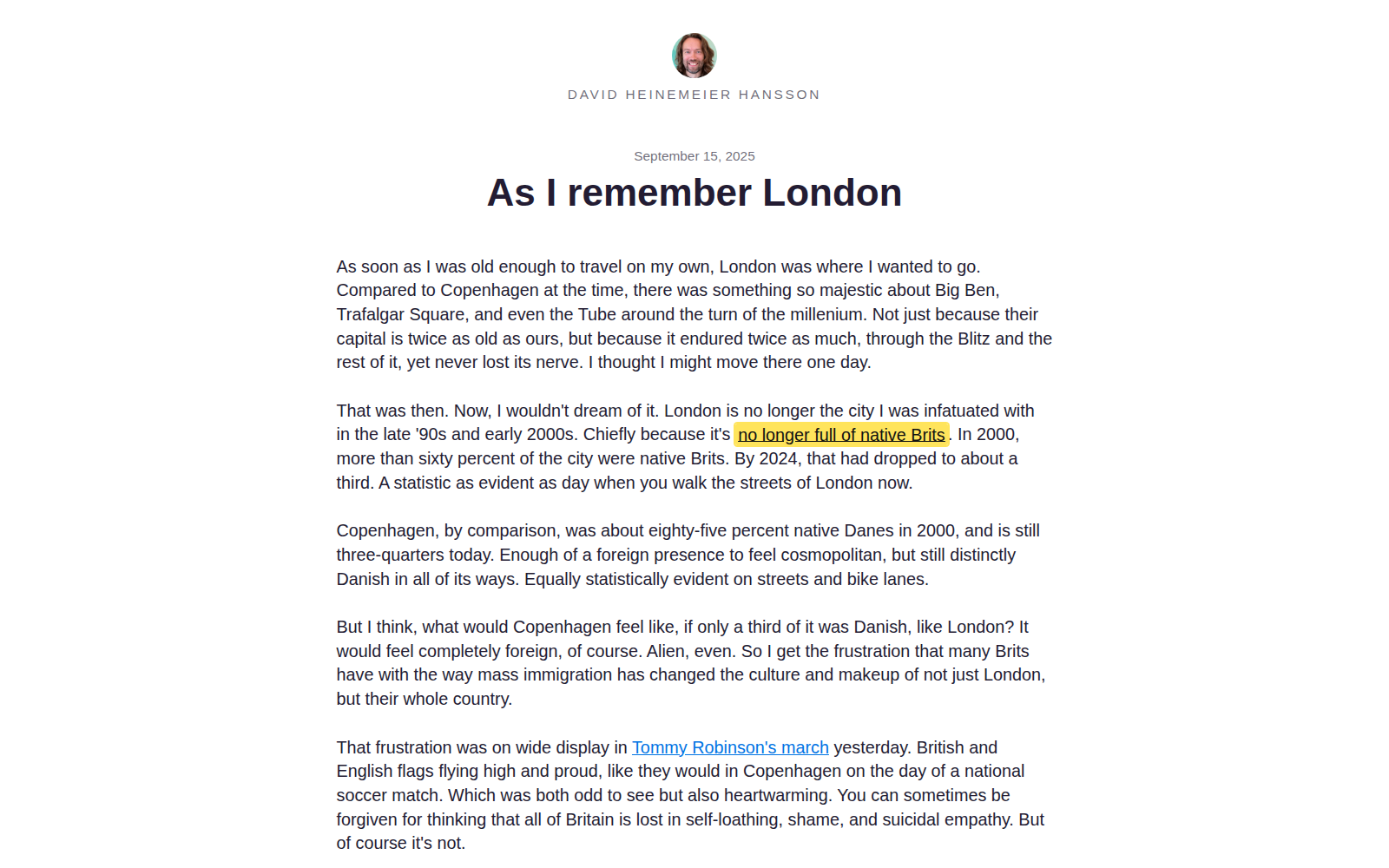
In short, I don't think highly of DHH, whose views strike me as racist. He says that London has too few white people: that you can walk through its streets without seeing enough native British people. In his article, native British means white people, which I find objectionable.
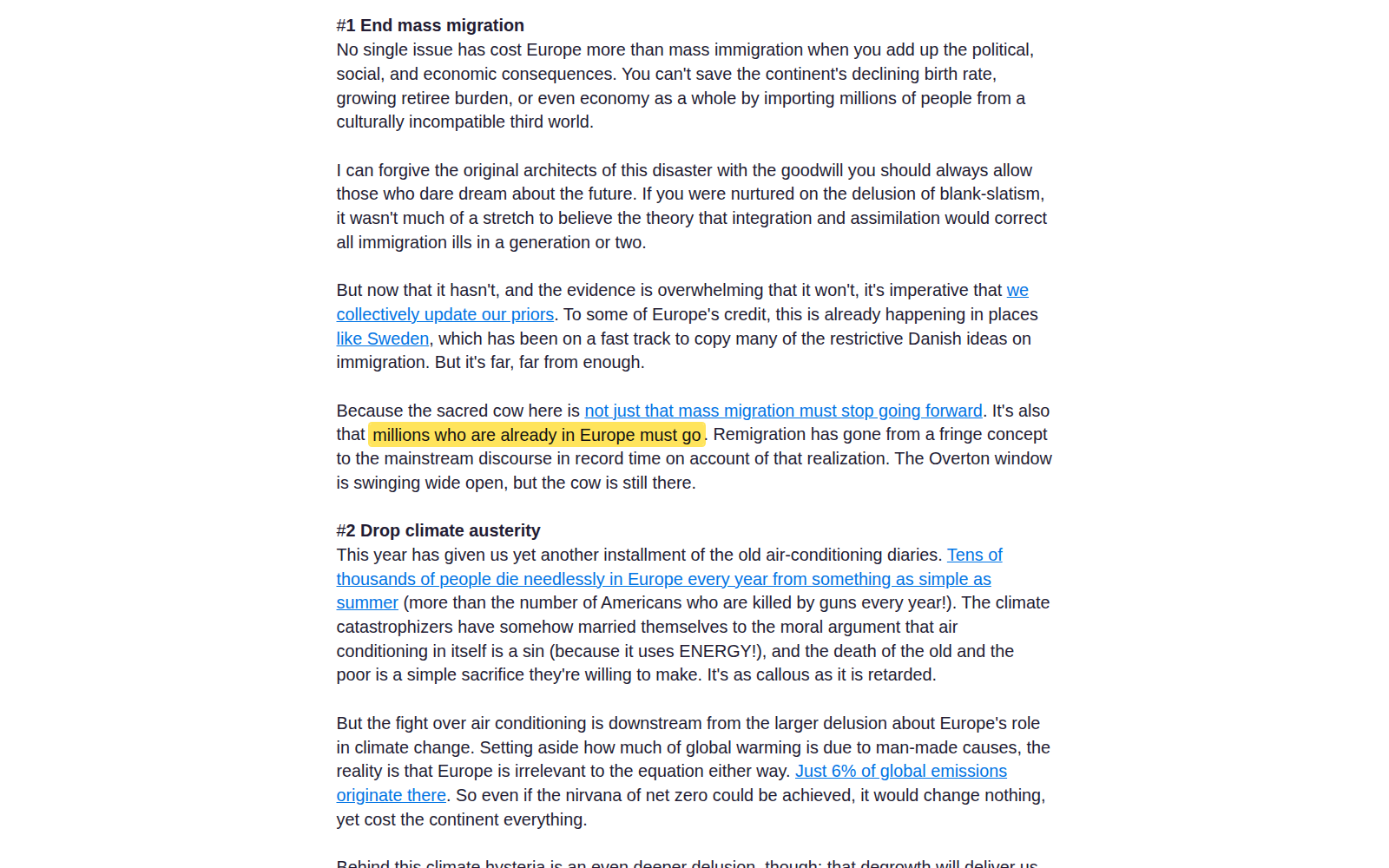
He also seems to support the forcible remigration of immigrants and Romani people, as well as far-right leaders. I strongly oppose this kind of politics and wish nobody supported it, yet apparently AfD is winning elections.
How is that a problem? Some people say that DHH might not be the best person, but having 15 million for Linux desktop development is still good. While this is true, I have some concerns.
It is more about the vibes
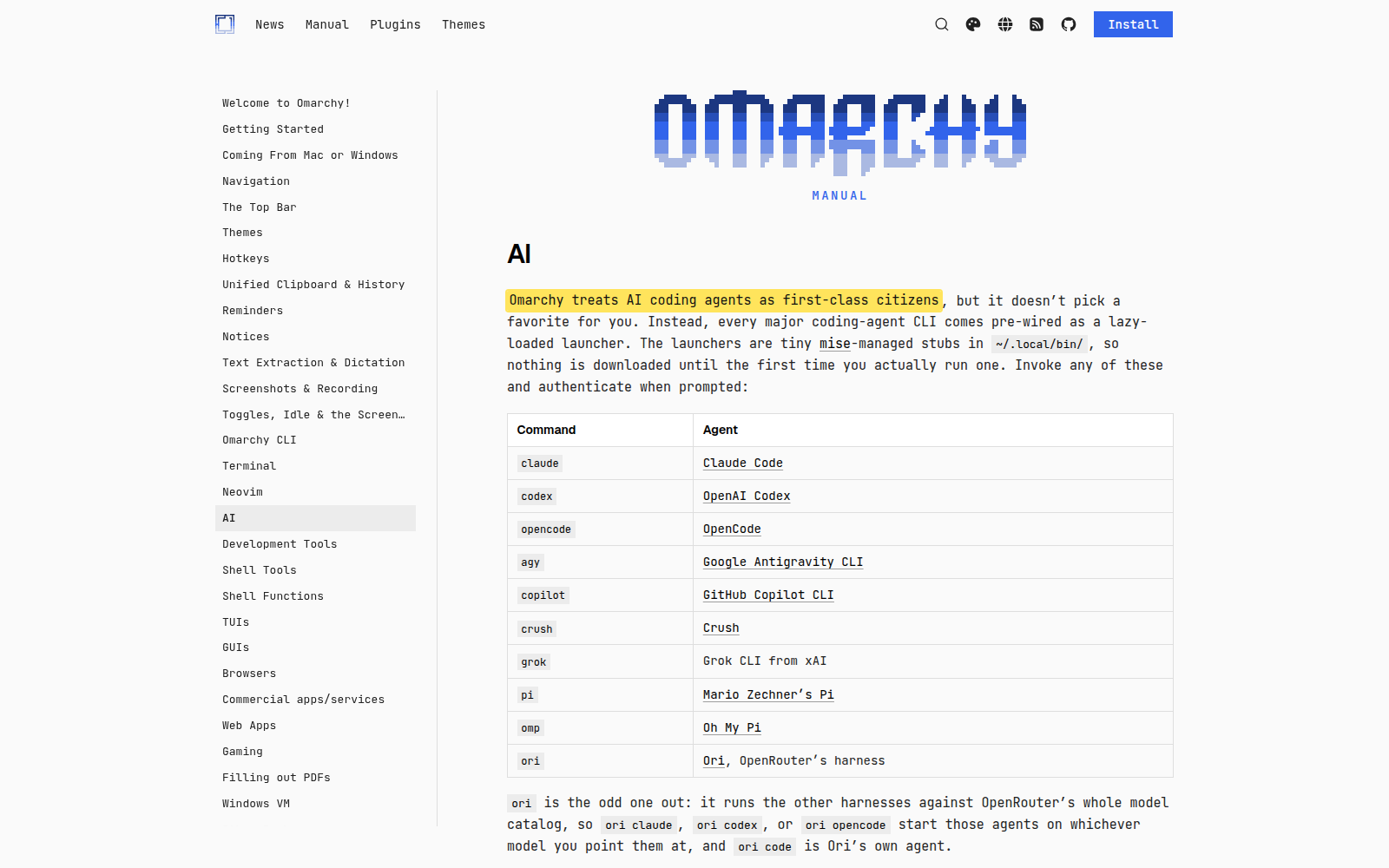
My worries go beyond politics; they also concern the project's broader outlook. DHH is kind of racist, but he's also very much in favor of AI. He openly talks about Omarchy being developed with extensive use of AI and is trying to integrate it into Omarchy Quattro, so that you can change your desktop using AI. It's only an installation option, so you can turn it off and it won't bother you. Perhaps surprisingly, I'm comfortable with that. I like the concept of saying, “Switch to a dark theme and a purple accent color,” and having it happen. I find that appealing, though not necessarily something we would ship out of the box.
The oligarchy joke
Omarchy has been accused of being the oligarchy of Linux. It's welcome that you have one million of your own money to spend on this project, but I do not, and neither do most people.
It's also welcome that your wealthy friends can put one million into Omarchy's development. Most people don't have those kinds of friends; you resemble an oligarchy. What surprised me, positively in some sense, was DHH's interview with Brodie Robertson, in which he said: “I think this oligarchy joke that they made was funny.”
He embraced it: much of the artwork now features the word “oligarchy” instead of “Omarchy” in the same style, and donors who gave one million dollars belong to a tier called “the oligarchs.” I find his embrace of that label startling; that is the tone he is setting.
Let's see who donated this money
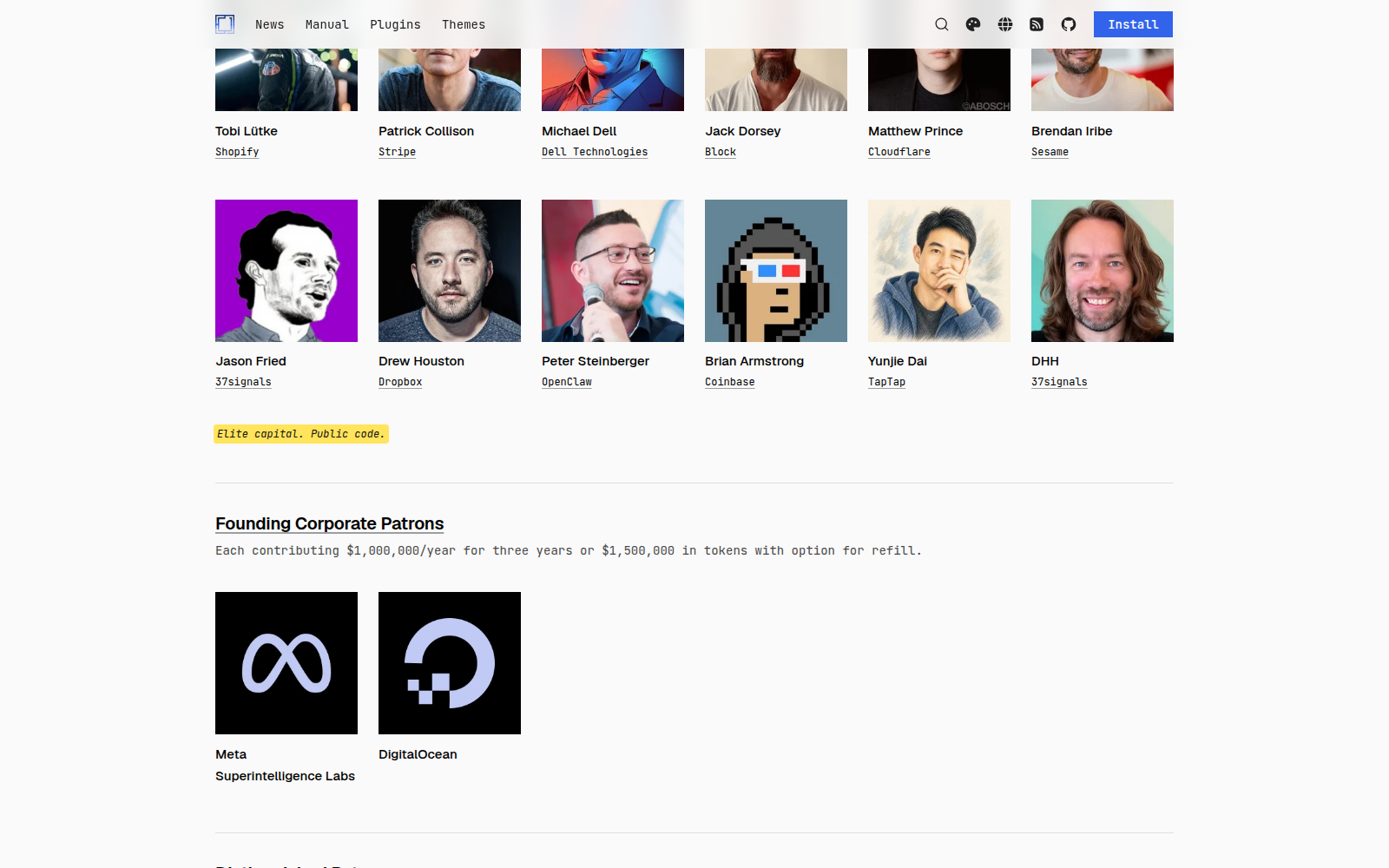
Let's see who donated this money: Dell, Jack Dorsey, Coinbase through Brian Armstrong, OpenClaw through Peter Steinberger, Dropbox, Cloudflare and 37signals. Where would you place a project with these ideas and this attitude within our larger sociocultural context?
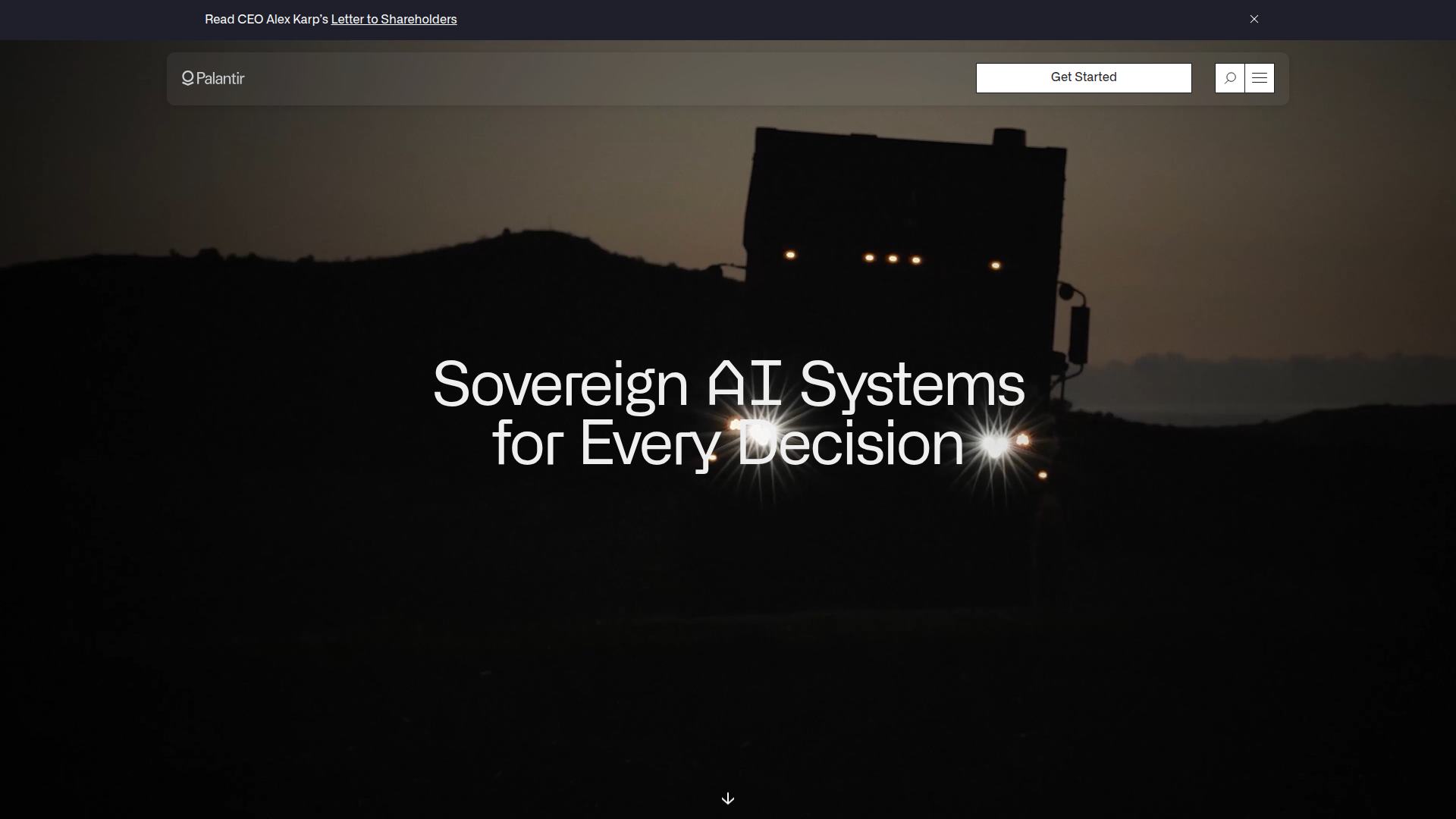
I feel that person would point towards Palantir or Elon Musk; it evokes the same kind of atmosphere.
The mix is far-right political opinions, especially about immigrants, strong support for AI, and an embrace of the oligarchy label. That is the association with Palantir I have in mind. This does not mean Omarchy has any ties to Palantir; that's not what I'm saying. More and more people are recognizing this techno-fascist trend in the community that San Francisco is leaning towards as a whole: the you-can-just-do-things community. That's also what you see in DHH. For him, the year of the Linux desktop is a matter of putting enough money and effort into it; fortunately for him, he has the money.
What's my worry?
My worry is that he succeeds. It would be welcome to reach the year of the Linux desktop: to buy a Linux computer from any hardware maker, or from the store down the street. But if he succeeds, that computer will have Omarchy pre-installed. If Omarchy drives the year of the Linux desktop, most people's idea of Linux will become Omarchy—not for people who already know Linux, but for people like my mother, who doesn't care about it. If she finds Linux with Omarchy in a store, she'll associate Linux with Omarchy. Linux could then acquire the same negative associations as Palantir and Elon Musk. I can see that happening if Omarchy mostly drives Linux forward, and I can see DHH succeeding because he has a lot of money and the drive to make this work.
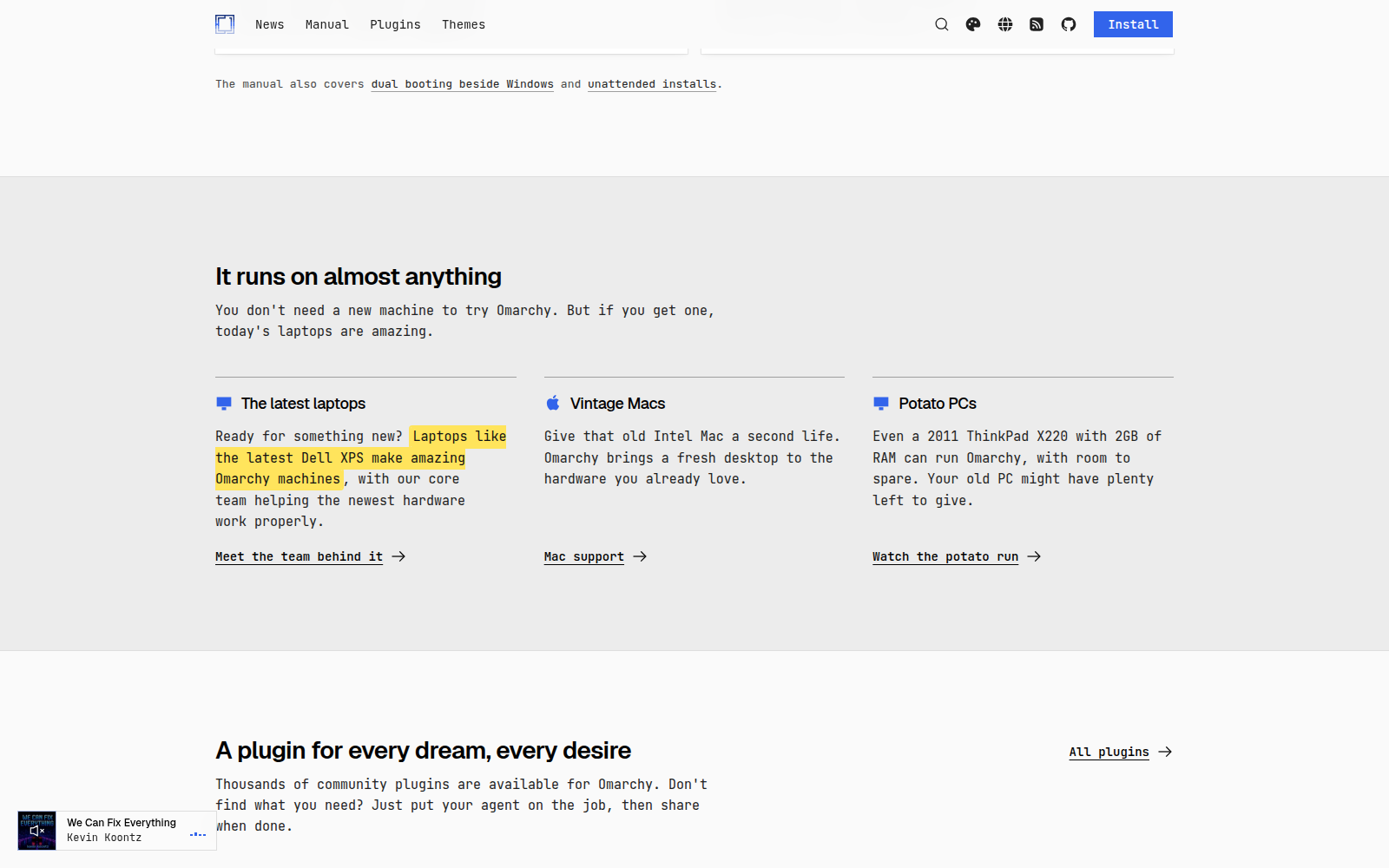
He already managed to convince Dell and Slimbook to ship Omarchy, which is a notable achievement for such a new project. Of course, if he is successful, there are benefits for us as well, such as reaching the year of the Linux desktop. It would be encouraging to see many more people use Linux.
What has Omarchy done to deserve this much money?
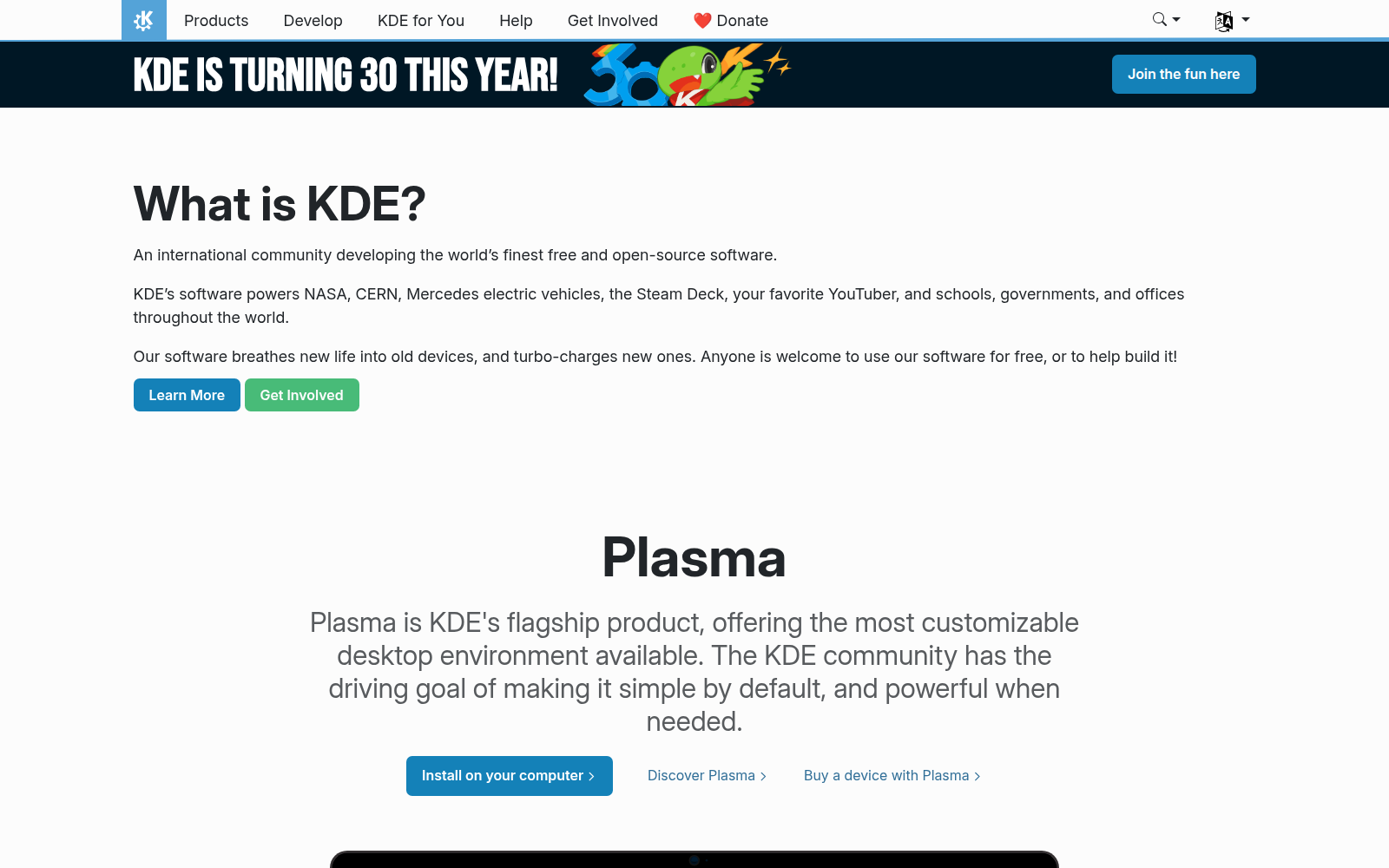
One more thing annoys me: what has Omarchy done to deserve this much donation money? I think the answer is that DHH had wealthy friends, yet KDE develops a desktop environment and an extensive collection of applications.
We do much more than Omacom is doing, and have historically put much more work into making Linux viable for everyone. What stops us is that we don't have rich friends. Is that going to be the reason we can't succeed?
I find that frustrating, though it is their money to spend as they choose. But I will be slightly annoyed that Mr. Dell has decided that the best use of his money to support Linux is to give it to DHH rather than the people that have been working tirelessly for 20 years to actually bring the Linux project forward as a whole.
One further structural worry
I have one further structural worry: what kinds of projects are going to succeed from now on? I have one uncontroversial opinion and one controversial opinion. First, the projects that can raise more money are going to succeed.
Secondly, the projects that are able to succeed are those that effectively use AI. I'm very well aware of the hostility towards AI.
There are parts of the criticism of AI that I agree with and parts that I strongly disagree with. Whatever you think about AI, the frontier models—which you have to pay for, and I do—are highly capable; if you develop any kind of software project, having AI means being able to accomplish more.
Take Arch packaging as an example
What do these two things mean for the wider Linux ecosystem? Take Arch packaging as an example. One of the first things DHH did was to offer Arch packagers some money for the work they did, and because of DHH's objectionable political opinions, they refused that money.
I understand that decision and would probably do the same. But DHH now wants to create his own packaging and replace Arch Linux's packaging with it. If he keeps putting millions of dollars into it, he might succeed; substantial funding makes that possible.
Money is power, and if he continues to invest on this scale, the kind of projects that don't want to be associated with DHH are going to get less money, and the kind of projects that are fine with it, such as Hyprland and Quickshell, are going to get that money, and they're going to thrive. Ladybird is that kind of project: another promising project that could even get some money from DHH in some way. Again, these are objectionable political opinions in my view. He's not going to have a problem accepting the money, which will make his job easier. Right now DHH is making it easier for projects to succeed as long as they are comfortable with being given money by a racist. This is probably not an incentive we want to create.
At the same time, projects like GNOME, along with everyone else in the open-source space, are strongly rejecting AI tools. My fear is that this is going to slow down the development of those projects compared to projects that do use AI tools effectively. There are downsides to these new AI tools: a lot of people are flooding these open-source projects with low-quality merge requests, which are AI-generated with little effort, little thought, probably using very cheap models that produce poor results. Those things still take time to review even if you just turn them down, and that slows down the pace even more.
That worries me. Projects that are fine with AI tools are likely also fine with DHH's ideas, because AI has a kind of fascist vibe—even though I personally disagree with that characterization. I don't think this is a desirable incentive. The AI-fascist vibe is having an easier time right now: it has more money and, in my opinion, better tools, and I can see these projects succeeding whereas others may not.
People are downplaying these opinions
It does not help that people are downplaying the opinions that these folks have. We've seen the 1Password controversy, but the developer from 1Password said: “DHH's opinions are not that bad. It's stuff we could argue about.” But this is not a minor disagreement when you say that London doesn't have enough white people and we should deport the black people which is essentially what he said. I'm not particularly interpreting his words; it's in the article, and it worries me.
Sources
Autistici/Inventati and the Reach of U.S. Sanctions
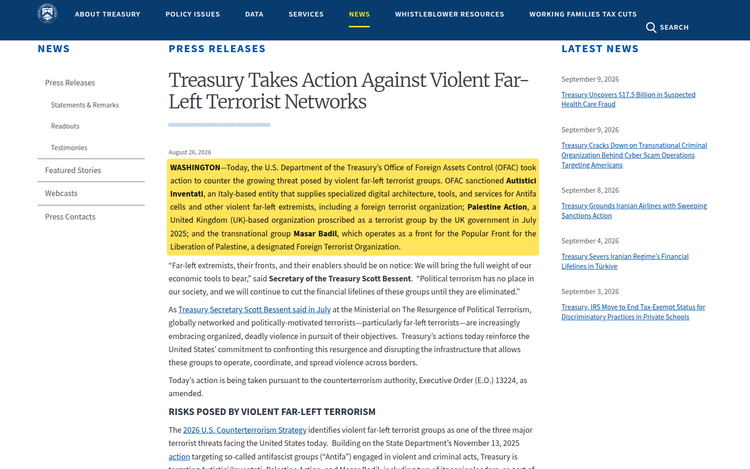
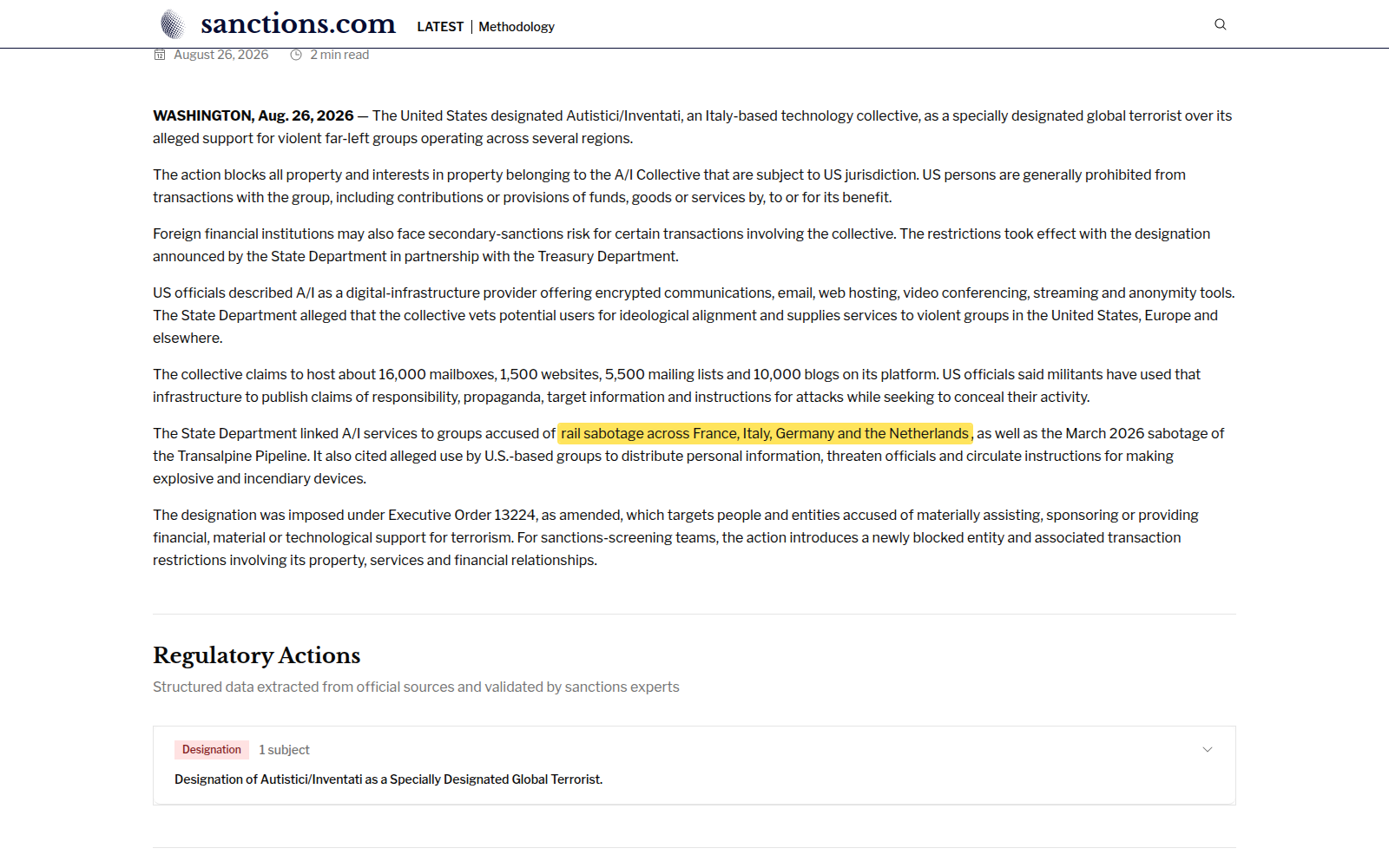
On the 26th of August, the US designated Autistici/Inventati as a global terrorist under EO 13224: a way of saying that the group supports terrorist acts and should be shut down.
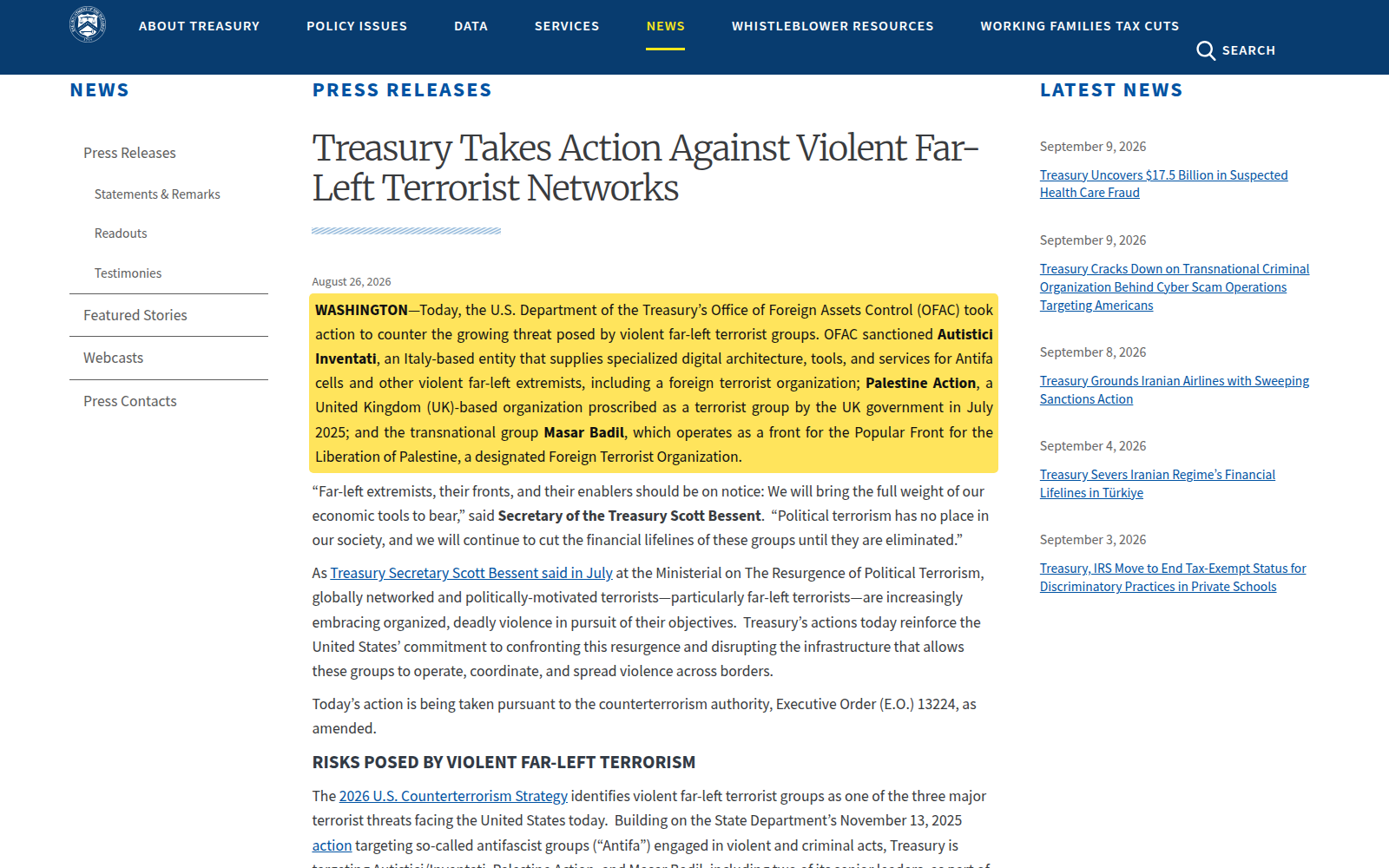
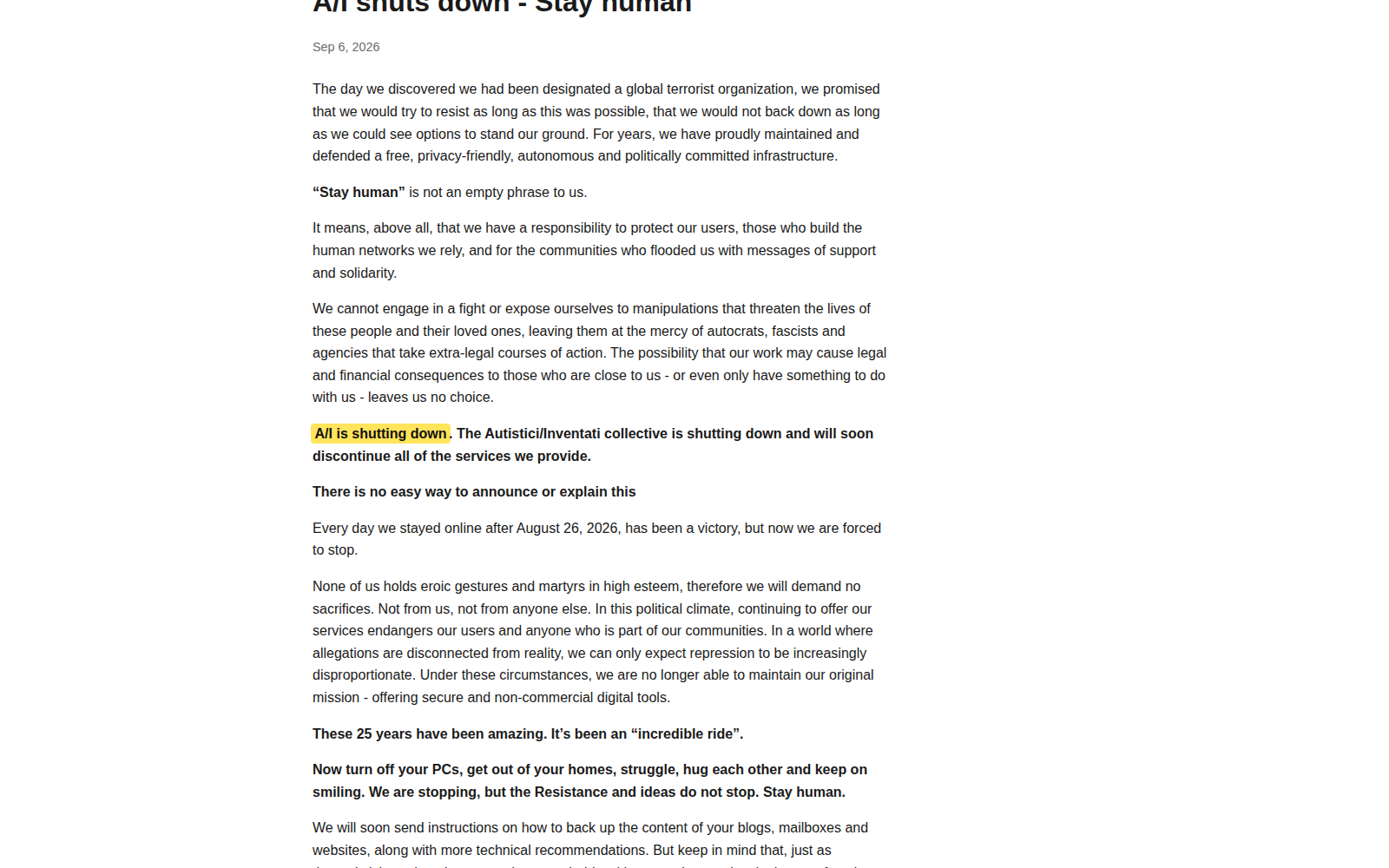
It happened, as A/I wrote: “We decided to wind down operations.” We should be mad about this.
Who was Autistici/Inventati?
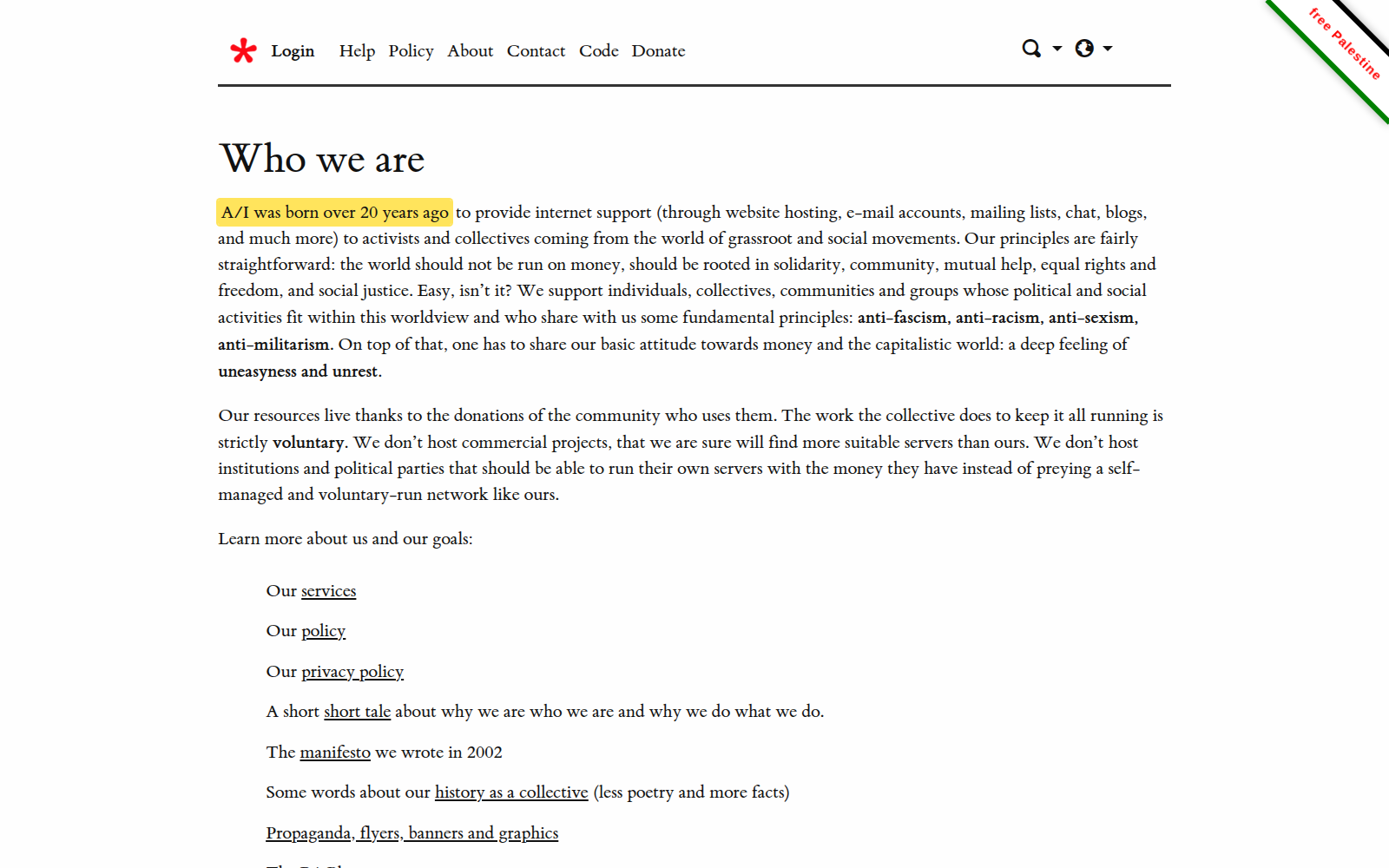
Autistici/Inventati is a collective founded in 2001 around anti-fascist, anti-racist, anti-sexist, anti-capitalist and anti-militarist values.
It offers private infrastructure that anybody can use to avoid being tracked. The collective is important enough that, just a few weeks ago, my fiancée was taught how to use Autistici/Inventati in journalism class. She does not particularly care for Linux or follow these topics; the lesson was about the importance of tools for staying private on the internet.
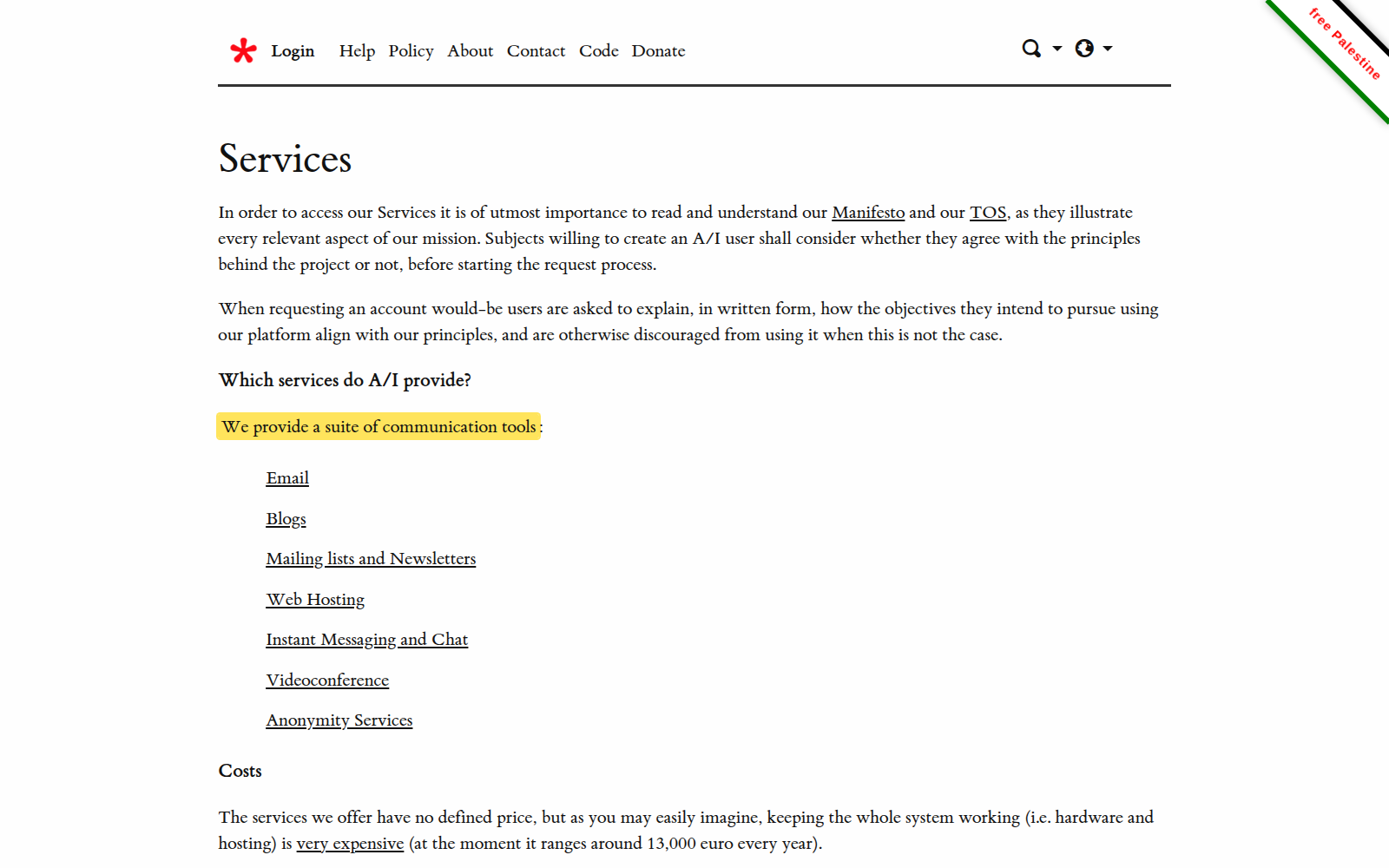
Those tools include email, lists, hosting, blogs, chat, video conferencing, streaming, anonymity tools and documentation.
The latest number I have - although it is outdated - is about 10,000 people; it is probably higher now, but this remains a relatively small, if important, collective. Its yearly expenses were about 20,000 euros, funded mostly by donations and Italy's five per mille system.
The police did try to do that
You could argue that privacy-first services make it easier to commit crimes using their infrastructure. If you want to commit crimes, you want privacy-first tools.
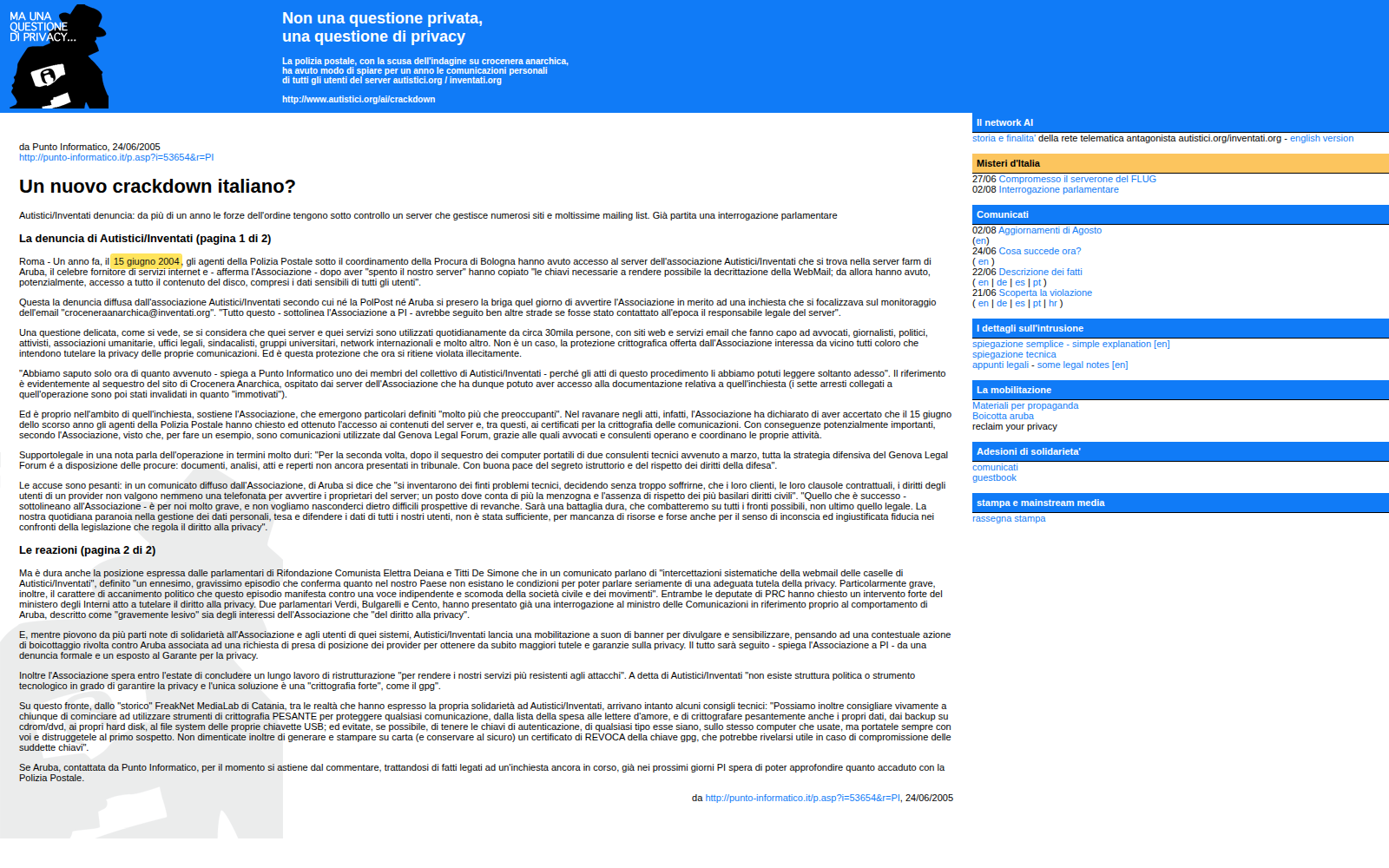
On the 15th of June 2004, the Postal Police entered Aruba's data center, a common Italian hosting provider. They accessed a disk belonging to Autistici/Inventati, read its data and inserted a monitoring device, none of which the collective discovered until one year later.
This exposed about 5,000 mailboxes and tens of thousands of mailing-list participants—a particularly serious intrusion, as the government read the data of a privacy-first collective without its knowledge.
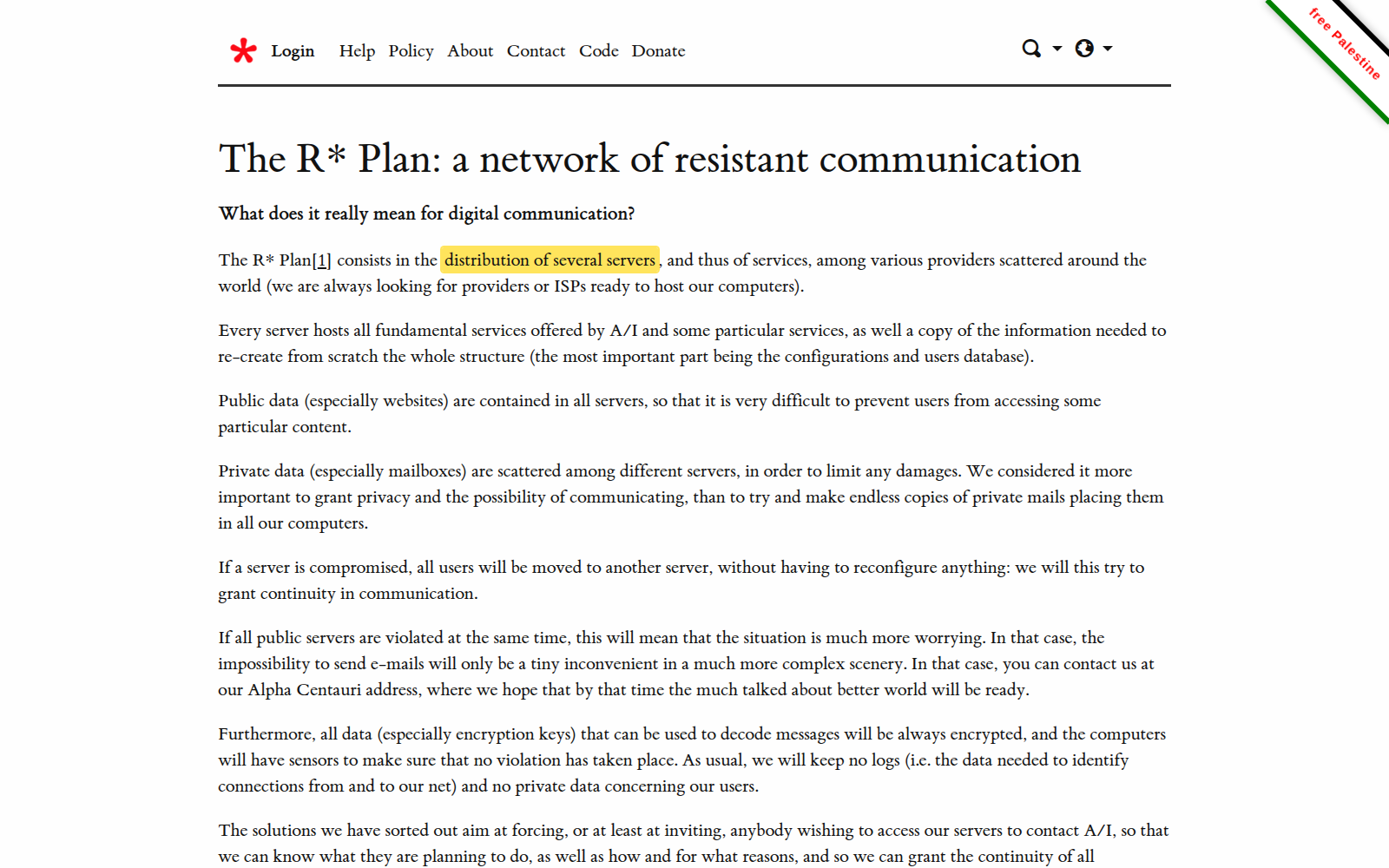
As a result, they decided to use interchangeable and geographically distributed servers to make sure that this wouldn't happen again.
There is evidence
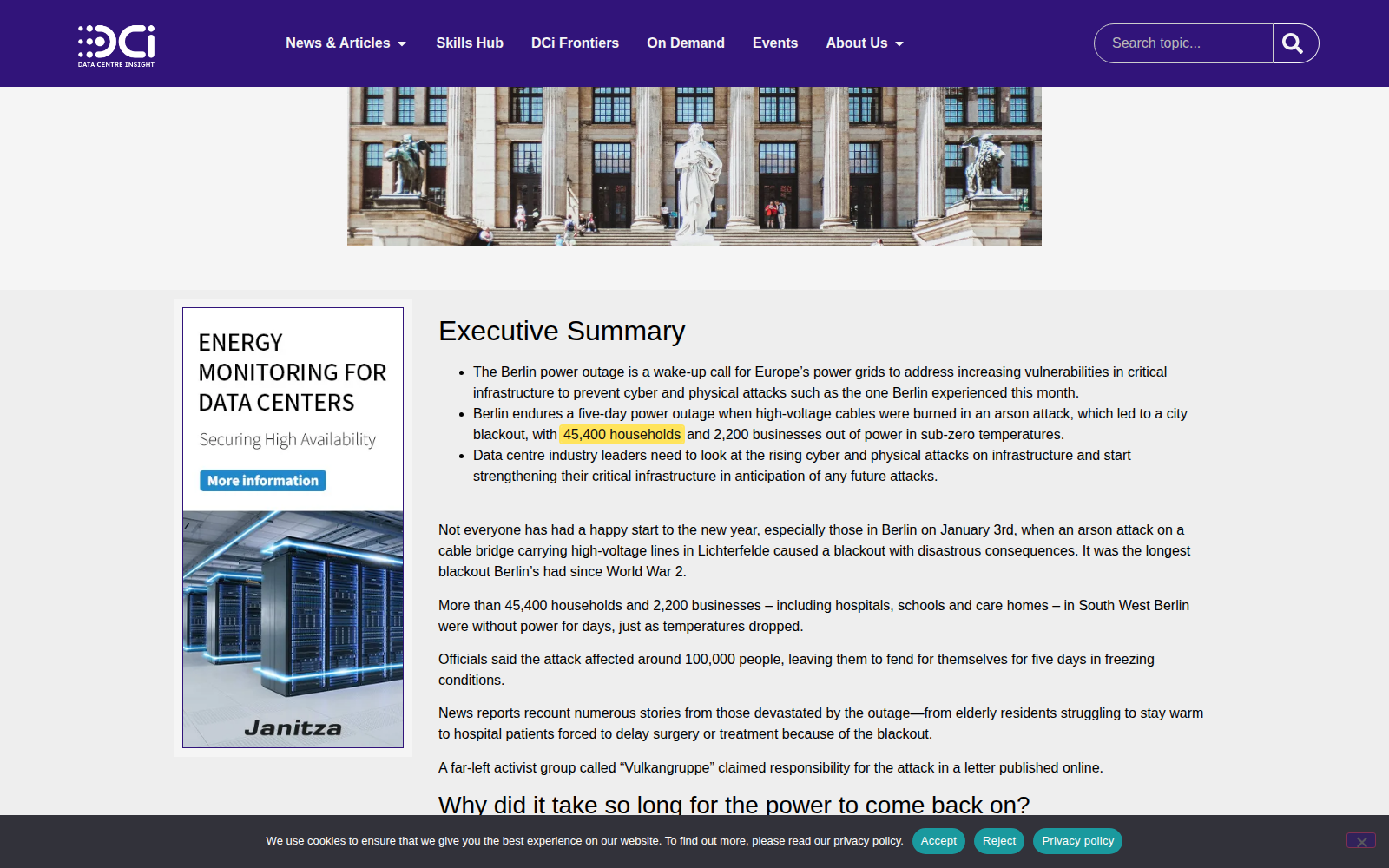
To be clear, there is evidence connecting Autistici/Inventati's platform to some of this: rail sabotage in France, Italy, Germany and the Netherlands in 2026; action against the Transalpine Pipeline; and a German network associated with a Berlin power attack that affected 45,000 households and caused a fatality.
Some claims or manuals connected to these actions were hosted on the infrastructure. Washington decided to shut the whole thing down: if people use privacy-first infrastructure for these activities, the response is to shut down the infrastructure entirely.
The reason it worked is the bank
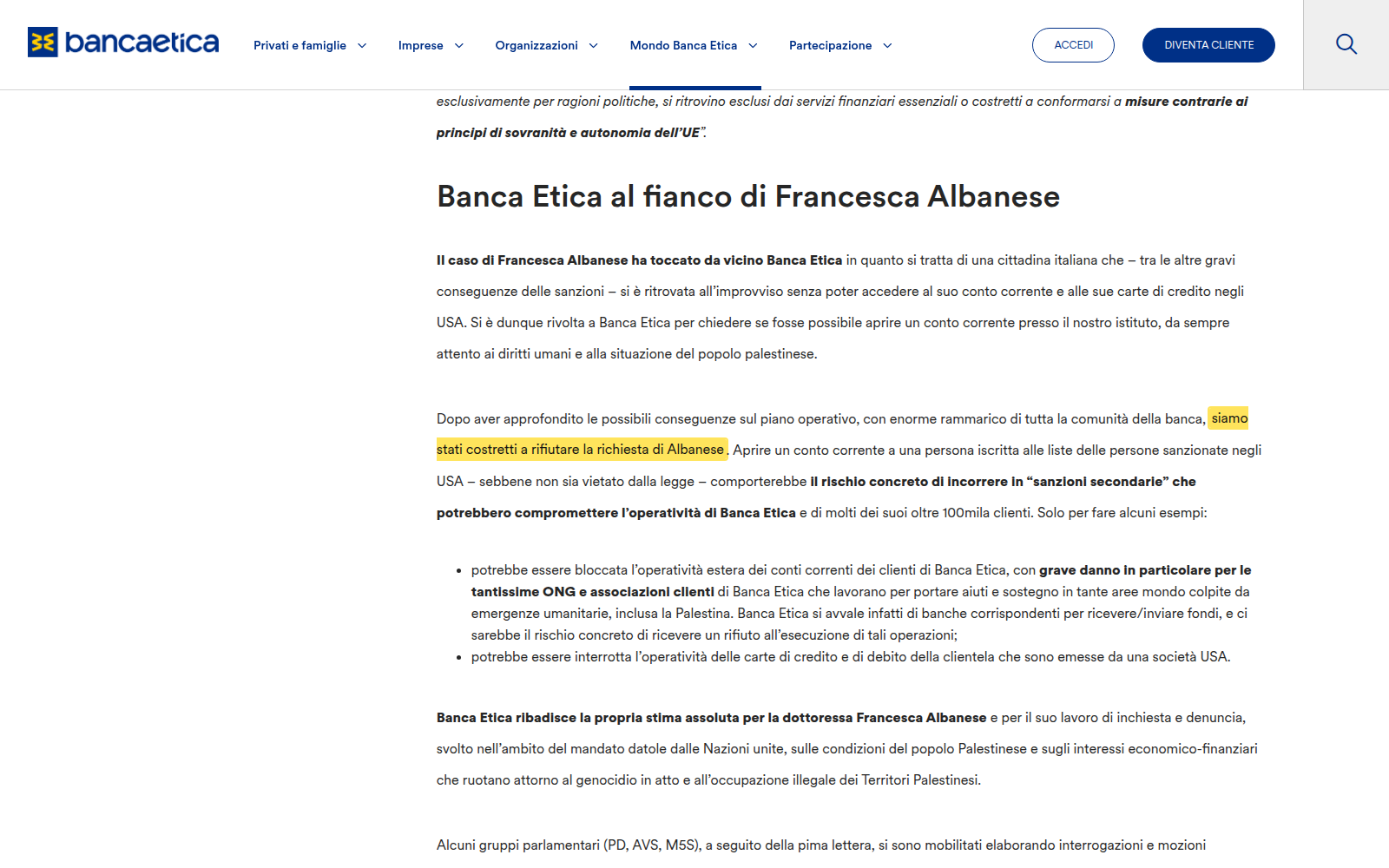
It worked because of the bank, Banca Etica, whose name literally means “ethical bank”: it seeks to act more ethically, especially in its investments, tells clients how their money is used, and funds socially beneficial causes instead of the military. It was a good fit for the project.
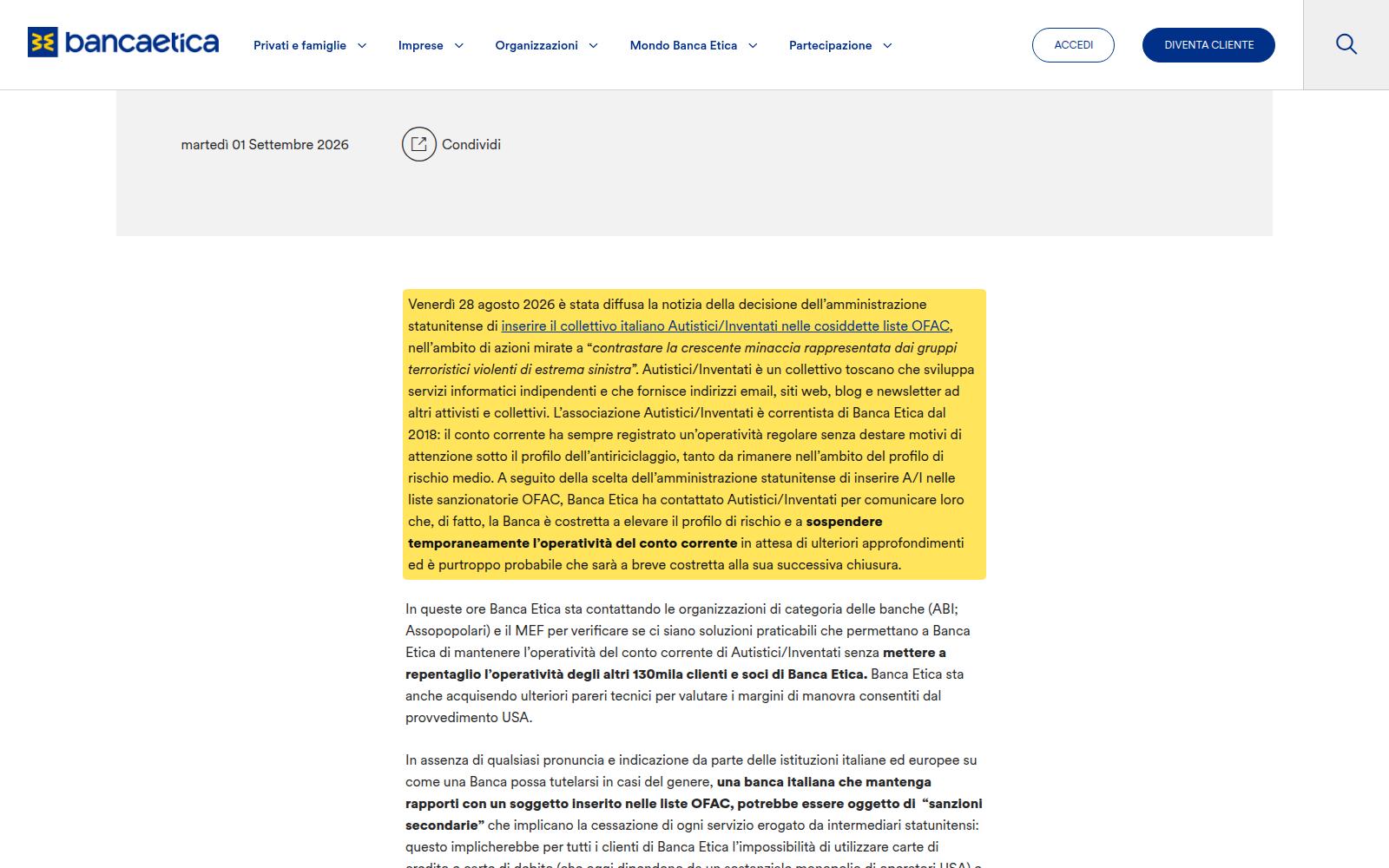
Banca Etica initially suspended Autistici/Inventati's account, even while condemning the political use of these counter-terrorism rules. Visa, Mastercard and extra-euro payments involve US-linked intermediaries. Routing our financial transactions through American companies gives them considerable soft power, which is deeply concerning.
I don't think Banca Etica wanted to shut down the account, but had it not done so, it could probably have faced serious consequences affecting all of its roughly 130,000 clients.
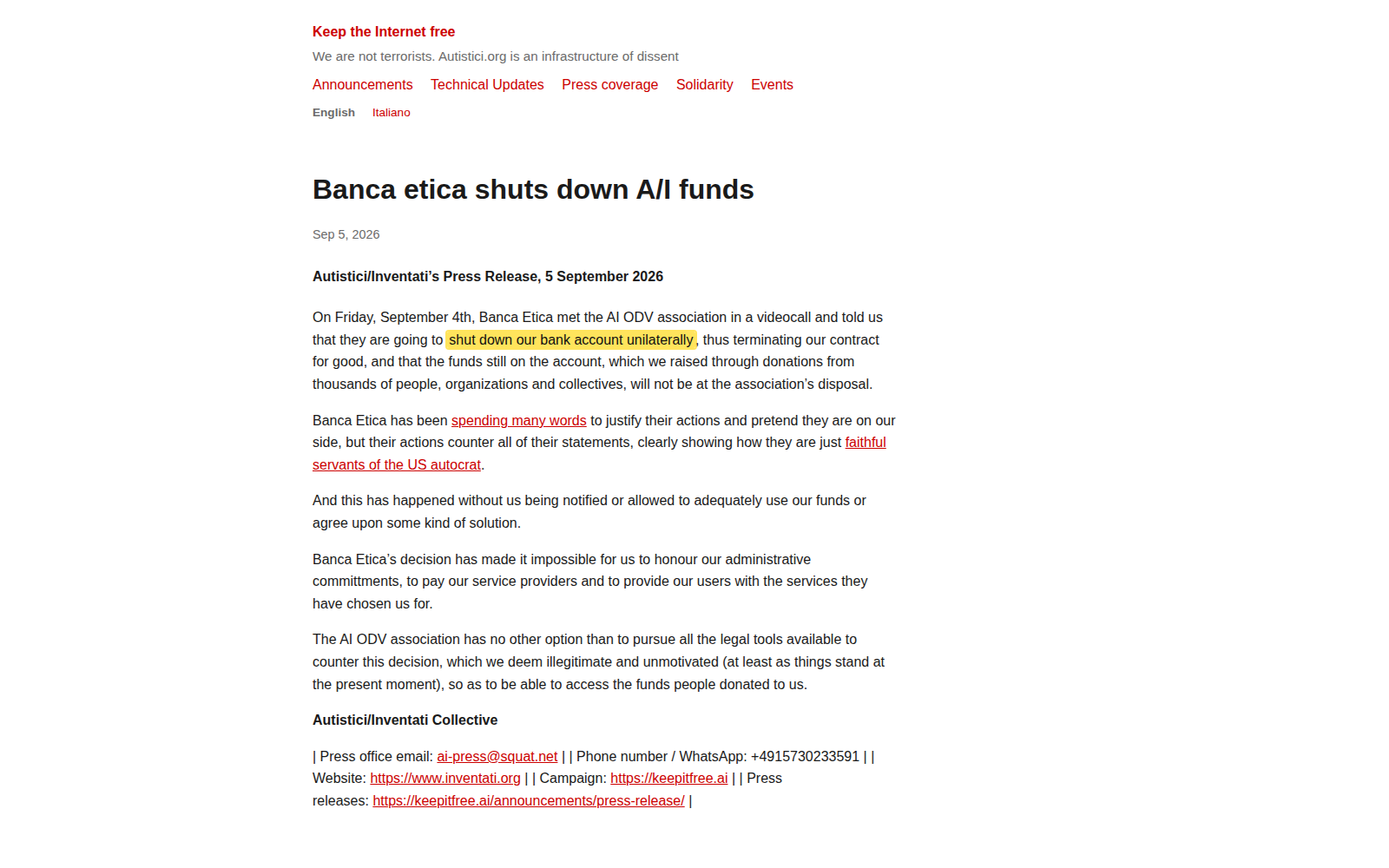
On the 4th of September, the bank terminated the contract, leaving several tens of thousands of donated euros unavailable and Autistici/Inventati unable to access its money.
This happened without any action from the Italian government
This happened without any request or action from the Italian government, and without any court ruling, purely because the US designated A/I as a terrorist organization. This is not the first time.
For instance, Francesca Albanese is a UN rapporteur working to show that what is happening in Gaza is a genocide, which at this point is no longer a matter of debate; it's now the majority opinion.
Her work was very controversial because of US ties with Israel. The US sanctioned Albanese; as a result, her bank account was closed and she could not open a new one even through Banca Etica. She could not make any financial transaction—a serious restriction.
If the US can shut down people's accounts even at local banks that strongly support the same antifascist values, we are giving it considerable soft power, which is a serious problem.
The .org domain
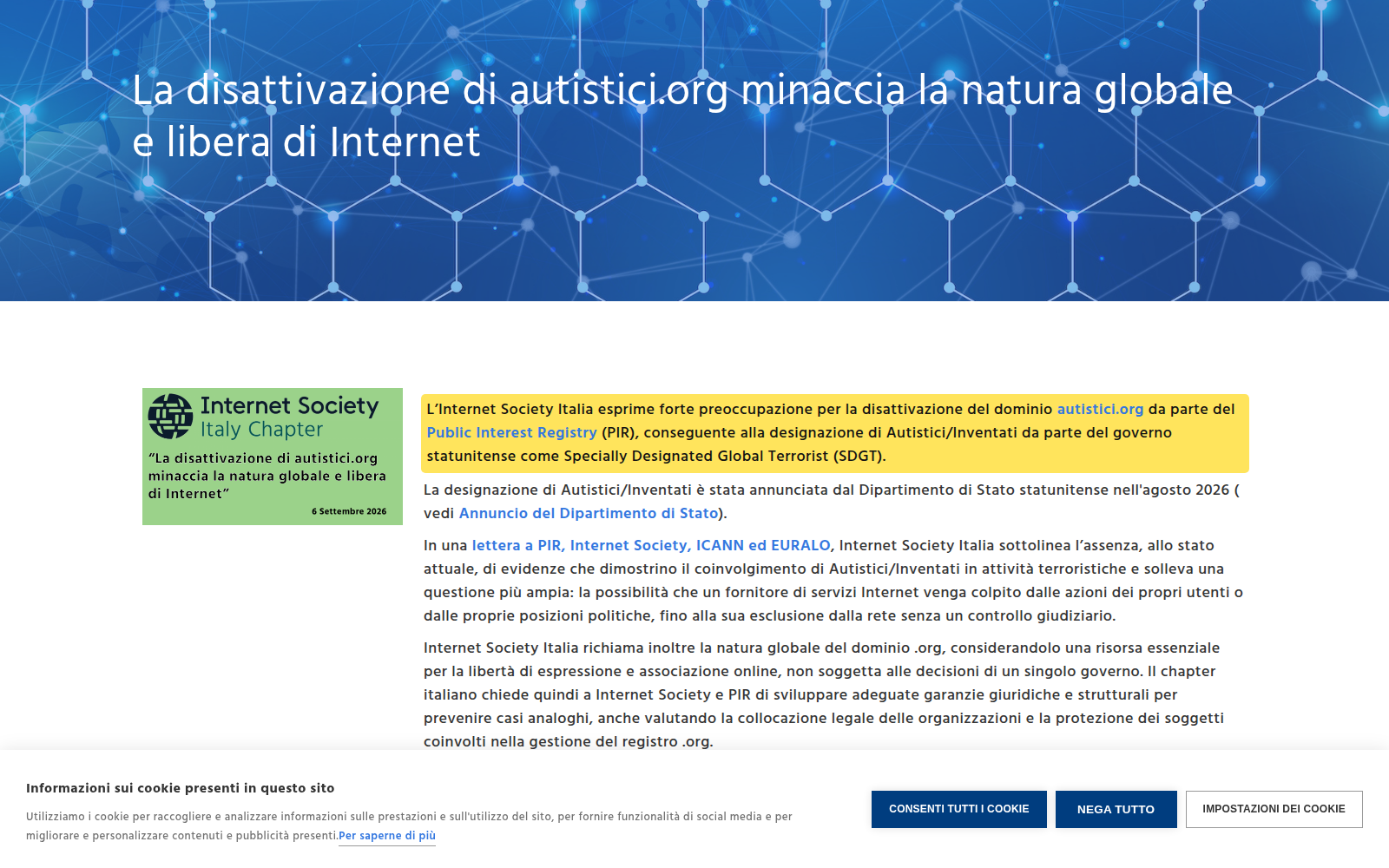
Autistici/Inventati was also blocked from its .org domain, making the website inaccessible. It initially said it would try to continue despite the difficulty, but ultimately had to shut down.
This is a serious loss: the organization provided independent infrastructure important enough to be taught in journalism classes, and now it is gone.
This is not some small thing happening just in Italy
Alternatives exist and, although they are not as well known right now, they will probably grow. Still, this is an alarming precedent: something that should not have happened and is happening more frequently. We should restructure how we operate so that we are less dependent on day-to-day US decisions. It might seem like a minor matter confined to Italy, but if it happened here, it could happen elsewhere. If this does not provoke anger, I do not know what else to say.
Sources
Announcing Plasma Studio
Plasma Studio is a multimedia handling application that features video editing capabilities, raw photo editing, vector graphics, animations, audio editing, recording and streaming, and 3D modeling. It is fully hardware accelerated, implements up to 16bit surfaces, and it is implemented via a QML libstudio library that can be used by any application to offer the same features. It allows to work via a node-based workflow, what-you-see-is-what-you-get editing, or through a code view.
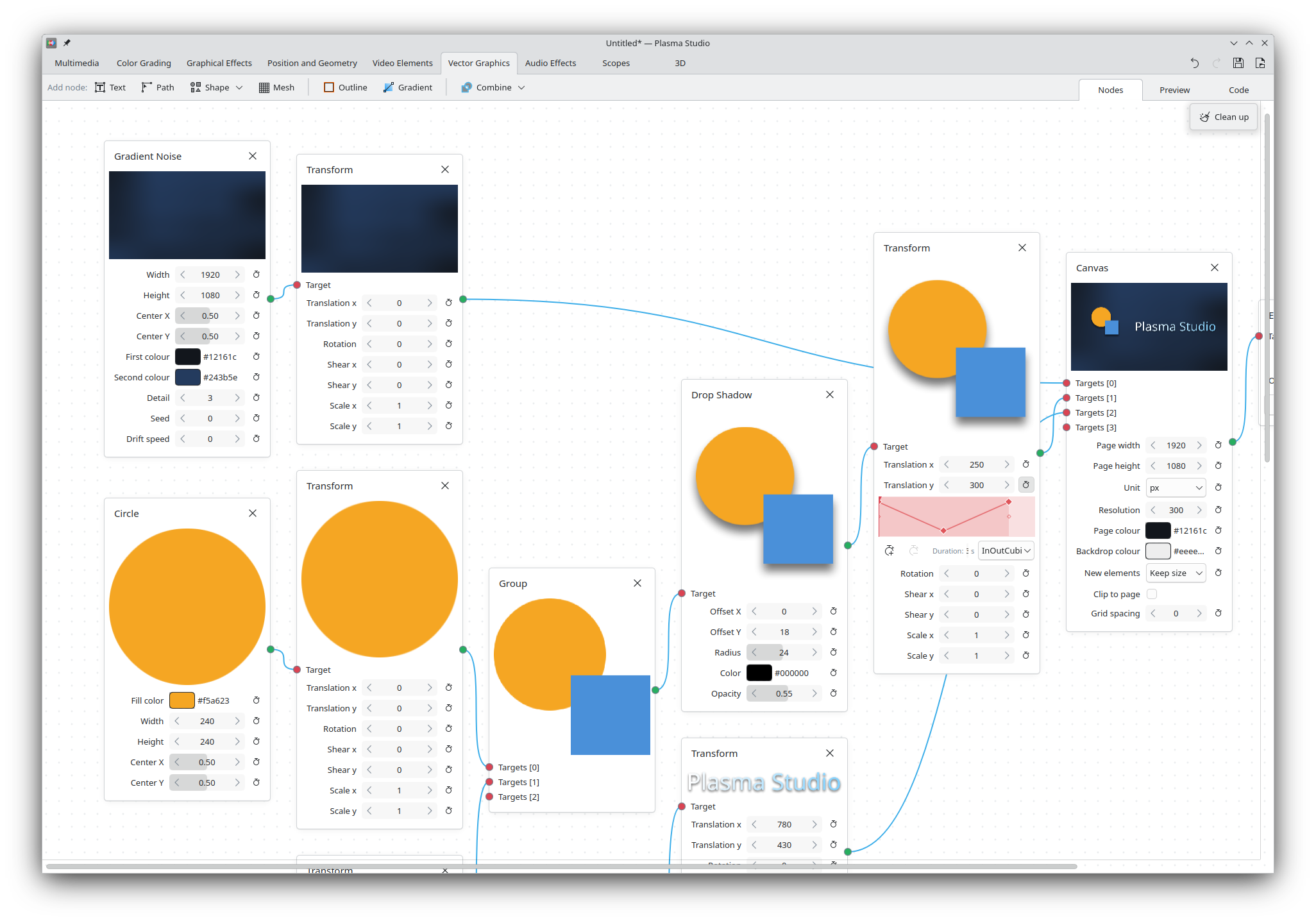
Though the open-source space features plenty of great multimedia applications, they too often lack the ability to integrate seamlessly between each other. As an example, a vector art that requires both animated elements and an embedded video might require switching between Inkscape, Glaxnimate and Kdenlive, each project having limited support for other project files. An user might also want to have the same color-grading effects in Kdenlive as when they edit raw photos on Darktable. Finally, many of these projects do not feature hardware acceleration and are unable to handle heavy multimedia files (e.g. 6k 4:4:2 HEVC) without proxy files.
Plasma Studio wishes to build upon the great, existing effort done by other projects whilst offering a single, unified interface. Our ambition is to make Linux the preferred choice for creators, by establishing a powerful yet simple free-and-open-source alternative that anybody can download and use.
Today we announce the very first early alpha release of Plasma Studio. It only features a few features for each direction, meaning that any established multimedia application will far out-feature Plasma Studio in its scope. Furthermore, the project still has plenty of limitations and bugs; this is only the first step. We'd not get anywhere without a beginning, though.
Video Editing
As mentioned above, Plasma Studio fully features hardware acceleration and high bit depth support; on my machine, I'm able to edit 6K 10bit HEVC 24fps footage in real time even on a integrated Intel graphics card from 4 years ago. Videos are encoded and decoded via FFmpeg, so Studio's compatibility list is the same as theirs.
It features a variety of (barebone) color grading and graphical effects nodes, including: RGB curves, tone equalizers, custom LUTs, colorspace transforms, radial/linear blur, chromatic aberration, vignetting, and more. It also features a few scopes: histogram, waveform, vectorscope, RGB parade, audio levels and a spectrogram. Thanks to the intersection with raw photo editing, all effects will edit the image the same as if you were working on a raw photo (based on available bit depth).
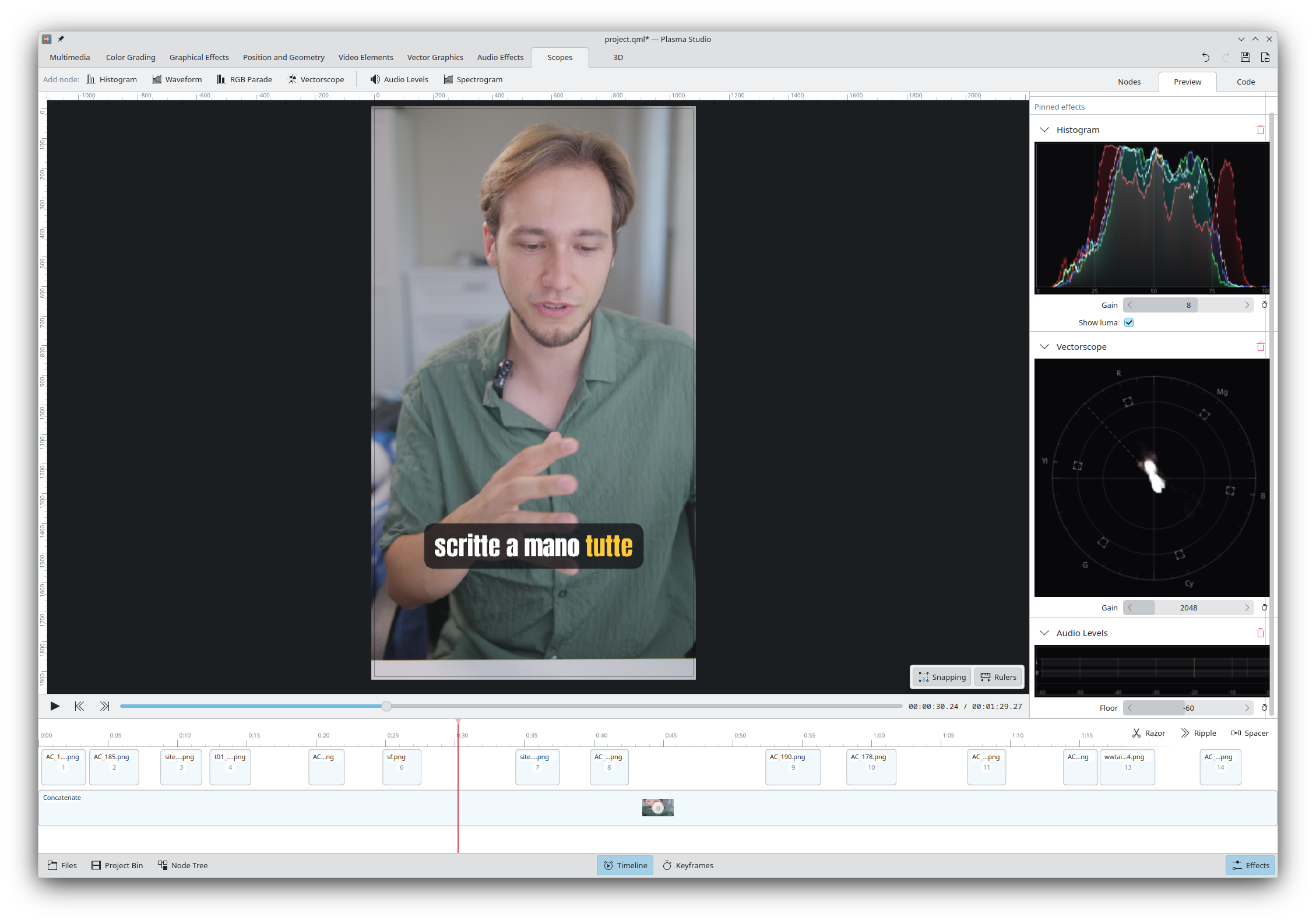
And, thanks to the intersection with vector graphics editing, the preview can be edited as if we were on Inkscape, featuring simple drag and drop, resize, rotate, and shear. It's possible to add custom rulers and activate snapping, as will be explained later.
In order to easily add clips into the project, Plasma Studio offers a Files sidebar that shows all available files on the filesystem; each file can be previewed with a click, and it's possible to use i/o or drag and drop to select part of the video and add just that portion to the current project. Arrow keys will navigate through the playback (horizontally) and through the files (vertically).
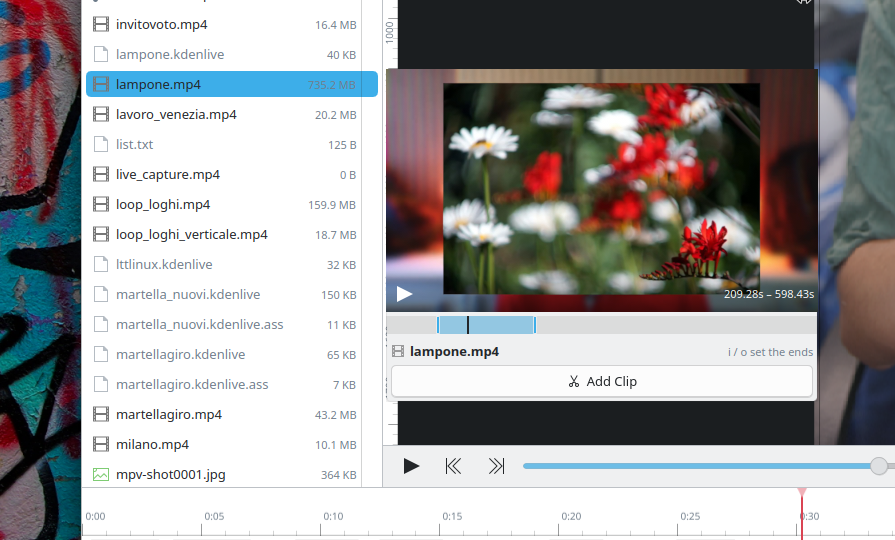
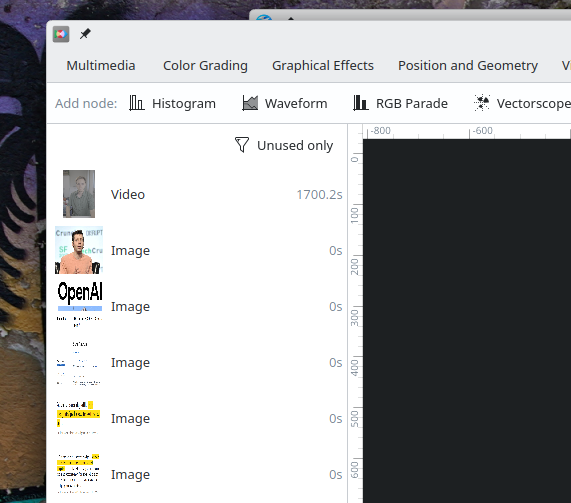
Plasma Studio also offers a "Project Bin" section, which shows all media used within the project, with the ability to filter for unused files only, similarly to what Kdenlive does.
Currently, the timeline is quite limited. You are able to select clips to see and edit their effects and properties, drag and drop them and resize them. A razor tool (or a keyboard shortcut) is available for splitting clips, a Ripple tool can resize or move clips whilst also moving following clips as well, and a Spacer tool allows to move around multiple clips at once.
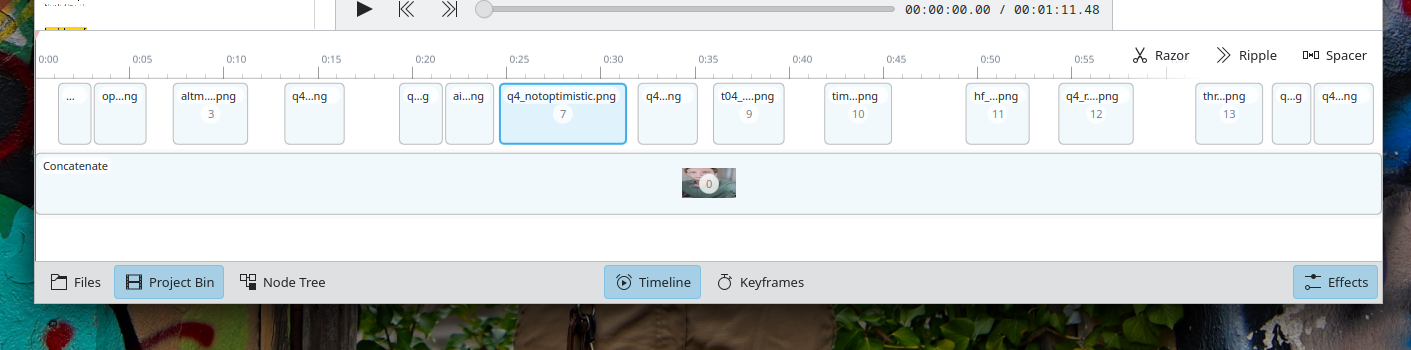
Furthermore, by using a Group (or Concatenate) node, you have the ability to group together clips as if they were a single clip, and then - by double clicking them - you can edit them directly, similarly to Sequences in Kdenlive. The same clip or Group can be inserted multiple time, though not concurrently.
As you might've noticed, however, the project currently does not feature tracks. Though easy to add, I still haven't found a UI and UX that I liked for them, and am therefore seeking opinions.
We currently offer both a Subtitle node that takes a subtitle file, and a Auto Subtitle node that will install a local Whisper model in order to perform the transcription of the given video. A simple chroma key is also offered.
Raw Photo Editing
Plasma Studio offers a Raw Photo node that will demosaic raw photo using libraw to the highest bit depth available. Though the demosaic step currently lacks options, which will soon be added, all other nodes can then work as intended.
Both the Exposure and the Tone Equalizer nodes allow for color input, and the RGB curve can interpolate based on as many points as necessary. All nodes, even the more complex, are hardware accelerated and drawn without any delay.
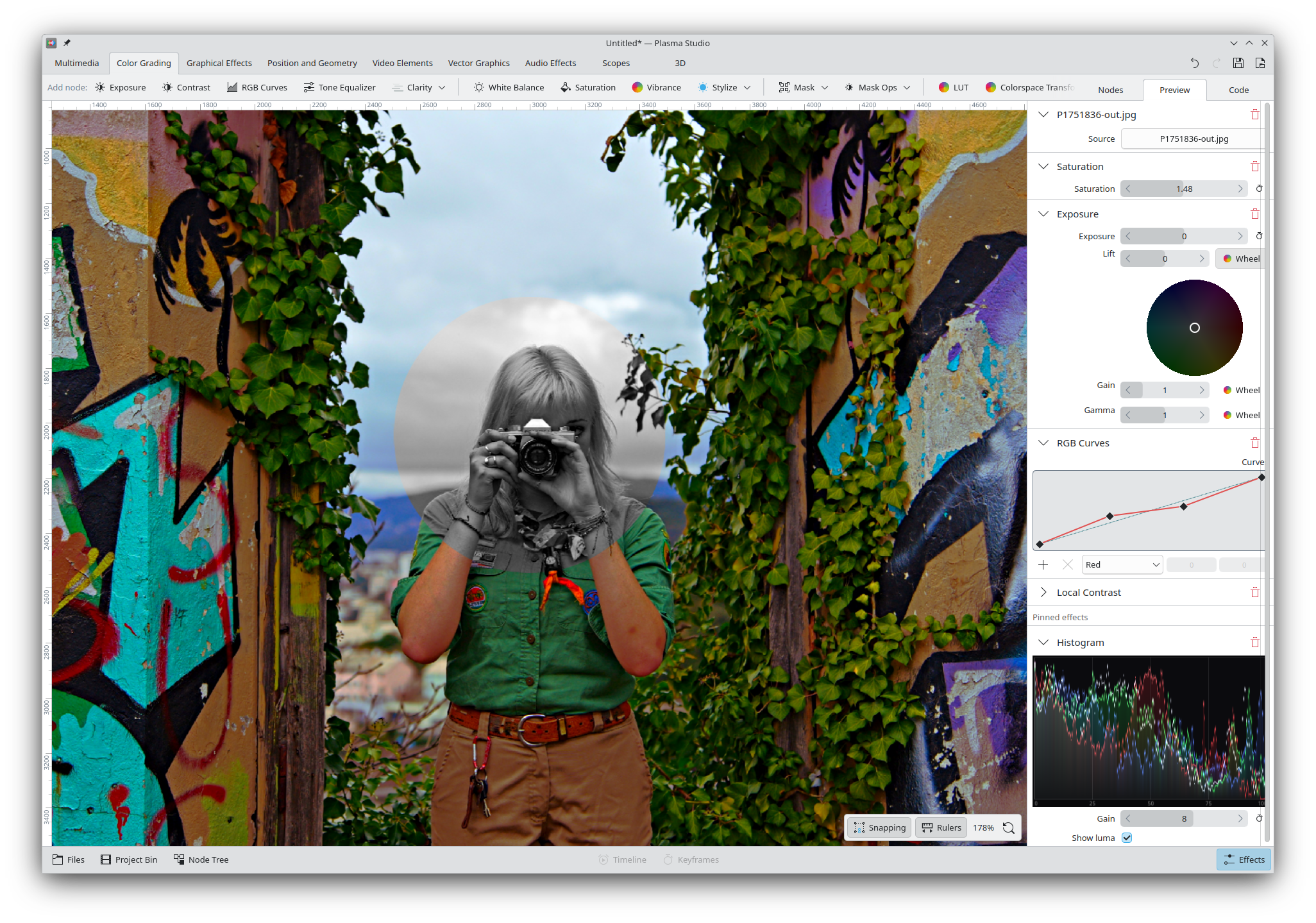
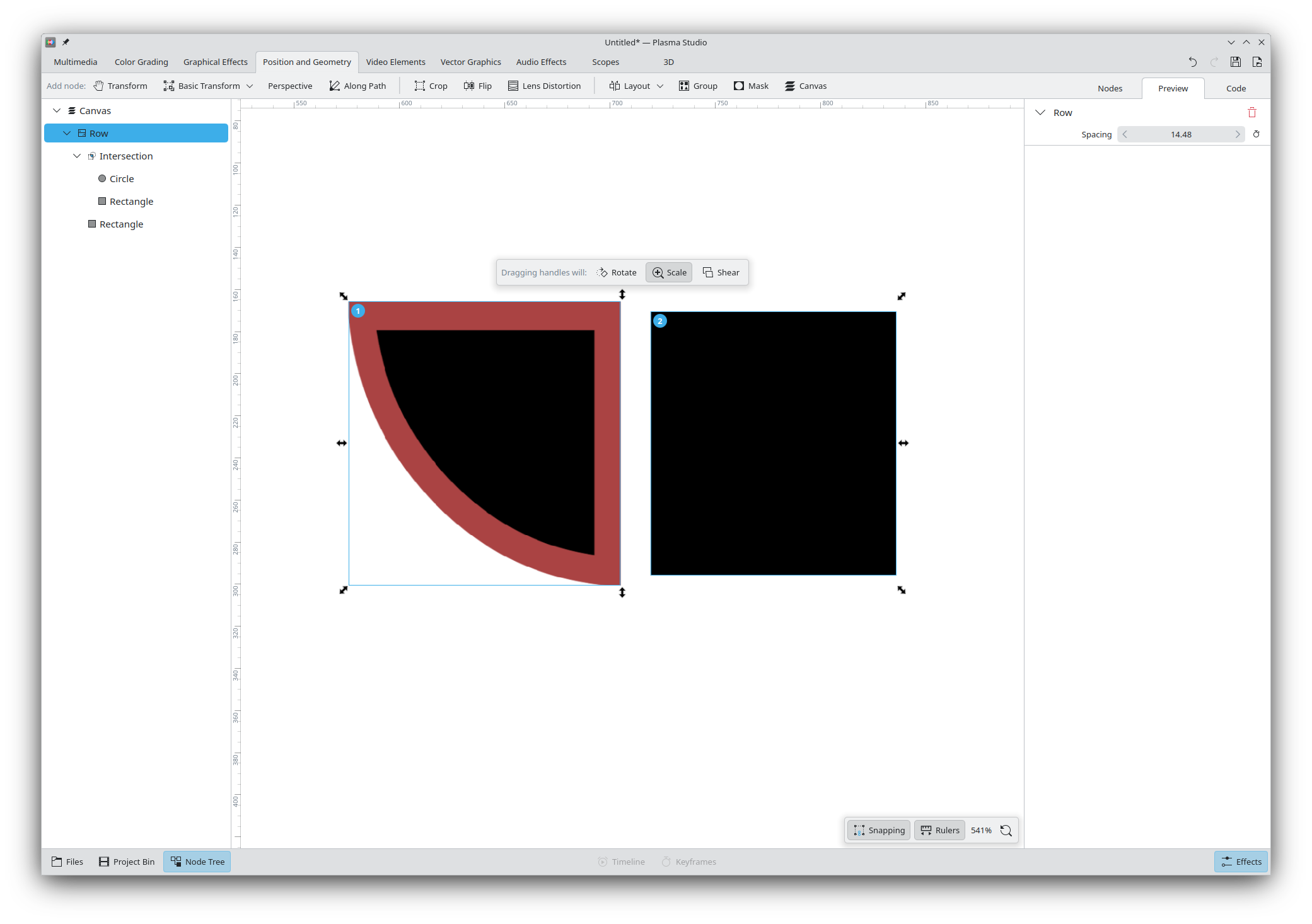
Masks are fully supported and come in many sizes: rectangles, circles, paths, and gradients. You can also perform unions, intersections, difference and exclusions between different masks to get any shape you'd need. It's also possible to create a mask based on a simple luminance or color range. Masks can also be feathered so that they don't have sharp edges.
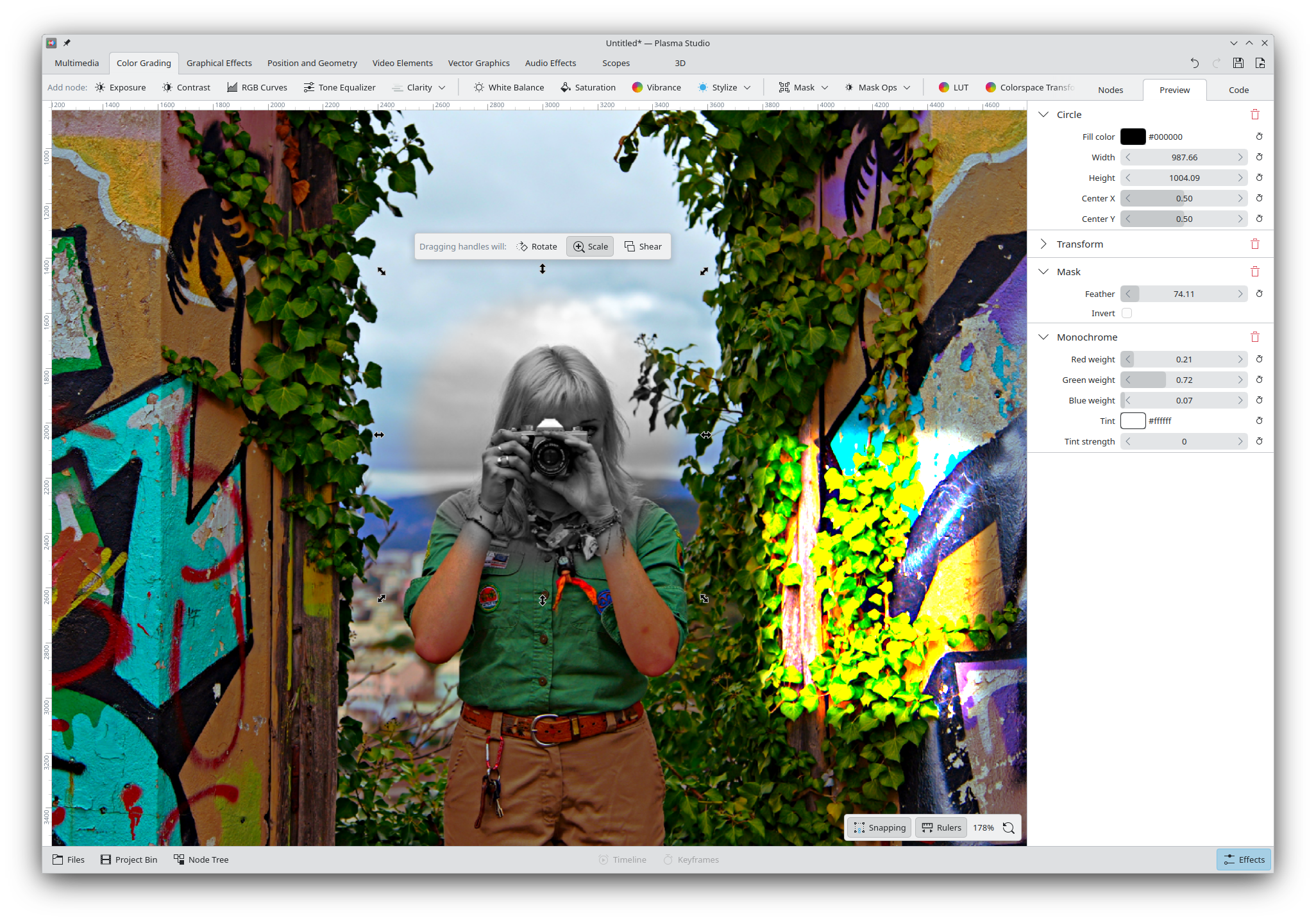
Any of the color grading or graphical effects nodes that can be applied to the picture can also be applied to any mask, so that you can do anything with them!
Vector Graphics
As far as vector graphics goes, we support: custom paths (with a full path editor), text (with custom fonts), rectangles, circles, and polygons. All paths can support path operations (union, difference, intersection, exclusion), plus custom outlines and gradients. We however currently lack gradient outlines.
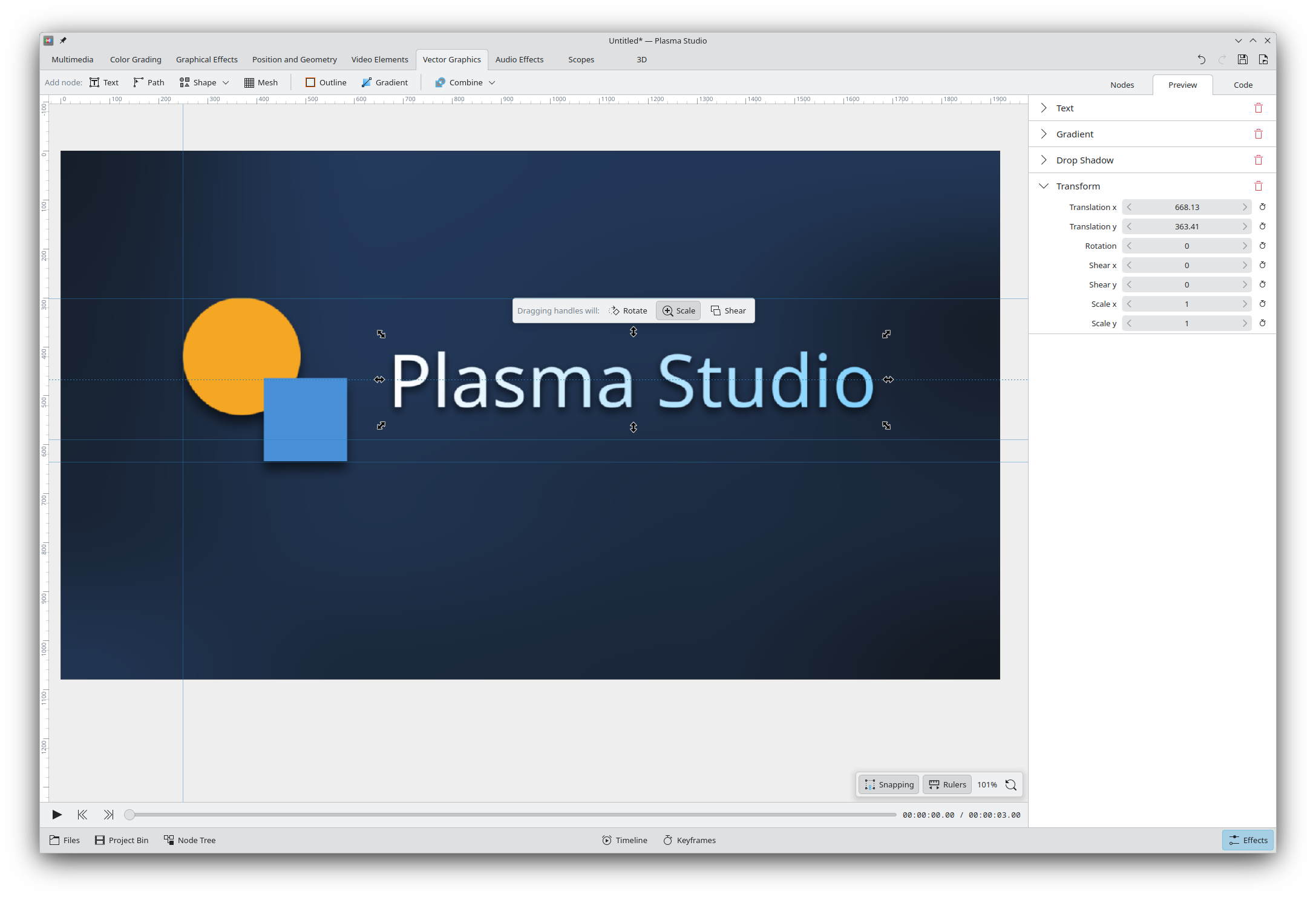
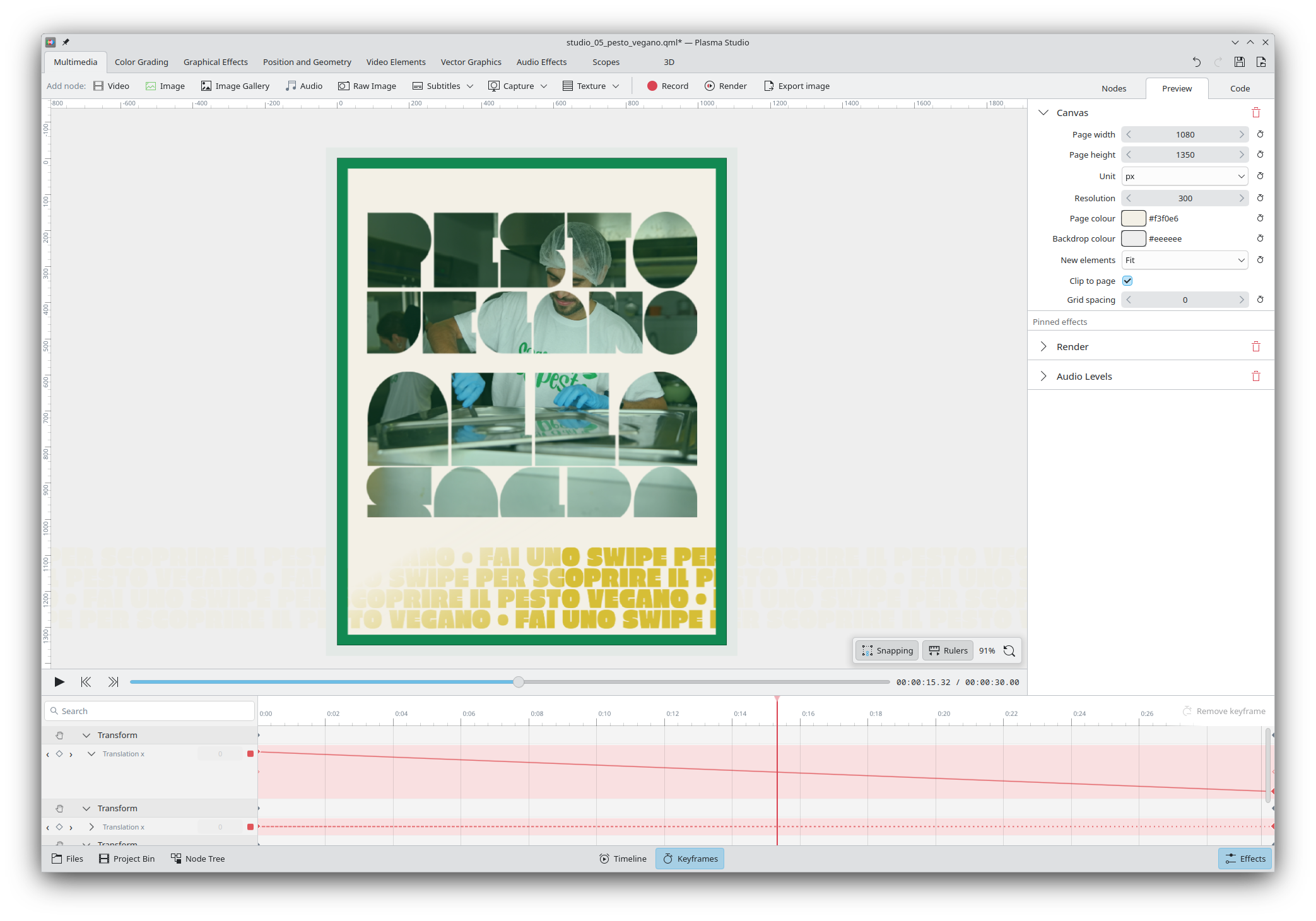
Similarly to Inkscape, drag and dropping from the (optional) rulers will allow to place guidelines; and, drag and dropping elements features full snapping support to horizontal/vertical centers, edges, path points, and more. The UI in the screenshot does not show the ability to toggle specific snap types, but the functionality is implemented behind the scenes and I'm currently deciding whether it makes sense to offer it out of the box.
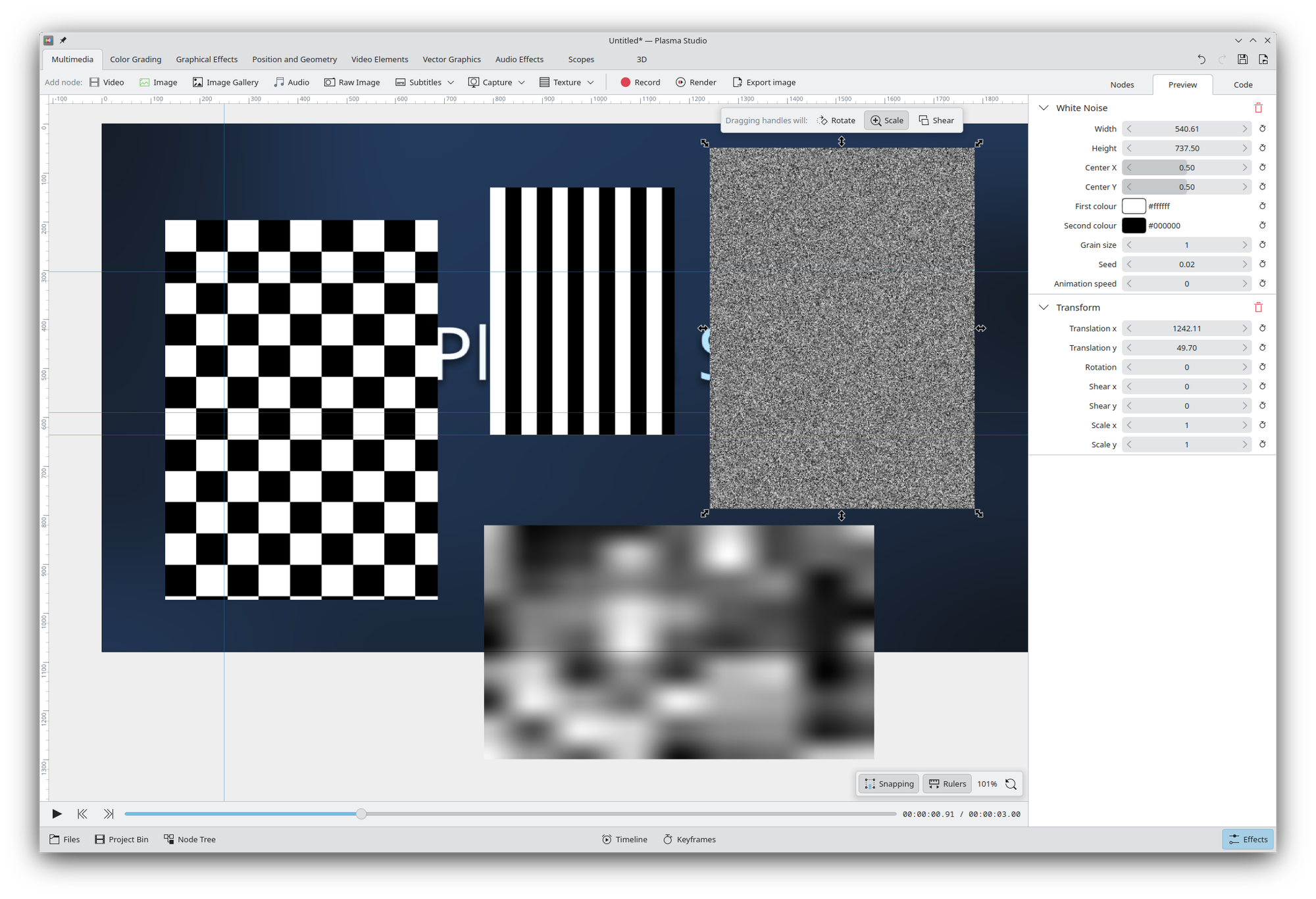
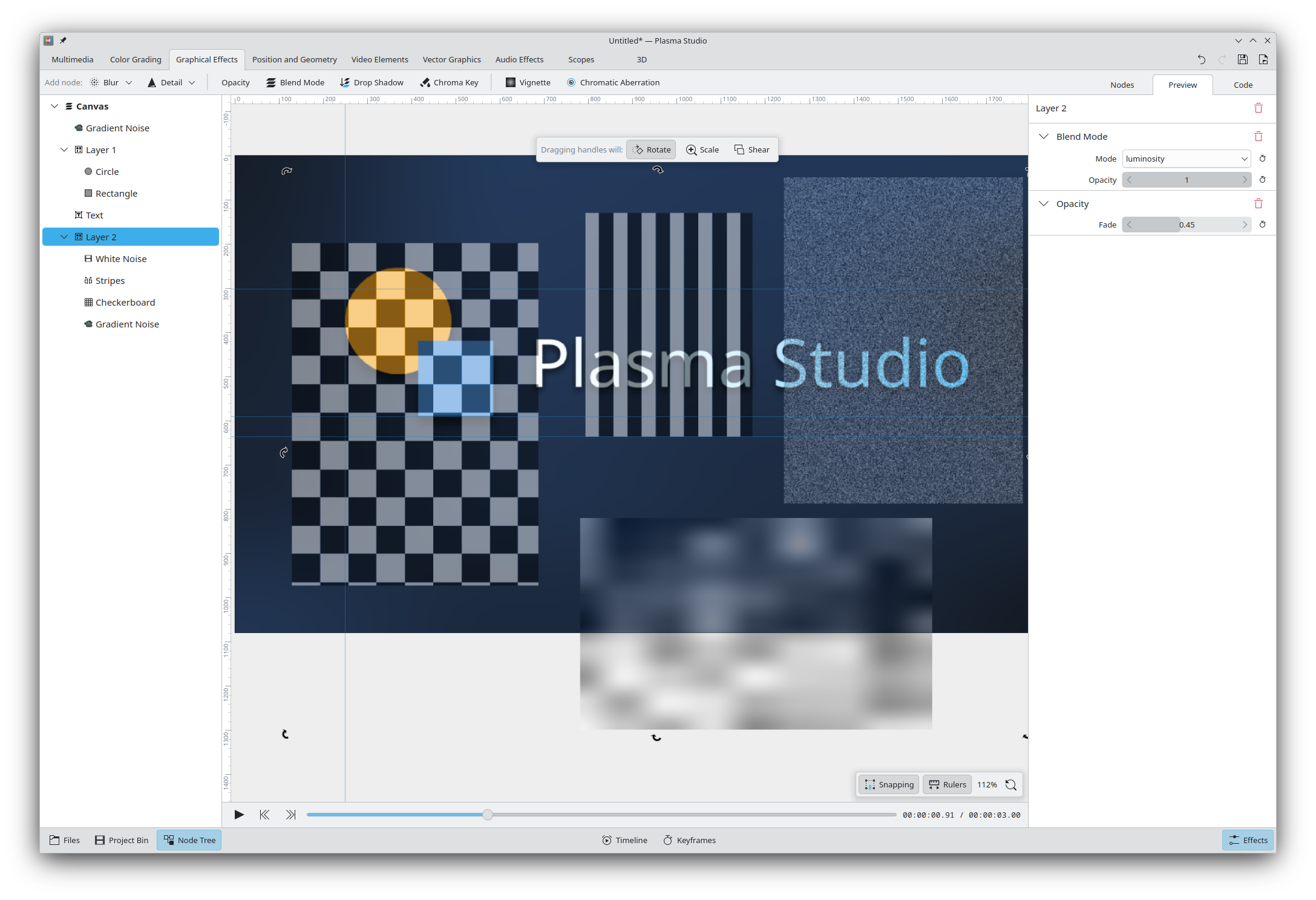
We also offer various built-it textures, such as (animated) white noise, random noise, and checkboard patterns. All multimedia elements can be used, and they all feature opacity settings and all blending modes; though there's not a dedicated layer functionality, it can be replicated through simple grouping, and a Node Tree tab will be able to show the entire project structure. (All nodes can be renamed for bookkeeping purposes).
Finally, we offer a fair amount of layout options out of the box (column, row, grid, repeat, scatter).
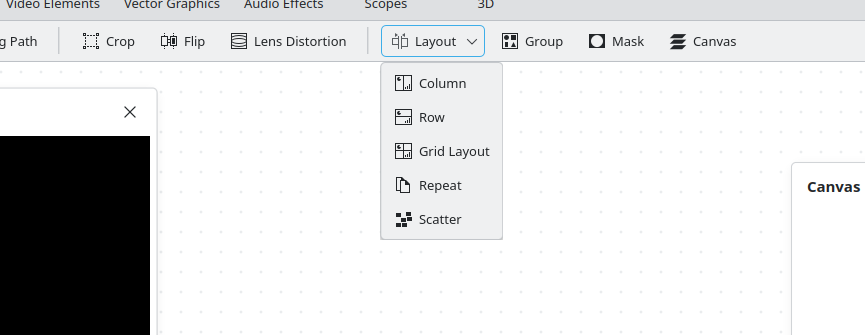
The interesting aspect is that, unlike Inkscape where this actions will immediately reposition the element and do nothing else, the Layout nodes will instead keep existing after they are applied, maintaining the layout of the elements throughout the project. You can still ungroup the elements to get rid of the layout node, if you wish to break the positioning.
Animations
All properties can be animated. As you might've noticed, each setting has a "keyframes" button next to it, and pressing it will show the current keyframes for that property.
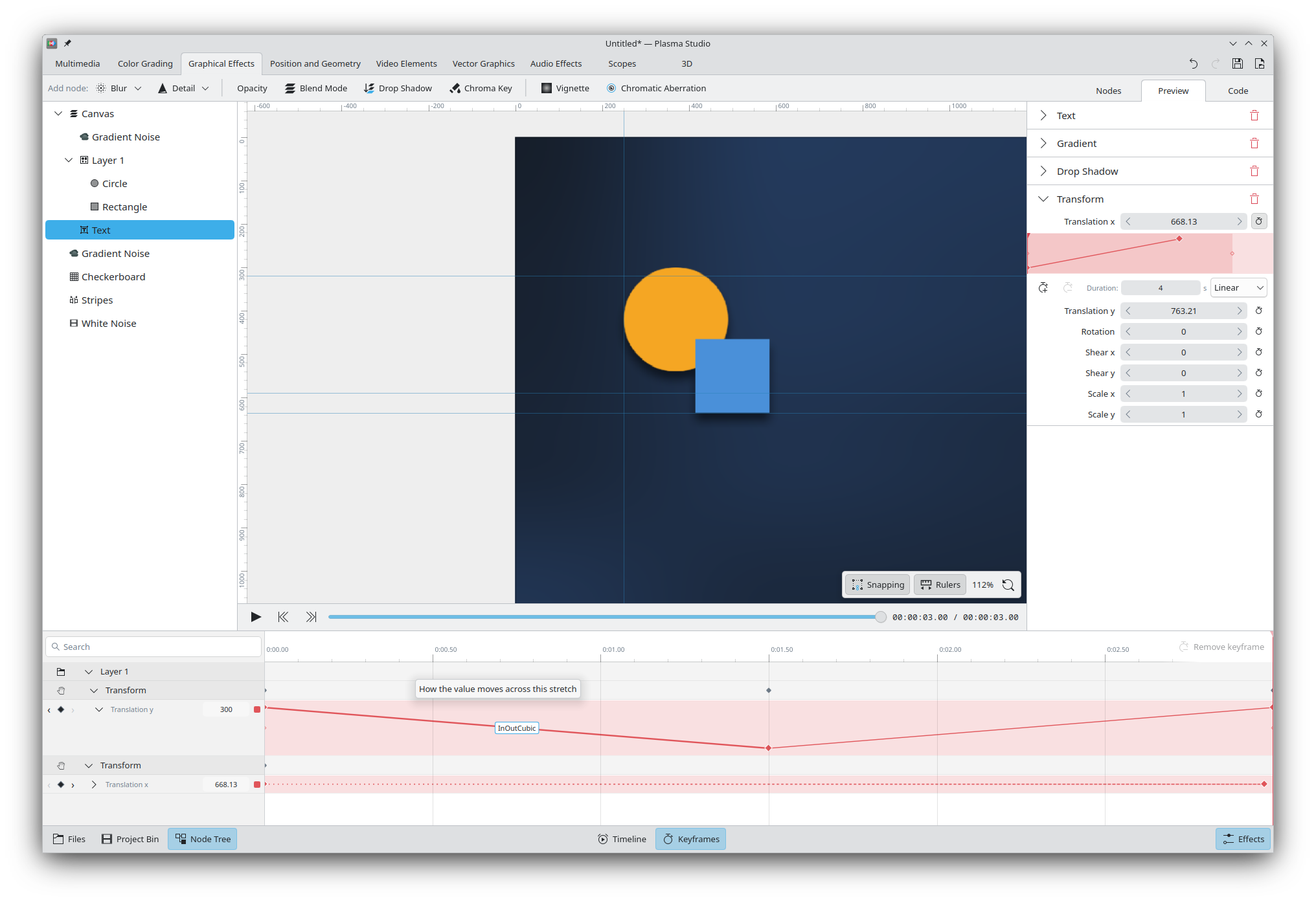
Animations are also displayed in a "Keyframes" bottom (toggleable) bar. They are displayed grouped by elements, with the ability to show/collapse both the elements and their specific animations.
Expanded animations will show graphically how the value changes over time, with the ability to change the easing curve (the screenshot does not show the curve within the graph, but that will be fixed ASAP too). Collapsed elements still show the value changing through the different lengths of the dotted line. Animations can be color-coded.
We also offer the ability to walk an element on a path, by using the Along Path node and animating its position element.
Audio Editing
Plasma Studio will offer a special view only featuring waveforms when an element has no graphics. It allows to move elements around, split them, re-join them, and apply a variety of audio effects to a selection.
The waveform is updated to reflect the audio effects that have been applied, though so far there is a small delay to re-construct the waveform. There's also a spectrogram view that displays the same interface but through the spectrogram tool.
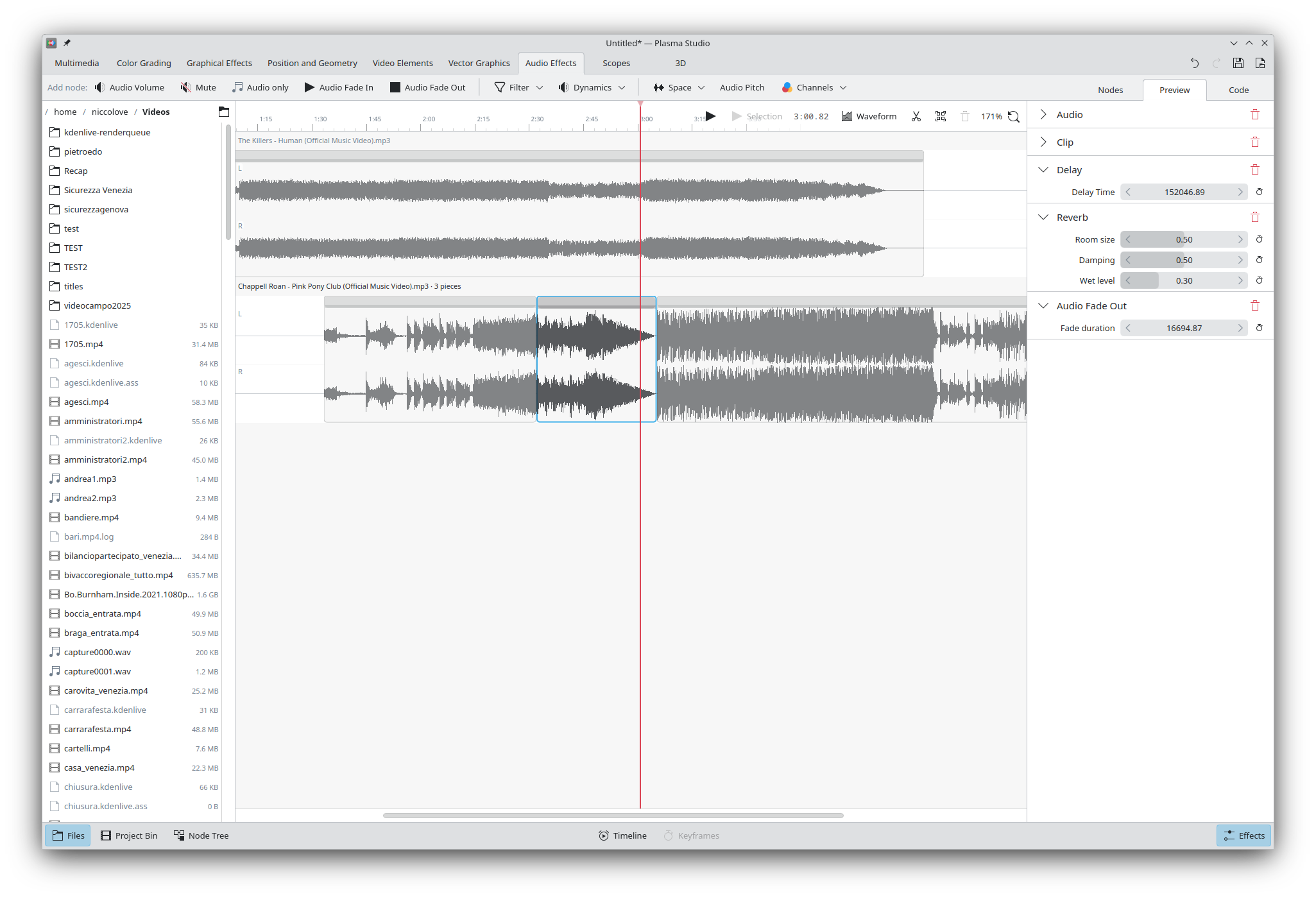
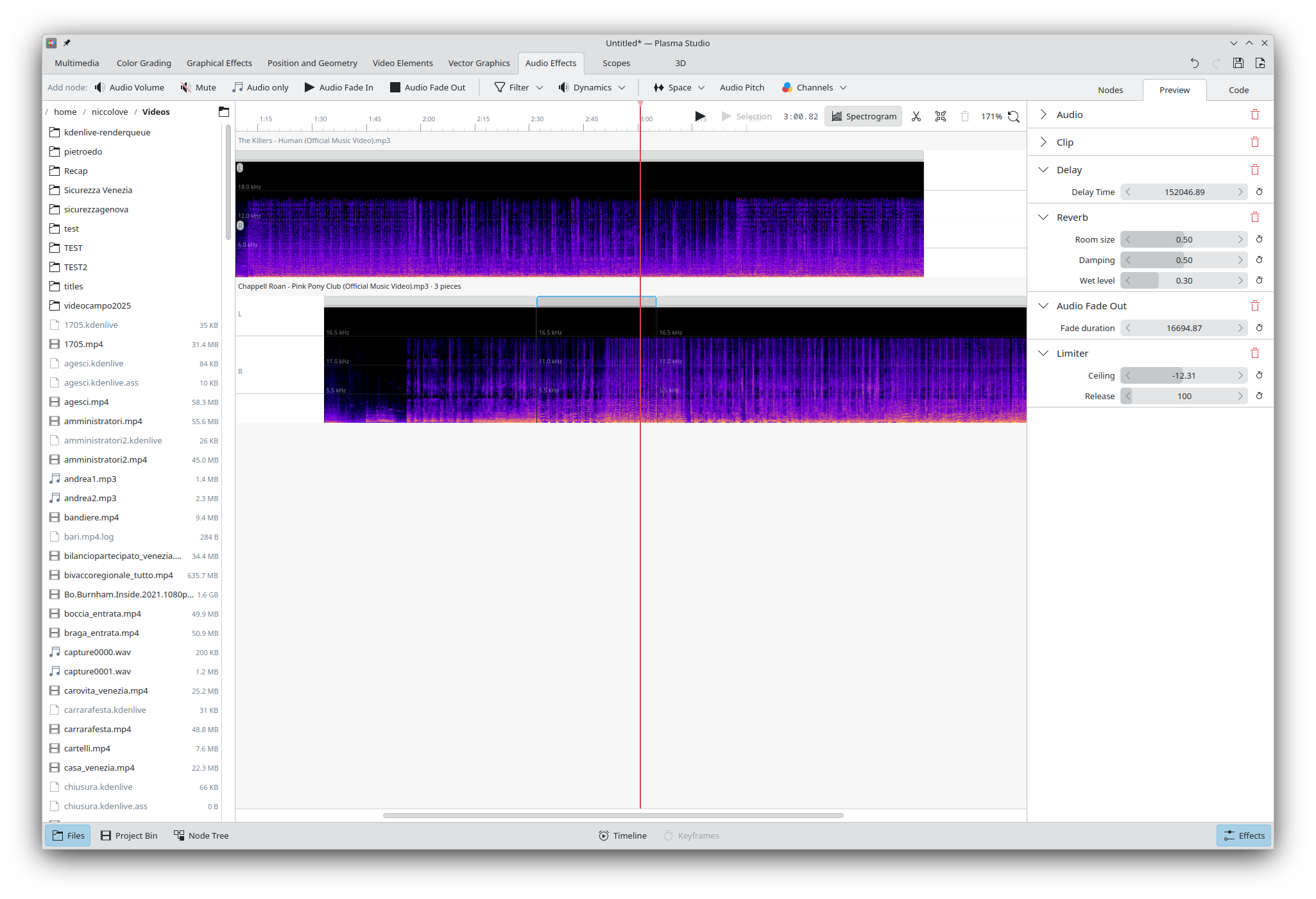
Available audio effects include: volume, fade in/out, low- and high-pass filters, bass and treble, filter curve EQ, compresson, limiter, noise gate, amplify, reverb, echo, pitch, and channel manipulation. It's worth noting that I'm personally terrible with audio, so I'm not able to fully attest of the quality of these effects, and we use the MiniAudio library for playback under the hood.
Recording and Streaming
This is an area that still requires some work. So far, it's possible to connect webcams, screen capture, and record through the microphone. It's also possible to set up multiple scenes with a quick switch between them, and - thanks to all of the above features - it's possible to build quite complex scenes too.
The user can both record and render with via CPU or software acceleration at any given quality; however, we currently lack a node for streaming specifically, and it will be implemented soon.
Other work in progress includes the ability to use that recorded video and audio directly within the project without re-importing, for both audio and video editing, and the ability to set up transitions upon switching scenes.
3D Scenes
To be clear, Plasma Studio will never be even remotely as capable as something like Blender. That said, there are some easy wins that we could gain thanks to QtQuick3D, and some 3D functionality can always end up useful.
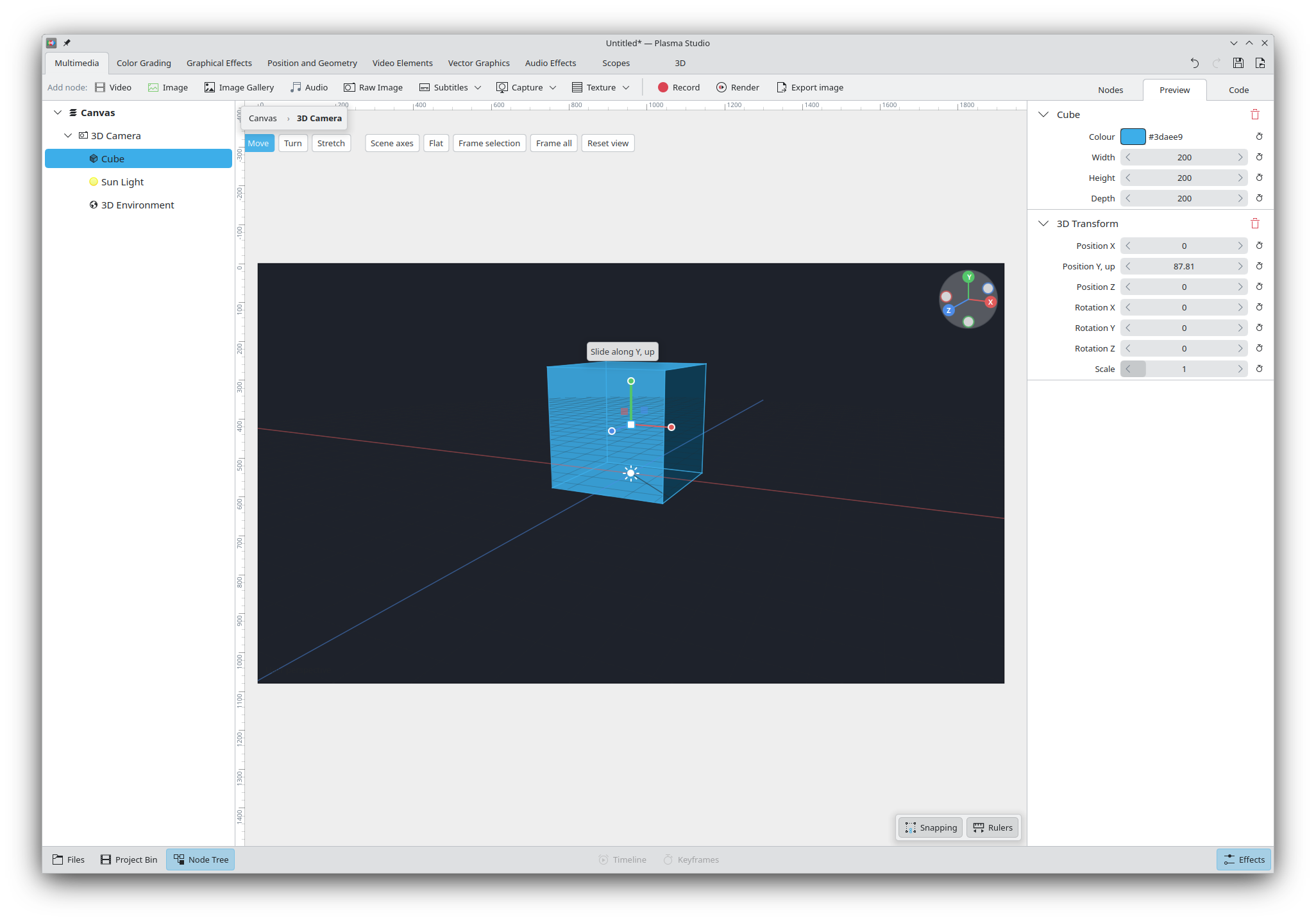
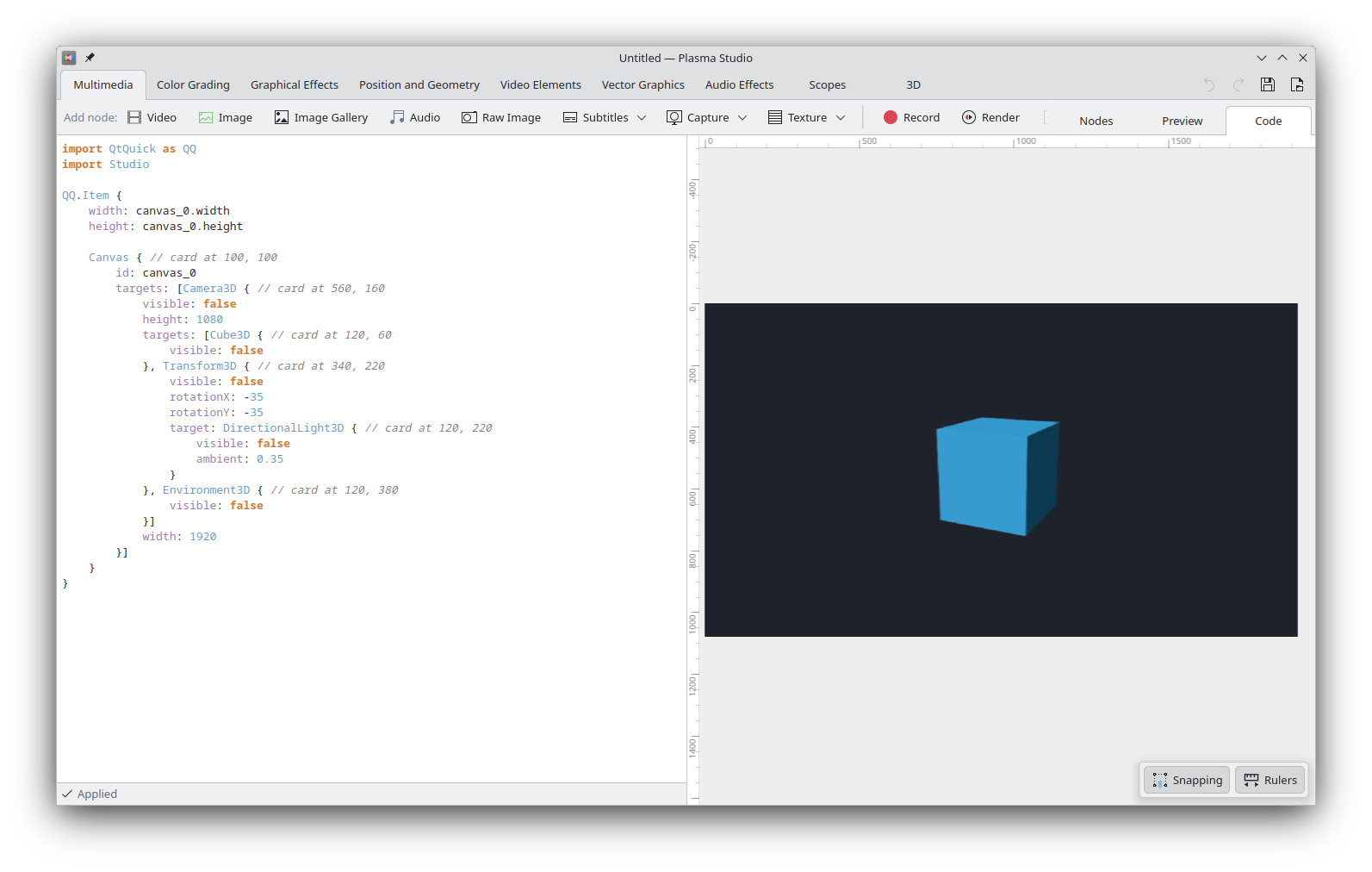
Studio currently has 3D nodes for simple shapes, extruding 2D elements into 3D, simple lighting and environments, transforms, simple materials, some camera features, grouping, and UV transform. Scenes are rendered via a 3D Camera object, which exposes some UI (as seen above) to directly edit the elements in space. The rendering part uses standard QtQuck3D.
More complex features will be implemented in the future, assuming that they indeed are offered by Qt; that said, I don't expect the 3D side of things to become a major selling point of the application, given just how commercially established Blender already is.
Libstudio
Plasma Studio relies on a simple custom library called libstudio; it is currently shipped with the application, but it will soon be its own library with proper documentations for available types.
All libstudio elements (and all nodes that I've shown you so far) are QML elements that can be imported and used in any project. Switching to the Code tab of a project will also show the required code to implement that project.
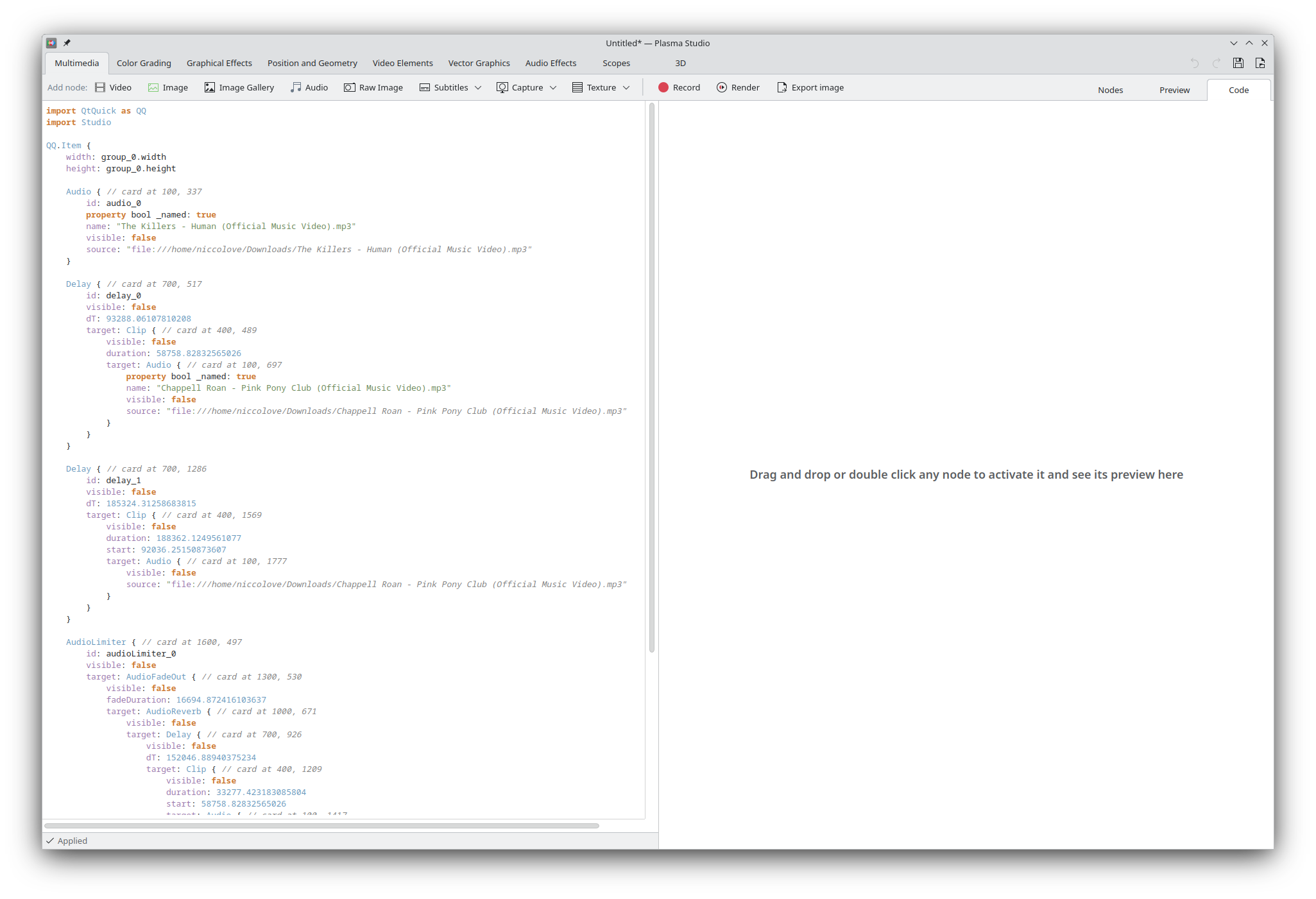
Though many elements rely on external libraries to work (e.g. FFmpeg for videos, libraw for raw images, etc.), the project is a real QML scene and Plasma Studio only works as a UI to directly edit that scene.
This means that it's extremely easy to expand the library or offer third-party plugins: any QML element can become a node, and QML is the same (markup-ish?) language that's used for the entirety of the UI of KDE Plasma and many of KDE's applications, so there's plenty of support for that already.
Another interesting aspect is that project files currently are fully valid QML files too, which can be run as applications or embedded in existing ones. This also means that project files are human readable, though not necessarily very pretty.
There's a few (intentional) downsides too. Most importantly, we decided not to use SVG for project files, as they only offer a fraction of the features we need (think of saving a video editing file to SVG), and there's not a dedicated "vector graphics" mode, but rather one unified interface for everything. This means that importing SVG will only import them as images, and there's no SVG export. In the future I'd like to implement some SVG <-> libstudio QML bridge in order to lessen this drawback, but - given that we implement a different set of features compared to SVG - the bridge will necessarily be not perfect.
Secondly, QML files allow for arbitrary code execution; this means that a malign project file can currently run code on your machine. As you can imagine this is a massive security vulnerability, and as thus:
The idea to fix this issue is to implement a subset of QML files that do not allow for any embedded Javascript code, and that are parsed manually by Studio. Again, let me remind you that this early alpha is meant to get feedback on design direction and bugs, and is not meant for real work.
The UI and UX
One explicit goal of Plasma Studio is to keep a very "minimal" and simple interface for even complex tasks, making it easy to find everything you might need.
As an example: Inkscape currently features side panels for exporting, fill and stroke, layout, and so on; however, page settings open in their own pop-up, and filters and extension expose their own UI, and their settings can't be changed after their effect is applied. Many actions, such as path operations, are accessible through the menu bar instead. Same goes for Kdenlive: there's a list of effects, but a popup for rendering options, another for project settings, and a few menu bar-only actions.
This is standard for professional application, but such a design wouldn't work for Studio, which has to cover an unusually large amount of tasks within a single interface. Therefore, we went for an entirely node-based approach: each multimedia input is a node, each effect is a node, the page (called Canvas) is a node, scopes are nodes, and rendering/recording/export actions are within nodes too, each node with its own settings.
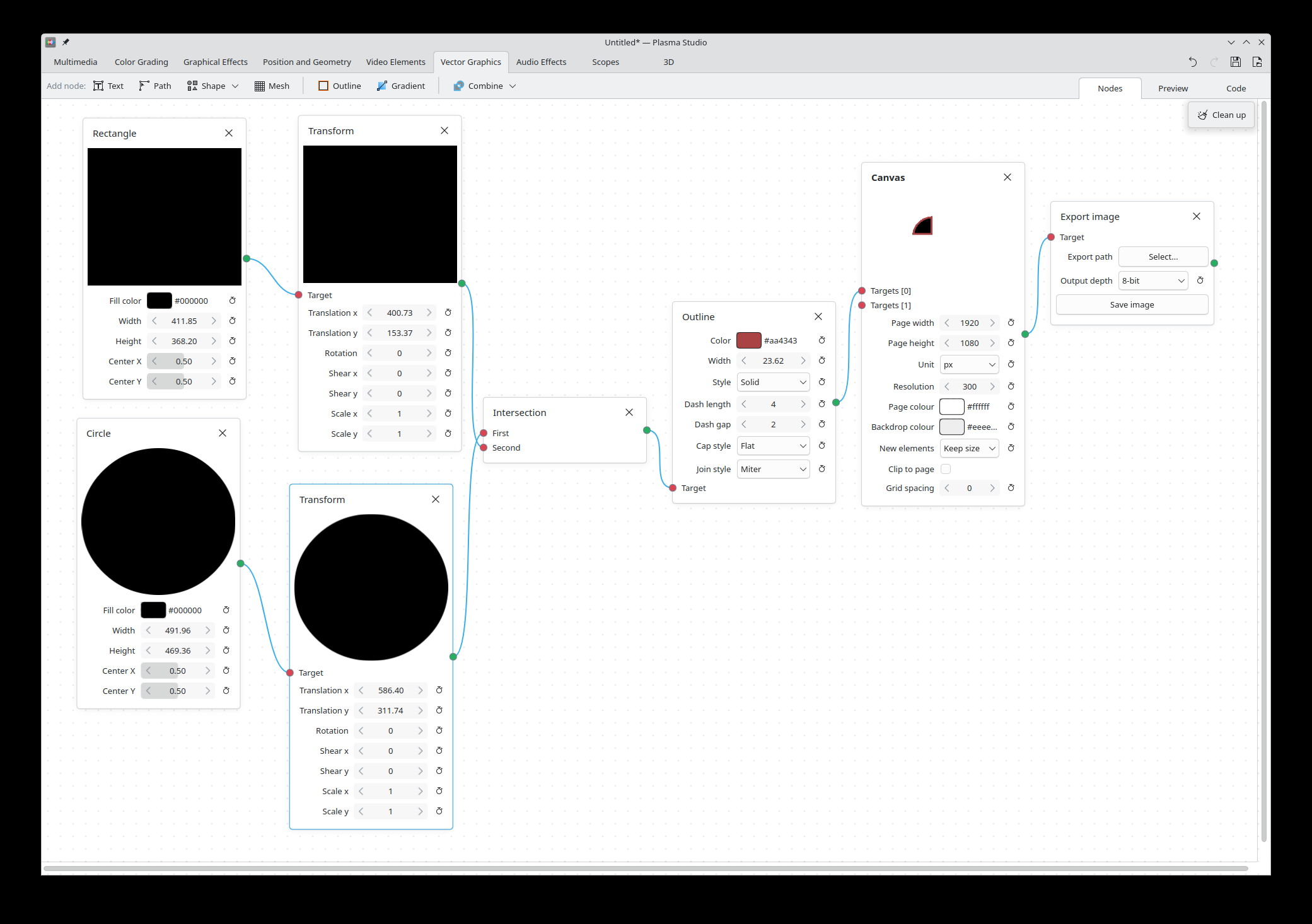
This makes it particularly easy to find and change all settings. The shape and color of a rectangle will be within the Rectangle node, its outline settings will be in the Outline node, the look of the page it's drawn in is the Canvas node, and export settings are in the Export node. All settings are displayed in the Effect List right sidebar (or in the Nodegraph view).
All available features are exposed as nodes: you need automatic subtitles? The "Auto Subtitles" node has got you covered, managing the Whisper models in its own settings rather than being a custom popup.
We hope to be able to strengthen this node system over time, introducing more and better nodes with better organized settings; this is a great moment for you to express which features you'd like to see, so that they can be turned into nodes too.
Finally, nodes currently feature a (weak) type system, where they all define its own type (with inheritance) and can specify the type of the node they require, with UI errors when the type is incorrect. We hope to be able to expand this system with even e.g. number/string/vector/texture types, so that all properties of nodes can be connected a' la Blender.
How to test and report feedback
The code is live at this repository and can be built and tried out. You can use the issue section to report issue directly in the repository, and suggestions too! Please do create some issue with everything you'd like to be added, so that I can keep track of it (though I might close it just to transfer all feature requests to a single issue, or a few issues divided by category).
If you'd prefer not to build the application, a flatpak is also available; however, I have decided to make this only available to supporting members of this website at any tier, since they allow the development to keep going. If this project looks promising to you, I'd welcome you to consider subscribing, so that I can keep working on it and, hopefully, spend even more time on it!
How to install the flatpak
Android prefers vibecoders over open-source developers
Allow me to compare and contrast two different choices taken by Android developers.
One. Google announced (at I/O) a new AI Studio application that will allow users to generate new applications by simply asking for specific functionalities, "all from your phone".
See https://blog.google/innovation-and-ai/technology/developers-tools/google-ai-studio-io-2026/
You're able to "share live deployments with your friends to gather feedback and collaborate". I'm not against this: I think AI is a good tool to quickly "create" barebone applications that do one specific task you need that might not be found in existing applications (we all have our niche requirement, after all).
The announcement also states:
Connect your Google Play Developer account in AI Studio to publish your app to Google Play's Internal Test Track with a single click.
The Internal Test Track is a way to privately share an application on the Play Store to test it out, with a limit of 100 registered users. This latter functionality seems to only be available on the desktop version of the AI Studio, but the general approach from Google seems to be to making it easier over time to share with friends or publicly a entirely vibe-coded application.
Two. In 96 days - at the time of writing - it will become significantly harder to sideload Android applications.
Currently, you can install Android applications from any source. Depending on your exact Android derivative, you will be prompted to allow the manual install from your specific source (are you sure you want to install this APK from "Firefox"?). This takes a few seconds.
In a few months, the same task will require the following (taken from Keep Android Open):
- Delve into System Settings, find Developer Options.
- Tap the build number seven times to enable Developer Mode.
- Dismiss scare screens about coercion.
- Enter your PIN.
- Restart the device.
- Wait 24 hours.
- Come back, dismiss more scare screens.
- Pick "allow temporarily" (7 days) or "allow indefinitely".
- Confirm, again, that you understand "the risks".
As Keep Android Open states: Nine steps. A mandatory 24-hour cooling-off period. For installing software on a device you own.
Allow me to express my frustration at this choice: this means that it will be significantly easier to try out a vibecoded app with an user that has no coding experience, compared to try out application from (mostly open-source!) skilled developers.
Forcing users to exclusively install applications from the Play Store means Google has the final pick over whether you can install a certain application or not on your software. Even better, making it so easy to vibecode an application allows Google for even more complete control over your software stack, as the app will directly be provided by them!
As an example, five years ago Google decided to remove an application by Alexei Navalny made to organize tactical voting. According to Reuters,
Russia demanded this month that Apple and Google remove the app from their stores, saying a refusal to do so would be treated as meddling in its parliamentary election.

Both Google and Apple decided to comply with this request. A more recent example was reported by 404 Media:
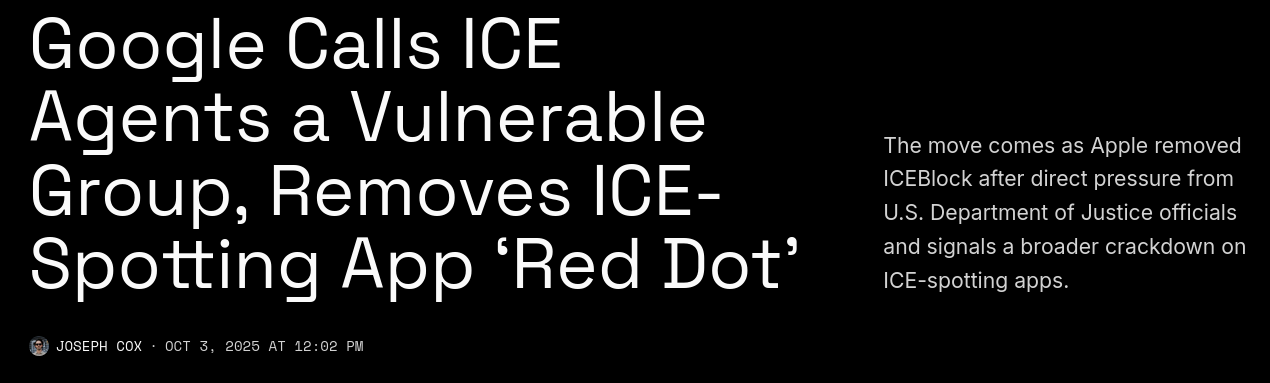
Both Google and Apple recently removed Red Dot, an app people can use to report sightings of ICE officials, from their respective app stores [...] Google told 404 Media it removed apps because they shared the location of what it describes as a vulnerable group that recently faced a violent act connected to these sorts of ICE-spotting apps—a veiled reference to ICE officials.
As long as users are required (or heavily incentivized) to only use the Play Store as their only app source, those same users will be forced to comply with Google political stances – or rather, the political stances of governments who are able to force the company to comply.
When moving towards heavier integration of tools like Gemini in their Android developer workflow, Google is pushing their influences in the development phase of an application, not just the deployment. I see no reason to think that those same governments wouldn't be able to also force Google to disallow Gemini from creating such applications, not just publishing them.
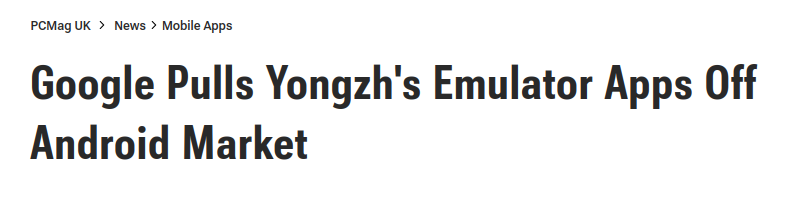
Generally speaking, Google is under very little scrutiny over its review process of applications. An older example is when they decided to pull an important Emulator application out of the store without providing any reason for it. Though it could be argued that the emulator was infringing trademark, these claims are hard to dispute and generally settled in court; here, Google was able to unilaterally decide on the application's future, and not much can be done about it.
Publishing on the Play Store also requires paperwork and a (small) fee. This is luckily trivial for somebody like me, but as the Keep Android Open project points out, it becomes a significant issues for developers from countries where Google does not allow developers to sign up from, or in regions with limited access to Google infrastructure, or in scenarios where quick deployment is required (e.g. for a local emergency response).
This will soon be required to even share your application with a few friends... unless, of course, you vibecode it! I hope you can see the absurdity in this.
Is there anything we can do? I don't think so.
Here's the options:
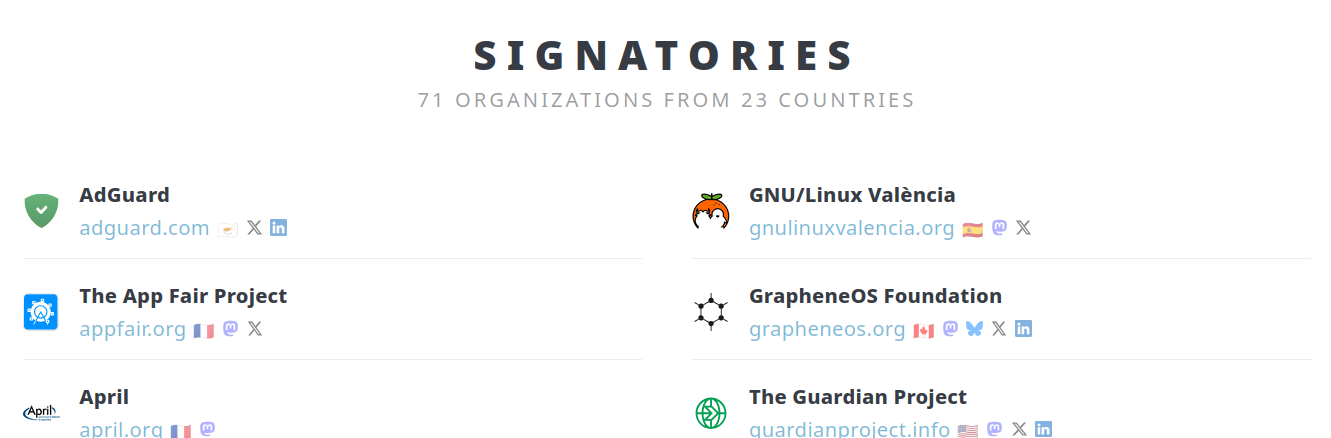
- There's an open letter that's been signed by most Free and Open Source organizations. This includes KDE, Nextcloud, the EFF, F-droid, FSFE, GNOME, VLC, TOR, Proton, and more.
- There's a change.org petition with ~160k signatures. I have to say, I highly doubt that this will have any significant consequence.
A more likely path would be the regulatory one. Americans love to make fun of Europe for their digital rights laws, such as USB-C as a standard and the Digital Markets Act, but so far those laws are the single biggest source of user-respecting software from these giant multinational corporations we've seen.
Apple now allows application sideloading, to some extent, and it has finally switched over to USB-C for their phones too. Users are now asked for their web browser and search engine of choice. Interoperability is coming to messaging applications, and so on. These are all important victories that make everyday software more user-respecting, the opposite of what, in my opinion, Google is trying to do here.
However, I don't think this approach will yield significant results here. I'm afraid that Google will still argue that, technically, you're still able to install applications from third party developers easily (as long as they registered with Google, as described above), or even unregistered developers (through the mentioned nine steps process). They're not effectively closing down the ecosystem, but they are making it significantly harder to avoid it.
Nonetheless, I'll ask my local MEP (Member of the European Parliament) about this the next time I see him. Who knows! (Sorry Brando, I have to try.)
I Made the "Next-Level" Camera and I love it
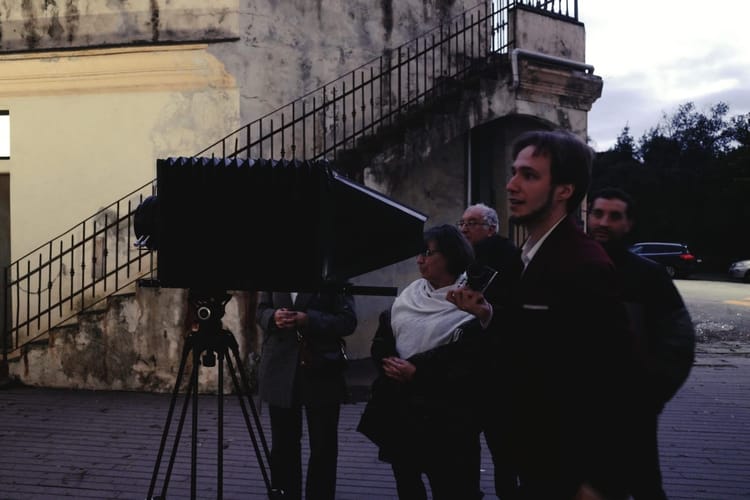
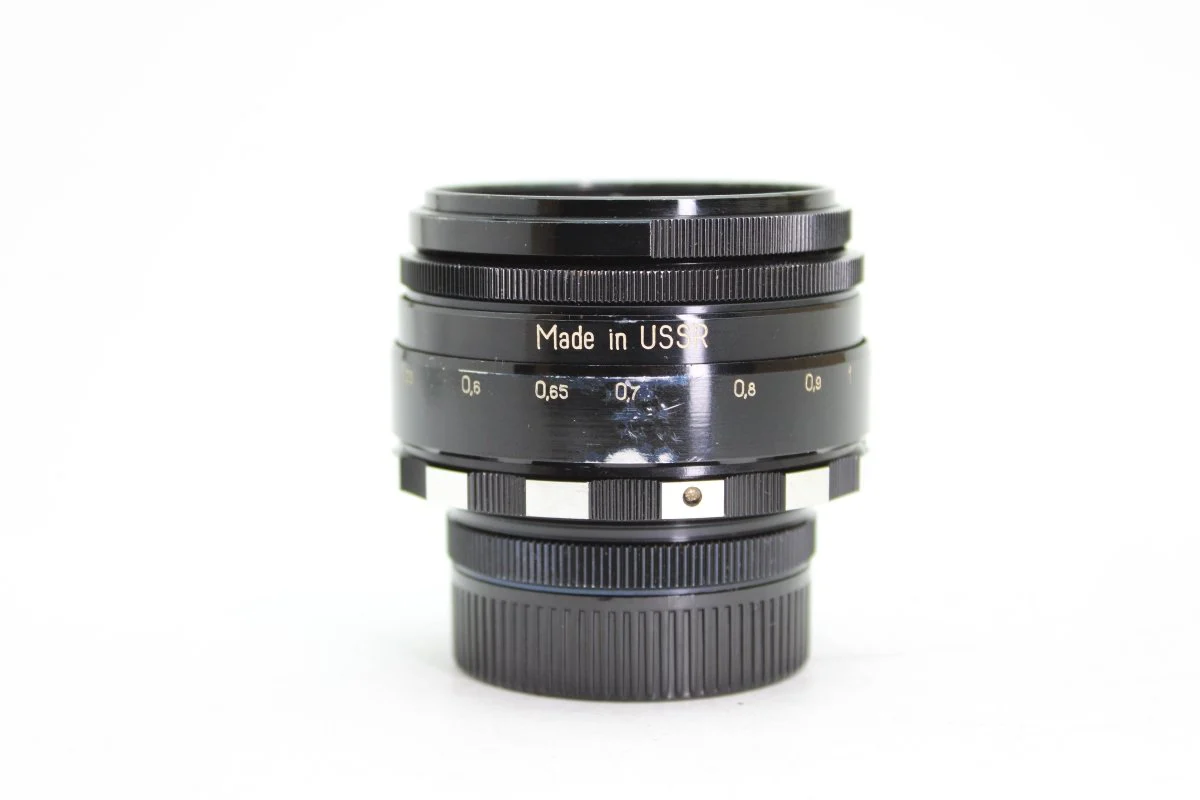
This is one of my favorite lenses: the Helios 44. It has an "aperture" of 29mm, meaning that if you look straight through it, the circle that you see has a diameter of 29 millimiters. Why do we care, you might ask?
You probably know that pictures can be out of focus. But why does "out of focus exist"?
Well, without getting too technical, the lens takes the rays of light emitted by an object and then converges them into a single point; if you place the camera sensor in that point, you'll be able to see the object. However, if you place the sensor closer or further away from where the rays of light intersect, then you'll get a circle and the image will be out of focus.
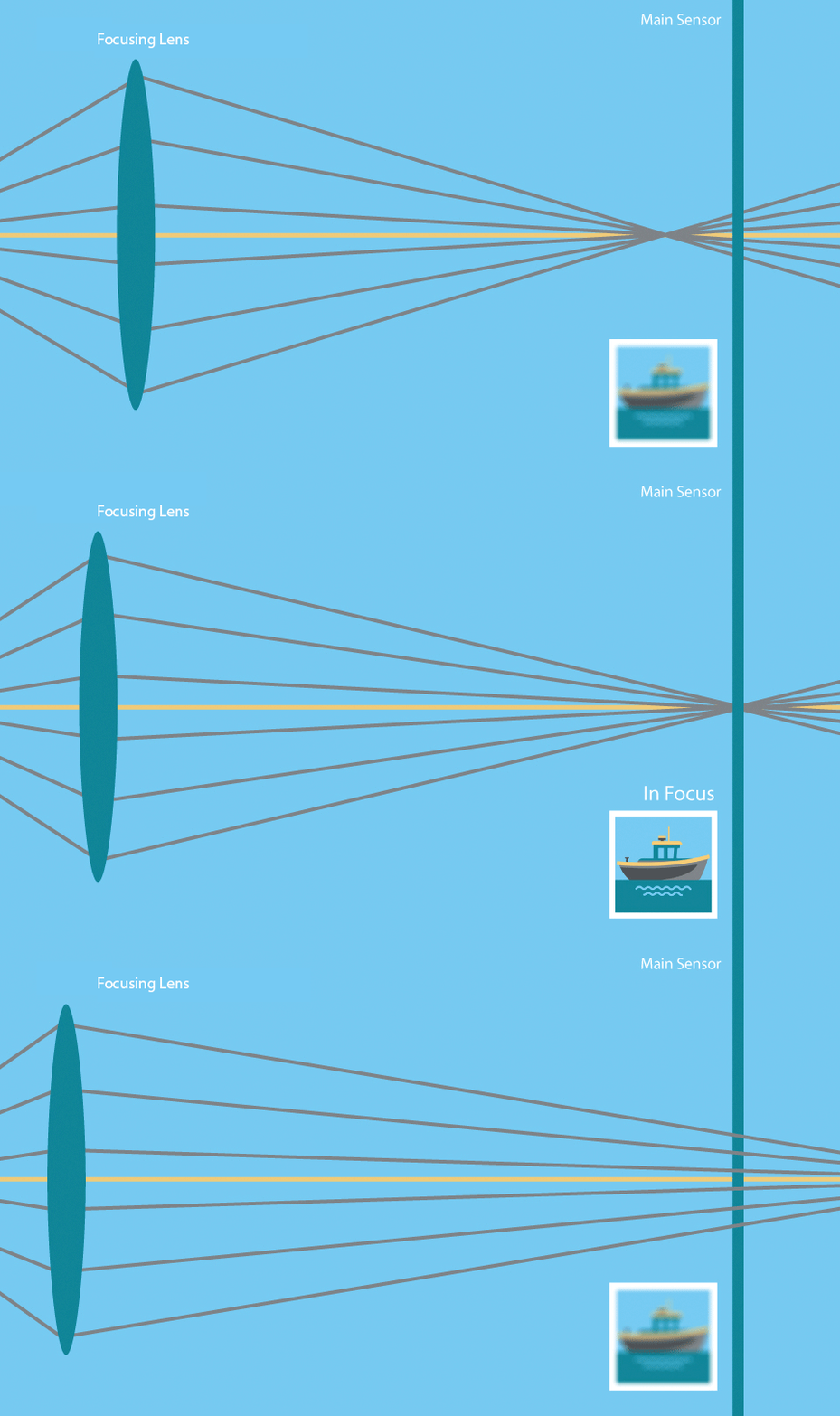
Now, here's the kicker: the bigger the focusing lens is, the larger the cone of light rays is, meaning the the out of focus parts of the image will be more out of focus:
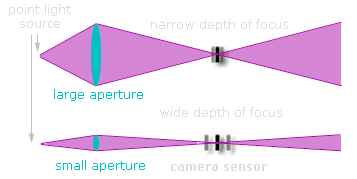
This is (partly) why phone cameras can't naturally reach the same levels of background-out-of-focus that camera can reach: they have such small lenses!
This is the camera lens that I do most of my work in. As you can see, this lens is much bigger; indeed, its (maximum) aperture is more than 53mm, almost double what the Helios can offer, which allows for a very strong separation between the subjects and the background.
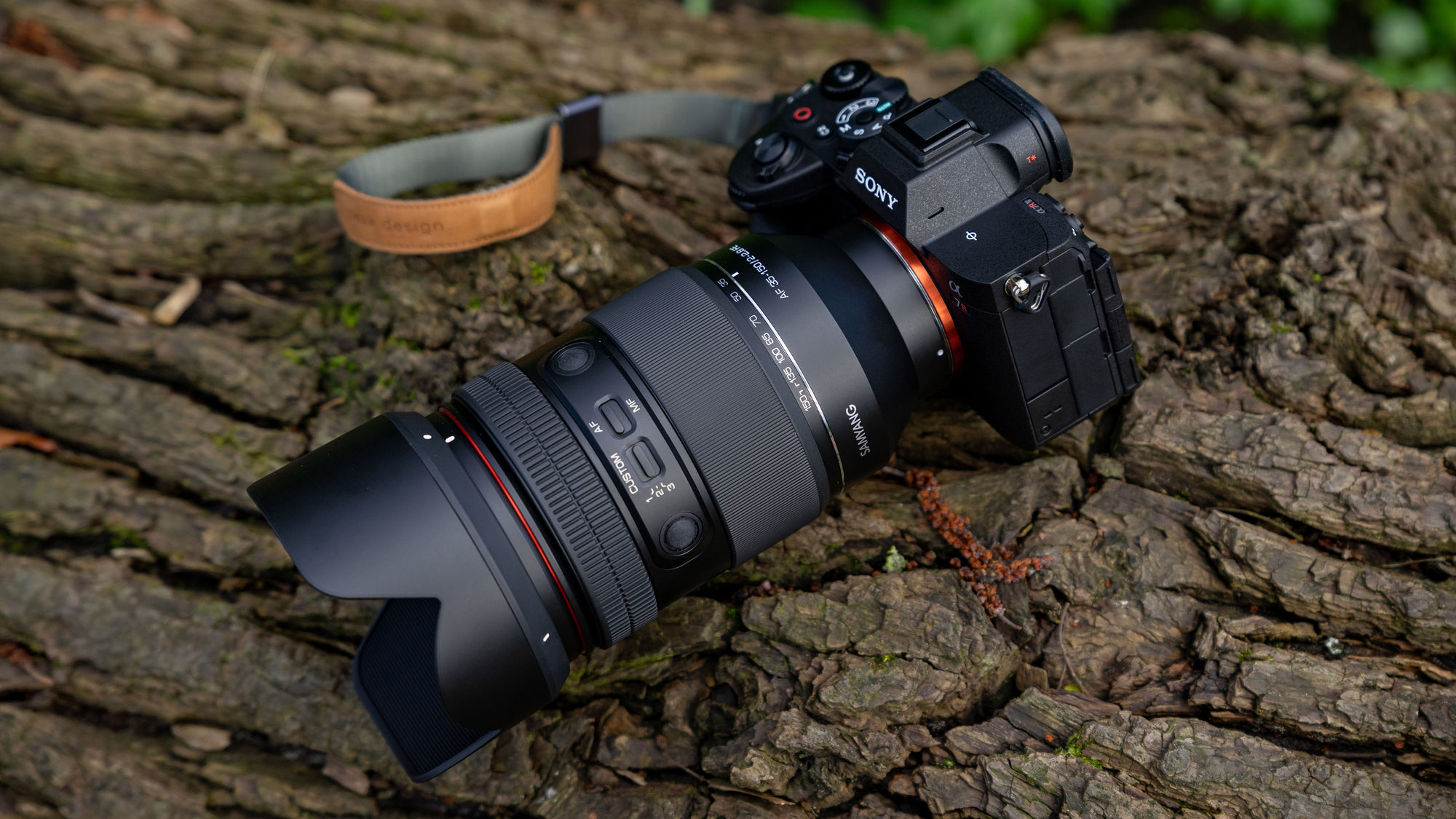
The question now is: how big can we go? How much blurriness can we get out of a lens?
Well, assuming we're okay with carrying around a lot of weight, we can go pretty big. As an example, take the Sigma 135mm f1.4; this lovely lens (which I sadly don't own, yet) has a majestic aperture of 96mm,
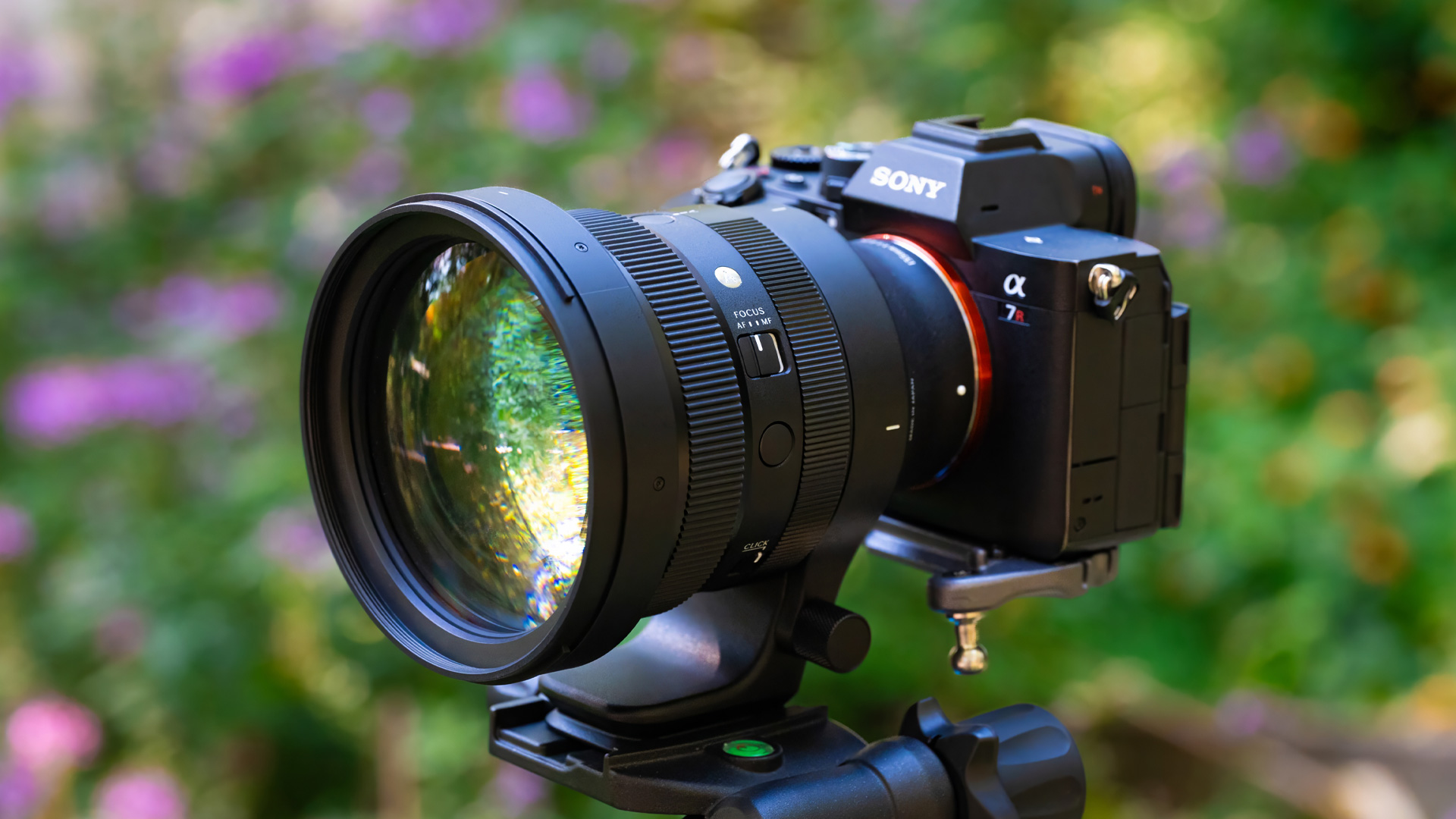
and it can deliver pictures like the following one. There's a catch, though: due to physical constraints, all of these large lenses are also always very "zoomed in"! Take your phone camera and set the zoom to 4x: that's roughly what you're going to get with this Sigma lens. This can be great for some scenarios (and it's my favorite focal length indeed) but what if we want to keep the same giant aperture but with a wider field of view too?

Well, we can't.
The reason is: remember the cone of light rays above? The bigger the lens is, the bigger the cone of light is too. But also: the wider the field of view of a lens, the bigger the cone of light too.
And, the combination of wide-angle-view and super-high-aperture would literally require light to pass through the metal of the camera in order to reach the sensor:
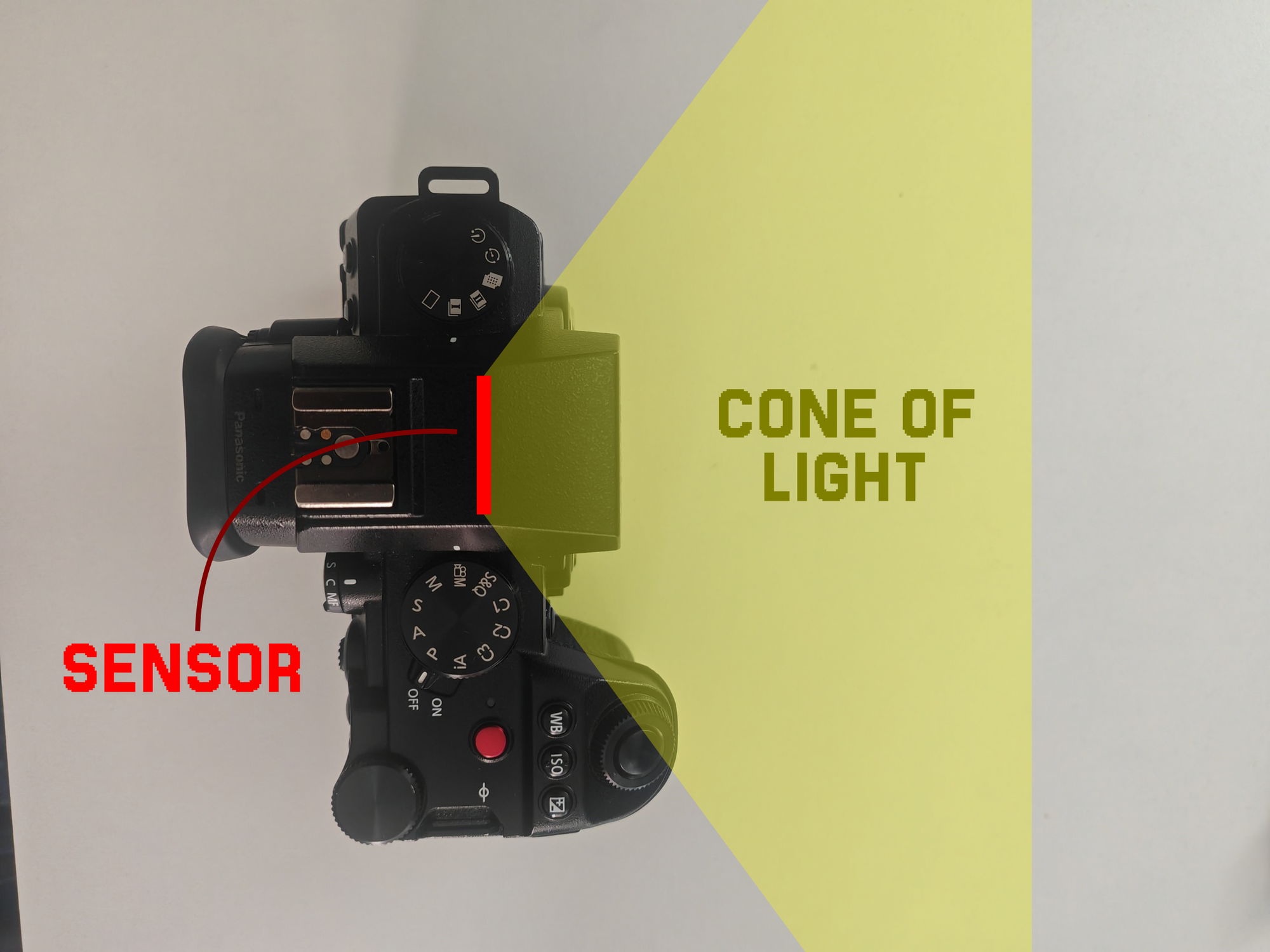
In order to work around this, you'd have to quite literally tear your camera apart in order to expose the sensor. Somebody has done it, namely some "Stanley Kubrik" guy, and - of course - the lovely folks at Media Division:
But even so, Kubrik only reached ~71mm of aperture, and that's still on a 50mm focal length lens, which is 2.7x wider than the 135mm mentioned above, but also not exactly a wide angle lens either. Media Division instead went for 136mm of aperture, but on a focal length of 100mm, awfully close to the 135mm. Also, I'm not taking my camera apart. And, finally, all of these solutions require these giant pieces of lenses that are extremely rare and pricey.
Luckily, there's a solution to all of these problems. Meet the Charles Beseler 18" Series III:
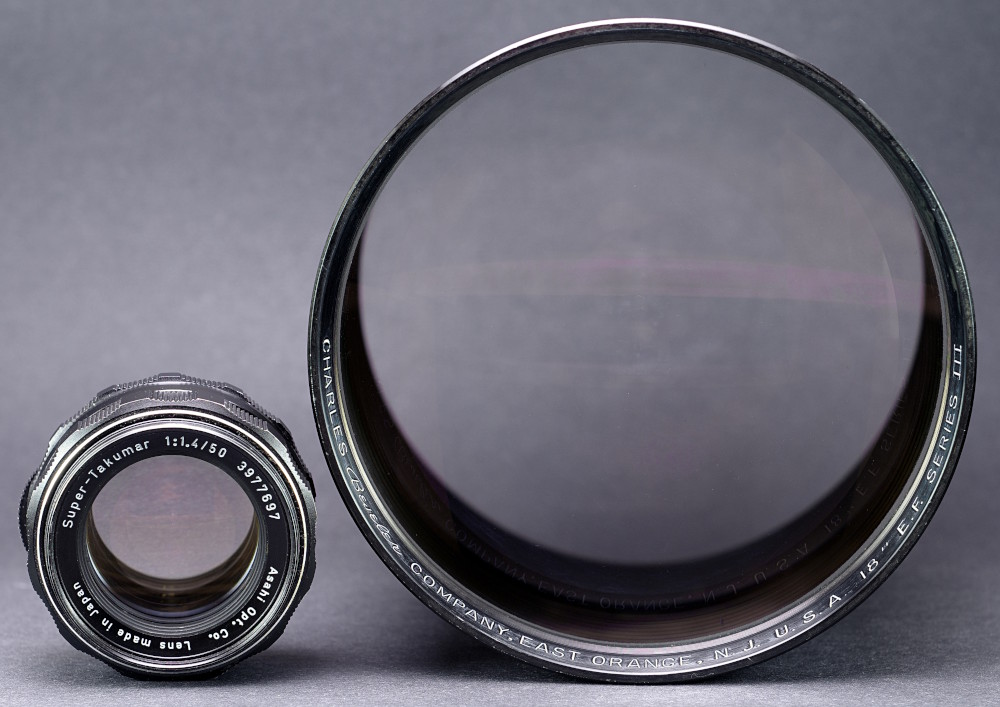
As you can see, it's absolutely huge. It's also really cheap to get: I bought to for around 200€, including shipping costs. These lenses were produced a lot of time ago and they were used as projector lenses, in machines like these:
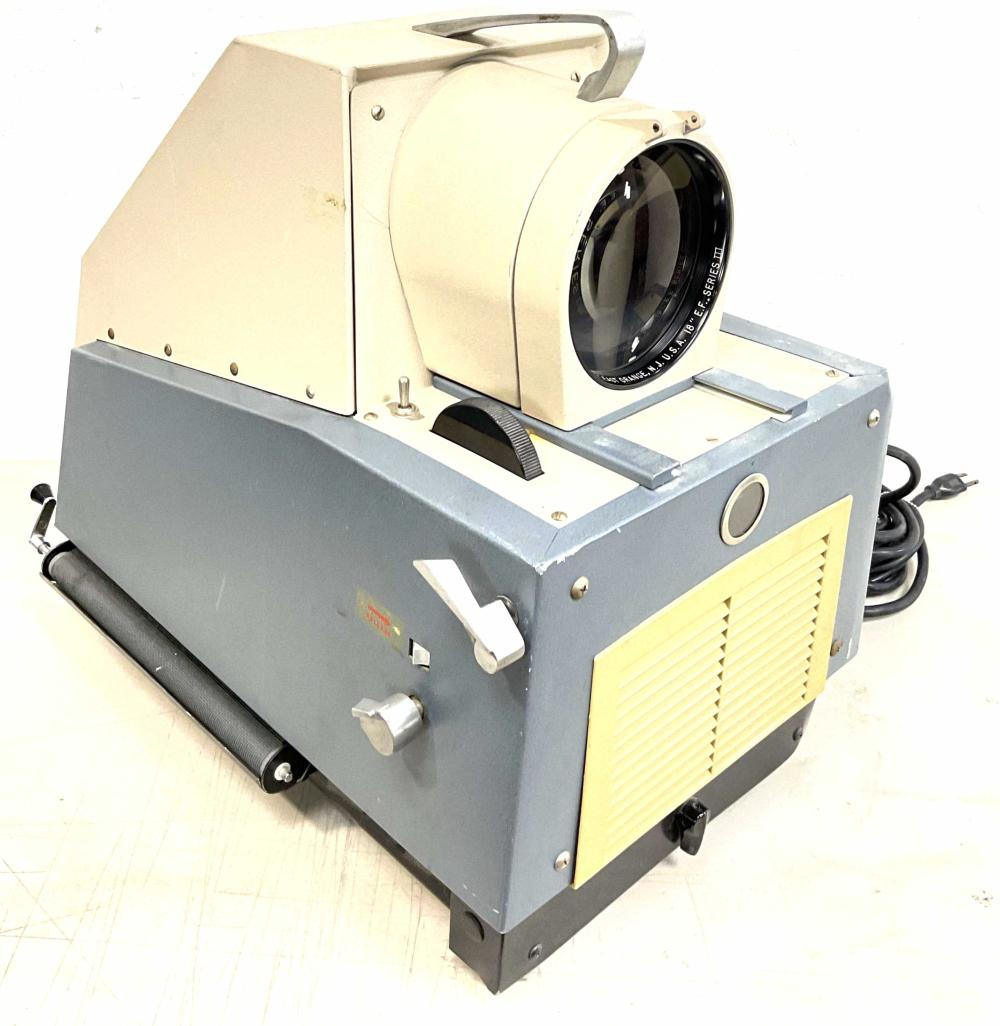
They are no longer used nowadays, and can be bought for cheap. And, as one can see by naked eye, they have a giant aperture. I can only provide an estimate for it, since there's no specs sheet for it, but it should be around 125mm.
So, you might ask, is this a wide angle lens? Well, the 18" in the name is telling us its focal length, and - converted to metric - that's ... 457mm. Which is roughly a 13x zoom in your normal camera, and so much more than we were looking for. Oh, no. Well, we knew it was physically impossible anyway.
Also, look how crazy of a contraption you have to build in order to connect this giant lens to a camera:
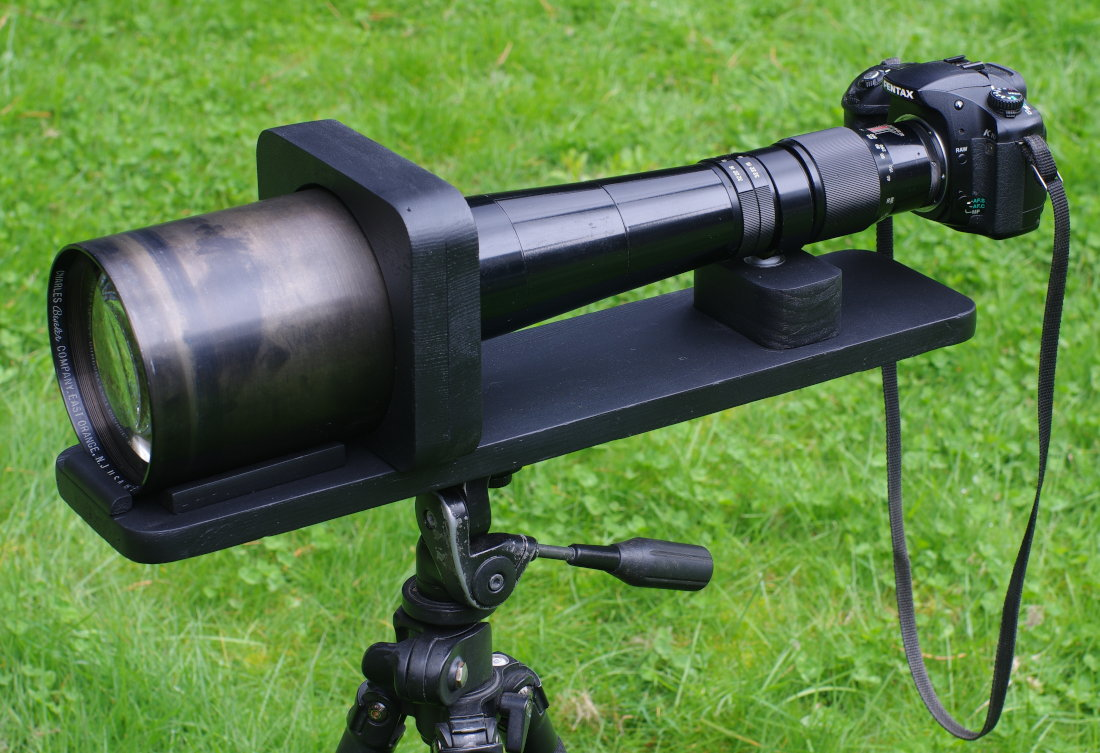
Though, it would produce some pictures, and indeed we can see a lot of out-of-focus (but also a lot of zoom...):

Fear not, though, the Charles gives us an extra tool to work with. So far, we've always assumed that we were working with a camera like mine, with a "standard"-sized sensor (it's called "full frame").
Suppose instead that we have a sensor that's double the size of mine. That would make for a pretty big camera, but still: a bigger sensor is able to capture a bigger image, effectively "zooming out": thus, our 457mm lens would become a 228mm lens. That's still not enough.
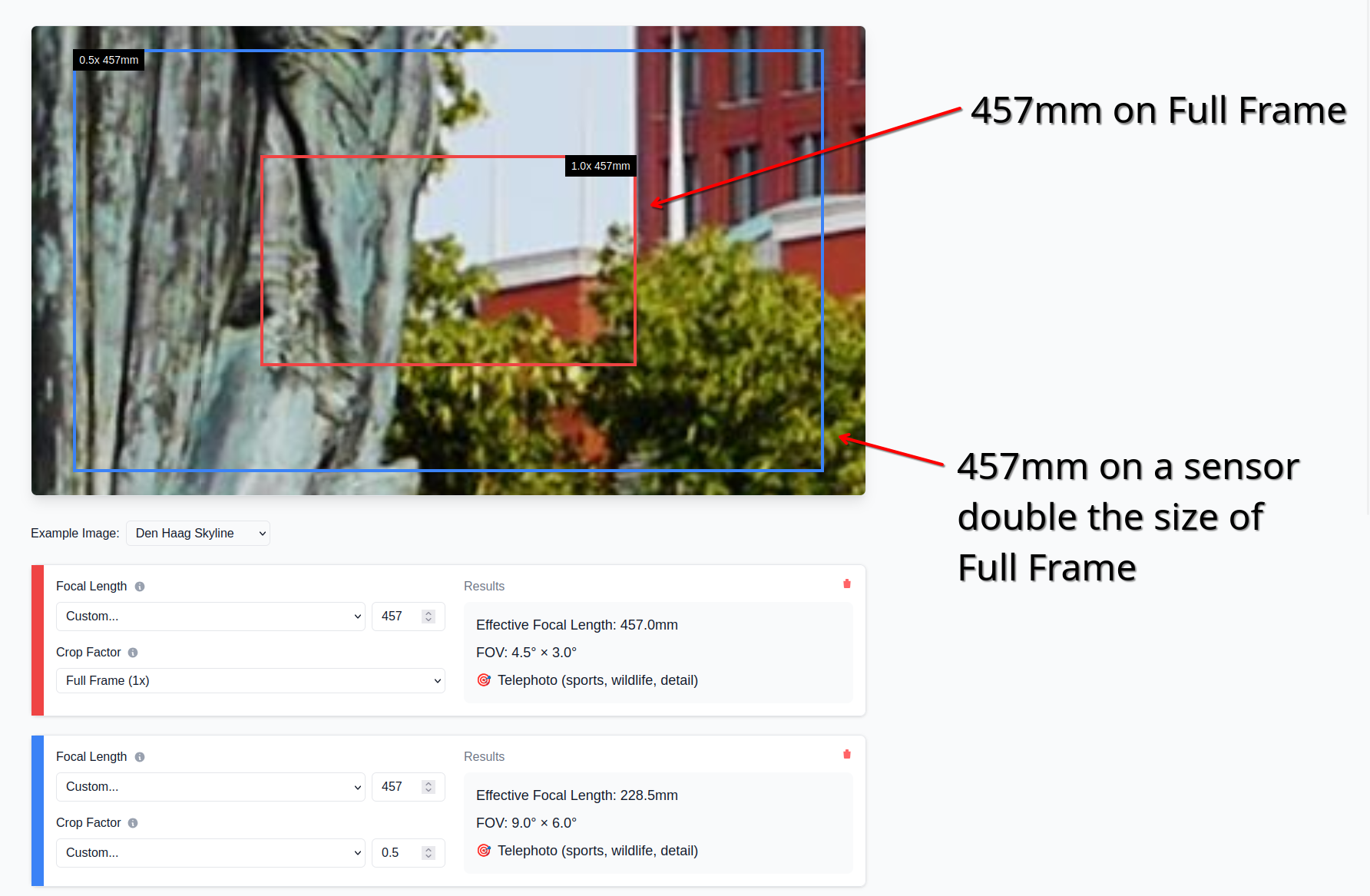
Let's double the size again. We're zooming out by a factor of 2 again, reaching a focal length of 114mm. That's still too much zoom. Let's double the size of the sensor again. We're now at 57mm. This is better already, though we should probably make the sensor just a bit bigger still, so that we can be around 40mm.
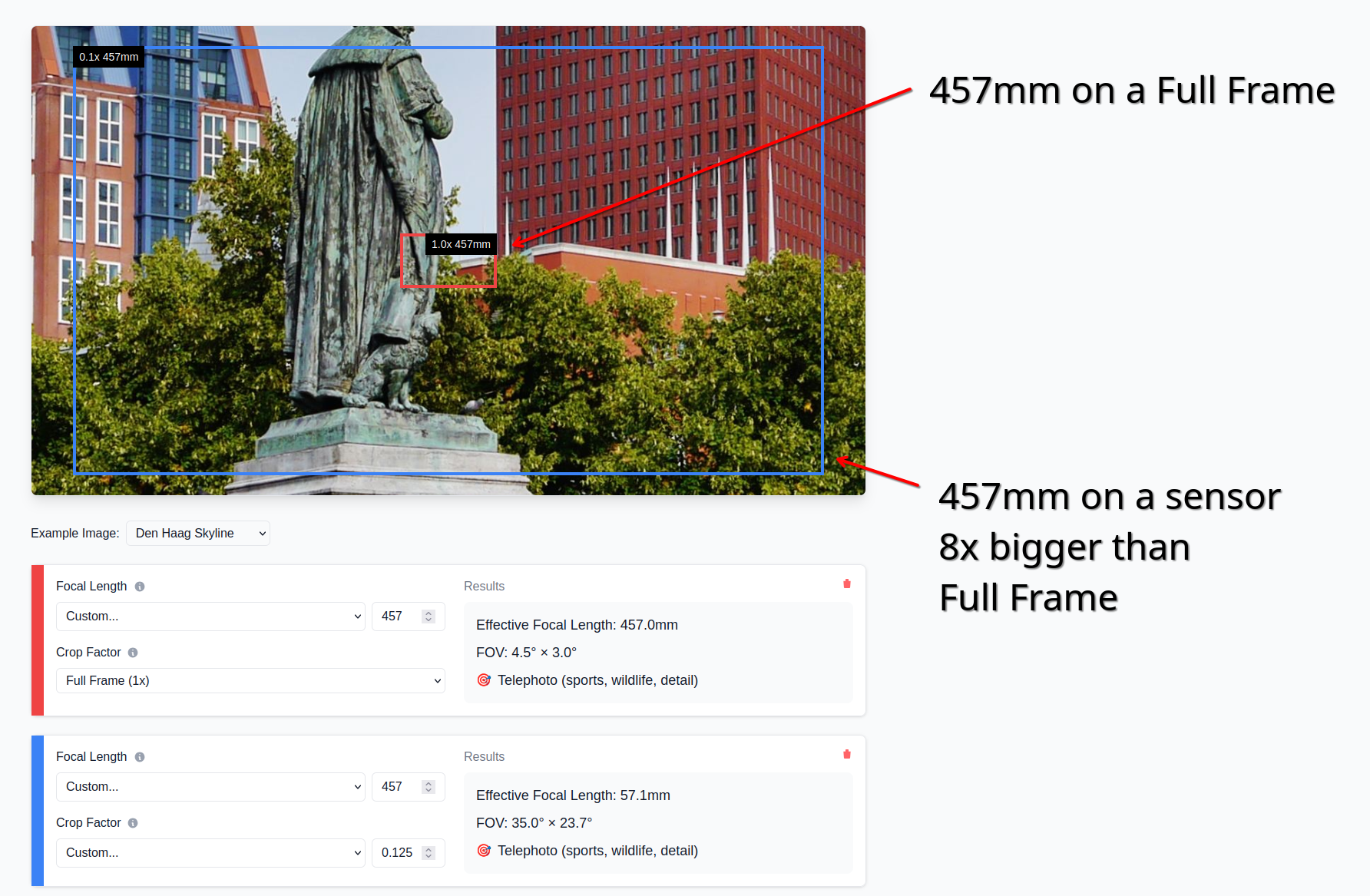
This means that the size of the sensor needs to be: the original size, times two, times two, times two, times one point five; that is, we need to increase the sensor size by a factor of 12.
My camera sensor size is 35mm by 24mm. Multiplied by 12, we get 420mm by 288mm. That's, uh, 42cm by 29cm. It's, like, pretty big. That's the size of a painting you'd hang on your wall. This gives us two issues:
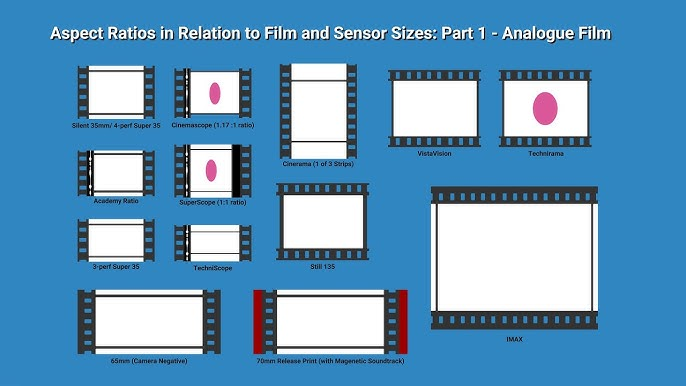
Firstly, such a sensor simply doesn't exist. Films shot on IMAX use very big "sensor" (it's film) areas and we're talking about ~7cm by 5cm. It's not even "it's expensive" territory, it simply... does not exist.
Secondly, lenses usually can't project an image big enough to cover such a large area. Most lenses are designed to be used with Full Frame sensors nowadays, or slightly bigger ones (such as "Medium Size" – look, I don't make the names).
The good news here is that the Charles was not built "nowadays". Maybe back then they didn't get the memo about future sensor sizes. How can we check how big of an area our lenses can cover?
It's thankfully pretty easy. If you simply put a lens near a white surface, you'll be able to see what the sensor would see. The Helios projects a rather small image on my white wall, but that's just enough to cover the similarly-small full frame sensor in my camera.
I do also have lenses that project bigger images. As an example, this weird lens that found in some used market gives us a pretty big image circle. It certainly covers a camera sensor, even a "Medium Size" one, but not a the 43cm by 29cm area we need.
The Charles produces a giant image. It's tough to see it exactly because the lens has to be very far from the wall now, thus the image is very faint, but it's there. I'm not sure how big it is, but it's bigger than 43cm by 29cm. This is it.
Now we have to deal with the incompetence of the human mind and quickly invent a new giant sensor, bigger than anyone has ever seen. It should only take a few minutes.
Jokes aside, what we need to make this work was invented a long time ago for camcorders. Back then, we were dealing with a similar problem: we had these consumer video cameras with very small sensor, and we had "pro" camera lenses that were designed to handle much bigger sensors. We needed some kind of "adapter" that would allow to connect the two.
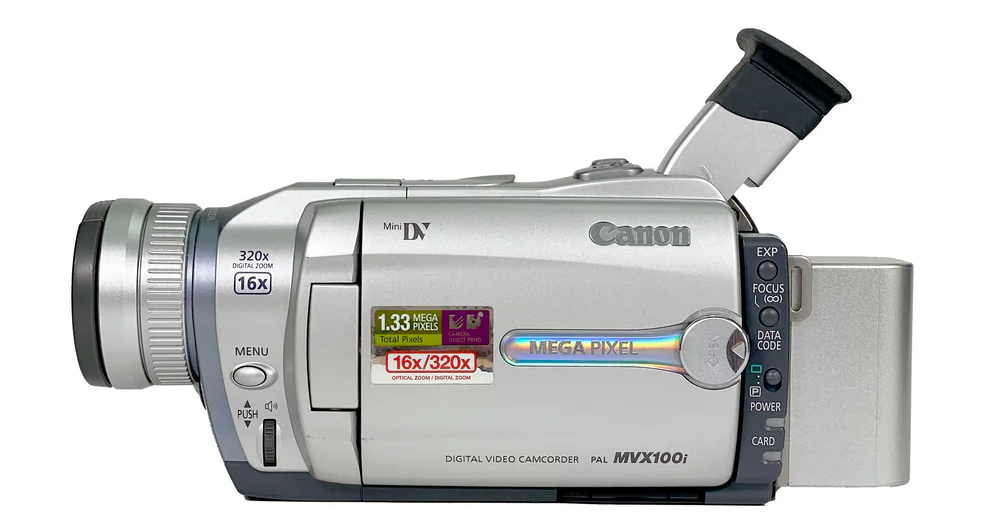
This adapter is called a Depth-of-field adapter, and here's how weird it looks.
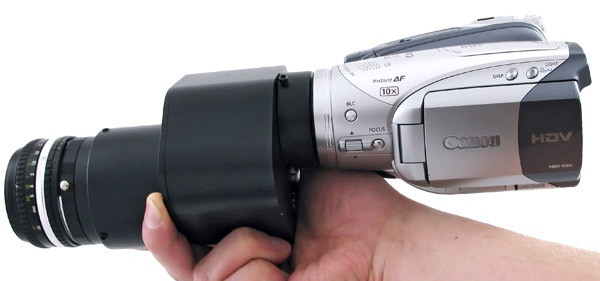
The idea is the following: we build a big "fake sensor" that's actually just semi-trasparent paper, and we focus the camera lens onto that "fake sensor". Of course paper by itself is not going to "capture" any image, but we can then go on the other side and take a picture of the resulting image, like this:
This is a rather weird two-step process, if you think about it. It needs to have a first lens that supports a bigger sensor area, then you project to a big "fake sensor", and then you need another (smaller) lens that captures the image coming out of the "fake sensor" onto the actual, real sensor of the camera.
All of this works because "semi-transparent paper", when lit by the lightrays coming out of a lens, will allow us to see exactly what a sensor would see if it was placed there. The reason is that the "semi-transparent paper" scatters light randomly, and so it deviates the lightrays from traveling straight to traveling towards our eyes (and all other parts of the room).
Let's see what's required to build this in our scenario.
Firstly, we have the Charles lens, which has to see the world on one side, but should be within a box or something on the other side, so that no there's no light messing with our image.
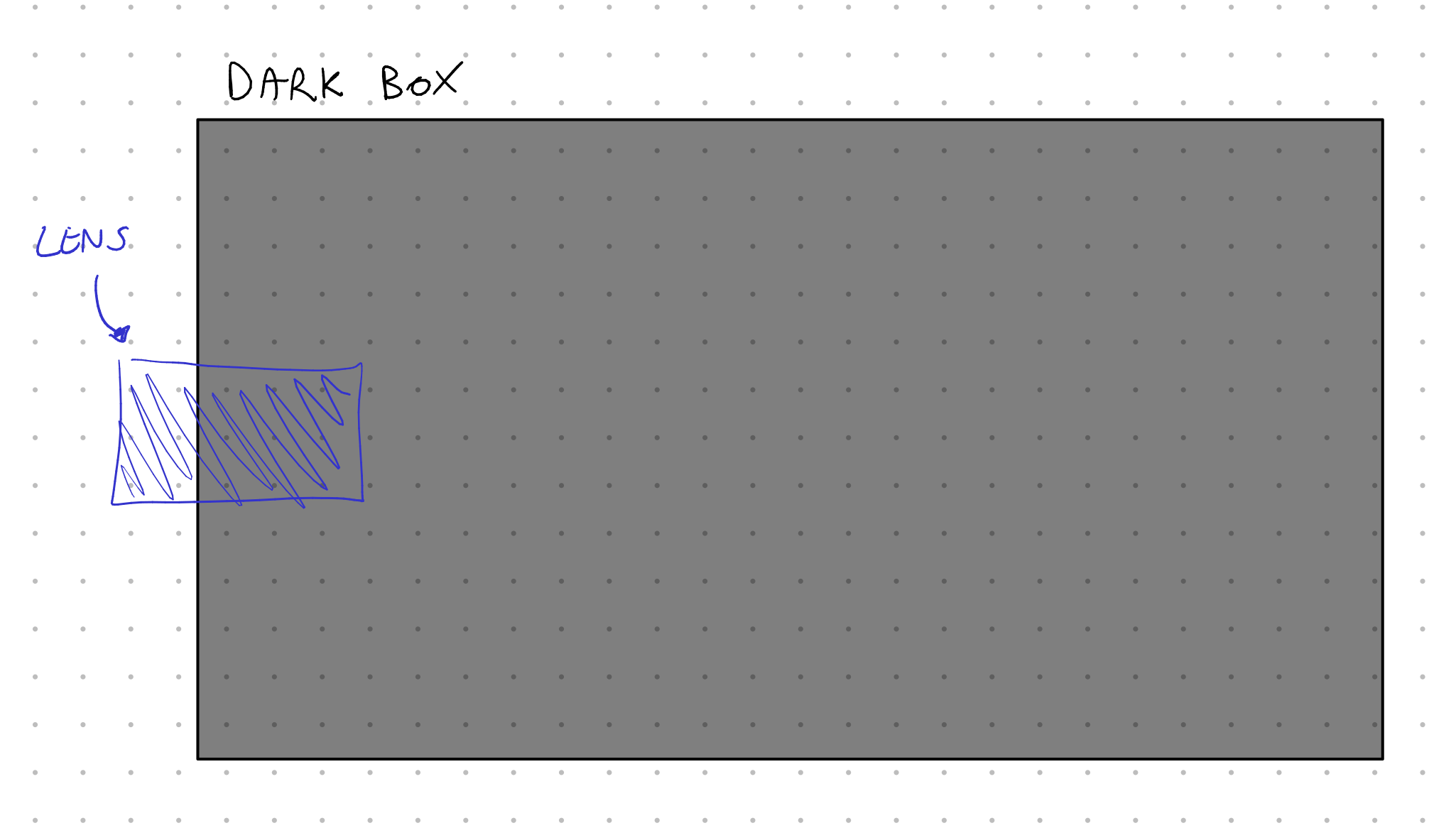
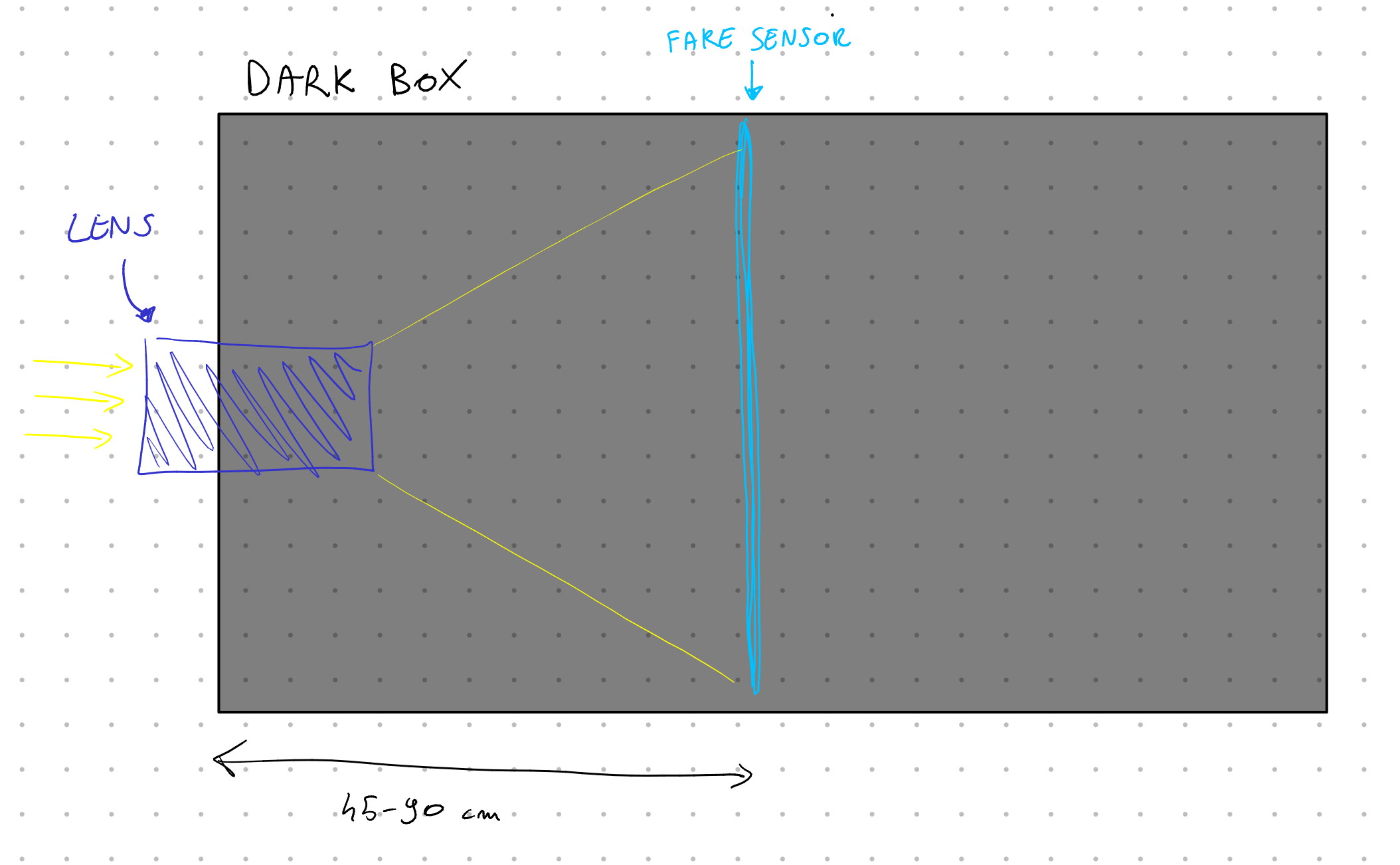
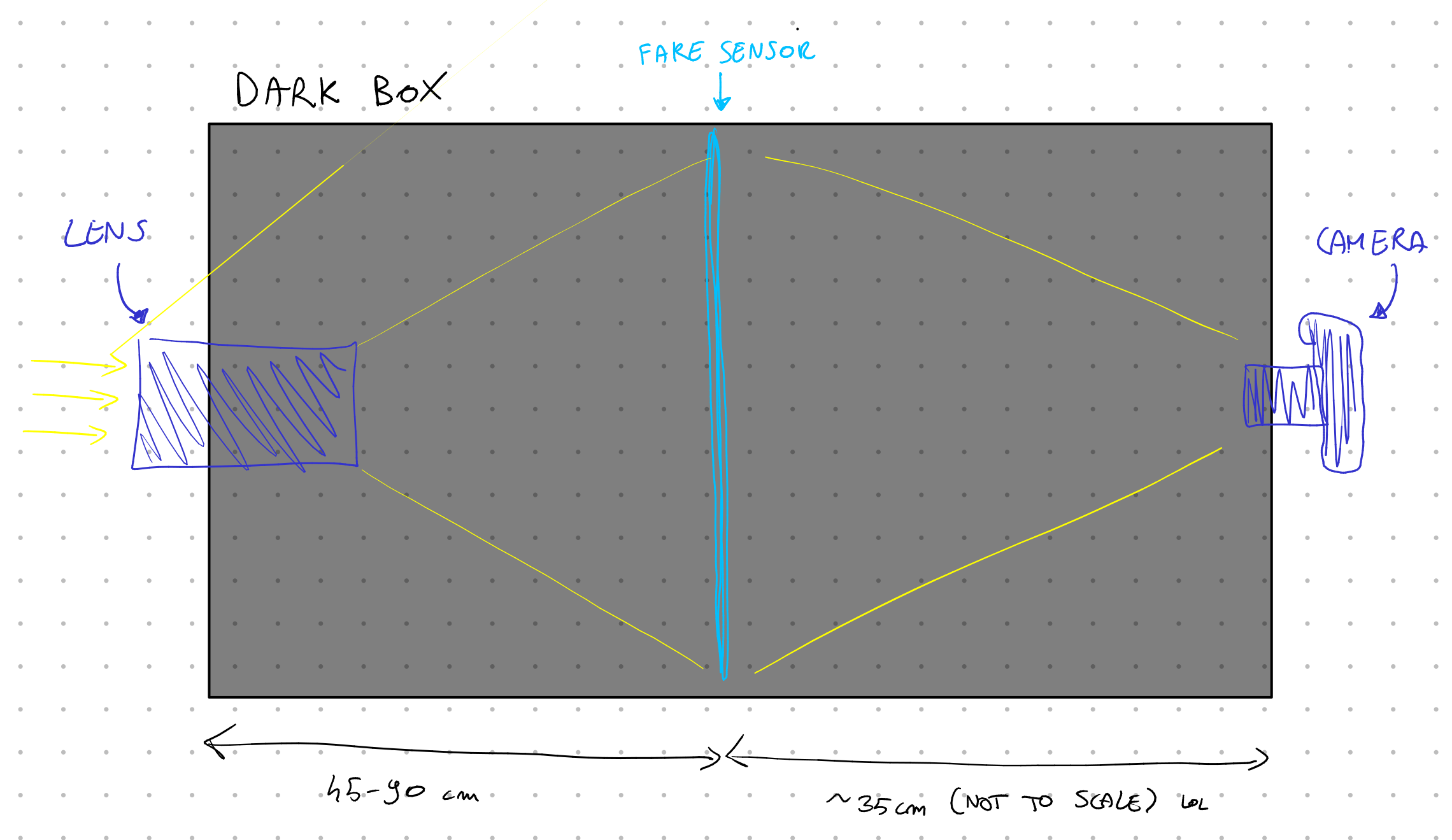
Then, within the box, there should be the 42cm by 29cm "fake sensor", and it should be made by some semitransparent material that scatters light without absorbing it. The Charles has a focal length 457mm, which tells us that the fake sensor should be at least 45cm away from the lens. Also, in order to focus the lens, this distance needs to be able to increase if necessary (even by ~2x!).
Then, beyond the fake sensor but still within the dark box (otherwise light will mess everything up), there needs to be an actual camera that takes a picture (or a video) of the fake sensor. The distance here depends on the exact camera and lens, but it's usually around 35cm.
Great. Let's build this.
Since the distance between all components will need to be adjusted, and since all of these components weight quite a bit (the lens is around 3kg!), I decided to go with a metal sliding rail (more technically, a vslot 2080) for the base. Then, bought a few sliding plates for it, which have a variety of holes in them.
Let's start from the Charles lens; we need to hold this lens at a certain height and attach it to the base plate. My solution was to hold a second plate up through some long screws and nuts to adjust the height. Then, to hold the lens, I found a couple of telescope holders which have three axis adjustments and support lenses up to 15cm. They had holes in the bottom to screw them onto the plates. Then, I can just insert the lens within the telescope holder and tighten the adjustment screws all around.
Then, on the opposite side, I went with the same idea to hold my actual camera; however we didn't need any telescope holder here, as there's a ring holder for my specific lens which can be just as easily screwed on the base plate.
Onto the fake sensor, then. Firstly: what should it be made of? I tried the following.
Paper. This does not work, as it captures almost all light that it receives, and thus you cannot see through it.
Papier-mâché. This lets some light through, but still very little, and it adds a very heavy texture to it. Also not ideal.
Baking paper. A surprisingly good solution, but it still doesn't let much light through, and you can see a light texture. Still, this is great for quick prototypes, and I used quite a bit of it.
IKEA PUCKELFLY. This is a frosted window film, which does roughly what we want, since it lets light through but also scatters it. This worked pretty nicely and was a great option to me, but it also introduced some heavy texture to the image, as you can see the grains in the image.
Wax. This almost sounds like a joke, but if you're able to create a ~0.3mm thick layer of melted wax, this should act as a great scattering surface that still lets a lot of light through. I spent quite some time attempting this, but I was ultimately unable to create an uniform layer. I still have kilograms worth of wax and I'm not sure what to do with it.
Homemade frosted glass. There are a few ways to achieve homemade frosted glass, and the easiest is to use some fine grit material between two sheets of glass and rub them together. I had issues finding the right grit, and was ultimately put off by the amount of work that this option requires. However, it's also the option that should provide the best results.
Photographic diffusion film. Okay, context: when you have a small but bright light, this will cast a very hard shadow, like the sun. Sometimes, you instead want to turn this into a bright, large light, that casts softer shadows. The easy way to do that is to put a diffusion film in front of the light, which will diffract the light around and effectively act as a bigger, softer light. This layer should absorb little light by design, and it's available in most photography shops. It's also relatively cheap, I paid 10€ for it, it works well. The only issue is that there's plenty of options, and all of them have some texture to it.
After much experimentation, I went with a "Lee Filters - 251 - Quarter white diffusion", which provided the best results for me. Note that it needs to be kept between two layers of glass, since it's a sheet of film.
Next up, I need some component that keeps the layers of glass and attaches to the base plate. I decided to go with a 40x30cm picture frame. The benefits of this choice are that it's a standard size that's easy to find glass for, and there's plenty of frames too. There's also a drawback: cameras don't record in a 4:3 aspect ratio, but rather (in opengate) 3:2, a bit wider. Thus, I'll have to either record more area and crop, or only record part of the fake sensor. It's not a big deal.
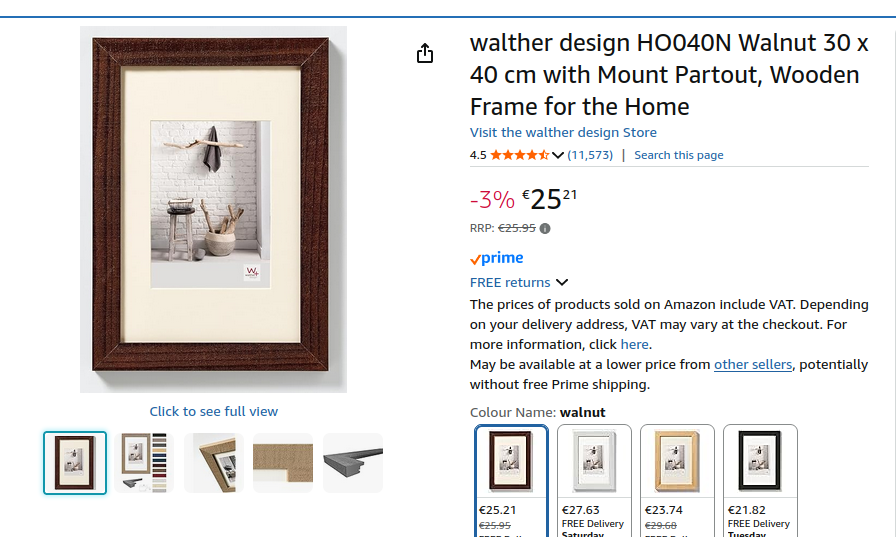
In order to secure the picture frame I simply used a few screws. It's more stable than you'd think. Note that, just like for all components here, I went through multiple iterations and the frame that you're seeing is, like, the 5th different picture frame I bought.
Now, we're finally able to position all components correctly! It sounds simple, but it took months just to get to this step. I had to receive most components from China and go through multiple iterations, but we got there. Now, for the hard part. We need bellows.
Camera bellows are these components that can change their size but remain rectangular in shape, allowing to change the distance between lens and sensor but without letting light in. They. Are. EXPENSIVE.
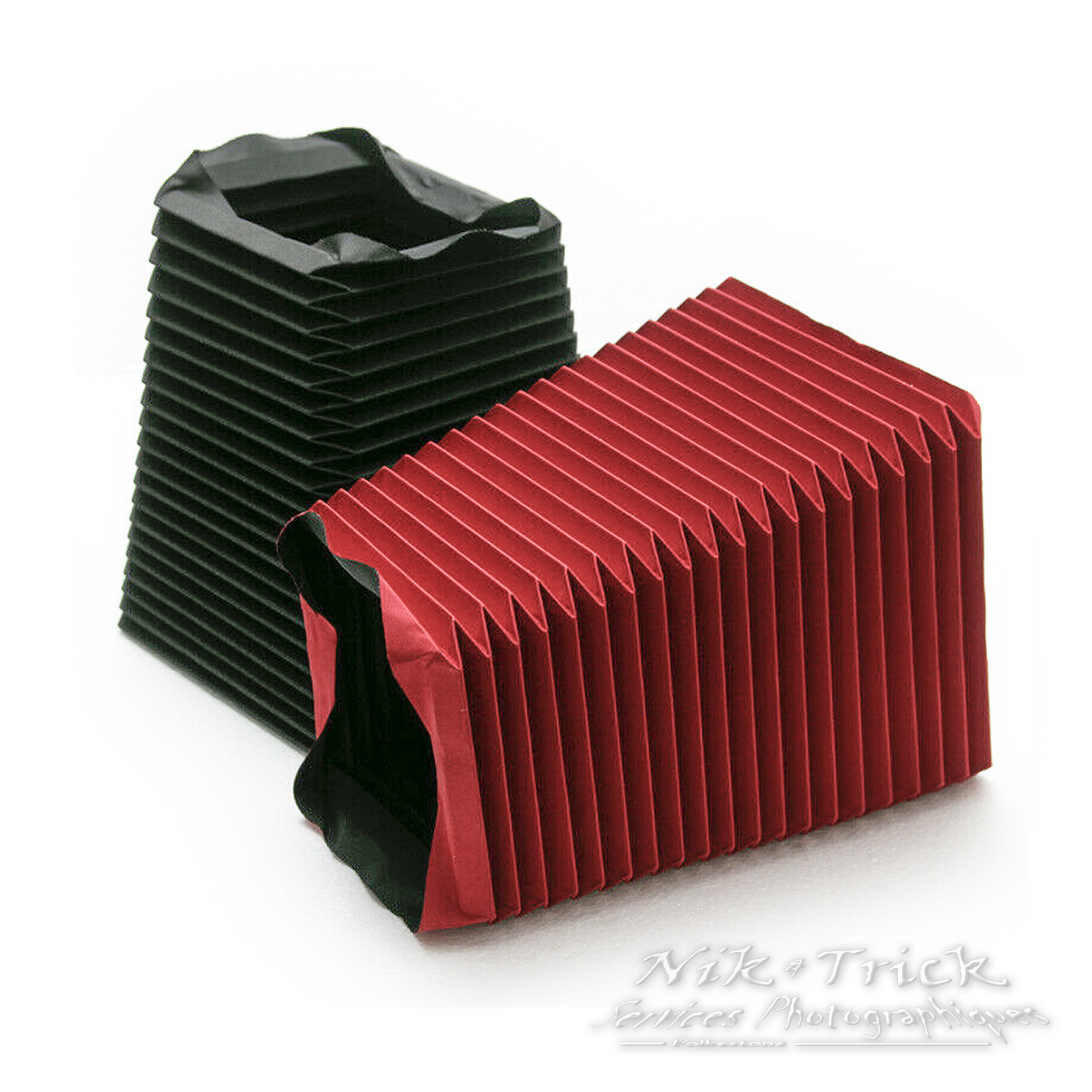
Luckily, it's easy to manufacture a small bellow. Sadly, we need an enormous one, and we still need to manufacture it ourself.
There are multiple ways to do it, (and I've tried them all!), but I'll keep the details light here. The general idea is that we need some materal that can bend (such as paper), but within it we need some places where it can't bend. Usually this is done by attaching precisely cut cardboard onto some paper.
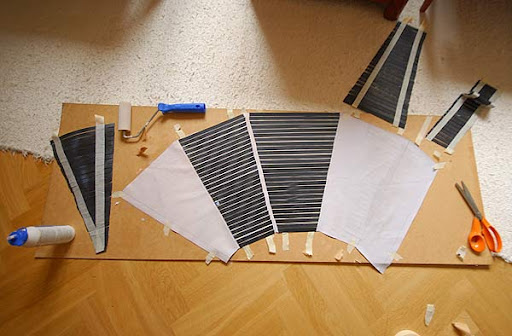
Then, you can bend specific parts to make the bellow. This is a rather time-consuming and fatiguing process, when the bellow is as large as I needed it to be! But, after much thought, I was able to come up with two tricks to simply it.
Firstly: all bellow images I've shown you so far were of bellows where the entrance rectangle is bigger than the other side, and thus they have this trapezoid look to them. This is appreciated, since we've got a 40x30cm sensor on one side, but the lens on the other side is much smaller. However, this makes them harder to manufacture, so I decided to go with a much simpler bellow that's 40x30cm on both sides.
Secondly: I used IKEA curtains. No, I'm not kidding. Meet the SCHOTTIS.
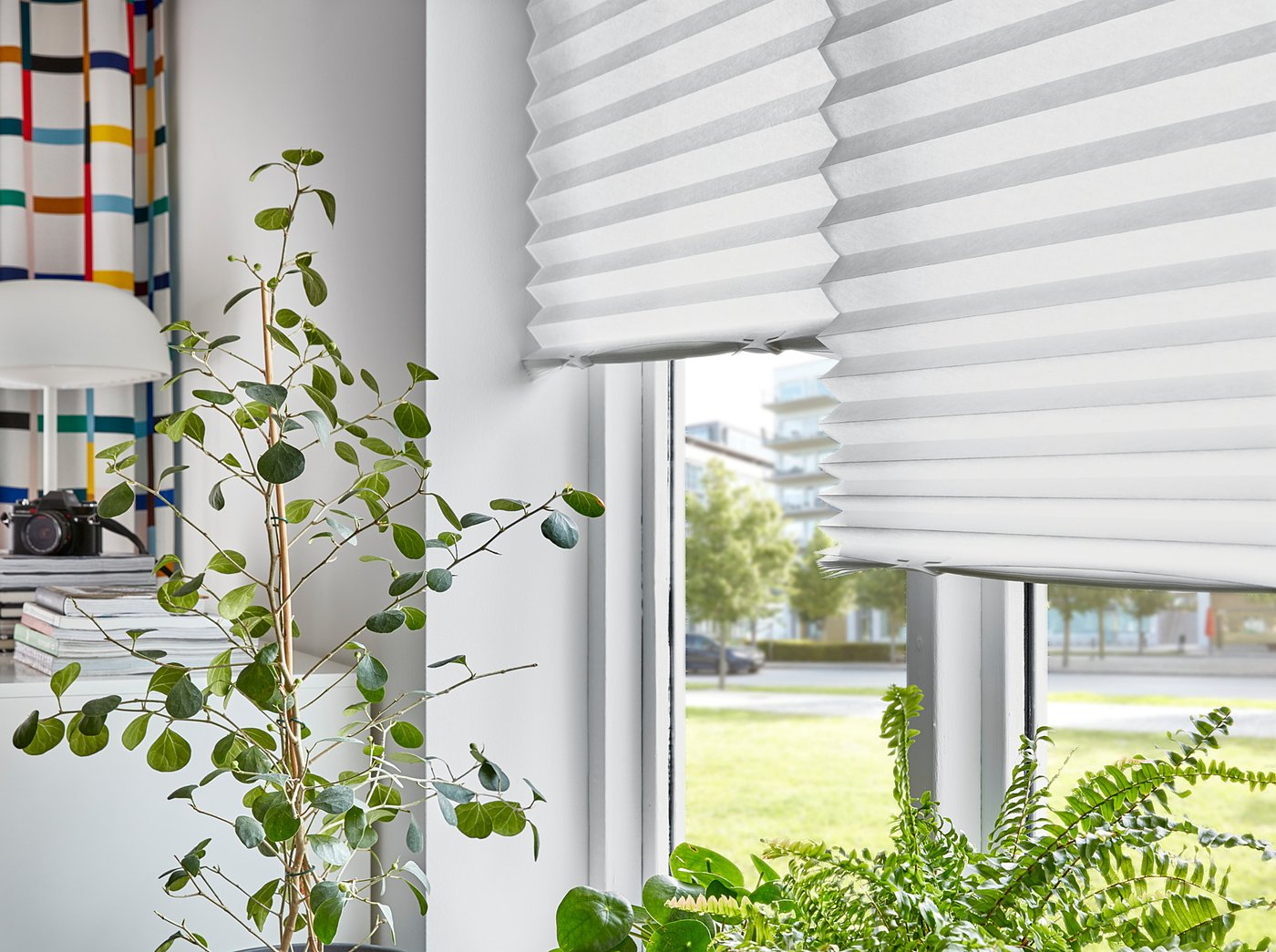
This curtain is provided folded in ~3.4cm stripes, and it's available in a black color. Since it's a curtain, it's also able to block light effectively, and since it's IKEA, one of the side is plasticized and thus tough to break or tear apart.
This makes our job much easier, as now it's just a matter of leaving the folds where IKEA intended them, cut the curtain into four different pieces, tape them together in a different direction, and re-fold the entire thing correctly. The final folds on the bellow are either the existing ones in the provided curtain (possibly in the opposite direction), or in the places where we cut the curtain, so everything else gets to remain more rigid.
This was still a multiple-hours-long process, especially since I had to manufacture a couple of bellows to test different properties. This year I decided to catch up with Severance and I'm not joking when I tell you that I watched the entirety of the first season whilst folding IKEA curtains, cutting them, and taping them together again.
Ultimately, I had my bellow. It doesn't look stylish but it works. On the lens side I placed another picture frame with cardboard inside and made a hole at the center, so that I had 40x30cm components on both sides.
Then, let's talk about the space between the fake sensor and the camera. There's no way that I'd make another bellow, but thankfully the distance here has to be fixed (depending on the taking lens). I measured the most convenient distance and made a cardboard element with the correct sizes. It's not as sexy as the bellow but it does the trick, and - if necessary - I can still insert the lens within the hole at various distances for small adjustments.
There's one final component to put in place. Right now everything works, but I get some heavy vignetting, i.e. the corners of the "fake sensor" are dark. This is expected: the frosted surface reflects some of the light, but most of it just goes through it and we don't see it.
There's an easy solution to this: before the "fake sensor", we can place a lens that will change the direction of the light from outwards to towards the sensor. This way, most light will still travel towards the camera after passing through the sensor.
However, you should see an issue coming up: a lens that's big enough to physically cover a 40x30cm sensor would require a diameter of 50cm. That's a gigantic lens: the Charles felt pretty big already and that was just 14cm. It would be extremely hard to manufacture and very pricey.
This is where lighthouses come to the rescue. Yes, you read that right.
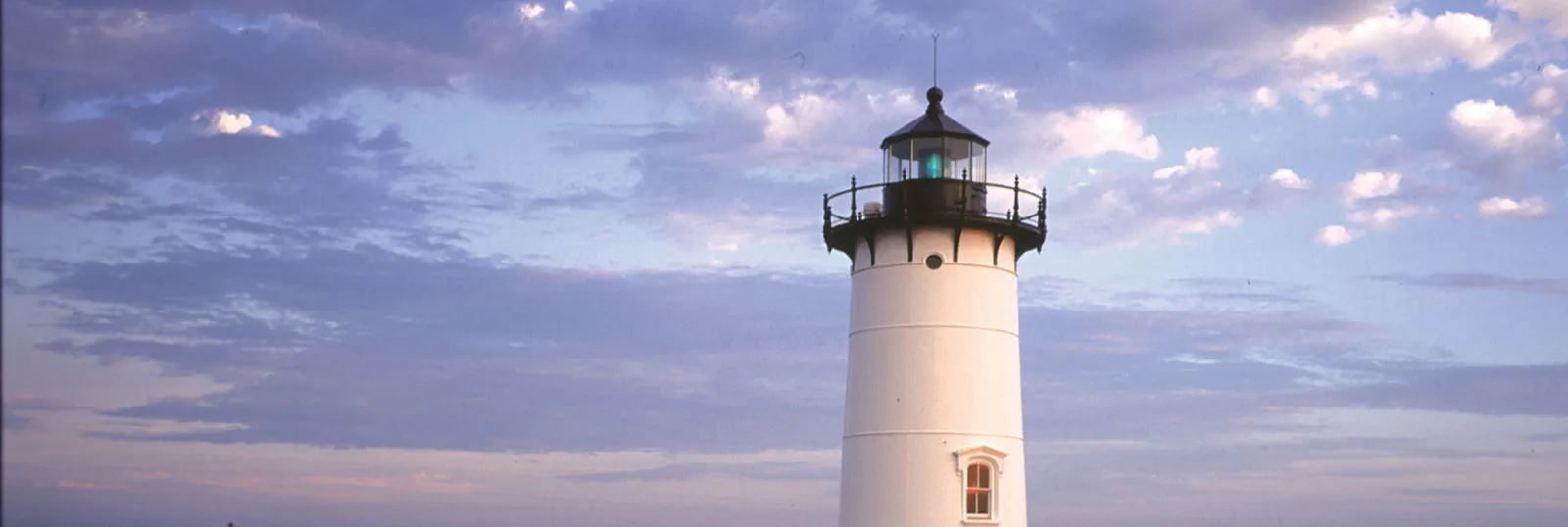
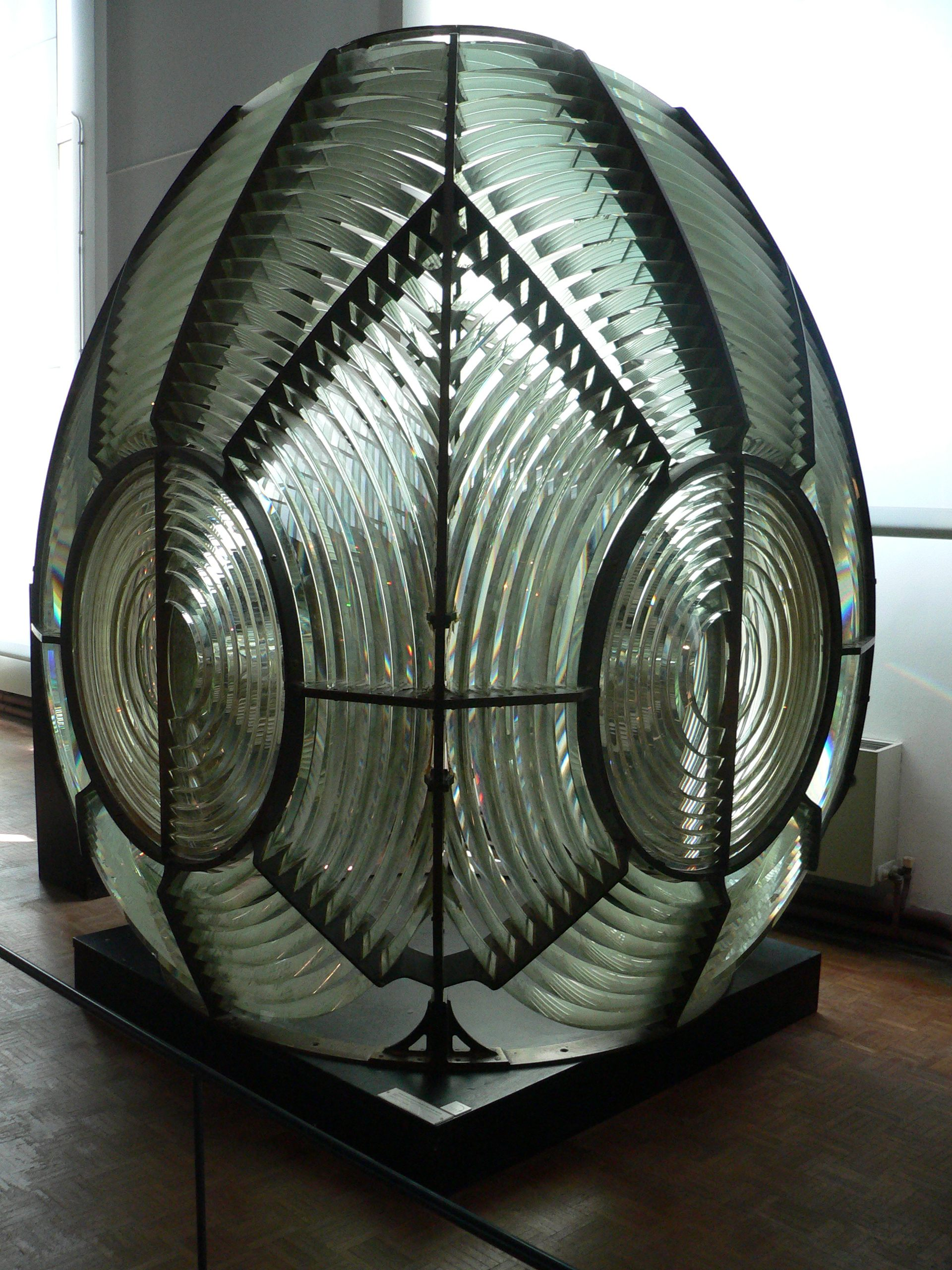
Each lighthouse has a big source of light; however, in order to make that light shine in the right direction and the maximum intensity, you also need to place one lens in front of it. However, a lighthouse light is even bigger than our fake sensor, and the required lens would have to be absolutely gigantic.
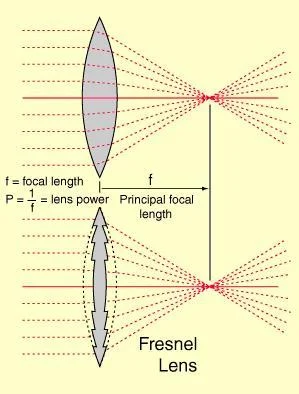
Because of this, a new type of lens was discovered! It's called a Fresnel lens, and it works similarly to a normal lens, but it's flat:
Thus, a lighthouse was able to use big flat lenses, which are much, much easier to manufacture, as they don't require huge chunks of glass:
Fun fact: you can actually see fresnel lenses in multiple places where a normal lens would be too big or expensive. As an example, my own building places fresnel lenses in front of exterior light to direct the light correctly!
Anyhow, the good news is that we can just use a fresnel lens without worrying about it affecting image quality, or being too expensive. They can be bought for cheap on Aliexpress. They come in various sizes, including (thankfully) 40x30cm.
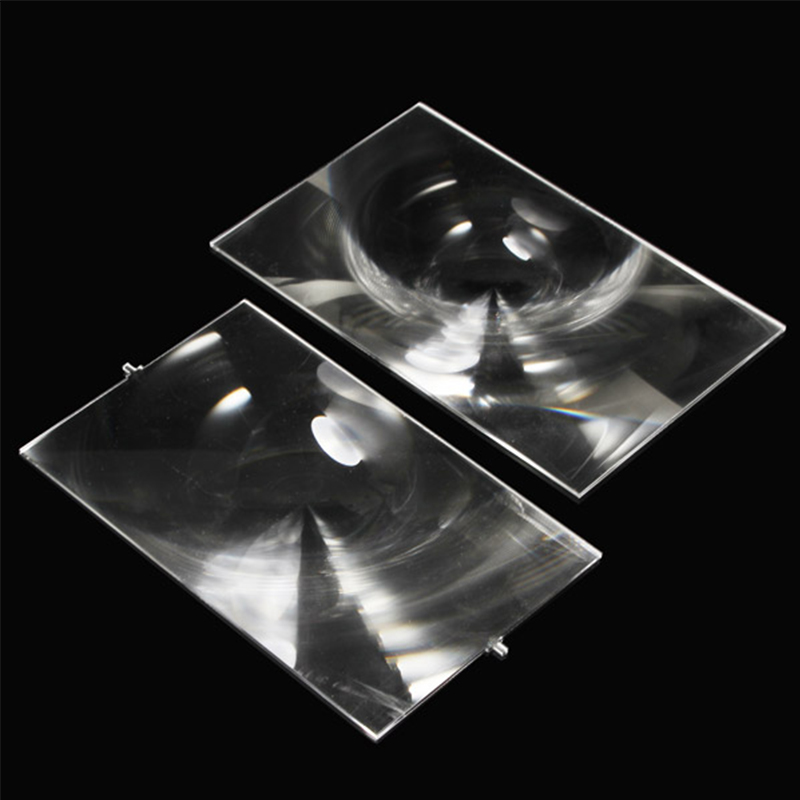
And that's everything really. Having placed the fresnel lens, we're not able to get an usable image on the whole 40x30cm sensor. The only thing that's left to do is, well, shoot some scenes with it!
The good news is that I had already planned to shoot a short film last month, so I brought this along and used it for multiple scenes that specifically required a very thin depth of field. I was genuinely shocked by how good the results were, and - amongst the many mistakes I've done in production - this was one of the few things I'm very proud of.
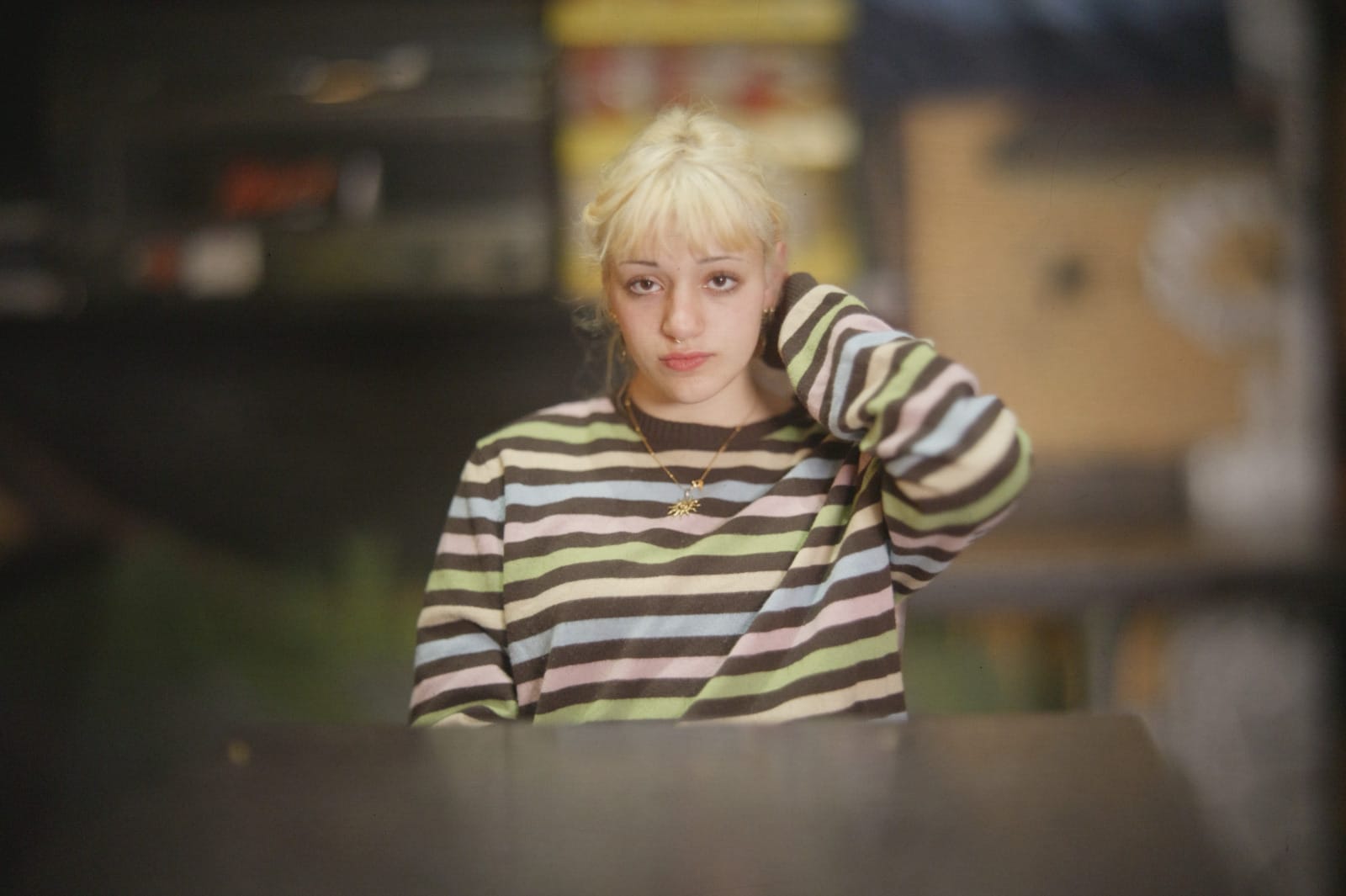
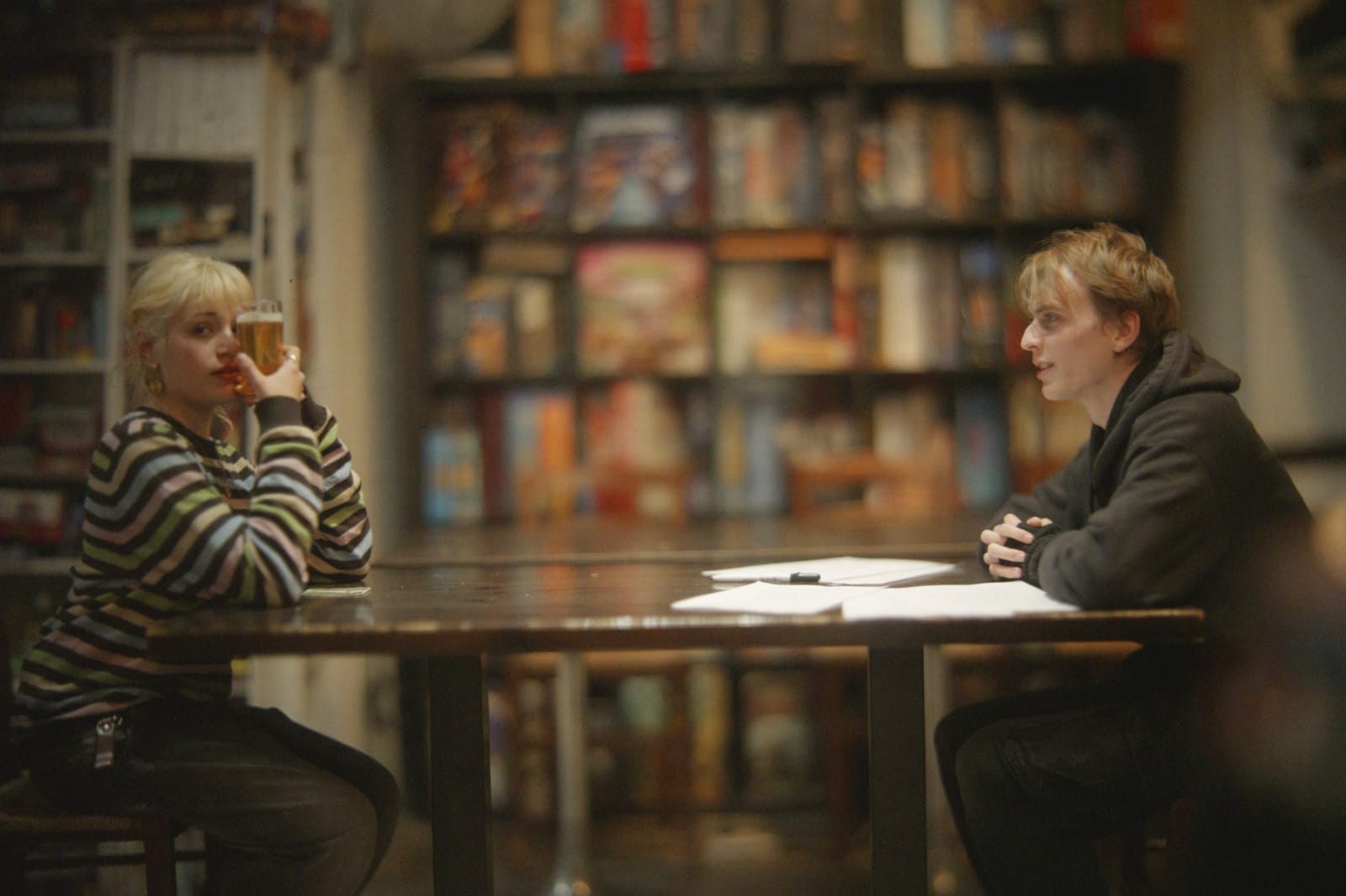
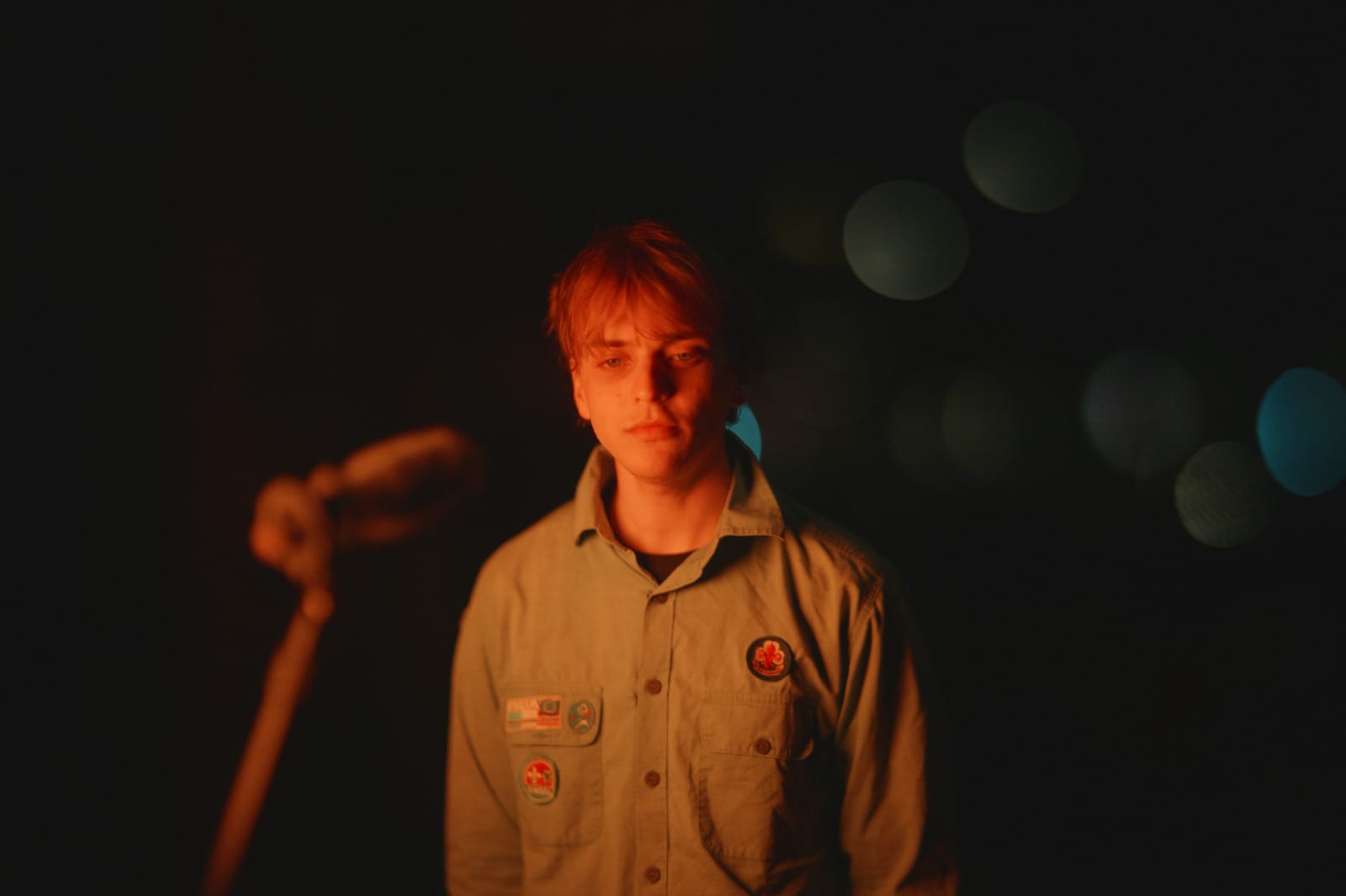
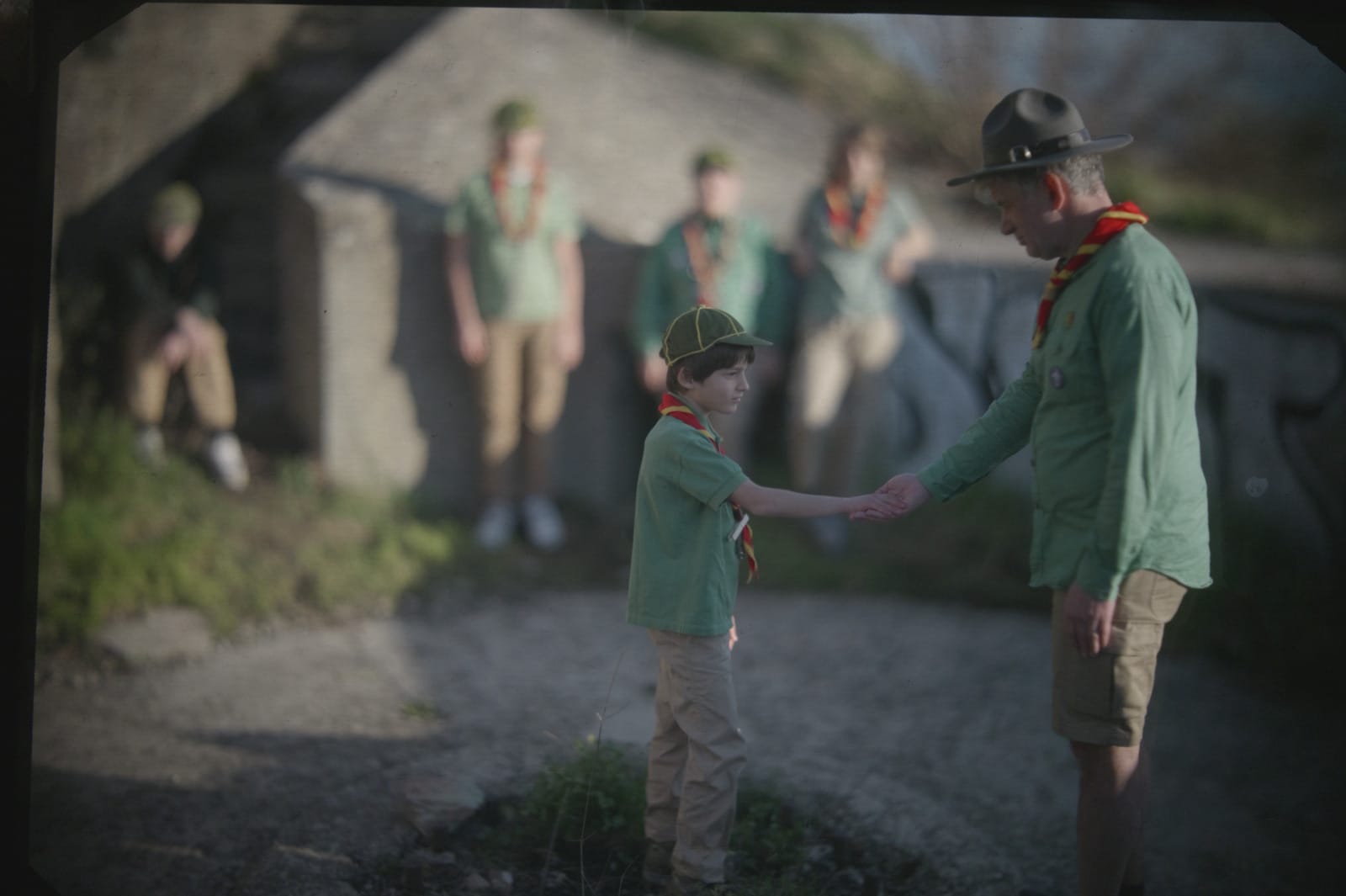
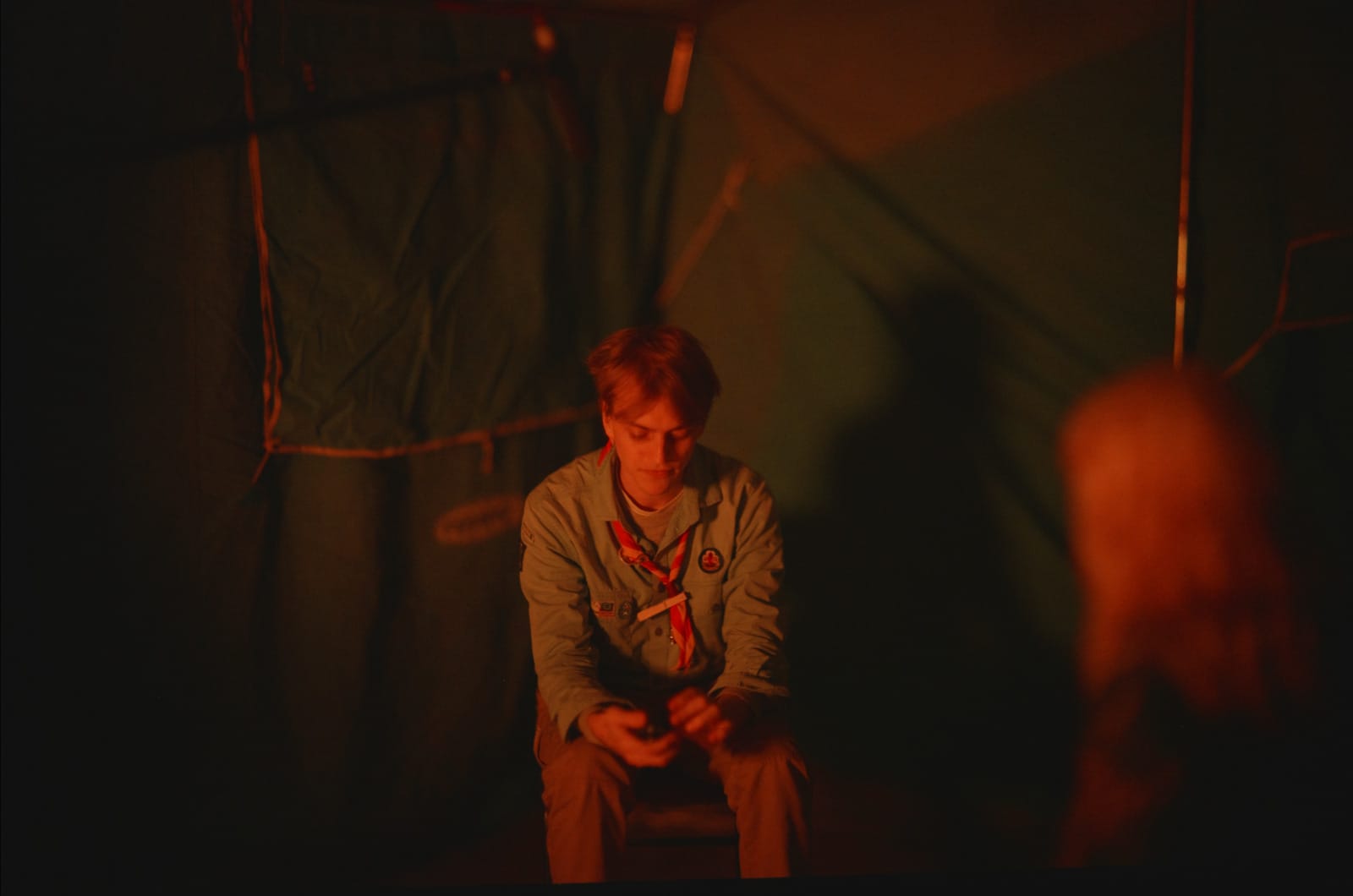
Here's some more pictures with an earlier prototype:
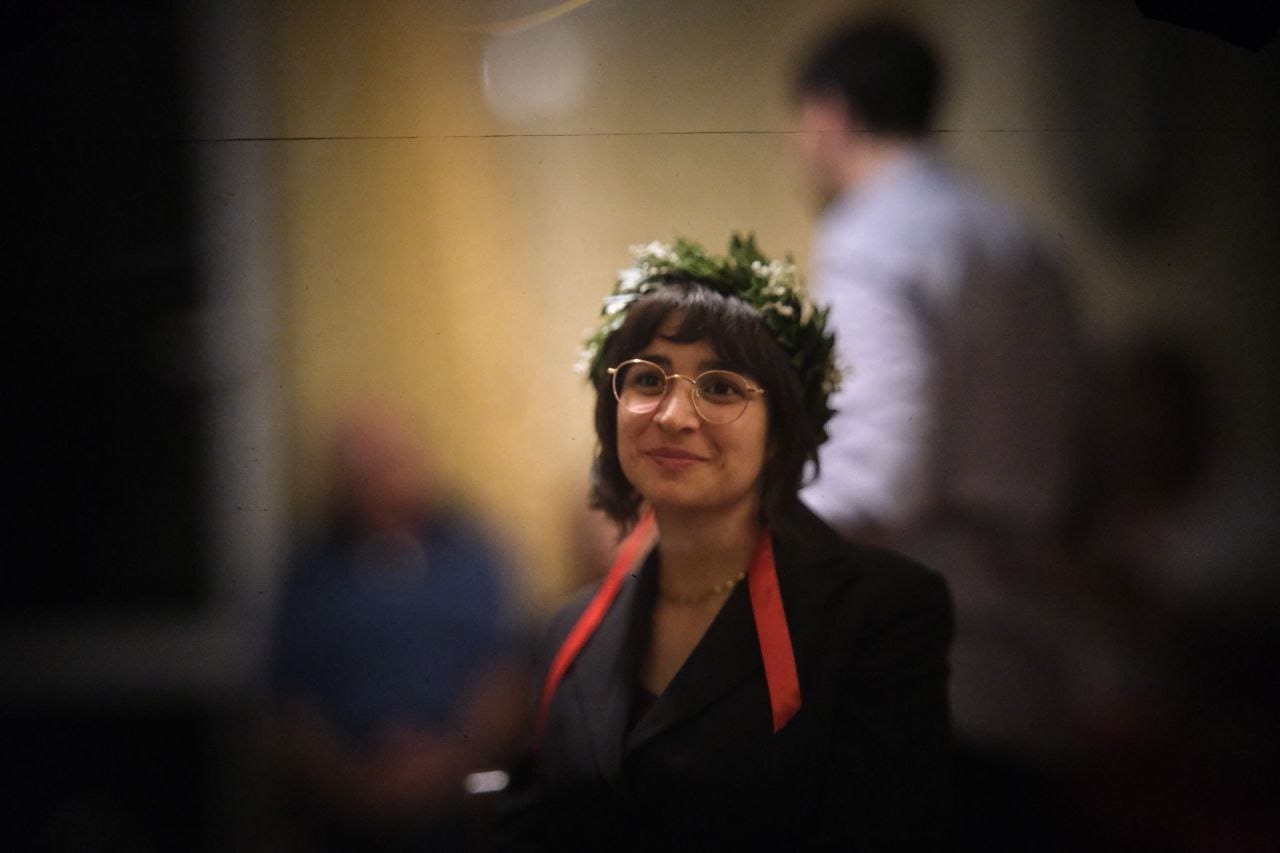
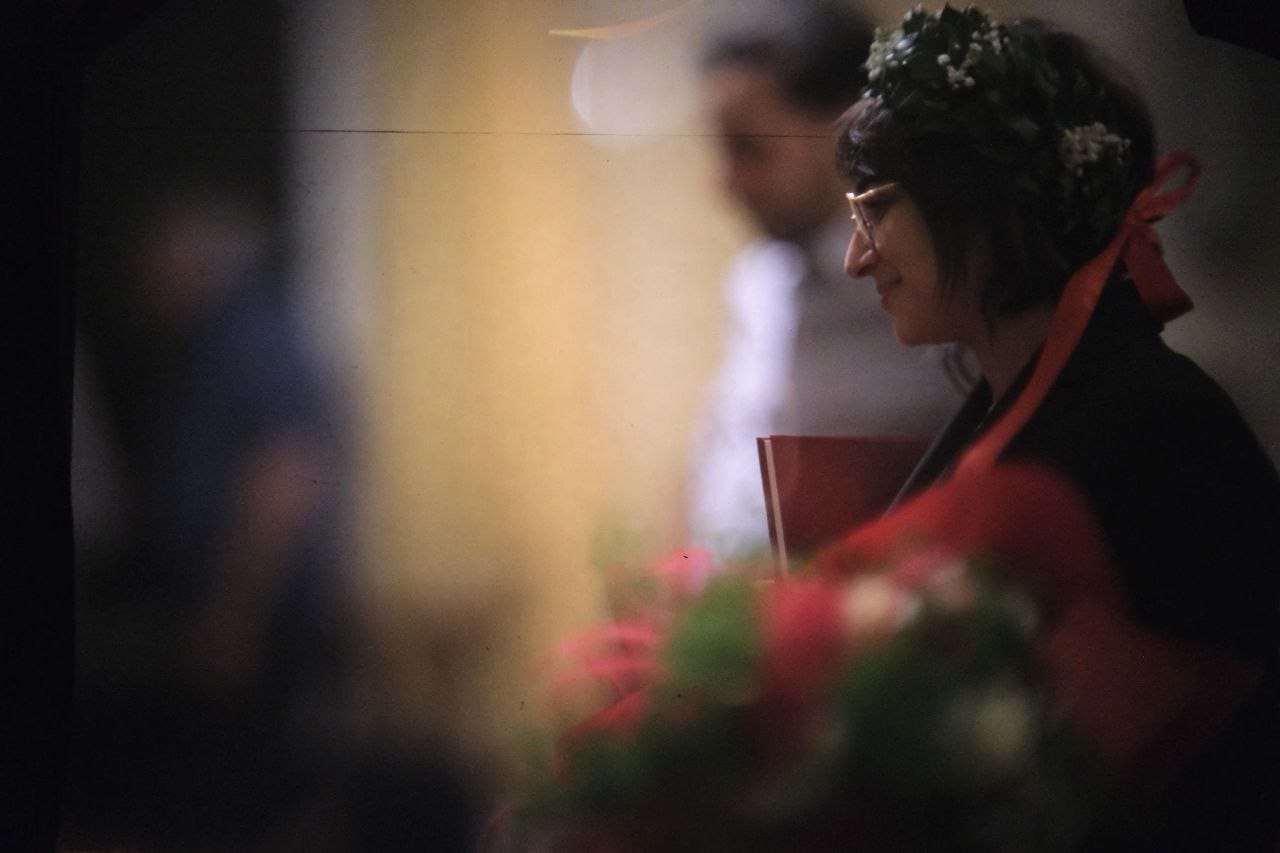

Now, there are a few details that should be improved in the next iteration of this system, which I've decided to call Lampone.

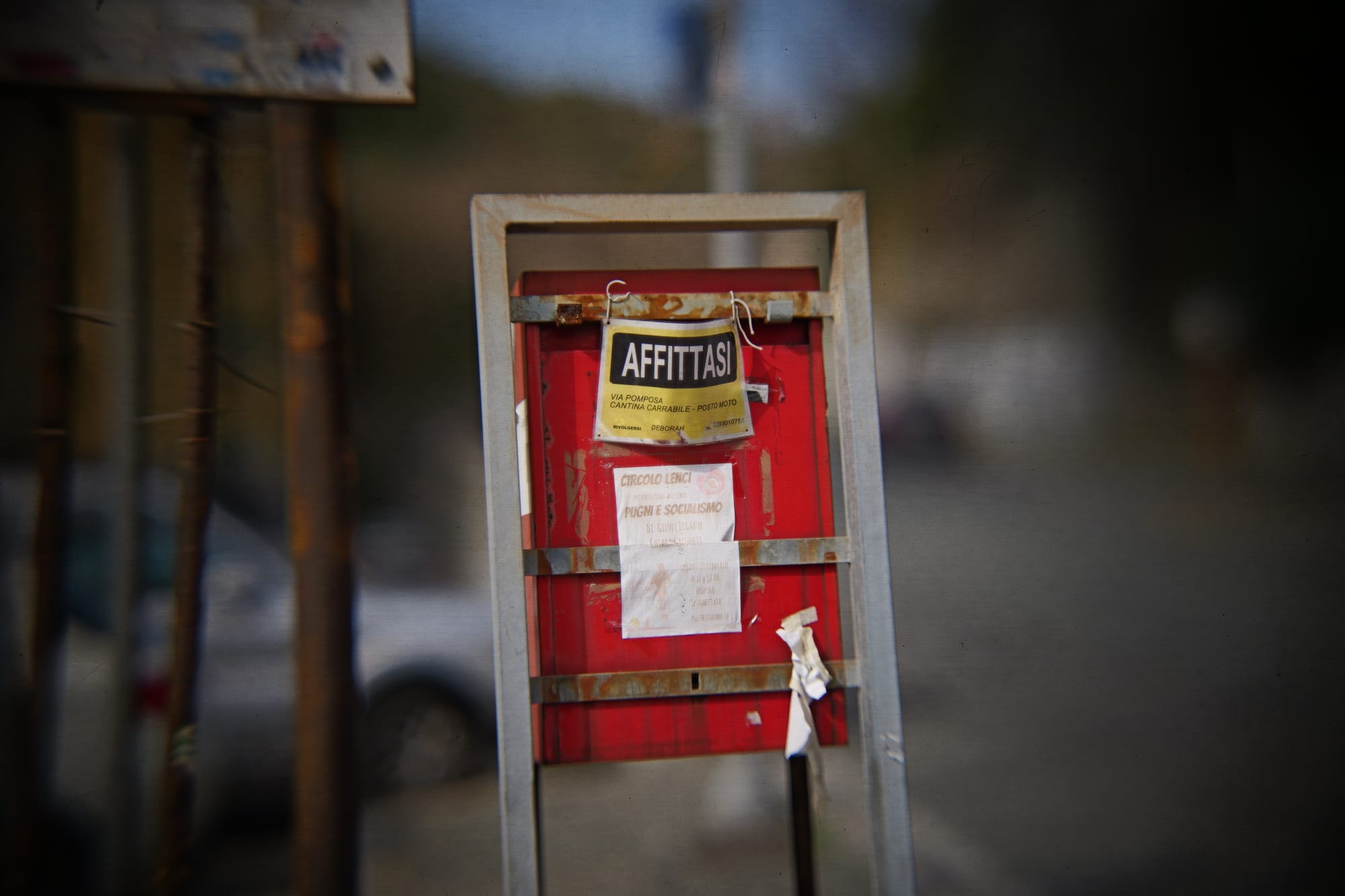
Firstly: I need to build a longer bellow and buy a longer rail. This would allow to keep the lens further away from the fake sensor, which would allow to focus on closer objects. Right now, the minimum focusing distance is awfully large.
Secondly: I should probably work on the structural integrity of it all. Any camera movement will generate weird wobblyness within the video too. Overall I thought it was reasonable and I've included a few pans in these scenes, but more stability would be beneficial.
Thirdly: you can definitively see the texture of the diffusion film, and even the pattern of the fresnel lens. You can fix the former by using better ground glass, and the latter by placing the fresnel lens further away from the diffusion film. There's also visible dirtness on the fake sensor; I didn't really care because I felt like it added to the image, but to get clean video you should be extremely careful when assembling this part.
Even if all of this was fixed, one remaining issue would be that this thing is huge. Not only it requires a large minimum focusing distance, but it's also 120cm long by itself, and it's pretty heavy too (my tripod could barely hold it). This is not a problem by itself, but it does mean that it's only possible to use it when there's enough room on set (and sometimes there just isn't).
Another intrinsic issue is that you are losing a lot of light by doing this. There's no way around it: scattering the light around in the fake sensor means less light reaching the actual camera lens. You should consider about a 3 stops light reduction compared to your taking lens, i.e. the lens that you use to photograph the fake sensor. That's a lot of light loss, sadly: scenes just have to be well lit.
Finally, I would like to thank the many people who posted details online about their builds. The video that inspired all of this is, of course, by DIY perks:
He named the build a "Next-Level Camera", so I decided to go with that name too. I think I went for a different enough approach that it justified its own video. There's also a great detailed video by Media Division:
I loved that they decided to include a second video for patrons with exact details for the components that they chose; it was really helpful when doing my design, though I eventually went with quite different takes.
And, finally, there's the F-Zero project too which tried to make this type of lens possible to be bought instead of just built at home:

I didn't quite have the budget for that, and I feel like I ended up with slightly better specs compared to the F-Zero, but the design by them is incredible and definitively an inspiration going forward.
Anyhow, I will be using this again, and I loved the experience. If you want to watch the short film: thanks! It's still in post-prod., but it should come out in a couple months. Feel free to subscribe to this website and I'll post an article when it is out. Also, if you need to shoot something with this camera or want to play with it a bit, feel free to reach out.
I made the ultimate productivity device for less than 50 bucks
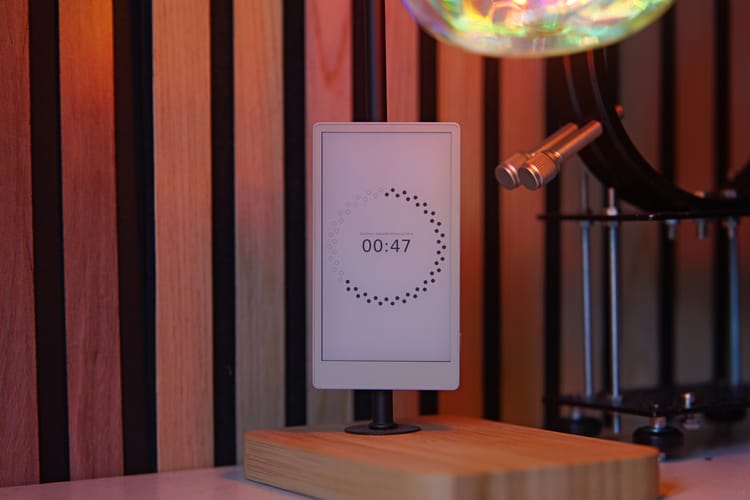
I do realize this website has gone a bit astray in the last few months, focusing more on hardware reviews than on FOSS news; however, as I slowly turn back to what my job should be, I would like to dedicate a few articles on some personal projects that I've developed in the past few months and that I'm particularly proud of.
Therefore, meet Mirtillo.
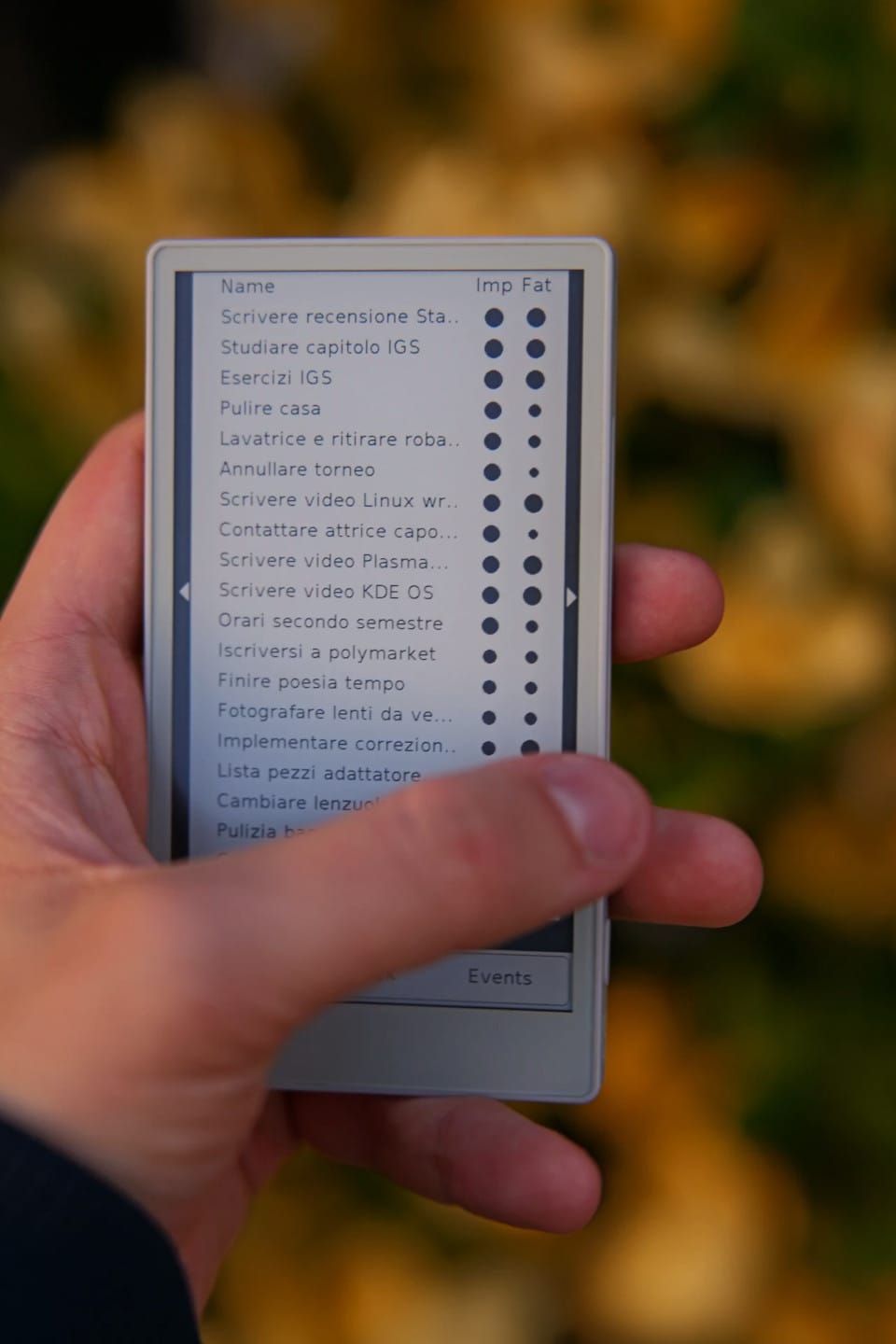
Simply put, Mirtillo is a digital agenda. It keeps track of what you're doing, your open tasks, events, it suggests you a schedule to follow, and it keeps track of your budgets. Its code is open-source and, well, I wrote it.
Let's take a step back. This story begun in January, when I realized I was still mostly unhappy with my events and tasks handling. My workflow was the following: I added everything I was meant to do and my events into TickTick, and at the end of each day I would take a few minutes to schedule all of my tasks on my calendar, and I checked whether I was able to do all the tasks that I had assigned to that given day.
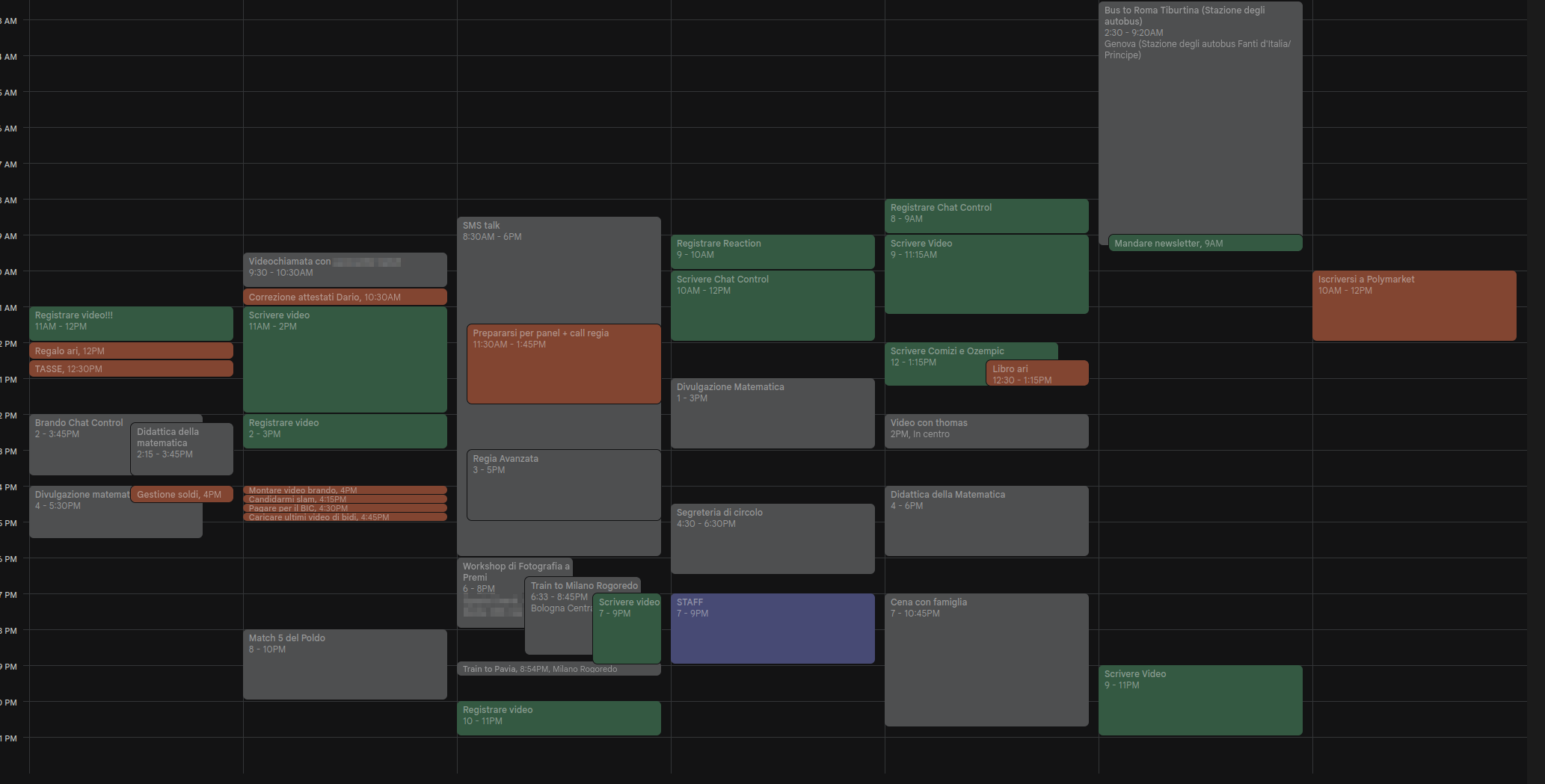
However, this made it quite easy to continuously postpone daunting tasks, and it was not particularly flexible: any unexpected event or delay in the day would make me much less willing to follow the schedule I had established. I'm the kind of person that heavily relies on these "productivity" systems to live my days, and I change them often; this year, I simply realized I had to go ahead and just build my own system instead of relying on apps that didn't truly understand me.
Initially, my goal was to build my own app. However, I don't know how to do that. It didn't make sense to me to learn the Android development kit from scratch to build a tool that was meant to better organize the plenty of tasks I already had to do. It had to be something that I could develop in a few days.
My backup plan was to build a Telegram bot. I spend much of my day on Telegram anyway, and there are an incredible amount of features available to bots there. I even made a solid mockup of how it would work, but I was mildly annoyed by the fact that there was no way to have some sort of "dashboard" on my home screen to see my current and future tasks.
This is when I started thinking of how cool it would be to have a dedicated, e-ink device that was entirely made for productivity. I don't know about you, but back in January my Twitter timeline was full of images of the X4 e-ink device, a little sexy thing that magnetically attaches to the back of your phone and has buttons to interact with it.
However, a few buttons would not fit my usecase. I needed more, and I needed to be able to write my own code. After some research, I found out just the perfect device to use.
This is a M5Stack Paper S3, a development unit that features a 4.7" e-ink touchscreen, a good 1800mAh battery, Wi-Fi and Bluetooth capabilities, a microSD card slot, a buzzer, and nothing else. It runs on a ESP-32 chip and costs less than 50€, shipping included. It's a steal! I immediately bought one.
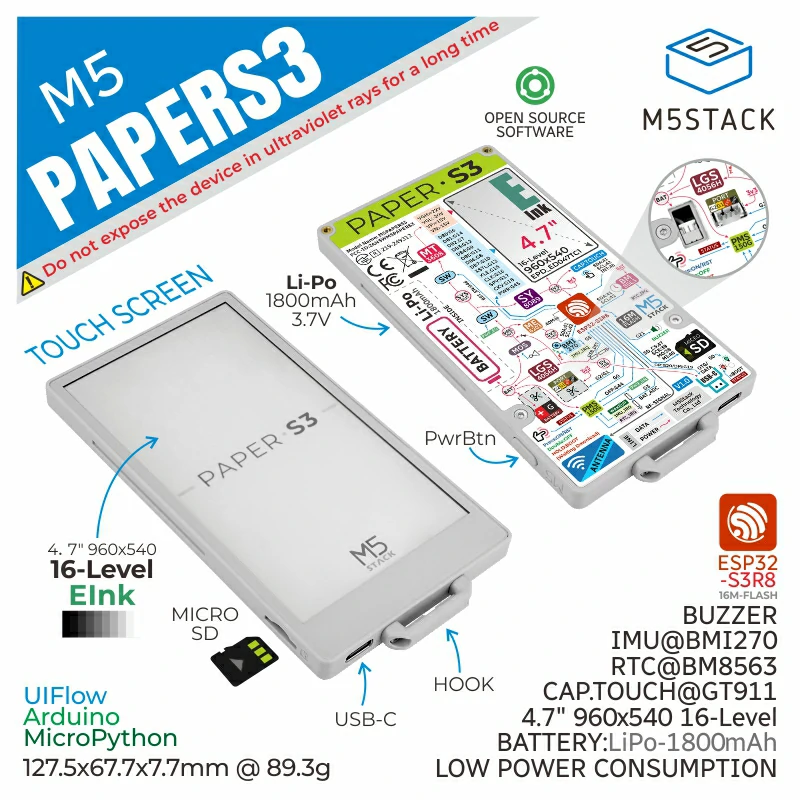
Oh, and the back is magnetic, so I can attach it to a great variety of metallic surfaces around me! This is a particularly great party trick, and the device as a whole is a good conversation starter (which, for an introvert like me, is a drawback!).
Developing applications for the PaperS3 is wonderfully easy. You can use MicroPython, which I was familiar with, and there's a half-decent documentation of the provided draw functions. The only drawback is that no high-level UI element was included out of the box, so I very much had to build the whole thing from scratch!
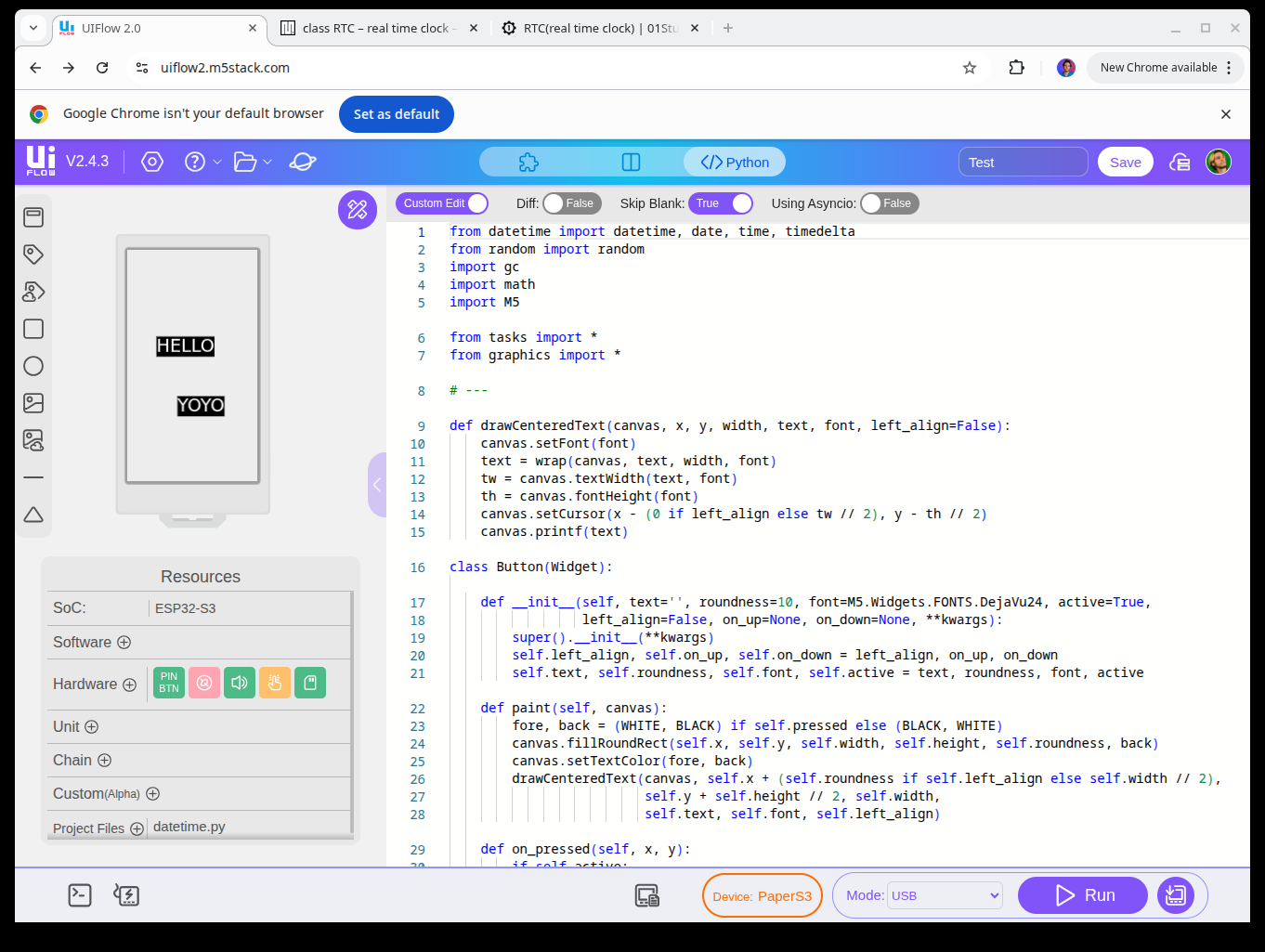
Luckily for me, the device was shipped right before my week-long vacation with my girlfriend. I brought my laptop with me and spent the whole vacation coding away, from each morning to each night. Surprisingly enough, my girlfriend never complained. I guess that after seven years of relationship she has sort-of given up on fixing this side of me.
That said: what exactly was I developing? It had to be something that implemented a specific workflow that was built on my specific needs and habits, as otherwise I could've just used any Android application. After much thought, I decided to go for what I'd like to call a "non-deterministic task manager". (The project was initially called Stochastic Tasks but my girlfriend didn't quite like the name so I changed it to Mirtillo, which means blueberry in Italian).
My model of myself was: I'm someone with a certain amount of events and tasks, both of which have a "fatigue" level (relaxing, low, medium, high). I also have a personal fatigue level, and doing tasks of a given fatigue will make my fatigue slowly match the one of the assigned task, depending on how long it is.
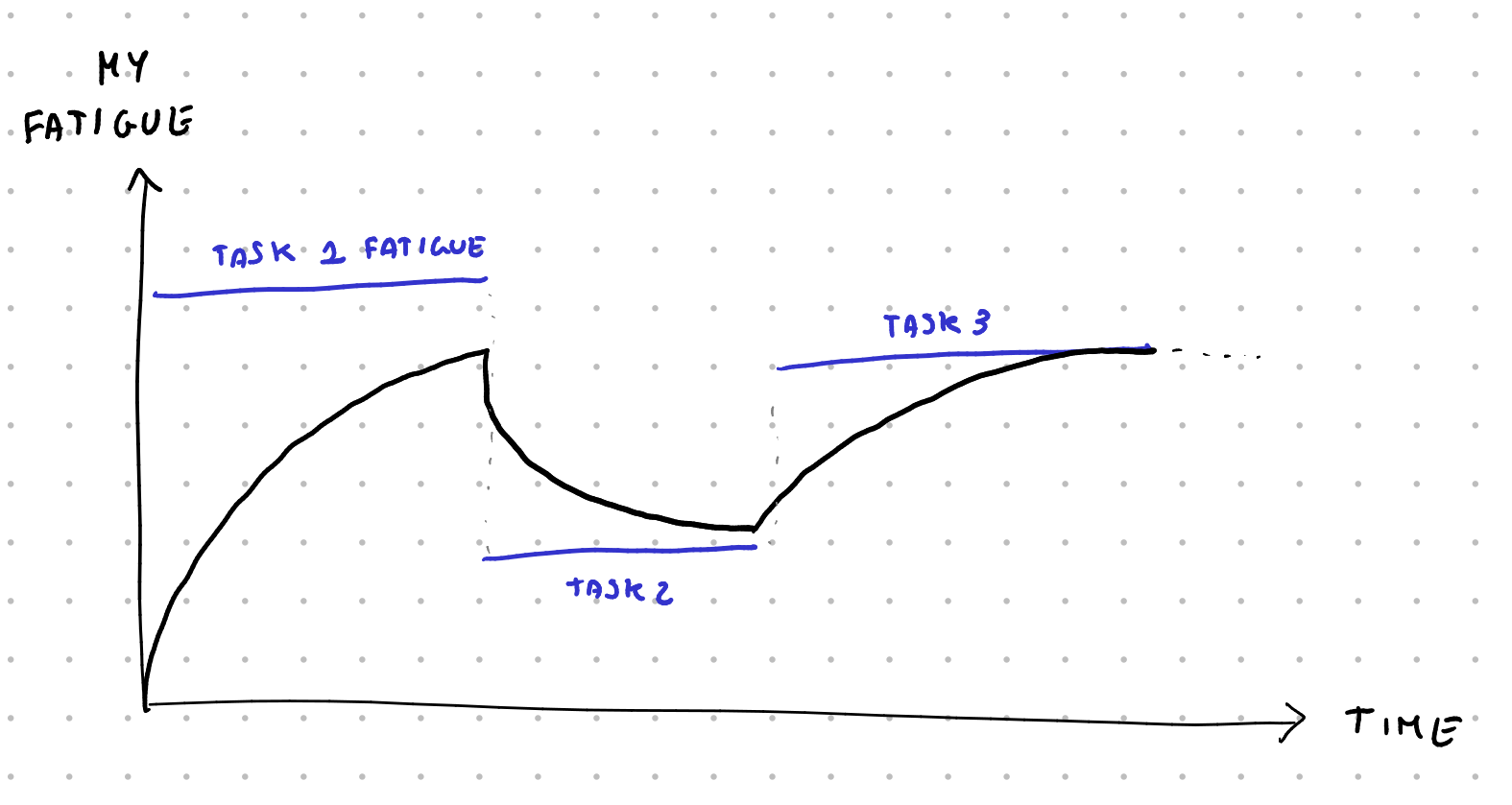
Now, Mirtillo can try to propose me tasks to do, but it knows that the less fatigued I am, the more likely I am to accept them. I initially wrote an hardcoded probability function here that depends on my fatigue and the fatigue of the proposed task, but the idea in the future is to track how often I actually decide to go for certain tasks and use actual probabilities.
Furthermore, each task is assigned an estimated duration. Again, I'm initially blinding trusting my time estimation skills now, but the idea is to, over time, collect data on whether I over or underestimate the duration of tasks (and of specific recurring tasks) to have a probability curve of the actual duration of the task.
Finally, each task also has a value, which is based on how important it is (recreational, nice to have, normal, important, vital) and based on whether it has a deadline, a "best-by" date, and how long ago I created it. The goal then becomes: how can Mirtillo build my schedule around the given events by placing my tasks so that it maximized the expected value of the score of the next few days?

This is an extremely difficult task to solve in a deterministic way; instead, I decided to handle this as a one-player game with a very large branching factor (at each given moment I can do more than 20/30 different choices of tasks to do). And, as one naturally does in such a scenario, I went with montecarlo simulations.
The idea is: whenever Mirtillo has to pick a task to try to make me do, it simulates a random possible future by picking random tasks, collapsing the probability functions of tasks duration into a single value, and using the probability function of how likely I am to do the proposed tasks. It does this until the end of day, and then again, and then again, hundred of times. Then, it looks at the average score I got, and picks the top-level task that has the highest average score and suggests it to me.
This has one big drawback: it's slow, especially on ESP32, so I can't run that many simulations. It also has may benefits, though: it means that I can collect data over time on how I actually perform and decide to do tasks, and that data will actually be usable to improve the simulations. It also means that, as an example, Mirtillo automatically suggests relaxing tasks in-between higher fatigue ones so that I'm more likely to actually stick to the suggested schedule.
So that's the idea behind the scenes. The user-facing implementation is much more simple, though. The application has four sections: Tasks, Clock, Budget and Events.
In the tasks section there's the list of all open tasks, with the importance and fatigue level of each, sorted by score. You add a new task or click on any existing one to see all of its information: effort, importance, duration, valid from, best by, deadline, repeats N times, and how often it repeats. As long as I maintain this list to be accurate, Mirtillo is going to do its best to propose me the best course of action at any given time.
The events section is almost identical: there's a list of tasks to do, with each having its start and duration. It looks horrible, I know, and I even know how to fix the UI using headers for the different days, but I haven't had time to actually work on it.
The clock section tells me the current task, how much time left it has, and the next event. I can tell it that I'm done, and it's going to ask me whether I want to generate a new item, start the next event early, or create a new event starting now. If I do choose to generate a new item to do, as an additional data point, I'm also asked how I'm feeling. In the future, this should also be used as a data point for the probability function of how likely I am to accept a given task.
The cool thing is that, since e-ink display keep showing information even when they're turned off, Mirtillo always shows the clock, even when I'm not using it. I made it so that it turns on every few minutes to update the number and then it turns off again. This way the battery lasts a few days, which is still not as good as I'd like it to be (it should be weeks... ) but it's a great start. Further power management optimizations are planned in the future.
Finally, there's the budget section. This is a somewhat recent addition: it's simply a list of values that I'm tracking and that increase at a given rate. As an example, I have a "small expenses" section value which increases at a rate of 17€/day, and I just subtract here all of my small daily expenses. This makes sure that I roughly spend around 500€/month of this category. There's a kcal tracker that works the same way: it slowly increases over time, and I subtract the estimate of the energy of each food I eat to check how much I'm eating.
This approach is extremely simple but powerful, I think. In the future I'd like to experiment with budgeting time in a similar manner: I could have a "minutes" counter that slowly increases over time, and each time I commit to some responsibility, I take off the amount of estimated minutes that it's going to take, to make sure I'm not over-committing my time.
And that's it. Mirtillo is a dedicated device that's the ultimate productivity tool for me, simply because it's built by me with myself in mind and it works exactly how I want it to work. Anytime I want to change some code I can just go ahead and change the code, and it only took a few days to develop. It certainly will require even more time to fully develop (the data collection part is still missing, and so is any kind of backup mechanism) but it has already helped my schedule the past three months.
So, to recap: if you want to build your own productivity tool that works around your exact needs and wants, you can just do that. Sure, you do need to know a bit of Python, but honestly it doesn't get easier than that.
In next week's video I'll showcase the other cool new invention of mine, called Lampone (raspberry).
The political use of operating systems

Politics is the science and art of organizing, constituting and managing a state and the direction of public life. Expressing these directions represents a power, a duty and an honour, and even though the common belief behind the political participation is that it is enough to vote during the elections, referendum and political initiatives to be part of the political participation niche, it is also possible to argue that there are multiple and diversified ways to make a political choice. One of the latter is the deliberate choice of the technology we use every day. And the everyday use of the technology starts from the personal computer and the operating system that runs on it. Operating systems not only shape and govern the way we interact with our material hardware but also the way we interact with institutions, private entities and peers.
Choosing an operating system means not only choosing the stack of our virtual life, but it also means adopting a particular perspective, prioritizing certain needs and choosing the way we interact with technology.
Making a political use of the technological power means choosing to change the direction of our computing life, gain consciousness on the alternatives and in a way that is equivalent to voting for a party or another, with the discussions, the drawbacks, and the advantages that come with it. This is the power of not letting others choose for us.
This power of choosing comes with the necessity of observing the alternatives, and if OS producers are like parties, each of these parties is bringing a priority or an issue to solve. Microsoft, Apple, RedHat and other vendors explicitly state the issue they are trying to solve: Productivity.
But other parties have other issues and other priorities, what if productivity wasn't the most important issue to solve for some? Are there any entities, producers, or institutions with other priorities that can drive the development of a distribution?
It is impossible to analyze the multiple implementations of the human perspective in this wide spectrum. Here, we tried to analyze the distributions based on the purpose that drives the development of the distributions. We hope it might entertain you and if we are lucky, even inspire you.
As of today, it is possible to clearly see a pattern and group OSes into four major families based on the purpose that drove the development of each of these software.
Military Purpose
Even if the productivity-oriented operating systems such as Microsoft's Windows and Apple MacOS are widely used in military organizations, most of them want to maintain a high grade of independence and control over the classified information, especially those who are not very supportive of the western world. A famous example is Astra Linux. Astra Linux was developed by the Russian Army and other intelligence forces. It provides data protection and mandatory access control, and as of now it is used by many educational, healthcare and state institutions as well as industries such as RZD and Gazprom.
Another focus of government institutions is information military defence where in a Cyber Warfare scenario having a robust and inaccessible OS creates a high advantage. This is the case of Kylin. it was created to make Chinese computers "impenetrable.", Kylin was developed by the National University of Defense and Technology in China. The first versions was based on FreeBSD with which it shared 99.45% of the similarities. It slowly proceeded to a more personalized grade with the newer versions, such as NeoKylin used by the government offices, national defense, energy and other sectors, as well as the 42% of Dell's personal computers in 2015.
In 2013 Canonical reached an agreement with the Ministry of Industry and Information of China to create the first Ubuntu-based OS, called Ubuntu Kylin OS.
But the OS distribution could not only focus on defending national security from the outside. Some institutional entities, having established a dense network of military alliances and defense mechanisms, consider it vital to have strict control over the population in order to avoid people's self-organization and free circulation of ideas.
Perhaps one of the most famous (or infamous) OS in this domain is Red Star Os. This OS was developed by the Korea Computer Center in North Korea. It has multiple controlling mechanism over the user, including a watermarking tool for tracing the spreading of a file from one computer to another, "antivirus" capable of removing censored files, a strange group called "administrator" which is the only one to have root privileges, and a mechanism able to detect the system's integrity and that checks that "certain files" have not been touched.

Software Independence
The military purpose is not the only need for a government; many other entities invest in software independence to cut costs and gain advantages over closed systems.
The advantages of having an independent Operating System are mainly related to the capability of the user not to rely on software governed by a third party, the possibility to autonomously develop the parts of the software that are needed and to better adapt to the necessity the software itself. This is the case of GendUbuntu. This operating system was developed by the French National Gendarmerie to become independent from US proprietary software after the end of the development of Windows XP and Vista by Microsoft. This solution cut the costs of staff training and licenses, and still saves the French Government the costs of buying computers with a proprietary OS. Most of the computers bought by the Gendarmerie do not have an OS and GendBuntu is installed by the Gendarmerie Technical Department.
Some argue that another purpose of the free software could be the IT education and this is the proposal that brought the Venezuelan government to build Canaima Linux. Canaima Linux was created in accordance with the presidential decree 3390 of the Venezuelan Government. This OS is one of the most used in Venezuela, in particular, after the efforts done during the "Canaima Educativo" project were the goal was to provide school children with a basic laptop computer and with the basics educational skills in software utilization.
Canaima is now the default operating system for the Venezuelan public administration, and it is also the most used Linux distribution in Venezuela, thanks to the widespread adoption of the distribution by the public schools.
But the adoption of FOSS software in public entities wasn't always successful. An example of this is LiMux. LiMux was developed by the city of Munich in order to replace the software on its desktop computers and abandon Microsoft Windows. During the development of LiMux another software called Wollmux was developed to extend OpenOffice capabilities in areas required by the Munich Council, including managing letterheads, templates, and saved blocks of standard text. Unfortunately, OpenOffice received much criticism for its productivity shortage, so the administration considered returning to Windows software. The spokesman of the Munich city council argued that those productivity problems could have been solved by switching from OpenOffice to LibreOffice, but the city council had already decided.
Another purpose of the Independent Operating systems if often fight back against embargoes and limitations from producing countries. The Cuban government began the development of Nova Linux just after the beginning of the US embargo and it was developed in Havana by the University of Information Science by students and professors. The emphasis was particularly drawn to the FOSS aspects of the project with the Director of the University stating: "The free software movement is closer to the ideology of the Cuban People".
Research
The creation of a research-oriented OS always drew a keen interest among the Open Source community. Usually, research-oriented distributions contain necessary software and optimization specifically designed for a particular area of research.
Some examples are Scientific Linux, which focuses on High Energy Physics (its firt name was HEPL or High Energy Physics Linux), which was developed starting from FermiLinux, a Linux distribution developed at FermiLab, Chicago and then enhanced by CERN, DESY and the ETHZ of Zurich.
Another OS developed by the Chinese Academy of Sciences in 1999 was Red Flag OS, built with the aim of serving the Chinese research community with a research-focused OS that could substitute Microsoft's distribution.
Unfortunately, it never reached a wide computer population.
Other distributions started as research platform and quickly gained popularity among wider communities, an honorable example is Kali Linux, which was designed as a Cybersecurity Research platform and it quickly gained popularity as a penetration testing and digital forensics tool.
Hardware and Software Ownership
These are only some of the purposes that drove the development of some distributions, but possibly the most widely and recognized reason not to use proprietary software is the possibility of having more control over the hardware and software of the computer. For this reason many user centric distribution were developed. Some are easier for the user to be managed, like Ubuntu, Fedora, Manjaro and Debian and some less, like Arch and Endeavor. The idea behind the complete ownership of the computer is that once a product is bought, the producer should not have any right over what it is executed on it, whether it is the data or the software. Computers are almost always shipped with a predetermined operating system, limiting the choices of the user and proposing a boring and standardized use of technology. Some argue that the choice of the operating system by every user would make the management of computers more difficult and problems more complex to solve, we argue instead that giving the user the right to choose the operating systems would make people more capable of comprehending their power, gain consciousness over technology and being self sufficient in the reparation of it, creating a less dependent society and a democratization of the knowledge on the technology.

The wide variety of human needs and ideals brought to the creation of a colored spectrum of Operating Systems and distributions, and even though the adoption of many of them could not be wide enough to call them "popular" it is still possible to say that each of them deserves a certain attention, whether to escape from a boring afternoon on a virtual "testing" machine or to escape the monotonous use of the computer, relegated to just being objects with the sole and only purpose of the productivity instead of seeing each program as a projection of the human need.
In a way we can say that if art is the proof of human existence on this earth, then computer programs, operating systems, languages and compilers are little forms of art.
My childhood dream laptop
In my limited adult(-ish) life, I've only ever been genuinely excited for an hardware lineup once, and it was - surprisingly - Microsoft's Surface, between 2016 and 2022. However, I never had the luck to own any of their devices – until now; and yet, it's too late: Surfaces now only represent only a fraction of my childhood excitement around them, having discontinued and walked back on everything that made them unique.
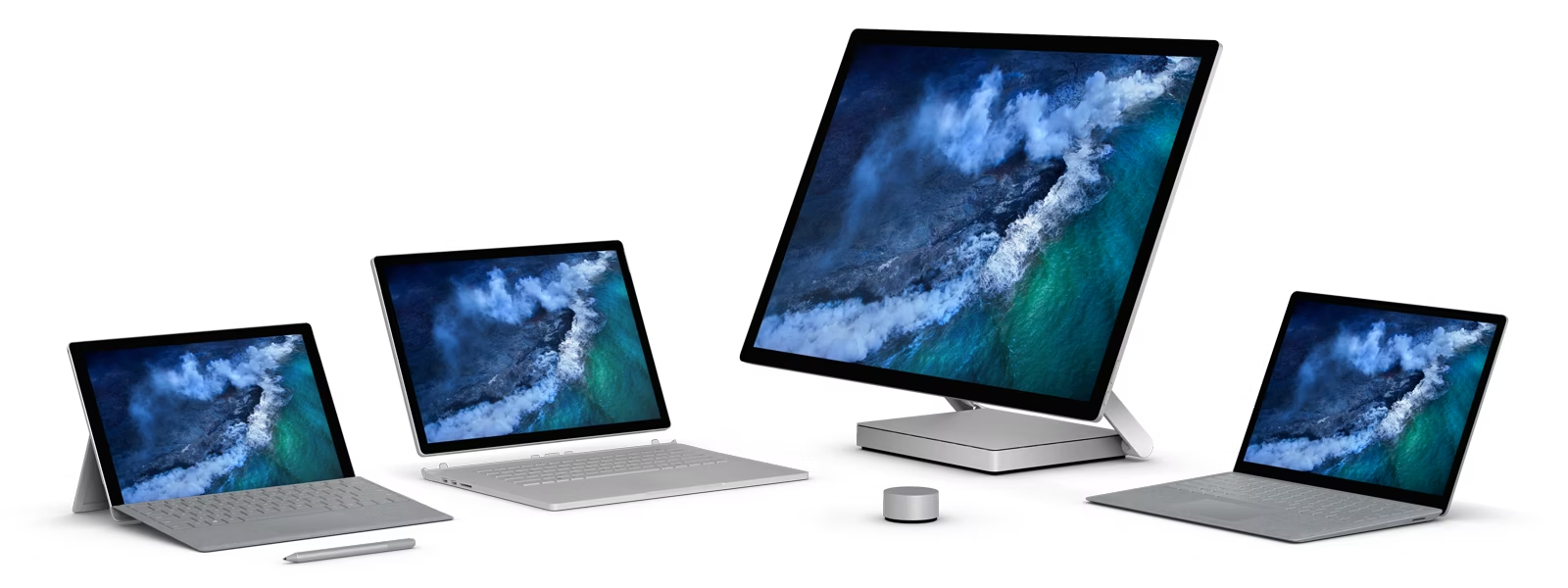
This article contains three important sections: firstly, I'll review the Surface laptop I have just bought - the Surface Studio 2 -, then I will tell you how Linux runs on it, and - finally - I'll tell the tale of the lost soul of the Surface laptops. (I'm an old man screaming at clouds at 24 years old already, ouch).
The Surface Laptop Studio 2
The Surface Laptop Studio 2 nails it. I love it.
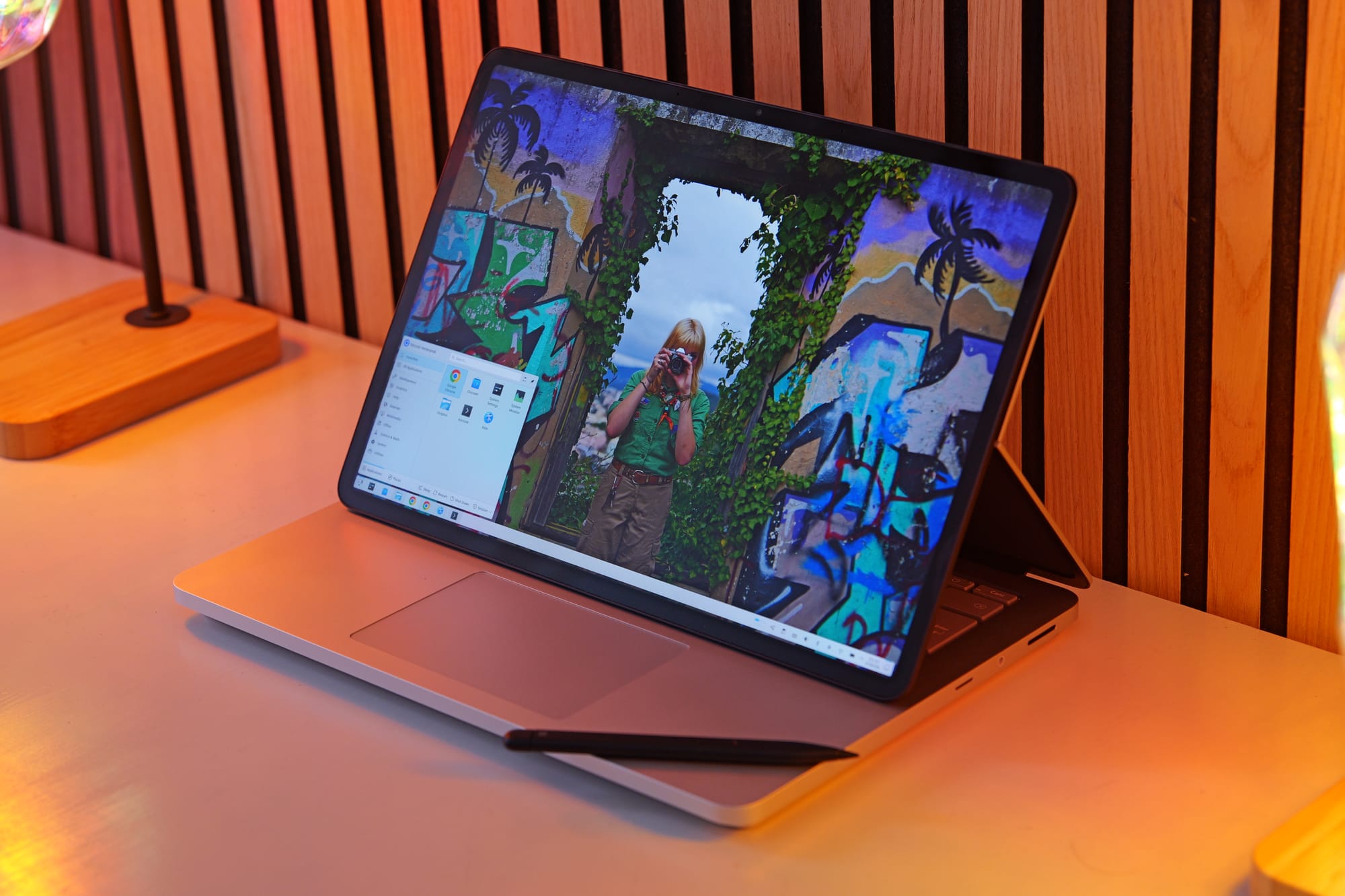
Let's start by its defining feature: the screen. By now, I have daily-driven both 360 degrees hinges and multiple detachable keyboard laptops.
Though I still love the form factor, they both have significant drawbacks: 360 degrees hinges require a full rotation to enter tablet mode, an action that's annoying enough that you'll hardly reach for it.
Detachable keyboards are easier to get into tablet mode (though, you'll still be left with an hanging keyboard) but are much worse as laptops, in the sense that they need a flat table to rest the kickstand on.
The Laptop Studio avoids both these issues by allowing you to "fold" the back of screen in half, letting the screen slide over the keyboard until it either rests above the touchpad, or lies down in a full tablet mode. This action is easy enough that it feels natural to do it whenever you want to be closer to the content you're watching and want to interact with it through the touchscreen, but it preserves the look and feel of a traditional laptop whenever your workflow doesn't require that.
Even better, you can even flip the screen entirely to lie on the back of the laptop lid. If you then rotate the laptop you enter a different tablet mode, where you get even closer to the screen (with no keyboard in-between). Or, you can use this to show the content of your screen to someone sitting across you.
This last example might sound stupid, but I actually had the chance to do exactly this: I was working with a colleague in a pub, and they had to verify that I had the correct video files to work on; instead of rotating the laptop so that they could see, it felt natural to me to just flip it.
The following day I was in the airport, doing some finishing touches on the project, when my gate was called for boarding. I did not want to close the laptop as the video was rendering, but all I had to do was to fold the screen on top of the keyboard, and grab it as if it was a tablet (with no detached keyboard to handle).
And even now, as I'm typing this review on a nightly transfer on a pullman with very little leg space, whenever I need to scroll some content to read through, it feels natural to me to just fold the screen enough to make it fit the available space.
None of this is groundbreaking: however, they keyword indeed is "natural", as if this laptop allow you to fold and open it as you need.
The screen is 120Hz and decently bright (it's meant to be HDR, but god knows if Linux handles that correctly). It's 3:2, which is the correct aspect ratio for a laptop. It's an LCD instead of an OLED, which saddens me, but considering that this laptop was released 4 years ago, I'll take it. We weren't ready.
It's a laptop that's built for productivity. It features two USB-C ports, a USB-A, headphone jack and micro-SD, which is all in all a great combo. In the few days I've used this as my work machine, I've used all of these ports plenty - except the headphone jack, and that's only because I forgot my wired headphones home and had to fallback to the higher-latency Bluetooth ones. My current work requires traveling, videomaking and video editing and the go, and this is the right hardware to do it with.
I've also had the chance to do some notetaking with it, and - through the Slim Pen 2- this laptop is up to it. I still don't think the feel of the pen is as good as it is on a e-ink device, but it was still an okay experience. The Slim Pen docks magnetically underneath the touchpad in a lovely way, and I have no complaints about it.
The keyboard is great. The touchpad is great, and haptic. I'll never be able to go back to a mechanical one. The whole build could be ever-so-slightly thinner (the bezels are quite big, the touchpad has empty space around it, …) but it's a nitpick.
This laptop has a Nvidia 4050 dedicated graphics card. How is it? Err, well, more on this later. Spoiler alert: it's probably one of my biggest regrets of this laptop.
Finally, battery life. This laptop is not good on battery life, but through some tweaking (including disabling the Nvidia card, hey, more on this later) I managed to get a decent battery life out of it. Browsing and light workloads will yield between 7 and 9 hours of battery life, and during intensive work - such as rendering videos - I'll get something like two, two and a half. It's half the battery life I'd be hoping for in a device like this, but ultimetly I need to surrender to the fact that the old power-hungry Intel chips are not it. I bought a 25000mAh powerbank that outputs at 100W and called it a (sad) day. More on this later, though.
Considering that I love its design and feel, I really think this is a great portable workstation. Which is probably why Microsoft decided to kill it two years ago, stopping its production without any successor. You're therefore able to find this laptop at a decent price on eBay, even though it was prohibitely expensive when it was first released.
Now, before I move on: yes, there are multiple improvement areas for a laptop like this. The latest Phanter Lake chips would yield better or comparable performance at a much better battery life, the screen should have a tandem OLED option and smaller bezels, and the build should be overall thinner and lighter (this machine is thick!). Sadly, we'll probably never see any improved versions of comparable hardware: I'm not sure if there's any patent on the screen design, but no other company currently has this folding mechanism in any of their products, and nothing tells us that this will change anytime soon.
I'll have to move to a better laptop within a year (these new chips seem to be truly a step forward), but I'll probably keep this hardware on display to remind myself of what has been. More on this later.
Linux on the Studio 2
Making Linux work on Surface devices is as painful as you imagine it to be.
Firstly: I'm not running the standard Linux kernel, but rather the surface-linux fork that has some fixes for these machines. Switching over to this kernel allowed me to have touchpad and touchscreen working out of the box.
A surprising amount of components worked out of the box too: I had no issues with the webcam ((in)famously a pain points for Surface devices), or speakers, or ports. Wi-Fi and Bluetooth gave me no issues either, and (yay!) tablet mode was also detected. That's where the good news end.
Screen autorotation was missing out of the box; apparently, some sensor packages were missing. When I installed them, Ubuntu stopped booting. I had to remove the packages in a live boot. After some testing, I managed to get autorotation to work through the git versions of those packages. No idea what's up with that.
The touchpad randomly died during usage. This was particularly annoying, as I found no online references to this issue. Google Gemini suggested it might be due to the touchpad going to sleep and never waking up again; as a solution, it proposed a kernel flag to disallow components to sleep at all. That worked, and with some tweaking, I managed to make sure that battery life didn't take a hit.
Except it didn't fully work. Most of the times, the touchpad will not work when I boot the device for the first time in a long time; I'll always have to reboot the first time around. It's not a dealbreaker, but it's annoying.
Even worse, sleeping is currently all wrong. Letting aside the whole mess that Microsoft made by removing deep sleep (sigh), trying to close the lid will make the machine fire error messages non-stop to journald, keeping the CPU at 100% and draining the battery as fast as it can. Again, the Internet did not help me out, and Gemini was not able to handle this one either. So: I currently shutdown the device everytime I want to close its lid, which is obviously not ideal. Actually, it's a pain in the fucking ass.
There's also little issues here and there. Waking up from the little sleep that this machine gets with its lid closed takes a weirdly long amount of time. I also once got 15/20 seconds delays when booting for no reason, though I was mostly able to fix that (don't ask me how, though, I have no clue).
I'm confident that I'll be able to address most of these issues over time, but it's obvious that it will take effort and time; effort and time that would probably be better spent, as an example, by doing videos for you, and not by debugging this weird adolescence that this laptop is going through. Sigh.
One final issue is that, when the screen is detached and sitting on top of the touchpad… the touchpad should still working! I'm not sure if this is KWin disabling all input hardware when tablet mode is enabled or what, but I've found to way to override this behavior, and thus I'm left with a touchpad that's again useless even though it's right in front of me. Again: Sigh.
It's also time to talk about the GPU. Even though it's a Nvidia, it thankfully gave me no big issues on that side. However! This is my first time having a dedicated GPU, and I thought it would be nice to have one, given that my work is now all around video editing, raw images editing, OBS recording and such.
However, it turns out that my preferred video editor, kdenlive, does not support hardware accelerated rendering; the only task that can be handled by the GPU is the encoding part, which is not the bottleneck on my machine and yields no extra performance. It turns out that very few video editors are able to really take advantage of the GPU, the most famous of which is Premiere (which is proprietary! Not a big fan). A possible alternative is Shotcut, which allows for GPU accelerated effects through the movit package; I haven't had the time to test that out, but I'm also not exactly excited to switch to a new video editor (especially Shotcut, as I really don't like its interface - sorry!).
However, as great as Kdenlive is to edit program (it's feature-packed and easy to use, in my humble opinion), I'm having issues dealing with its performances. Even ignoring its speed (it sometimes lags when editing over proxy clips…), it uses an incredible amount of RAM, which is often higher than all of its project files disk size combined. Sadly I only managed to get the 16Gb version of this device (yep, that's on me) and it's soldered (that's on Microsoft, though). In order to edit a video without crashes, I had to set up 64Gb of SWAP on my SSD. It seems to work, but I fear that will create an additional burden on performances. Given that speed is a big constraint of this work I'm doing, I'm getting anxious enough that I'm now rendering projects by calling melt on the command line instead of using kdenlive's built-in render button. And, hey, it uses less RAM, I think!
And, of course, my raw image editors don't seem to benefit from running on the GPU either. Which makes me ask: as somebody who has a dedicated device to play games on, why on earth did I just buy a dedicated GPU!? The only task I seem to hardware-accelerate is OBS recording, which is the one thing that my CPU was handling just fine. I've even been wondering if I could open the device, remove the GPU and replace it with additional battery (obviously, I can't!).
Overall, I am left wondering how should I change my workflow to best address my quick turnaround on video project needs. I'm open to suggestions, and please do explain to me how I did not waste money on a dedicated GPU. Right now, I've just disabled it, and that has gave me some extra battery life. Maybe I should sell it for a quick buck. (Just kidding – I'm well aware it's soldered).
The Lost Tale of Surfaces
Now, I'm not going to keep using this laptop for too much time, I'm afraid. The latest Intel chip is such a generational leap forward that I'll probably switch to it as soon as some company I like (read: Framework) will ship with it.
However, I actually bought this device for a different reason: a (somewhat expensive) form of collecting. A few years ago, the Surface line was genuinely exciting, with many innovative ideas throughout their line of devices. Now, all of that excitement has been killed of and replaced with empty Copilot+ stickers.
I've spent a lot of time talking about the unique form factor of the Laptop Studio, but let me introduce you to the Studio itself.
It's an all-in-one computer featuring a 28" touchscreen display that folds towards the user. This means directly interacting with the content, and as it supports the pen too, potentially drawing or taking notes directly on the giant screen. The design is sleek and the latest version was quite powerful, featuring 11th-gen Intel and dedicated NVIDIA cards. As someone who works on photos and graphics, this feels so exciting! (It was discontinued a year and a half ago).
As an additional way to interact with the screen, Microsoft also offered a "Dial" that would rest on the screen, and allow for extra input. It could be used to change the color of the pen, rotate the canvas, and more. Also discontinued a couple of years ago.
Before the Laptop Studio, we even had the Surface Book, which was yet another attempt at a new 2-in-1 form factor for high-powered machines. This was a detachable device, but the keyboard featured additional battery and a dedicated NVIDIA graphics card, plus a hinge that would fold flat on the table to make sure that you could use this as a traditional laptop without any use of stands.
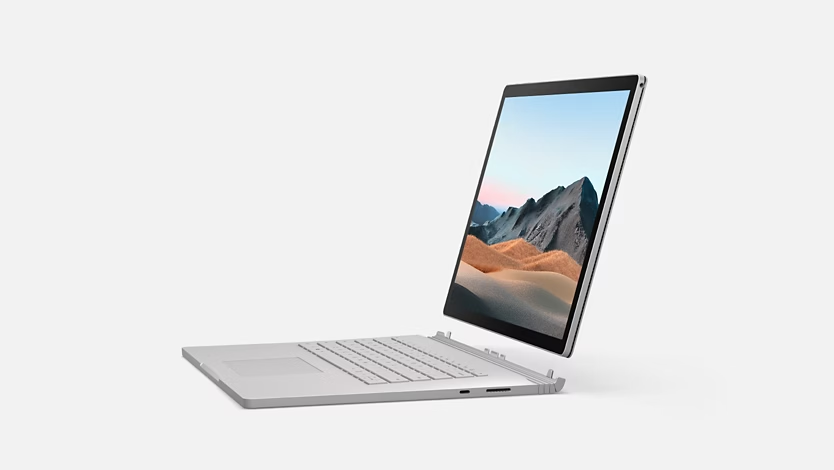
You could even rotate the screen around and re-attach it, using the keyboard base as a stand for the tablet part of the device. And, of course, it was again touchscreen and supported both pen and dial inputs. It wasn't necessarily a good idea - again, I think the folding display on the Laptop Studio was just a better idea - but at least it was an unseen one.
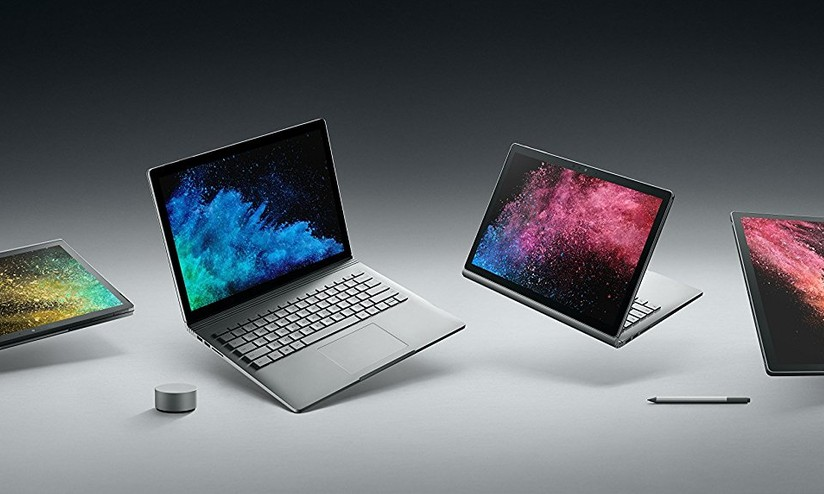
And, even when the traditional Surface Laptop was announced in 2017 (I watched the stream live, I still remember it!), it featured some vibrant colors, a sleek design and —
The infamous Alcantara texture on the keyboard! This had some durability issues over time, but it still feels miles ahead compared to the metal plates that we are handed nowadays; the design made the laptop feel super-thin when on a surface, and the same material was used for the Surface Pro line as well. Ah, of course, this was still all touchscreen and pen-enabled, which is sometimes useful for quick annotations.
Finally, of course, the Surface Pro line was (and still is) the reference implementation on how to do a detachable keyboard device! It features an integrated kickstand (instead of a bulky magnetic one), a pen that hides within the keyboard, a keyboard that does not lay flat on the table, great screen-to-body ratio, slim and light design, the Alcantara texture instead of rubber…
Even its little brother, the Surface Go, shared most of these good features, and was objectively a little cute thing! (Now discontinued).
Compare all of this to the current lineup. We've got a rather boring-looking, all-metallic Laptop 7 (which ships with an ARM chip that still pales in comparison to Apple Silicon):
And, the Surface Go was replaced with a lil' Surface Pro 12, which features a keyboard laying flat on the table and a rubbery keyboard, both design decisions that feel to me like clear step backs:
Everything else has been discontinued, except for the Surface Pro, which stands as the only still-exciting device of the lineup.
Overall, it's impressive how quickly Microsoft turned its hardware department from a place to push for the limits of Windows devices into a good but rather boring set of laptops. My hope is now to go ahead and try to collect as many of these little machines as possible, picking up defective units on eBay to display in some display window somewhere in my house. And why not start with the Laptop Studio?
About
Hi! I'm Niccolo Venerandi, KDE developer and Linux Content Creator since 2021.
I have created LibreNews to host all the content by me and my collaborators.
Our focus is to provide an in-depth, accurate analysis of the Linux and Open Source world. You can sign up for free to get all of this content by e-mail, or join as a paid subscriber to have so extra content delivered to you!
Tags
Authors
Archive
Linux Marketshare
Here is the graph showing Linux market share over the last two years according to five different sources (the Steam Hardware & Software Survey, the US Gov website, w3counter, statcounter, and Cloudflare):
Please note that CloudFlare and StatCounter data are updated daily, whereas all other sources are updated monthly. Though each data source uses very different methodologies, this graph should be able to tell us about general trends over a medium length of time.
You can find more data and a description of the handling of each source on this page. Please note that part of it is reserved for paying subscribers as aggregating the data takes some time, and donations help me work on more features (such as by-country graphs and longer history) and, more generally, to run the website.
CloudFlare
CouldFlare data uses the number of HTTP requests broken down by Operating System. You can explore the data for yourself here.
I have decided to set "Device type" to "Desktop" as I'm only interested in desktop marketshare, and I have kept "Bot class" empty as "Likely human" lowers the Linux marketshare significantly, and I'm worried that Linux users are considered more likely bots.
The data is continuously updated, which is great; however, it's provided as a percentage of HTTP requests each day, and to get the monthly value, I average them. I have found this to be rather accurate, but it does not account for which days have more traffic. Therefore, the number you see might differ from CloudFlare's own tally.
If necessary, we could filter the requests by country and have some more detailed geographical data, but I have not worked on that yet.
Statcounter
Statcounter publishes its methodology here and here, and you can see the data for yourself here. Again, I'm only interested in desktop market share, so I filter by that type of device.
I believe this to be the second-largest source of data after CloudFlare, as they claim to have had a sample of 5.3 billion page views in 2022. Of course, that might not be representative of the larger population.